
1. Уводзіны
This manual provides detailed instructions for the installation, operation, and maintenance of your COOAU 4MP Wireless Security Camera, Model 827S-400. Designed for indoor use, this camera offers advanced features such as 4MP Ultra HD video, Pan/Tilt/Zoom (PTZ) functionality, two-way audio, and intelligent detection capabilities to enhance your home monitoring experience.
2. Прадукт скончыўсяview
The COOAU 4MP Wireless Security Camera is a versatile indoor monitoring device. Familiarize yourself with its components and key features:
2.1 Кампаненты
- COOAU 4MP Wireless Security Camera Unit
- Адаптар сілкавання
- USB кабель харчавання
- Mounting Accessories (screws, wall anchors)
- Кіраўніцтва карыстальніка (гэты дакумент)
2.2 Асноўныя магчымасці
- 4MP Ultra HD Video: Захоплівае выразныя і дэталізаваныя здымкі ежыtage.
- Панарамаванне/нахіл/маштабаванне (PTZ): Offers 360° horizontal and 120° vertical rotation for comprehensive coverage.
- Двухбаковы аўдыё: Убудаваны мікрафон і дынамік для сувязі.
- Інтэлектуальнае выяўленне: Features sound detection, motion detection, and motion tracking with alerts.
- Палепшанае начное бачанне: Provides clear monitoring in low-light conditions.
- Гнуткае захоўванне: Supports local storage via Micro SD card (up to 128GB, not included) and cloud storage options.
- Сумяшчальнасць Alexa: Integrates with Amazon Alexa for voice control.

Image: The COOAU 4MP Wireless Security Camera, highlighting its compact design and key functionalities like 360-degree coverage and 4MP HD view.
3. Настройка
Follow these steps to set up your COOAU Wireless Security Camera:
3.1 Усталёўка прыкладання
- Scan the QR code provided in the camera's packaging or search for "MIPC" in your device's app store (Apple App Store for iOS or Google Play Store for Android).
- Спампуйце і ўсталюйце праграму MIPC.
- Адкрыйце праграму і стварыце новы ўліковы запіс карыстальніка або ўвайдзіце ў сістэму, калі ў вас ужо ёсць уліковы запіс.
3.2 Падключэнне харчавання
- Падключыце кабель харчавання USB да порта харчавання камеры.
- Падключыце адаптар сілкавання да стандартнай электрычнай разеткі.
- The camera will power on and initiate its startup sequence. Wait for a voice prompt indicating it's ready for connection.
3.3 Канфігурацыя сеткі (Wi-Fi)
- In the MIPC app, tap the '+' icon to add a new device.
- Select the camera type (e.g., "Wireless IP Camera").
- Choose "Wi-Fi connection" as the network connection method.
- Follow the on-screen instructions to enter your Wi-Fi network details (SSID and password).
- The app may instruct you to scan a QR code displayed on your phone with the camera, or to place your phone near the camera for sound pairing.
- Once connected, you will hear a confirmation sound from the camera, and the app will indicate successful addition.
- Set a new password for the camera for security purposes.
Video: Demonstrates the indoor camera connection steps, including app installation, power connection, and Wi-Fi setup.
3.4 Мантаж камеры
The camera can be placed on a flat surface or mounted to a ceiling. Use the provided mounting accessories for ceiling installation. Ensure the camera is positioned to cover the desired monitoring area.
4. Інструкцыя па эксплуатацыі
Learn how to utilize the various features of your COOAU camera:
4.1 У прамым эфіры View і кіраванне PTZ
- Open the MIPC app and select your camera from the device list to access the live video feed.
- Use the on-screen controls to pan (rotate horizontally up to 355°), tilt (move vertically up to 120°), and digitally zoom the camera view.
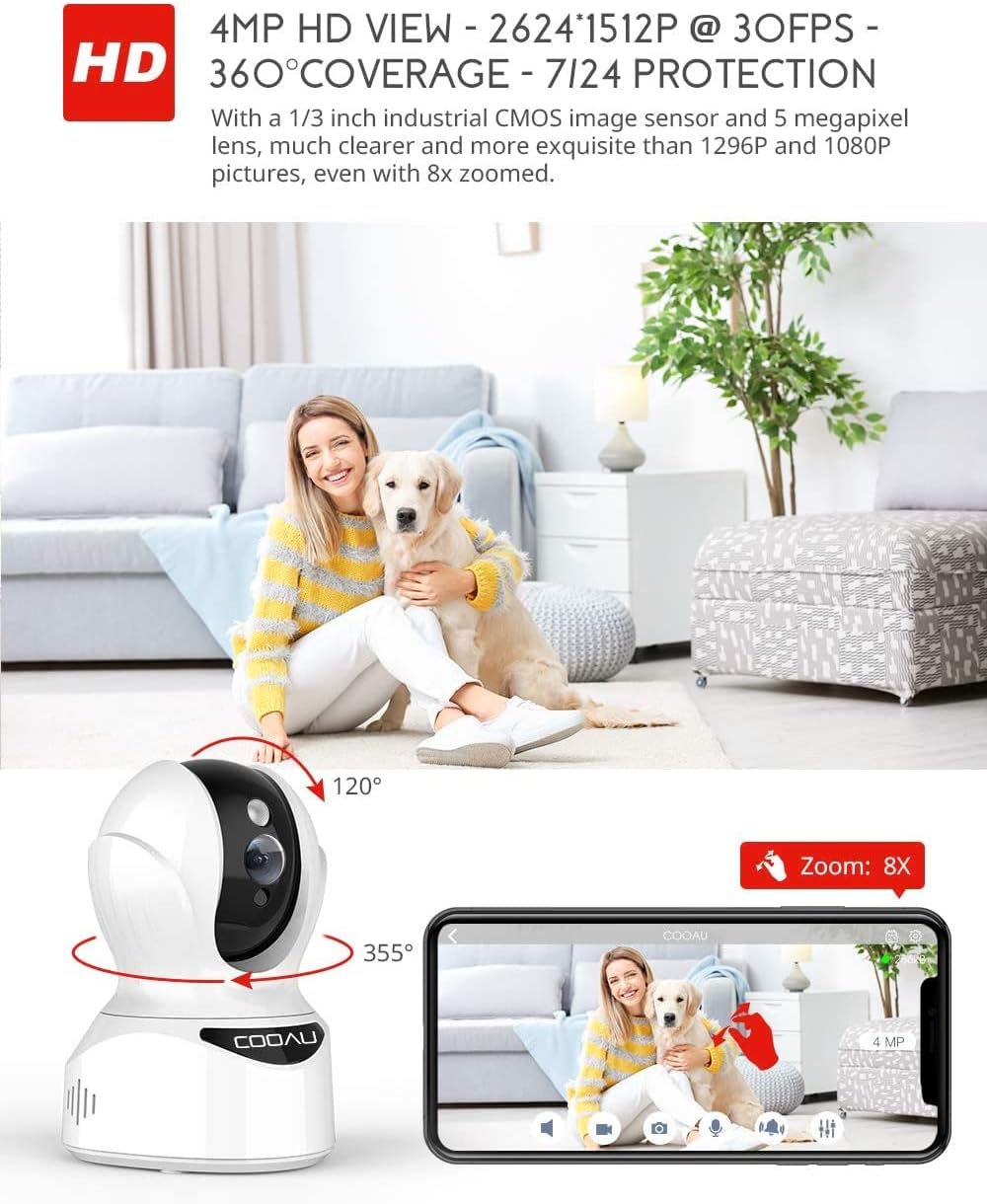
Image: Illustrates the camera's Pan/Tilt capabilities, offering 355° horizontal and 120° vertical rotation for comprehensive room coverage.
4.2 Двухбаковае аўдыё
- У жывым эфіры view, націсніце значок мікрафона ў дадатку, каб гаварыць праз дынамік камеры.
- Убудаваны мікрафон камеры дазваляе чуць гук з месцазнаходжання камеры.

Image: Depicts the two-way audio feature, enabling clear communication through the camera's built-in anti-noise and echo cancellation microphone and speaker.
4.3 Intelligent Detection and Alerts
- Access the camera settings in the MIPC app to configure motion detection, sound detection, and motion tracking.
- Enable push notifications to receive alerts on your smartphone when activity is detected.
- Motion tracking allows the camera to automatically follow moving objects within its field of view.
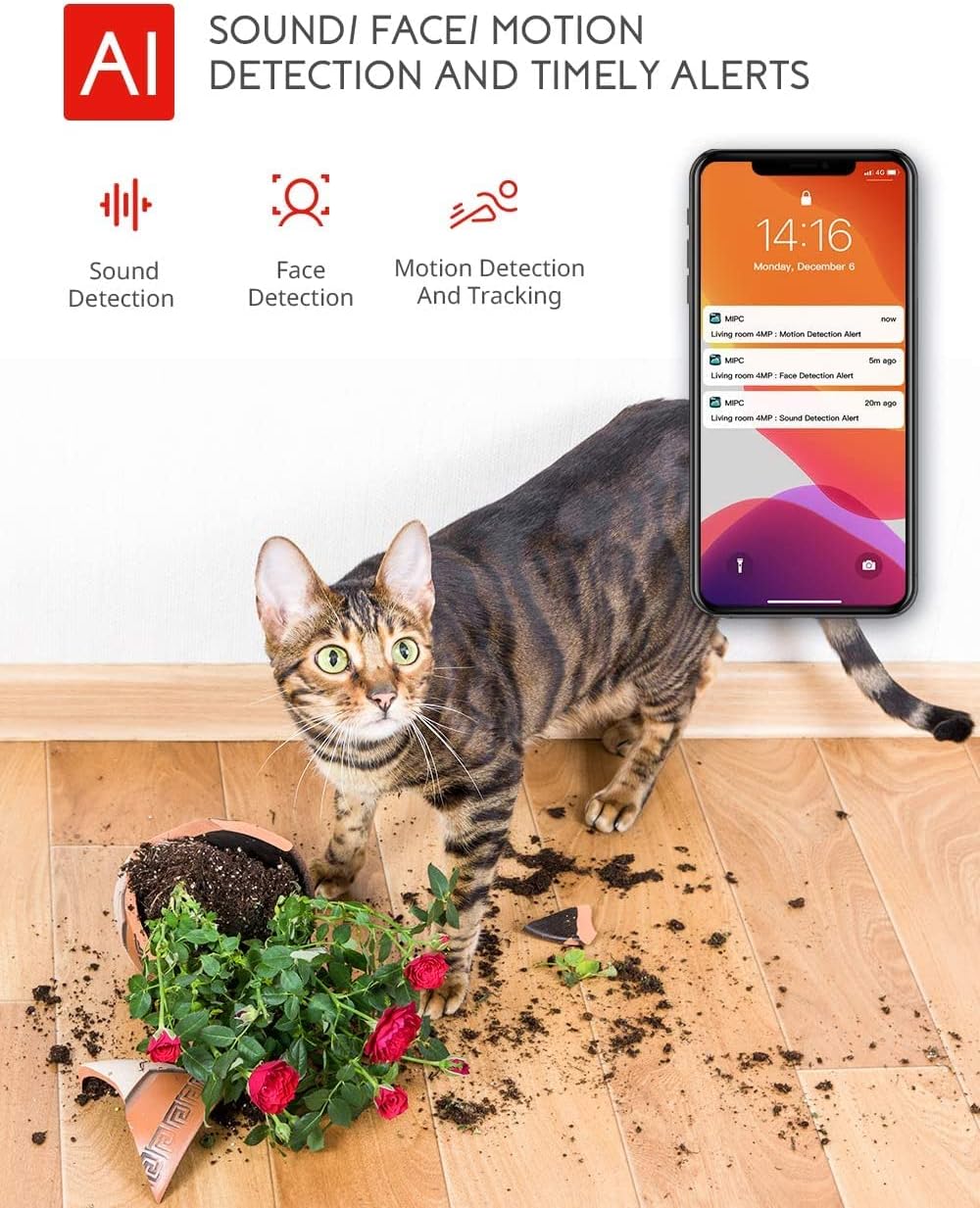
Image: Highlights the AI-powered sound, face, and motion detection features, with timely alerts sent to your smartphone.
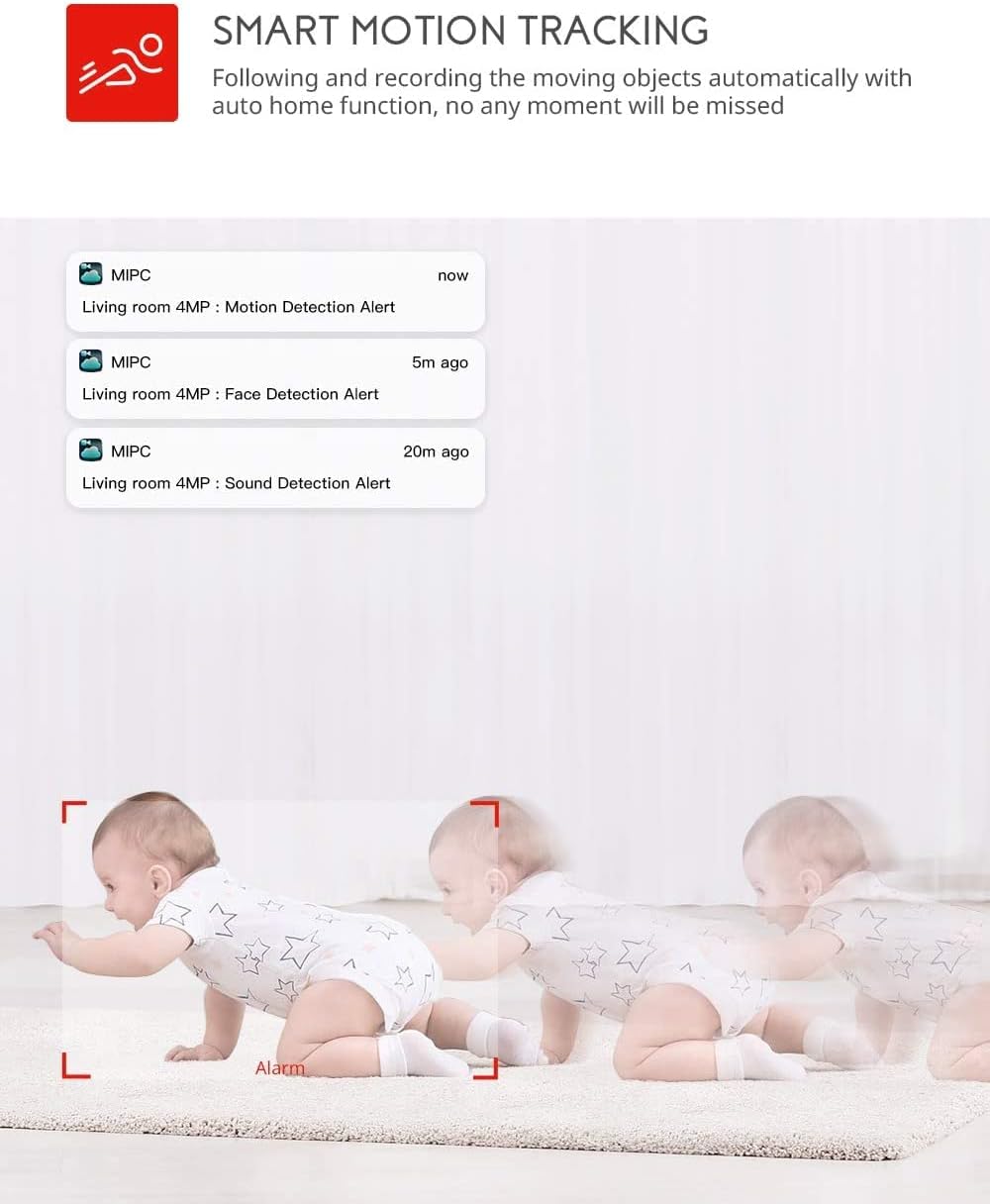
Image: Illustrates the smart motion tracking feature, where the camera automatically follows and records moving objects.
4.4 Начное бачанне
- Камера аўтаматычна пераключаецца ў рэжым начнога бачання ва ўмовах нізкай асветленасці.
- This feature provides clear black and white video footage without additional light sources.
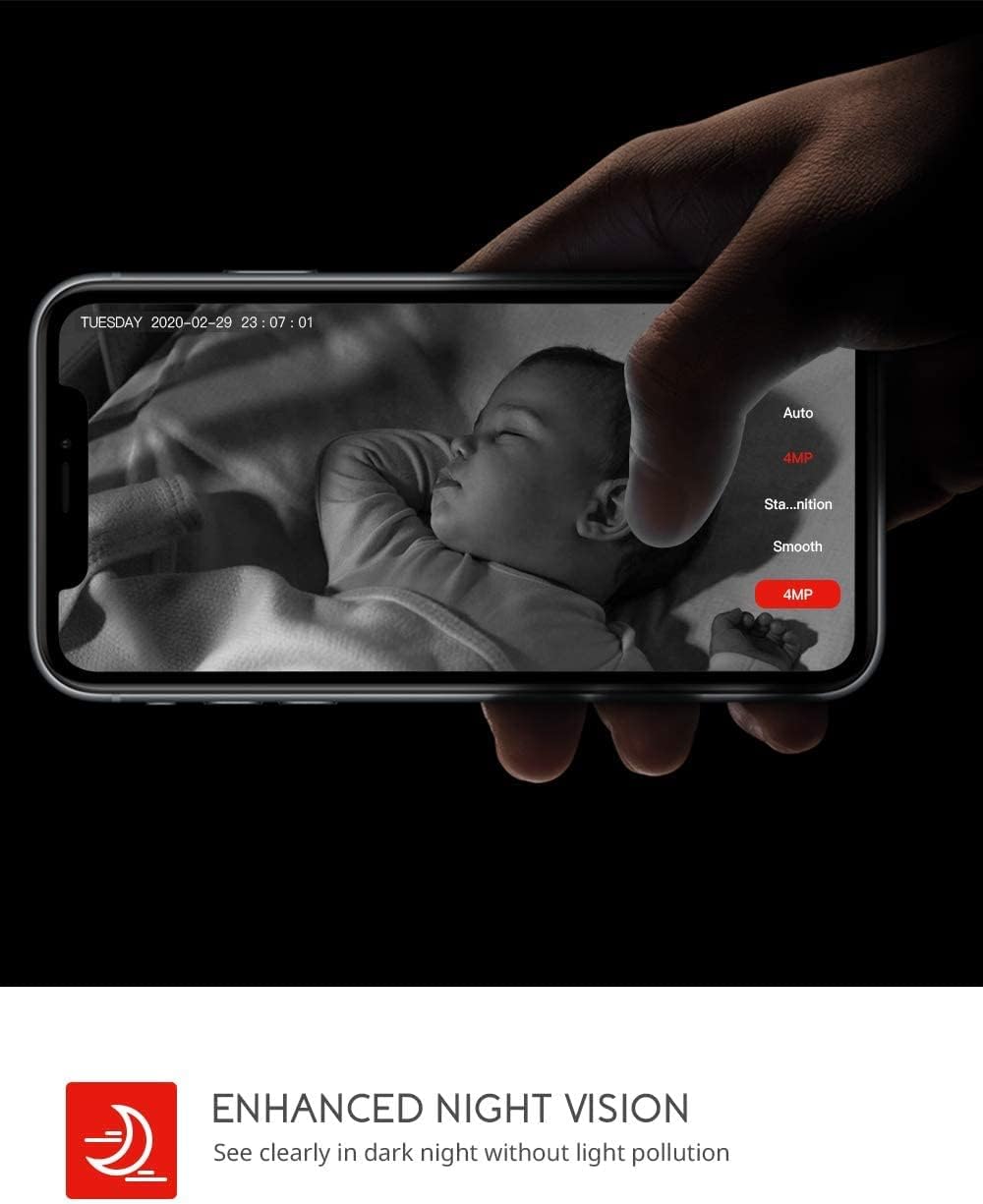
Image: Demonstrates the enhanced night vision capability, providing clear visibility in dark environments.
4.5 Варыянты захоўвання
- Micro SD-карта: Insert a Micro SD card (up to 128GB, Class 10 or higher recommended) into the designated slot for local video recording.
- Воблачнае сховішча: The MIPC app offers optional cloud storage services for secure off-site backup of your recordings.
4.6 Падтрымка некалькіх карыстальнікаў
- Share camera access with family members or trusted individuals through the MIPC app.
- This allows multiple users to view the live feed and receive alerts simultaneously.

Image: Illustrates the camera's support for multiple devices and users, allowing footage sharing across various platforms.
5. Тэхнічнае абслугоўванне
Правільнае абслугоўванне забяспечвае даўгавечнасць і аптымальную працу вашай камеры:
- Уборка: Выкарыстоўвайце мяккую сухую тканіну для чысткі аб'ектыва і корпуса камеры. Пазбягайце выкарыстання абразіўных ачышчальнікаў або растваральнікаў.
- Размяшчэнне: Пераканайцеся, што камера размешчана ў стабільным месцы, удалечыні ад прамых сонечных прамянёў, крыніц цяпла і празмернай вільгаці.
- Абнаўленні праграмнага забеспячэння: Regularly check the MIPC app for firmware updates to ensure your camera has the latest features and security enhancements.
- крыніца харчавання: Use only the original power adapter provided with the camera.
6. Выпраўленне непаладак
Калі ў вас узніклі праблемы з камерай, звярніцеся да наступных распаўсюджаных праблем і іх рашэнняў:
| праблема | Рашэнне |
|---|---|
| Камера не падключаецца да Wi-Fi. | Ensure your Wi-Fi password is correct. Check if the camera is within range of your Wi-Fi router. Reset the camera by pressing the reset button for 1 second and try connecting again. Ensure your router is 2.4GHz compatible. |
| Дрэнная якасць відэа. | Check your internet connection speed. Ensure the camera lens is clean. Adjust the video resolution settings in the MIPC app. |
| Выяўленне руху не працуе. | Verify that motion detection is enabled in the app settings. Adjust the sensitivity level. Ensure there are no obstructions blocking the camera's view. |
| Two-way audio is unclear. | Ensure your phone's volume is up. Check for any interference or background noise near the camera or your phone. |
| Камера не падключана да інтэрнэту. | Check the power connection to the camera. Verify your Wi-Fi network is active and stable. Restart the camera and your router. |
7. Тэхнічныя характарыстыкі
Detailed technical specifications for the COOAU 4MP Wireless Security Camera (Model 827S-400):
| Асаблівасць | Спецыфікацыя |
|---|---|
| Нумар мадэлі | 827S-400 |
| Эфектыўнае рашэнне | 4 МП |
| Эфектыўнае дазвол відэа | 4 МП |
| Тэхналогія падлучэння | Бесправадная сувязь (Wi-Fi) |
| Выкарыстанне ў памяшканні/на вуліцы | У памяшканні |
| Асаблівасці | Motion Sensor, Sound Detection, Motion Tracking, 2-Way Audio, Night Vision |
| Тып кантролера | Amazon Alexa |
| Тып мацавання | Потолочное мацаванне |
| Параметры захоўвання | Cloud/SD Storage (up to 128GB) |
| Частата кадраў | 30 кадраў у секунду |
| Памеры прадмета | 3.35 х 3.35 х 4.72 цалі |
| Крыніца харчавання | AC/DC |
| GTIN / UPC | 889328768553 |
8. Гарантыя і падтрымка
For warranty information or technical support, please contact COOAU customer service. You can reach us via:
- Афіцыйная паштовая скрыня: info@cooau.net
- Афіцыйны Facebook: COOAU Official