
Уводзіны
This manual provides detailed instructions for the proper use and maintenance of your Awei T10C True Waterproof Bluetooth Wireless Earbuds. Please read this manual thoroughly before using the product to ensure optimal performance and longevity.
The Awei T10C earbuds feature Bluetooth 5.0 connectivity, a 6mm metal cavity speaker unit, smart touch controls, and a wireless charging case. They are designed for comfortable and stable wear, providing clear audio for calls and music.
Змест пакета
- Awei T10C True Wireless Earbuds (Left and Right)
- Чахол для бесправадной зарадкі
- USB-кабель для зарадкі
- Кіраўніцтва карыстальніка
Настройка
1. Пачатковая зарадка
Before first use, fully charge the earbuds and the charging case. Place the earbuds into the charging case. Connect the charging case to a power source using the provided USB cable, or place the case on a compatible wireless charging pad.
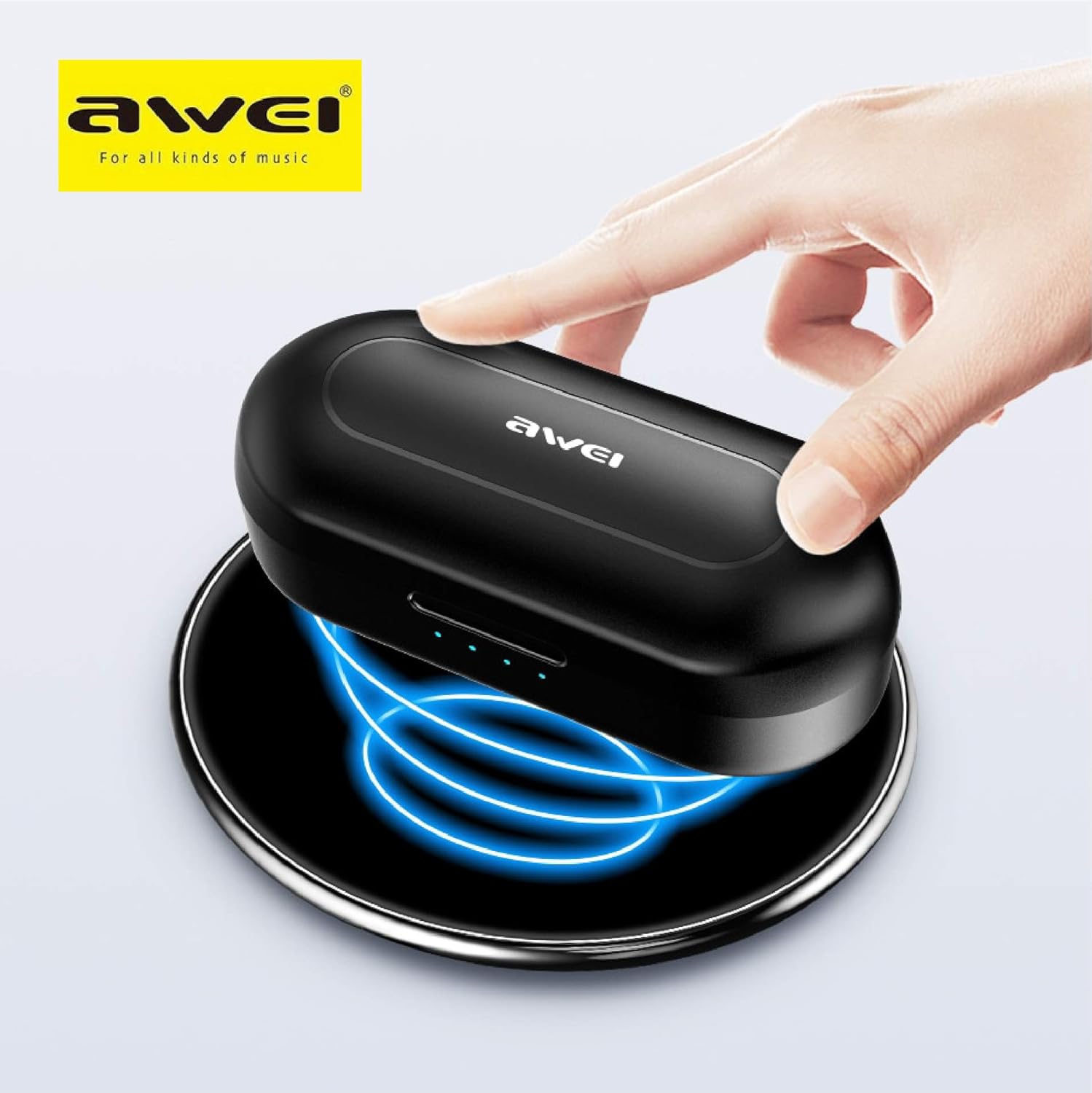
The Awei T10C charging case placed on a wireless charging pad, with blue light effects indicating active wireless charging.
The LED indicators on the charging case will show the charging status. Once fully charged, the indicators will behave according to the case's design (e.g., turn solid or off).
2. Уключэнне і аўтаматычнае спалучэнне
The earbuds are designed for automatic pairing. Simply open the charging case, and the earbuds will power on and enter pairing mode. Remove them from the case.
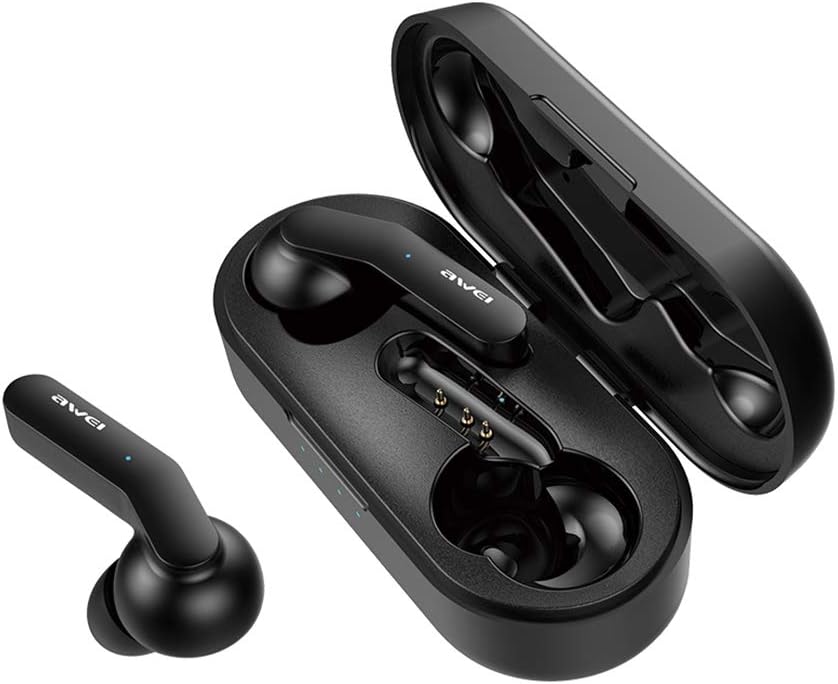
Awei T10C True Wireless Earbuds and open charging case, showcasing the earbuds nestled within the charging contacts.
3. Злучэнне Bluetooth
- Пераканайцеся, што на вашай прыладзе (смартфоне, планшэце і г.д.) уключаны Bluetooth.
- Пошук даступныя прылады Bluetooth.
- Select "Awei T10C" from the list to connect.
- Once connected, you will hear an audible confirmation, and the earbud indicator lights will change.
The earbuds will automatically reconnect to the last paired device when removed from the case, if the device's Bluetooth is active and within range.
Інструкцыя па эксплуатацыі
1. Нашэнне навушнікаў-ўкладышаў
Gently insert the earbuds into your ears, ensuring a snug and comfortable fit. Adjust them until they feel secure. The ergonomic design is intended to provide stability during use.

Two Awei T10C True Wireless Earbuds, viewed from the side, highlighting their ergonomic design and the Awei logo.
2. Інтэлектуальнае сэнсарнае кіраванне
The Awei T10C earbuds feature touch-sensitive areas for controlling various functions:
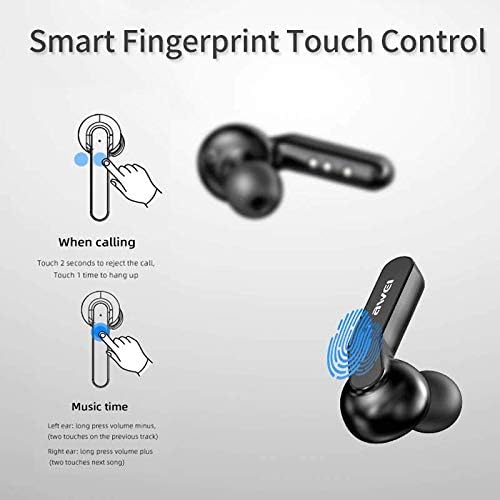
Diagram illustrating the 'Smart Fingerprint Touch Control' functions for calls and music playback on the Awei T10C earbuds.
- Адказ / завяршэнне званка: Touch either earbud once.
- Адхіленне званкоў: Дакраніцеся да аднаго з навушнікаў на працягу 2 секунд.
- Прайграванне/прыпыненне музыкі: Touch either earbud once.
- Наступны трэк: Double-touch the right earbud.
- Папярэдні трэк: Double-touch the left earbud.
- Павялічыць гучнасць: Доўга націсніце на правы навушнік-ўкладыш.
- Паменшыць гучнасць: Доўга націсніце левы навушнік-ўкладыш.
- Галасавы памочнік: Triple-touch either earbud (functionality may vary by device).
3. Выключэнне харчавання
To power off the earbuds, place them back into the charging case. They will automatically disconnect and begin charging. Alternatively, if disconnected from a device and left idle for a period, they may power off automatically.
Тэхнічнае абслугоўванне
1. Уборка
Regularly clean the earbuds and charging case with a soft, dry, lint-free cloth. Do not use abrasive cleaners, alcohol, or chemical solvents. Ensure charging contacts are free of dust and debris.
2. Гідраізаляцыя
The Awei T10C earbuds are designed to be waterproof. However, this does not mean they are suitable for prolonged submersion or use in extreme water conditions. Avoid exposing the charging case to water.
3. Захоўванне
Калі навушнікі не выкарыстоўваюцца, захоўвайце іх у зарадным чахле, каб абараніць і падтрымліваць зарад. Захоўвайце ў прахалодным, сухім месцы, удалечыні ад прамых сонечных прамянёў і экстрэмальных тэмператур.
Ліквідацыю непаладак
- Навушнікі не спалучаюцца з прыладай:
- Ensure earbuds are charged and removed from the case.
- Выключыце і ўключыце Bluetooth на прыладзе.
- Forget/delete "Awei T10C" from your device's Bluetooth list and try pairing again.
- Перазапусціце прыладу.
- Працуе толькі адзін навушнік:
- Пераканайцеся, што абодва навушнікі зараджаны.
- Place both earbuds back into the charging case, close the lid, wait a few seconds, then open and remove them again.
- Check if the earbuds are properly seated in the charging case to ensure connection.
- Няма гуку або нізкі гук:
- Праверце ўзровень гучнасці як на прыладзе, так і ў навушніках (з дапамогай сэнсарнага кіравання).
- Пераканайцеся, што навушнікі правільна падключаны да вашай прылады.
- Ачысціце сетку дынаміка навушнікаў ад смецця.
- Чахол для зарадкі не зараджаецца:
- Пераканайцеся, што кабель USB надзейна падключаны як да корпуса, так і да крыніцы харчавання.
- Паспрабуйце іншы кабель USB або адаптар сілкавання.
- Калі выкарыстоўваецца бесправадная зарадка, пераканайцеся, што чахол правільна размешчаны на зараднай падстаўцы.
Тэхнічныя характарыстыкі
| Назва мадэлі | T10C |
| Нумар мадэлі тавару | EM-JH133-CP |
| Марка | Авей |
| Тэхналогія падлучэння | Бесправадная сувязь (Bluetooth 5.0) |
| Форм-фактар навушнікаў | У вуха |
| Кантроль шуму | Актыўнае падаўленне шуму |
| Гняздо для навушнікаў | USB |
| Уключаныя кампаненты | Чахол для бесправадной зарадкі |
| Батарэі | Патрабуецца 1 літый-іённы акумулятар (у камплекце) |
| Памеры прадукту | 4.5 х 2.4 х 1.8 см |
| Вага прадукту | 200 г |
| Колер | Чорны |
| Вытворца | Авей |
| Дата першай даступнасці | 13 снежня 2019г |
Гарантыя і падтрымка
Awei products are manufactured to high quality standards. For warranty information, technical support, or customer service inquiries, please refer to the official Awei webсайт або звярніцеся да мясцовага дыстрыбутара.
You may also find additional support and product information via the Awei WeChat channel: http://weixin.qq.com/r/7XQ0O7vEfoUBh6pYnyHJ