
Уводзіны
Thank you for choosing the Conceptronic REGAS01B Optical Desktop Mouse. This manual provides essential information for setting up, operating, and maintaining your new mouse. Please read these instructions carefully before use to ensure proper functionality and longevity of your device.
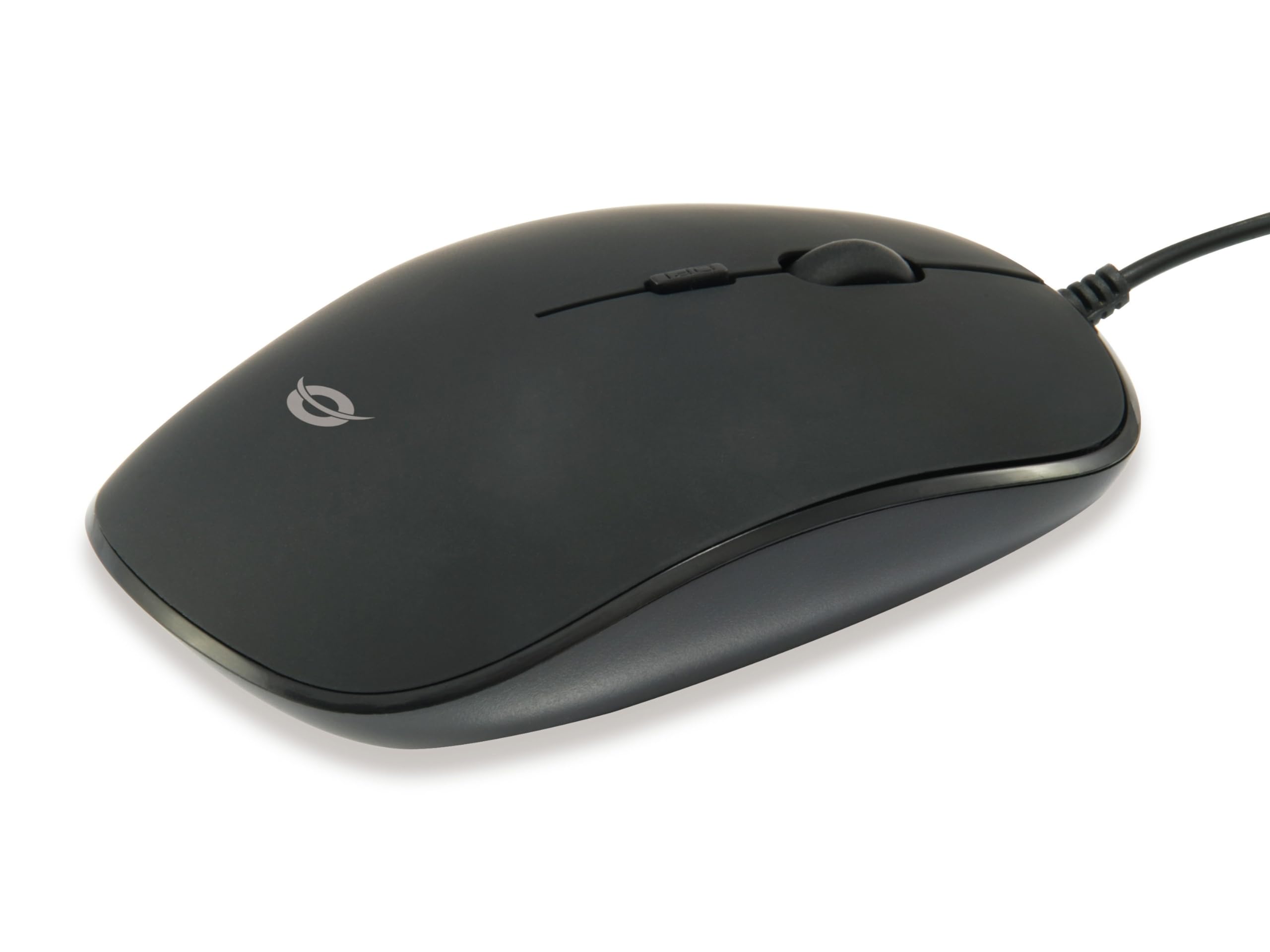
Выява: Уверсе view of the Conceptronic REGAS01B Optical Desktop Mouse, showcasing its ergonomic black design.
Змест пакета
Пераканайцеся, што ўсе прадметы прысутнічаюць у пасылцы:
- Conceptronic REGAS01B Optical Desktop Mouse
- Кіраўніцтва карыстальніка (гэты дакумент)
- Note: This is a wired USB mouse and does not require external batteries for operation, despite some generic product data indicating otherwise.
Асаблівасці
- Пераключальнік DPI: Adjustable sensitivity (800/1000/1200 DPI) for precise control.
- Plug and Play: Easy installation without the need for additional drivers.
- Амбідэкстральны дызайн: Зручны як для ляўшуноў, так і для правшей.
- Rubberized Surface: Provides enhanced grip and comfort during extended use.
- Аптычнае адсочванне: Reliable and accurate cursor movement.
- Падключэнне USB: Standard wired connection for stable performance.
Настройка
- Падключыце мыш: Locate an available USB port on your computer. Insert the USB connector of the Conceptronic REGAS01B mouse into the USB port.
- Аўтаматычная ўстаноўка: Your operating system (Windows, Linux, etc.) will automatically detect and install the necessary drivers. This process typically takes a few seconds.
- Гатовы да выкарыстання: Once the installation is complete, the mouse is ready for immediate use. No additional software is required.

Выява: Крупны план view of the mouse's scroll wheel and the DPI switch button, located behind the scroll wheel.
Інструкцыя па эксплуатацыі
Асноўныя функцыі
- Пстрычка левай кнопкай мышы: Націсніце левую кнопку, каб выбраць элементы, адкрыць files або актываваць функцыі.
- Пстрыкніце правай кнопкай мышы: Націсніце правую кнопку, каб адкрыць кантэкстнае меню або атрымаць доступ да дадатковых опцый.
- Кола пракруткі: Пракручвайце кола пракруткі ўверх або ўніз, каб перамяшчацца па дакументах і web старонкі. Кола пракруткі таксама можна націснуць для выканання функцыі сярэдняй кнопкі мышы, у залежнасці ад канфігурацыі праграмнага забеспячэння.
Рэгуляванне адчувальнасці DPI
The Conceptronic REGAS01B mouse features a DPI switch to adjust cursor sensitivity on the fly. This allows you to quickly change between different tracking speeds for various tasks, such as precise editing or fast-paced gaming.
- Кнопка пераключэння DPI: Located behind the scroll wheel.
- Ўзроўні адчувальнасці: Press the DPI switch button to cycle through 800, 1000, and 1200 DPI settings.
- выбар: Each press will change the sensitivity, allowing you to find the optimal speed for your current activity.
Тэхнічнае абслугоўванне
- Уборка: Выкарыстоўвайце мяккую сухую тканіну для чысткі паверхні мышы. Для ўстойлівага бруду злёгкуampПрацярыце тканіну вадой або мяккім ачышчальным растворам. Пазбягайце агрэсіўных хімічных рэчываў або абразіўных матэрыялаў.
- Аптычны датчык: Для забеспячэння дакладнага адсочвання падтрымлівайце аптычны датчык на ніжняй частцы мышы ў чысціні і без пылу і смецця.
- захоўванне: When not in use, store the mouse in a clean, dry environment.
- Пазбягайце вадкасці: Do not expose the mouse to excessive moisture or immerse it in liquids.
Ліквідацыю непаладак
Мыш не рэагуе
- Праверце падключэнне USB: Пераканайцеся, што кабель USB надзейна падключаны да спраўнага порта USB на вашым камп'ютары. Паспрабуйце іншы порт USB.
- Перазагрузіце кампутар: Sometimes a simple computer restart can resolve connectivity issues.
- Тэст на іншым кампутары: If possible, test the mouse on another computer to determine if the issue is with the mouse or your computer's setup.
Inaccurate Cursor Movement
- Clean Optical Sensor: Пераканайцеся, што аптычны датчык на ніжняй частцы мышы чысты і без пылу або смецця.
- Mouse Pad/Surface: Use the mouse on a clean, non-reflective, and uniform surface. Avoid highly reflective or transparent surfaces.
- Наладзьце DPI: Experiment with the DPI switch to find a sensitivity setting that provides accurate tracking for your needs.
Тэхнічныя характарыстыкі
| Асаблівасць | Дэталь |
|---|---|
| Марка | Канцэптронік |
| Назва мадэлі | REGAS01B |
| Колер | Чорны |
| Тэхналогія падлучэння | USB (правадной) |
| Тэхналогія выяўлення руху | Аптычны |
| Налады DPI | 800 / 1000 / 1200 DPI (рэгуляванае) |
| Колькасць кнопак | 3 (Left, Right, Scroll Wheel/Middle Click) + DPI Switch |
| Рука арыентацыі | Амбідэкстр |
| Сумяшчальныя прылады | Персанальны кампутар |
| Сумяшчальнасць аперацыйнай сістэмы | Linux, Windows 7, Windows XP (і больш новыя версіі) |
| Вага прадмета | 61 грам |
| Асаблівасці | Ergonomic Design, Rubberized Surface, Plug & Play |
| Нумар дэталі вытворцы | REGAS01B |
| GTIN (UPC) | 04015867208526 |
Гарантыя і падтрымка
For warranty information and technical support, please refer to the official Conceptronic webсайт або звярніцеся да мясцовага прадаўца. Захоўвайце пацвярджэнне пакупкі для прэтэнзій па гарантыі.
- Інтэрнэт-падтрымка: Наведайце www.conceptronic.net (Заўвага: Гэта запаўняльнік URL, калі ласка, заменіце фактычнай падтрымкай URL пры наяўнасці.)
- Кантакты: Refer to the contact information provided on the product packaging or the Conceptronic webсайт для абслугоўвання кліентаў.