
Yaheetech YA-00093884
Yaheetech Rollable TV Stand Instruction Manual
Model: YA-00093884
Уводзіны
Thank you for choosing the Yaheetech Rollable TV Stand. This universal TV cart is designed to provide a flexible and stable display solution for televisions ranging from 32 to 75 inches. Featuring adjustable height, integrated cable management, and a sturdy construction, it is ideal for use in homes, offices, conference rooms, and trade fairs. Please read this manual carefully before assembly and operation to ensure safe and proper use of your new TV stand.
Ўстаноўка і зборка
Before beginning assembly, ensure all parts are present and undamaged. Refer to the included parts list for verification. Assembly typically requires basic hand tools (not included).
1. Распакаванне і праверка
Carefully remove all components from the packaging. Lay them out on a soft, clean surface to prevent scratches. Verify that all components listed in the packaging contents are present.
2. Базавая зборка
Assemble the base structure, ensuring the wheels are securely attached. Two of the four wheels are equipped with brakes for stability. Ensure these are locked during assembly and when the stand is stationary.

Выява: спераду view of the assembled stand, highlighting the base and shelves.
3. Pole and Shelf Installation
Attach the vertical support poles to the base. Install the two accessory shelves at your desired height. These shelves are designed to hold media devices, laptops, or other accessories.

Image: Detailed dimensions and load capacities of the TV stand.
4. TV Bracket Attachment
Attach the TV mounting brackets to the back of your television. This stand supports VESA mounting patterns from 100x100mm up to 600x400mm. Select the appropriate screws and spacers for your TV model. Ensure the brackets are securely fastened to your TV.

Image: VESA compatibility and screw selection guide.
5. Мантаж тэлевізара
Carefully lift the TV with the attached brackets and hook it onto the main mounting plate on the stand. Secure the TV to the stand using the provided locking mechanisms to prevent accidental dislodgement.
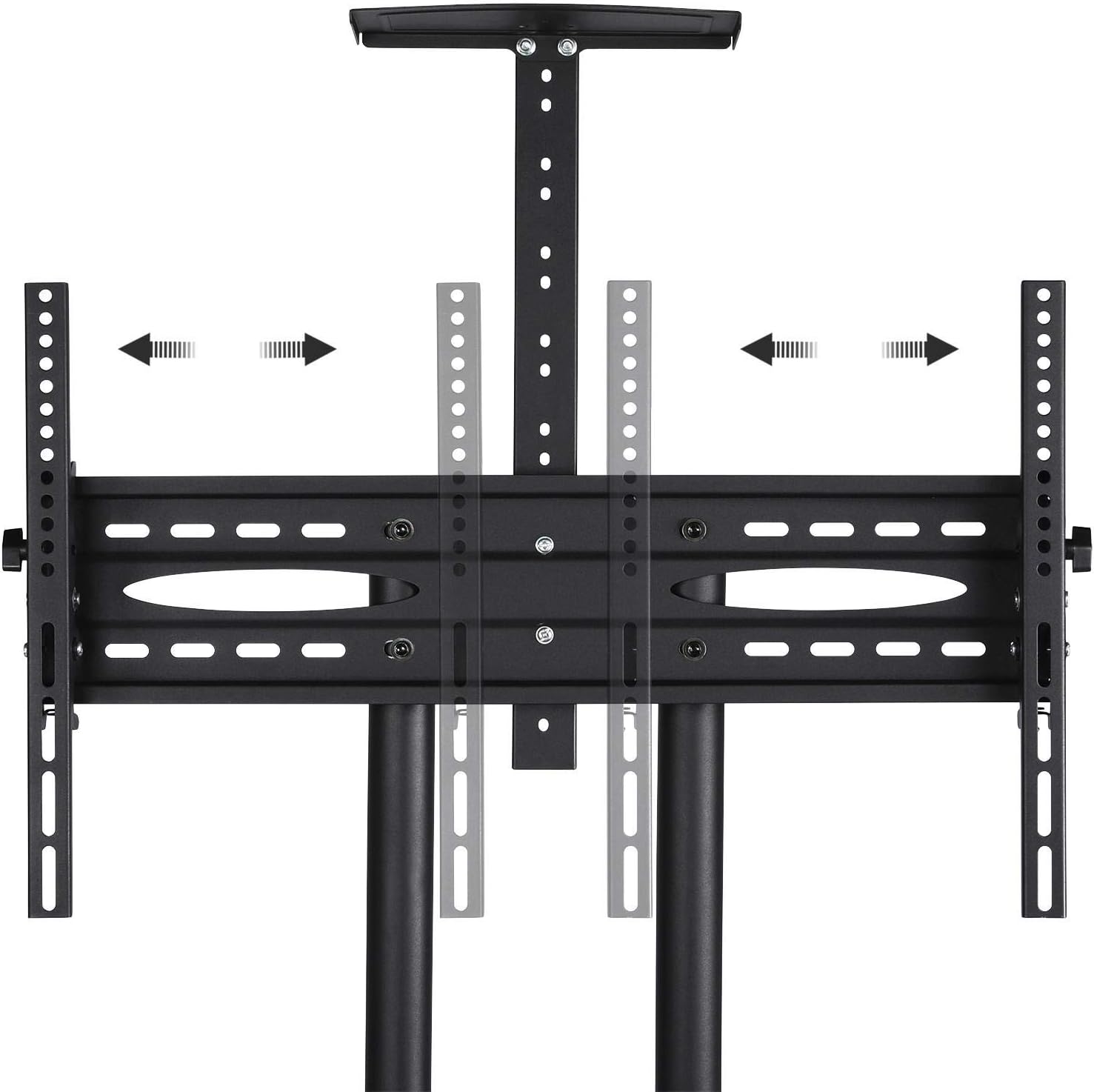
Image: Detail of the adjustable height mechanism for the TV mount.
Інструкцыя па эксплуатацыі
Рэгуляванне вышыні тэлевізара
The TV stand allows for height adjustment between 109.5 cm and 160 cm. To adjust, loosen the securing bolts on the vertical poles, carefully raise or lower the TV to the desired height, and then re-tighten the bolts securely.
Нахіл тэлевізара
The TV mount can be tilted up or down by ±13° to achieve optimal viewing angles. Loosen the tilt adjustment knobs on the side of the TV brackets, adjust the angle, and then re-tighten the knobs firmly.
Using the Wheels and Brakes
The stand is equipped with four 360° rotating wheels for easy mobility. To move the stand, unlock the brakes on the two braked wheels. To secure the stand in place, engage the brakes on both braked wheels.
Кіраванне кабелем
The hollow double bars of the stand are designed for integrated cable management. Route your TV and device cables through these poles to maintain a neat and organized appearance, preventing cable clutter.
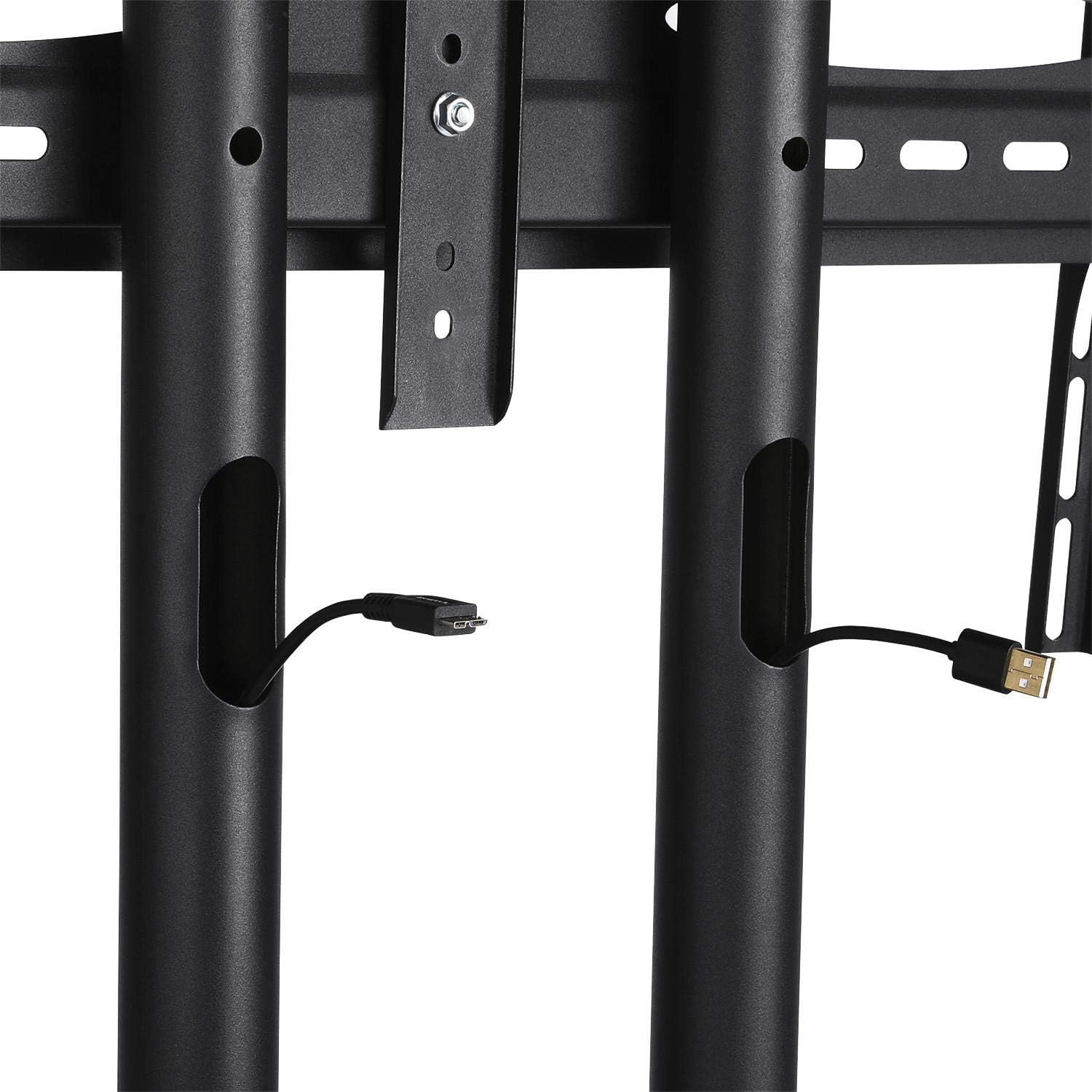
Image: Detail of the cable management system within the stand's poles.
Тэхнічнае абслугоўванне
Regular maintenance ensures the longevity and safe operation of your TV stand.
- Уборка: Працярыце падстаўку мяккай губкайamp тканінай. Пазбягайце абразіўных ачышчальнікаў або растваральнікаў, якія могуць пашкодзіць пакрыццё.
- Праверка крапяжу: Перыядычна правярайце ўсе балты і шрубы, каб пераканацца, што яны зацягнуты. Пры неабходнасці падцягвайце іх для падтрымання ўстойлівасці.
- Праверка колаў: Ensure the wheels roll freely and the brakes engage properly. Clean any debris from the wheels.
Ліквідацыю непаладак
If you encounter issues with your Yaheetech Rollable TV Stand, refer to the following common problems and solutions:
- Stand is unstable or wobbly:
- Пераканайцеся, што ўсе зборачныя балты надзейна зацягнуты.
- Verify that the TV weight does not exceed the maximum load capacity.
- Пераканайцеся, што падстаўка знаходзіцца на роўнай, гарызантальнай паверхні.
- Wheels do not roll smoothly:
- Check for debris (hair, dust) caught in the wheels and clean them.
- Пераканайцеся, што колавыя тармазы адключаныя.
- TV cannot be tilted or adjusted:
- Ensure the adjustment knobs or bolts are sufficiently loosened before attempting to adjust.
- Verify that the TV is correctly mounted on the brackets.
Тэхнічныя характарыстыкі
| Асаблівасць | Спецыфікацыя |
|---|---|
| Марка | Yaheetech |
| Нумар мадэлі | Я-00093884 |
| Матэрыял | Cold Rolled Carbon Steel, Metal |
| Сумяшчальныя памеры тэлевізараў | 32 - 75 цалі |
| Сумяшчальнасць VESA | 100x100mm, 100x200mm, 200x200mm, 200x300mm, 300x200mm, 300x300mm, 400x400mm, 600x400mm |
| Max. TV Load Capacity | 50 кг (110 фунтаў) |
| Max. Shelf Load Capacity | 10 кг (22 фунта) на паліцу |
| Рэгуляваны дыяпазон вышыні | 109.5 см - 160 см (43.1 - 63 цалі) |
| Кут нахілу | ±13° |
| Памеры прадукту (Д х Ш х У) | 82 х 57.5 х 196.5 см (32.3 х 22.6 х 77.4 цалі) |
| Вага прадукту | 17.18 кг (37.8 фунтаў) |
Гарантыя і падтрымка
For warranty information or technical support, please refer to the documentation included with your purchase or contact Yaheetech customer service directly. Keep your purchase receipt as proof of purchase.
For further assistance, please visit the official Yaheetech webсайт або звярніцеся да іх каналаў падтрымкі кліентаў.
Ask a question about this manual
Ask about setup, troubleshooting, compatibility, parts, safety, or missing instructions. Manuals+ will review the question and use this page’s manual context to help answer it.