
LOVCUBE L08X
LOVCUBE 8-Inch Digital Photo Frame L08X User Manual
Model: L08X (WH00002D)
1. Уводзіны
Thank you for choosing the LOVCUBE 8-Inch Digital Photo Frame L08X. This manual provides essential information for setting up, operating, and maintaining your digital photo frame. Please read it thoroughly before use to ensure optimal performance and longevity of your device.
1.1 Змест пакета
Праверце, ці ўсе пералічаныя ніжэй прадметы ўваходзяць у вашу ўпакоўку:
- LOVCUBE 8-Inch Digital Photo Frame
- Пульт дыстанцыйнага кіравання
- Адаптар сілкавання
- Кіраўніцтва карыстальніка (гэты дакумент)

Image 1.1: The LOVCUBE 8-Inch Digital Photo Frame L08X and its included accessories: the frame, remote control, power adapter, and user manual.
2. Прадукт скончыўсяview
Азнаёмцеся з кампанентамі і элементамі кіравання вашай лічбавай фотарамкі.
2.1 фронт View

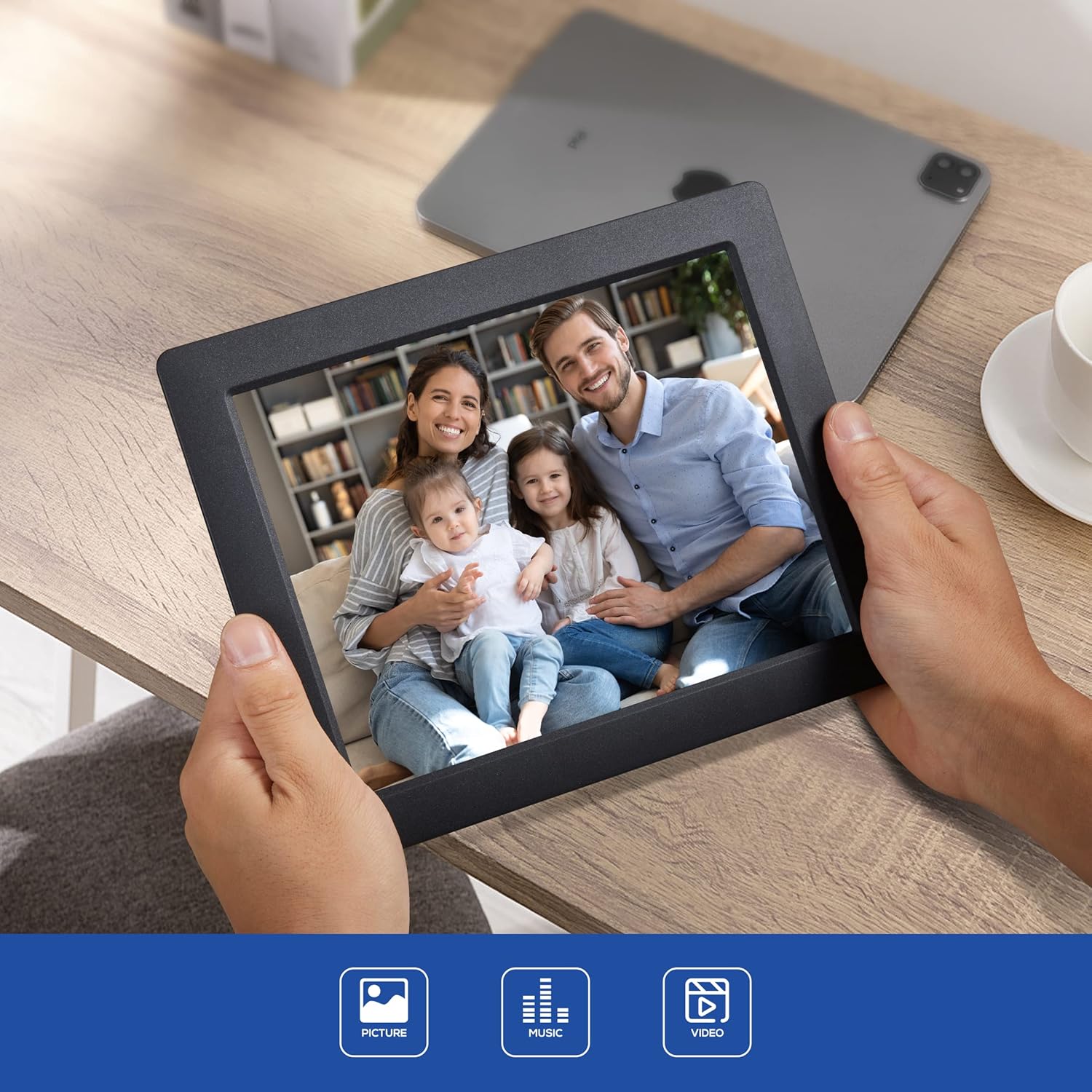
Выява 2.1: Спераду view of the LOVCUBE 8-Inch Digital Photo Frame L08X, showcasinяго 8-цалевы дысплей.
2.2 Ззаду View і парты
The rear of the frame features various ports and control buttons for media input and device operation.
Малюнак 2.2: ззаду view of the digital photo frame, highlighting the SD/SDHC Card Slot, Headphone/Speaker Port, and USB Port. These ports allow for external media connection and audio output.
- Слот для карты SD/SDHC: Insert compatible SD or SDHC memory cards for photo, video, and music playback.
- Headphone/Speaker Port: Connect headphones or external speakers for private listening or enhanced audio.
- Порт USB: Падключыце USB-флэш-назапашвальнікі для прайгравання медыяфайлаў.
- Спажываная магутнасць: Падключыце прадастаўлены адаптар сілкавання.
- Кнопкі кіравання: Navigate menus and control playback directly on the frame.
3. Настройка
Follow these steps to set up your LOVCUBE Digital Photo Frame.
3.1 Падключэнне харчавання
- Падключыце адаптар сілкавання да порта DC IN на задняй панэлі фотарамкі.
- Падключыце другі канец адаптара харчавання да звычайнай электрычнай разеткі.
- The frame will automatically power on or enter standby mode.
3.2 Inserting Media (SD Card / USB Drive)
The frame supports SD/SDHC cards and USB flash drives. Ensure your media contains compatible photo (JPEG), video (MP4, MKV, H.264, MPEG4 up to 1080P), or music (MP3) files.
- Carefully insert your SD/SDHC card into the SD card slot until it clicks into place.
- Alternatively, insert your USB flash drive into the USB port.
- The frame should automatically detect the inserted media and prompt you to select a function (e.g., Photo, Music, Video).
4. Інструкцыя па эксплуатацыі
This section details how to use the various functions of your digital photo frame.
4.1 Асноўная навігацыя
Use the remote control or the control buttons on the back of the frame to navigate through menus and select options.
- Кнопкі са стрэлкамі: Перамяшчайцеся ўверх, уніз, налева або направа.
- Кнопка OK/Enter: Пацвердзіце выбар.
- Кнопка выхаду/вяртання: Go back to the previous menu or exit current function.
4.2 Photo Slideshow
- From the main menu, select "Photo".
- Choose the desired storage device (SD card or USB drive).
- The frame will begin displaying photos in a slideshow format.
- Adjust slideshow settings (speed, transition effects) in the "Settings" menu.
4.3 Прайграванне відэа
- У галоўным меню абярыце «Відэа».
- Choose the desired storage device.
- Выберыце відэа file каб пачаць прайграванне.
- Use the remote control for playback functions (play, pause, fast forward, rewind).
4.4 Прайграванне музыкі
- У галоўным меню абярыце «Музыка».
- Choose the desired storage device.
- Выберыце аўдыё file каб пачаць прайграванне.
- Audio will play through the built-in speaker or connected headphones/external speakers.
4.5 Clock and Calendar Functions
The frame includes built-in clock and calendar displays.

Image 4.1: The digital photo frame displaying the current time and calendar, a useful feature for daily reference.
- Access these functions from the main menu.
- Set the date and time in the "Settings" menu.
Датчык руху 4.6
The integrated motion sensor can automatically turn the frame on or off to save energy.
- Enable or disable the motion sensor in the "Settings" menu.
- Adjust sensitivity or detection range if available in settings.
5. Тэхнічнае абслугоўванне
Proper care ensures the longevity and optimal performance of your digital photo frame.
5.1 Ачыстка
- Перад чысткай заўсёды адключайце прыладу ад сеткі.
- Выкарыстоўвайце мяккую, сухую тканіну без ворса, каб акуратна працерці экран і рамку.
- Для выдалення ўстойлівых плям на экране злёгку працярыцеampen the cloth with water or a screen-cleaning solution (avoid harsh chemicals).
- Do not spray liquids directly onto the frame.
5.2 Захоўванне
- Store the frame in a cool, dry place away from direct sunlight and extreme temperatures.
- If storing for an extended period, remove any inserted memory cards or USB drives.
6. Выпраўленне непаладак
Звярніцеся да гэтага раздзела, каб знайсці рашэнні распаўсюджаных праблем, з якімі вы можаце сутыкнуцца.
| праблема | Магчымая прычына | Рашэнне |
|---|---|---|
| Рамка не ўключаецца. | Адаптар харчавання не падключаны або няспраўны. | Пераканайцеся, што адаптар сілкавання надзейна падключаны да рамы і спраўнай электрычнай разеткі. Паспрабуйце іншую разетку. |
| No images/videos displayed. | No media inserted or incompatible file фармат. | Insert a compatible SD card or USB drive with supported media files (JPEG, MP4, MKV). Check file фарматы. |
| Не працуе пульт дыстанцыйнага кіравання. | Battery depleted or obstructed signal. | Replace the CR2 battery in the remote control. Ensure there are no obstructions between the remote and the frame's sensor. |
| Выявы выглядаюць скажонымі або нізкай якасці. | Low resolution source images. | Use higher resolution images for best display quality. The frame's native resolution is 1024x768. |
7. Тэхнічныя характарыстыкі
Technical specifications for the LOVCUBE 8-Inch Digital Photo Frame L08X.
| Асаблівасць | Дэталь |
|---|---|
| мадэль | L08X (WH00002D) |
| Памер экрана | 8 цалі |
| Тып дысплея | ВК |
| дазвол | 1024x768 (XGA) |
| Суадносіны бакоў выявы | 4:3 |
| Падтрымліваюцца фарматы малюнкаў | JPEG |
| Падтрымліваюцца фарматы відэа | MP4, MKV (H.264, MPEG4 up to 1080P) |
| Падтрымліваюцца аўдыяфарматы | MP3 |
| Падтрымка карты памяці | SD, SDHC |
| Падтрымка USB | USB флэшкі |
| Аўдыёвыхад | Built-in speaker, 3.5mm Headphone Jack |
| Асаблівасці | Motion Sensor, Clock, Calendar, Remote Control |
| Крыніца харчавання | Правадная электрычная |
| Акумулятар пульта дыстанцыйнага кіравання | 1 x CR2 (required) |
| Памеры прадукту | 22.5 х 18.3 х 72 см |
| Вага прадмета | 549 г |
8. Гарантыя і падтрымка
LOVCUBE products are manufactured to high-quality standards. For specific warranty details, please refer to the warranty card included with your purchase or contact LOVCUBE customer support.
For technical assistance or customer service inquiries, please visit the official LOVCUBE webсайт або звярніцеся да прадаўца.