
Уводзіны
This manual provides detailed instructions for the installation, operation, and maintenance of your Foscam D2EP IP Camera. The D2EP is a high-definition 2-megapixel outdoor security camera designed for reliable surveillance with features such as infrared night vision, smart motion detection, and wired connectivity. Please read this manual thoroughly before using the product to ensure correct setup and optimal performance.
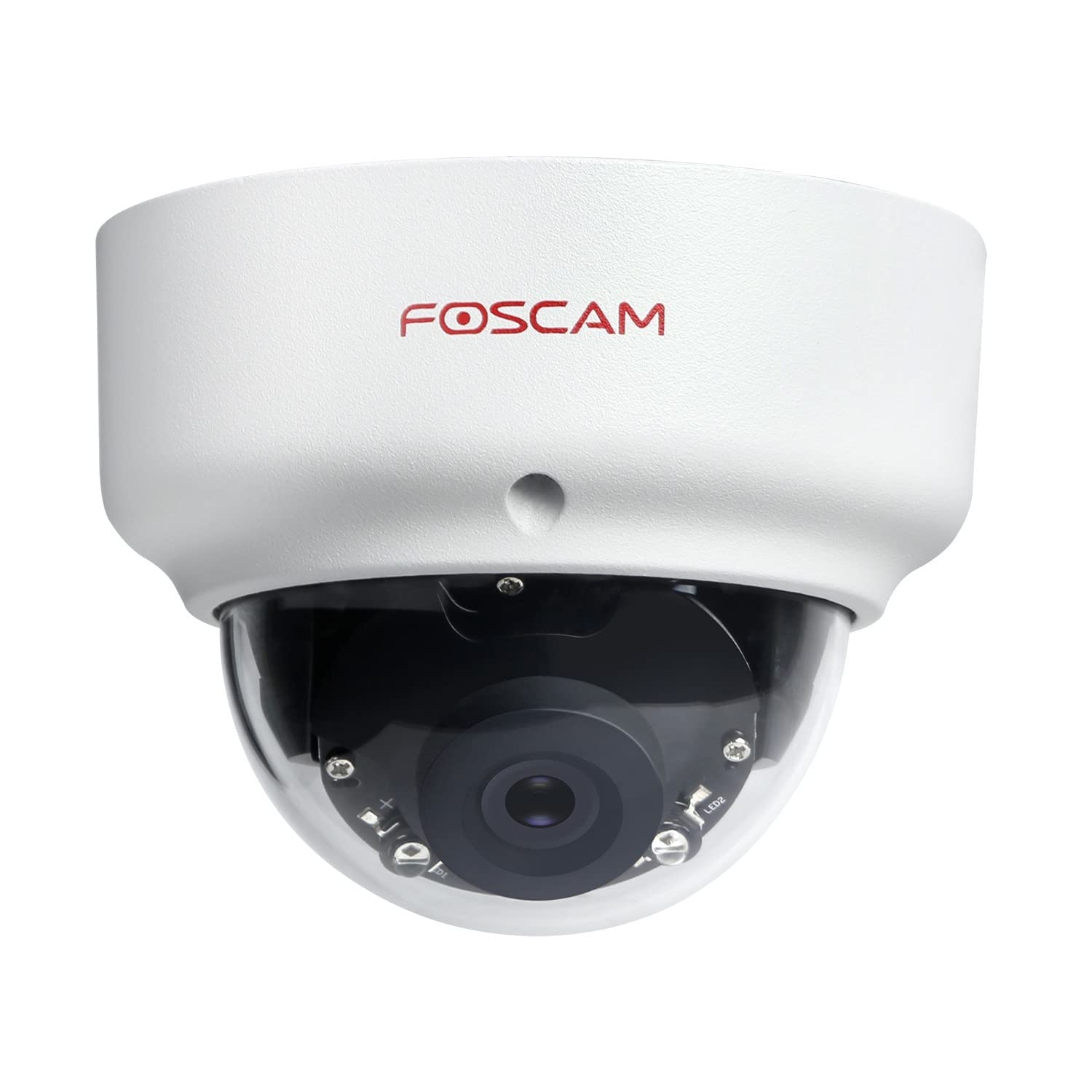
Image: The Foscam D2EP IP Camera, showcasing its compact, dome-shaped design suitable for outdoor environments.
1. Настройка і ўстаноўка
1.1 Змест пакета
Перад пачаткам усталёўкі пераканайцеся, што ўсе кампаненты ёсць у камплекце:
- Foscam D2EP IP Camera
- Мантажныя шрубы і дзюбелі
- Кабель Ethernet
- Адаптар сілкавання
- Кіраўніцтва па хуткай ўстаноўцы

Image: Foscam D2EP IP Camera with its power and Ethernet cables, illustrating the main components included in the box.
1.2 Фізічная ўстаноўка
The Foscam D2EP camera is designed for outdoor use with an IP66 waterproof rating. Choose a suitable location that provides the desired viewing angle and is within reach of a power source and network connection.
- Месца мантажу: Identify a secure mounting surface, such as a wall or ceiling, that offers a clear view вобласці, якую вы хочаце кантраляваць.
- Свідраваць адтуліны: Use the provided mounting template (if included) or the camera base to mark and drill pilot holes for the mounting screws. Insert wall plugs if mounting on masonry.
- Бяспечная камера: Attach the camera base securely to the mounting surface using the provided screws.
- Наладзіць кут: Loosen the adjustment screws on the camera body to position the lens for the optimal viewing angle. Tighten the screws once the desired angle is achieved.

Image: Foscam D2EP IP Camera mounted under an outdoor patio roof, demonstrating a typical installation scenario for outdoor surveillance.
1.3 Падключэнне да сеткі і электрасілкавання
- Падключэнне кабеля Ethernet: Connect one end of the Ethernet cable to the camera's network port and the other end to your router or network switch.
- Падключыце адаптар сілкавання: Plug the power adapter into the camera's power input and then into a suitable electrical outlet.
- Светлавы індыкатар: Wait for the camera's indicator light to show a stable status, indicating it is powered on and connected to the network. Refer to the Quick Installation Guide for specific indicator light behaviors.
1.4 Пачатковая канфігурацыя
To access and configure your camera, download the Foscam app on your smartphone or use the Foscam client software on your computer.
- Download App/Software: Пошук "Foscam" in your app store (iOS/Android) or visit the official Foscam website for desktop software.
- Дадаць камеру: Follow the in-app or software instructions to add your D2EP camera. This typically involves scanning a QR code on the camera or manually entering its UID.
- Устанавіць пароль: For security, change the default password immediately upon first access.
- Налады сеткі: Configure any necessary network settings, such as static IP (if required by your network).
2. Інструкцыя па эксплуатацыі
2.1 У прамым эфіры View і запіс
Once configured, you can access the live video feed from your Foscam D2EP camera through the Foscam app or desktop client.
- жыць View: Выберыце камеру са спісу прылад, каб view the real-time 1080p HD video stream.
- Ручная запіс: Most Foscam applications allow you to manually start and stop video recordings directly from the live view інтэрфейс.
- Здымак: Захоп нерухомых малюнкаў з жывой стужкі.
2.2 Дэтэктар руху
The D2EP features smart motion detection to alert you to activity in the monitored area.
- Уключыць выяўленне руху: Navigate to the camera settings in the Foscam app/software and enable motion detection.
- Configure Detection Area: Вызначце канкрэтныя зоны ў межах камеры view where motion should be detected, ignoring irrelevant zones.
- Адрэгуляваць адчувальнасць: Set the motion detection sensitivity to minimize false alarms while ensuring important events are captured.
- Налады абвестак: Configure how you receive alerts (e.g., push notifications, email).
2.3 Дзённае і начное бачанне
The camera automatically switches between day (color) and night (infrared black and white) vision modes based on ambient light conditions. The infrared LEDs provide clear vision up to 20 meters in low-light environments.
2.4 Сумяшчальнасць з Amazon Alexa
The Foscam D2EP camera is compatible with Amazon Alexa, allowing for voice control and integration into your smart home system. Refer to the Foscam website or Alexa app for detailed instructions on linking your Foscam account and controlling your camera via Alexa commands.
3. Тэхнічнае абслугоўванне
3.1 Чыстка камеры
Regularly clean the camera lens and housing to ensure optimal image quality and prevent debris buildup, especially for outdoor installations.
- Выкарыстоўвайце мяккі, damp тканіна для працірання корпуса камеры.
- Для лінзаў выкарыстоўвайце спецыяльную сурвэтку і раствор для чысткі лінзаў, каб пазбегнуць драпін.
- Не выкарыстоўвайце агрэсіўныя хімікаты або абразіўныя матэрыялы.
3.2 Абнаўленне прашыўкі
Foscam regularly releases firmware updates to improve camera performance, add new features, and enhance security. It is recommended to keep your camera's firmware up to date.
- Check for updates through the Foscam app or desktop client.
- Follow the on-screen instructions carefully during the update process. Do not power off the camera during an update.
4. Выпраўленне непаладак
4.1 Camera Not Connecting to Network
- Праверце кабелі: Ensure the Ethernet cable is securely connected to both the camera and the router/switch.
- Магутнасць: Verify the camera is powered on and the power adapter is working correctly.
- Стан маршрутызатара: Confirm your router is functioning and providing network access.
- Канфлікт IP-адрасоў: If using a static IP, ensure it does not conflict with other devices on your network. Try DHCP first.
- Скінуць налады камеры: If issues persist, perform a factory reset (refer to the Quick Installation Guide for reset button location and procedure).
4.2 Нізкая якасць выявы
- Чысты аб'ектыў: Пераканайцеся, што аб'ектыў камеры чысты і без бруду або плям.
- асвятленне: Verify adequate lighting in the monitored area during the day.
- Начное бачанне: In night mode, ensure there are no obstructions blocking the infrared LEDs.
- Налады дазволу: Check that the camera's resolution is set to 1080p (2MP) in the app/software settings.
4.3 Motion Detection Not Working or Too Many False Alarms
- Enable Feature: Confirm motion detection is enabled in the camera settings.
- Зона выяўлення: Adjust the detection zone to cover only relevant areas.
- Адчувальнасць: Increase sensitivity if events are missed; decrease if there are too many false alarms (e.g., from moving trees, shadows).
- Расклад: Check if motion detection is scheduled to be active during the desired times.
5. Тэхнічныя характарыстыкі
| Назва мадэлі | D2EP |
| Марка | Фоскам |
| дазвол | 2 Megapixel (1080p) |
| Тэхналогія падлучэння | Правадная |
| Рэкамендуемае выкарыстанне | Адкрытая камера бяспекі |
| Ўстойлівасць да надвор'я | Воданепранікальны IP66 |
| Дыяпазон начнога бачання | Да 20 метраў (інфрачырвоны) |
| Асноўныя характарыстыкі | Motion Sensor, Day/Night Vision, Amazon Alexa Compatible |
6. Інфармацыя аб гарантыі
The Foscam D2EP IP Camera comes with a Гарантыя 2 год from the date of purchase. This warranty covers manufacturing defects and ensures the product functions as described under normal use. Please retain your proof of purchase for warranty claims. For detailed warranty terms and conditions, please visit the official Foscam webсайт.
7. Падтрымка кліентаў
If you encounter any issues or have questions regarding your Foscam D2EP IP Camera that are not covered in this manual, please refer to the following resources:
- Афіцыйны Foscam Webсайт: Наведайце www.foscam.com for FAQs, support articles, and the latest firmware.
- Тэхнічная падтрымка: Contact Foscam technical support directly via their webсайт або кантактную інфармацыю, указаную на ўпакоўцы прадукту.