Уводзіны
The Gigaset E290A is a cordless telephone designed for ease of use, featuring an integrated answering machine. It combines a modern design with functions specifically developed for users with visual, auditory, or tactile needs. The large keys, highly readable backlit display, and ergonomic handset shape ensure comfortable operation for all ages. This manual provides essential information for setting up, operating, and maintaining your Gigaset E290A.
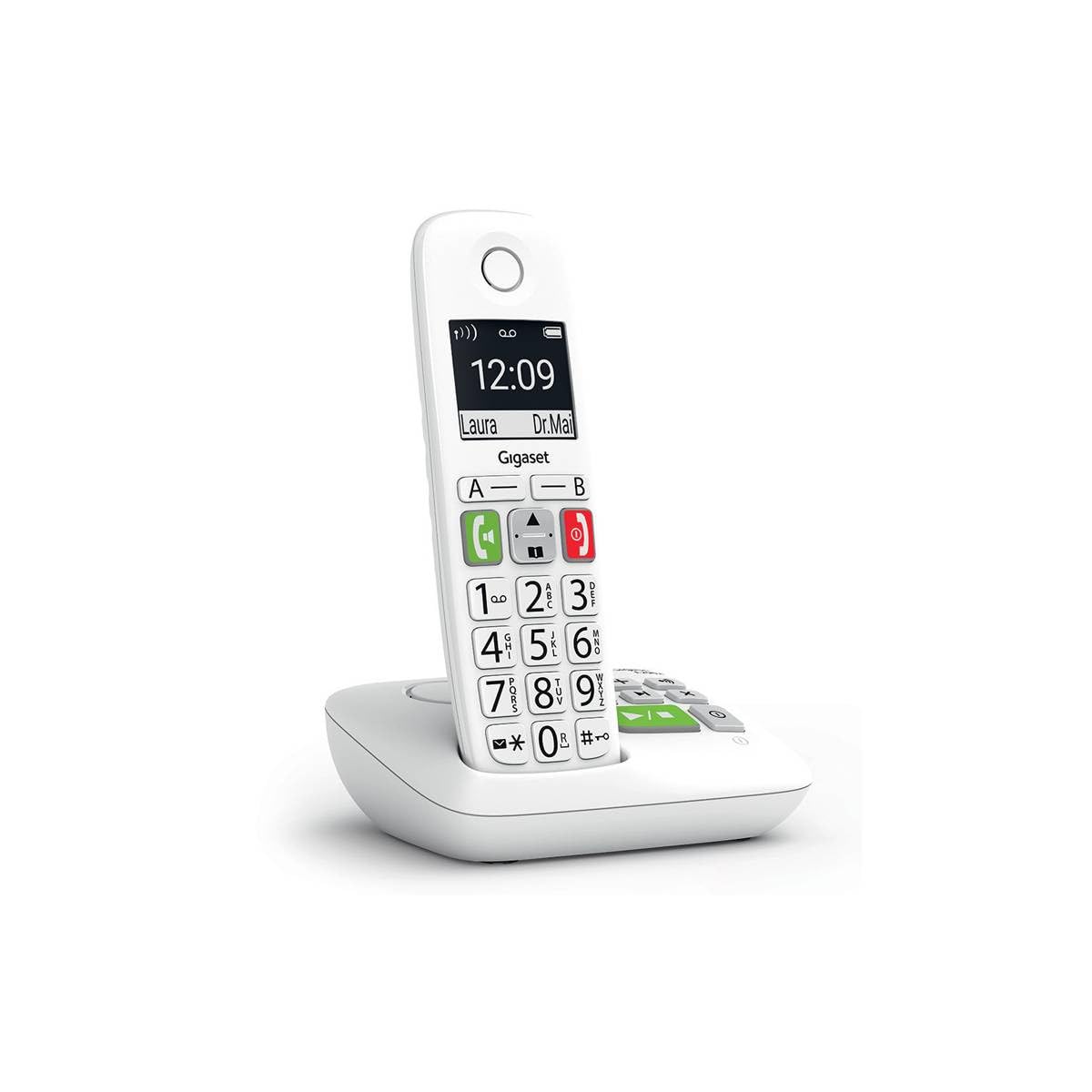
Image: The Gigaset E290A cordless phone, showing the handset and base station.
Інфармацыя па бяспецы
- Use only the power adapter and telephone cord supplied with the device.
- Не падвяргайце тэлефон уздзеянню экстрэмальных тэмператур, прамых сонечных прамянёў або высокай вільготнасці.
- Avoid placing the phone near heat sources or in areas with strong electromagnetic fields.
- Use only approved rechargeable batteries. Do not dispose of batteries in fire.
- Не адкрывайце прыладу casinг. Рамонт павінен выконвацца толькі аўтарызаваным абслугоўваючым персаналам.
- Трымайце тэлефон у месцах, недаступных для дзяцей.
Змест пакета
Пераканайцеся, што ваш пакет змяшчае наступныя элементы:
- 1 Gigaset E290A Handset
- 1 Gigaset E290A Base Station with integrated answering machine
- 1 Power Adapter for the base station
- 1 тэлефонны шнур
- 2 акумулятарныя батарэйкі тыпу AAA
- 1 Крышка батарэі
- Гэта кіраўніцтва карыстальніка
Настройка
1. Падключэнне базавай станцыі
- Падключыце адаптар сілкавання да базавай станцыі і ўключыце яго ў разетку.
- Connect the telephone line cord to the base station and plug the other end into your telephone wall socket.
- Place the base station on a flat, stable surface, away from other electronic devices that might cause interference.

Image: The Gigaset E290A base station, illustrating the connection points for power and telephone line.
2. Inserting Batteries into the Handset
- Адкрыйце крышку батарэйнага адсека на задняй панэлі трубкі.
- Insert the two supplied AAA rechargeable batteries, ensuring correct polarity (+/-).
- Зачыніце крышку батарэйнага адсека.
- Пастаўце трубку на базавую станцыю для зарадкі. На дысплеі будзе паказаны стан зарадкі. Пачакайце не менш за 8 гадзін для першапачатковай зарадкі.
3. Рэгістрацыя трубкі
The handset is usually pre-registered to the base station. If not, or if you are adding an additional handset:
- On the base station, press and hold the registration/paging key for approximately 3 seconds. The base station will enter registration mode.
- On the handset, navigate to the menu, select Налады, тады Рэгістрацыя, and follow the on-screen prompts. You may need to enter a PIN (default is 0000).
- Once registered, the handset display will show the internal number (e.g., "HS 1").
Інструкцыя па эксплуатацыі
Здзяйсненне і прыём званкоў
- Здзяйсненне званка: Enter the phone number using the large keypad and press the green call key (📞).
- Прыём званка: Калі тэлефон зазваніць, націсніце зялёную клавішу выкліку (📞) адказаць.
- Завяршэнне выкліку: Націсніце чырвоную клавішу адбою (⛔).
- Гучная сувязь: During a call, press the hands-free key (🔊) to activate the speakerphone.

Image: Close-up of the Gigaset E290A handset, highlighting the large, easy-to-read keys for dialing.
Выкарыстанне аўтаадказчыка
The Gigaset E290A features an integrated digital answering machine with up to 30 minutes of recording time.
- Актывацыя/дэактывацыя: Access the answering machine menu on the handset or press the dedicated key on the base station.
- Прайграванне паведамленняў: Press the play key on the base station or navigate through the handset menu.
- Запіс аб'явы: Follow the menu prompts to record your personal greeting.
Тэлефонная кніга
Store up to 150 contacts in the phonebook.
- Даданне кантакту: Go to the phonebook menu, select "New Entry," and enter the name and number.
- Quick Dial Keys: The phone has two direct access keys (A and B) for quickly calling two pre-stored numbers. Assign these numbers via the phonebook settings.
Блакаванне выкліку
Block unwanted calls by adding up to 32 numbers to a blacklist. You can also block anonymous calls.
- Adding to Blacklist: From the call list or phonebook, select a number and choose the "Block" option.
- Blocking Anonymous Calls: Enable this feature in the call blocking settings to automatically reject calls from hidden numbers.

Image: Illustration of the call blocking feature on the Gigaset E290A, showing how to manage unwanted calls.
Налады гуку
- Рэжым узмацнення гуку: Activate this mode for an even louder volume, facilitating high-definition listening.
- Сумяшчальнасць са слыхавым апаратам: The phone is compatible with hearing aids. You can also adjust the frequency range to suit personal hearing capabilities.
Налады дысплея
- Рэжым Jumbo: In Jumbo mode, all dialed digits appear in large characters on the 34 x 37 mm backlit black and white display, which has increased contrast for optimal readability.
- Навігацыя па меню: Menu navigation is also simplified with an adapted character size.

Image: The Gigaset E290A display showing large characters in Jumbo Mode for enhanced readability.
Тэхнічнае абслугоўванне
- Уборка: Прачысціце трубку і базавую станцыю мяккай губкайamp тканіна. Не выкарыстоўвайце абразіўныя ачышчальнікі або растваральнікі.
- Сыход за батарэяй: To maintain battery life, fully discharge and recharge the handset batteries periodically. If the phone will not be used for an extended period, remove the batteries.
- захоўванне: Захоўвайце тэлефон у прахалодным, сухім месцы, калі ён не выкарыстоўваецца.
Ліквідацыю непаладак
| праблема | Магчымая прычына | Рашэнне |
|---|---|---|
| No display on handset | Batteries are empty or incorrectly inserted. | Charge batteries for at least 8 hours. Check battery polarity. |
| Няма сігналу набору | Тэлефонны шнур не падключаны або няспраўны. | Check telephone line connection to base and wall socket. Try a different cord. |
| Handset cannot register | Base station not in registration mode or incorrect PIN. | Ensure base is in registration mode. Re-enter default PIN (0000). |
| Дрэнная якасць гуку | Handset too far from base, interference, or low battery. | Move closer to the base. Avoid other electronic devices. Charge handset. |
| Difficulty programming features | Complex menu navigation or unfamiliarity with settings. | Refer to the specific section in this manual for detailed steps. Contact support if issues persist. |
Тэхнічныя характарыстыкі
| Марка | Gigaset |
| Нумар мадэлі | E290A |
| Колер | Белы |
| Тып тэлефона | Бесправадная |
| Тып аўтаадказчыка | Лічбавы |
| Сумяшчальныя прылады | Telephone networks (PSTN, ISDN), external communication devices |
| Патрабуюцца батарэі | 2 AAA (Alkaline) |
| Матэрыял | Пластыкавыя |
| Крыніца харчавання | Электрычны кабель |
| Памеры прадмета (ДxШxВ) | 22.4 х 16.6 х 8.8 см |
| Вага прадмета | 169 грам |
Гарантыя і падтрымка
Каб атрымаць інфармацыю пра гарантыю, звярніцеся да гарантыйнага талона, які ўваходзіць у камплект пастаўкі вашага прадукту, або наведайце афіцыйны сайт Gigaset. webсайт. Інфармацыя аб наяўнасці запасных частак і абнаўленнях праграмнага забеспячэння ў гэтым кіраўніцтве не прадстаўлена.
For technical support, frequently asked questions, or to download the full detailed manual, please visit the Gigaset Communication Store or the official Gigaset support webсайт.