
1. Уводзіны
The Unitek Y-3036 is a tool-free external enclosure designed for 2.5-inch SATA I/II/III Hard Disk Drives (HDDs) and Solid State Drives (SSDs). It provides a convenient solution for connecting your 2.5-inch drives to a computer via USB 3.0, offering fast data transfer speeds and easy portability. This manual provides detailed instructions for the proper installation, operation, and maintenance of your Unitek Y-3036 enclosure.
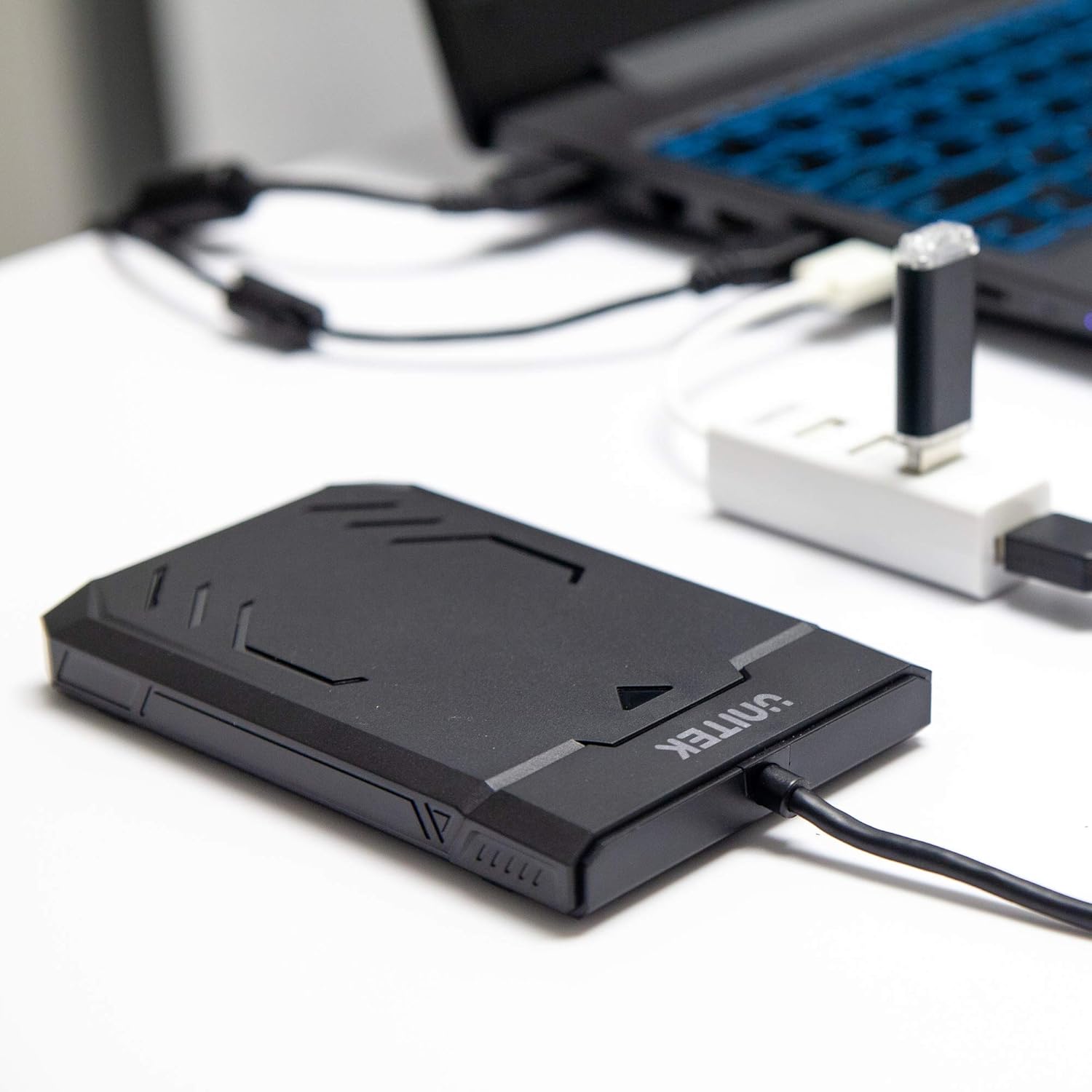
Image 1.1: Unitek Y-3036 enclosure connected to a laptop.
2. Змесціва ўпакоўкі
Калі ласка, пераканайцеся, што ўсе прадметы прысутнічаюць у вашай упакоўцы:
- Unitek Y-3036 2.5-inch Hard Drive Enclosure with integrated USB 3.0 cable
- Foam pad for drive stability
- Інструкцыя па эксплуатацыі (гэты дакумент)

Image 2.1: Enclosure with integrated cable and foam pad.
3. Тэхнічныя характарыстыкі
| мадэль | Unitek Y-3036 |
| Сумяшчальны тып дыска | 2.5-inch SATA I/II/III HDD/SSD (up to 9.5mm thickness) |
| Інтэрфейс | USB 3.0 (зваротная сумяшчальнасць з USB 2.0) |
| Хуткасць перадачы даных | Up to 6Gbps (SATA III), supports UASP |
| Памеры (Д х Ш х У) | 130 мм х 85 мм х 15 мм (5.12 цалі х 3.27 цалі х 0.59 цалі) |
| Матэрыял | Пластыкавыя |
| Асаблівасці | Tool-free assembly, Plug & Play, LED indicator, Sleep function, Built-in USB cable |

Малюнак 3.1: Памеры вырабу.
4. Настройка і ўстаноўка
The Unitek Y-3036 enclosure features a tool-free design for easy installation of your 2.5-inch HDD or SSD.
- Адкрыйце корпус: Gently slide the top cover of the enclosure to open it.
- Устаўце дыск: Align your 2.5-inch SATA HDD or SSD with the SATA connector inside the enclosure. Carefully push the drive into the connector until it is firmly seated. Ensure the drive is oriented correctly.
- Add Foam Pad (Optional): If your drive is thinner than 9.5mm, you may use the included foam pad to secure it snugly within the enclosure and prevent movement. Place the foam pad on top of the drive before closing the cover.
- Зачыніце корпус: Засуньце верхнюю крышку назад на месца, пакуль яна надзейна не зашчоўкне.

Image 4.1: Enclosure open with a 2.5-inch HDD inserted.

Малюнак 4.2: Падрабязны view of drive insertion.
5. Інструкцыя па эксплуатацыі
Once your drive is installed in the enclosure, follow these steps to use it with your computer:
- Падключыцеся да кампутара: Plug the integrated USB 3.0 cable from the enclosure into an available USB port on your computer. For optimal performance, use a USB 3.0 port.
- Святлодыёдны індыкатар: The enclosure features an LED indicator. When connected, the LED will illuminate, indicating power. It will flash during data transfer activity.
- Распазнаванне дыска: Your operating system should automatically detect the new drive. If it's a new drive, you may need to initialize and format it through your operating system's disk management utility before it appears in 'My Computer' or 'Finder'.
- Бяспечнае выдаленне: Заўсёды бяспечна вымайце дыск з аперацыйнай сістэмы перад адключэннем USB-кабеля, каб прадухіліць пашкоджанне дадзеных.
6. Тэхнічнае абслугоўванне
To ensure the longevity and optimal performance of your Unitek Y-3036 enclosure:
- Уборка: Для чысткі вонкавых паверхняў корпуса выкарыстоўвайце мяккую сухую тканіну. Пазбягайце выкарыстання вадкіх ачышчальнікаў або растваральнікаў.
- захоўванне: Калі корпус не выкарыстоўваецца, захоўвайце яго ў прахалодным, сухім месцы, удалечыні ад прамых сонечных прамянёў і экстрэмальных тэмператур.
- Апрацоўка: Handle the enclosure with care to avoid drops or impacts, which could damage the internal drive or the enclosure itself.
7. Выпраўленне непаладак
If you encounter issues with your Unitek Y-3036 enclosure, refer to the following common problems and solutions:
- Дыск не выяўлены:
- Ensure the USB cable is securely connected to both the enclosure and the computer.
- Паспрабуйце падключыцца да іншага порта USB на вашым кампутары.
- Verify that the 2.5-inch HDD/SSD is properly seated in the enclosure's SATA connector.
- Праверце кіраванне дыскамі (Windows) або дыскавую ўтыліту (macOS) на вашым камп'ютары, каб убачыць, ці распазнаецца дыск, але неініцыялізаваны або нефарматаваны.
- Test the enclosure with a different 2.5-inch SATA drive, or test your drive directly with another enclosure/adapter if available.
- Павольная хуткасць перадачы дадзеных:
- Пераканайцеся, што вы падключаны да порта USB 3.0 на вашым камп'ютары. Парты USB 2.0 будуць працаваць з меншай хуткасцю.
- Праверце, ці абноўленая ваша аперацыйная сістэма і драйверы.
- The actual speed depends on the performance of the installed HDD/SSD.
- Святлодыёдны індыкатар не гарыць:
- Confirm the USB cable is fully plugged into a powered USB port.
- Паспрабуйце іншы порт USB.
8. Інфармацыя па бяспецы
Калі ласка, выконвайце наступныя правілы бяспекі:
- Do not expose the enclosure to water, moisture, or extreme temperatures.
- Avoid dropping or subjecting the enclosure to severe impacts.
- Do not attempt to open or modify the enclosure beyond the intended drive installation. This may void any warranty and could cause damage.
- Захоўваць у месцах, недаступных дзецям.
9. Гарантыя і падтрымка
Unitek products are designed for reliability and performance. For warranty information or technical support, please refer to the official Unitek webсайт або звярніцеся да мясцовага прадаўца. Захоўвайце чэк аб куплі як пацвярджэнне пакупкі для гарантыйных прэтэнзій.