
Уводзіны
Thank you for choosing the iFrogz Neckband 2 Wireless Bluetooth Earphones. These earphones are designed to provide quality sound and a comfortable, secure fit for your daily activities. Featuring Bluetooth connectivity, an integrated microphone, and magnetic earbuds, they offer a convenient audio experience.
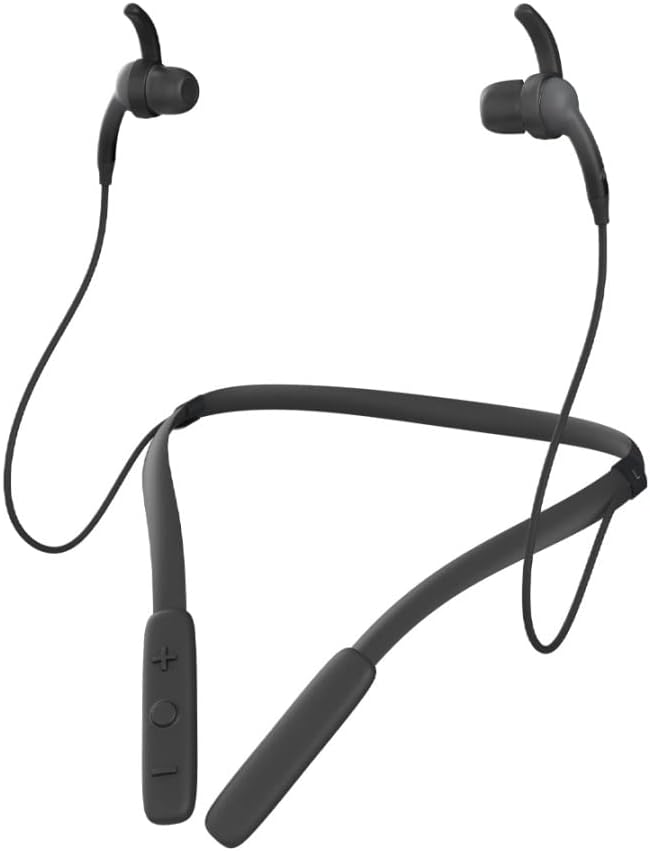
Выява: спераду view of the iFrogz Neckband 2 Wireless Bluetooth Earphones, showcasinдызайн абадка на шыі і навушнікі-ўкладышы.
Змест пакета
Калі ласка, пастаўце галачку для наступных пунктаў:
- iFrogz Neckband 2 Wireless Earphones
- USB-кабель для зарадкі
- Multiple sizes of earbud tips (three sizes)
- Removable sport wings (one set)

Выява: спераду view of the iFrogz Neckband 2 retail packaging, showing the product and key features.

Выява: Спіна view of the iFrogz Neckband 2 retail packaging, detailing features like 8mm neodymium drivers, magnetic earbuds, IPX2 sweat resistance, and up to 8 hours of battery life.
Настройка
1. Зарадка навушнікаў
Before first use, fully charge your iFrogz Neckband 2 earphones. Connect the provided USB charging cable to the charging port on the neckband and plug the other end into a USB power source. The LED indicator will show charging status.
- Час зарадкі: прыблізна 1-2 гадзіны для поўнай зарадкі.
- Battery Life: Up to 8 hours of playback time.
2. Спарванне Bluetooth
- Ensure your earphones are charged and turned off.
- Націсніце і ўтрымлівайце шматфункцыянальную кнопку (звычайна кнопку харчавання), пакуль святлодыёдны індыкатар не пачне міргаць чырвоным і сінім колерамі, што паказвае на рэжым спалучэння.
- На вашай прыладзе (смартфоне, планшэце і г.д.) уключыце Bluetooth і знайдзіце даступныя прылады.
- Select "iFrogz Neckband 2" from the list of devices.
- Пасля падключэння святлодыёдны індыкатар будзе гарэць сінім колерам або павольна міргаць.
3. Рэгуляванне пасадкі
For optimal sound quality and comfort, choose the earbud tips and sport wings that best fit your ears. The iFrogz Neckband 2 comes with three sizes of earbud tips and one set of removable sport wings.
- Experiment with different tip sizes to find a snug seal in your ear canal.
- Attach the sport wings if you need extra stability during active use.
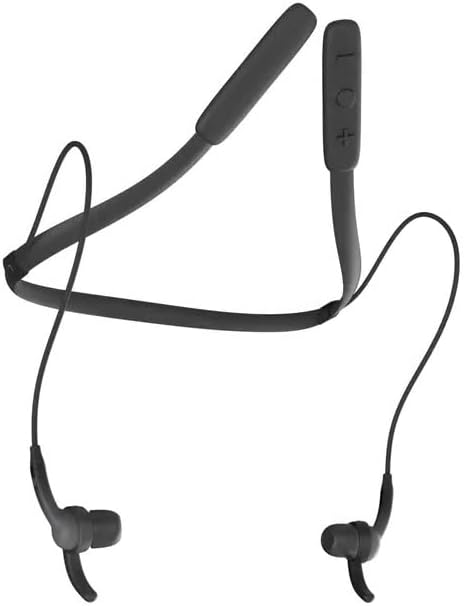
Выява: зверху ўніз view of the iFrogz Neckband 2, showing the flexible neckband and earbud placement.
Інструкцыя па эксплуатацыі
Кантроль надview
The control buttons are located on the neckband for easy access.
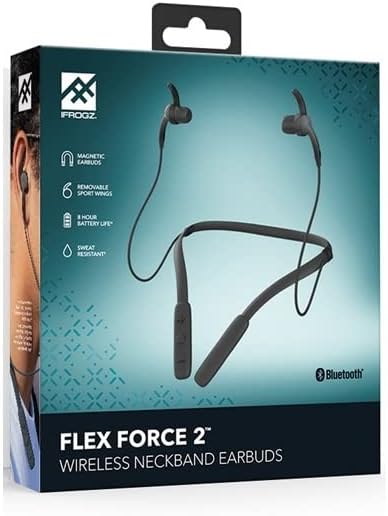
Image: Close-up of the control panel on the iFrogz Neckband 2, showing the volume and multi-function buttons.
| Кнопка/Дзеянне | Функцыя |
|---|---|
| Power Button / Multi-function Button |
|
| Павелічэнне гучнасці (+) |
|
| Volume Down (-) |
|
Магнітныя навушнікі
The iFrogz Neckband 2 features magnetic earbuds. When not in use, the earbuds can be magnetically attached together, helping to keep them secure around your neck and prevent tangling.
Тэхнічнае абслугоўванне
Уборка
To maintain the performance and hygiene of your earphones:
- Gently wipe the earbuds and neckband with a soft, dry, lint-free cloth.
- Зніміце наканечнікі з вушных укладышаў і пры неабходнасці памыйце іх мяккім мылам і вадой. Перад тым, як зноў прымацаваць іх, пераканайцеся, што яны цалкам сухія.
- Пазбягайце выкарыстання агрэсіўных хімікатаў або абразіўных матэрыялаў.
Захоўванне
Store your earphones in a cool, dry place away from direct sunlight and extreme temperatures. When storing, you can use the magnetic feature to keep the earbuds together.
Сыход за батарэяй
Каб падоўжыць тэрмін службы батарэі:
- Пазбягайце частай поўнай разрадкі акумулятара.
- Charge the earphones regularly, even if not in frequent use.
- Do not expose the earphones to extreme heat or cold.
Ліквідацыю непаладак
| праблема | Магчымае рашэнне |
|---|---|
| Навушнікі не ўключаюцься. | Ensure the earphones are fully charged. Connect to a power source and check the charging indicator. |
| Немагчыма спалучыць прыладу. |
|
| Няма гуку або нізкі ўзровень гучнасці. |
|
| Нізкая якасць гуку. |
|
| Кароткі тэрмін службы батарэі. |
|
Тэхнічныя характарыстыкі
| Асаблівасць | Дэталь |
|---|---|
| Нумар мадэлі | 304001790 |
| Сувязь | Бесправадны Bluetooth |
| Асаблівасці | Volume Control, Integrated Microphone, Neckband Design, Magnetic Earbuds |
| Формаў-фактар | Укладышы |
| Колер | Чорны |
| Матэрыял | Пластыкавыя |
| Вадзіцелі | 8mm Neodymium (from box image) |
| Ўстойлівасць да поту | IPX2 (from box image) |
| Тэрмін службы батарэі | Up to 8 hours (from box image) |
Гарантыя і падтрымка
Інфармацыя аб гарантыі
The iFrogz Neckband 2 includes a "Earbud Tips for Life™" limited lifetime warranty. This warranty covers the earbud tips. If your earbud tips get worn or damaged, they may be replaced. Please refer to the manufacturer's official website or contact their support for full warranty terms and conditions.
Падтрымка кліентаў
For further assistance, technical support, or warranty claims, please visit the official iFrogz webсайт або звярніцеся ў службу падтрымкі кліентаў. Кантактную інфармацыю звычайна можна знайсці на ўпакоўцы прадукту або на сайце вытворцы webсайт.