
1. Уводзіны
Thank you for choosing the MeterMall HuntVision E3-W 3MP Indoor WiFi PT Camera. This camera is designed to provide reliable indoor surveillance with advanced features such as 3MP Full HD resolution, pan/tilt functionality, two-way audio, and smart AI detection. This manual will guide you through the setup, operation, and maintenance of your new security camera to ensure optimal performance.
The HuntVision E3-W camera offers industry-leading image quality with advanced 3MP Full HD resolution, smart AI features for accurate detection and reduced false alarms, flexible storage solutions including local and cloud options, an intuitive mobile app for complete control from anywhere, and reliable performance backed by professional-grade components.
2. Прадукт скончыўсяview
2.1 Асноўныя магчымасці
- Crystal-Clear 3MP Full HD Resolution: Enjoy sharp, detailed footage day and night with full-color vision.
- Two-Way Audio & Smart Alerts: Communicate via built-in microphone and speaker, plus trigger security camera alarms remotely through the HUNTVISION app.
- Easy Wi-Fi & Bluetooth Setup: Connects seamlessly via 2.4G WiFi and Bluetooth 4.2 for quick installation. Supports QR code or button reset.
- Гнуткі Viewing & Storage Options: Switch between HD/ultra HD streams and customize playback. Supports local storage (TF card) and cloud options.
- Versatile & User-Friendly: Adjust day/night modes, flip views, and control OSD displays via app.

Figure 2.1: Key features of the HuntVision E3-W camera.
2.2 Кампаненты камеры
The HuntVision E3-W camera features a compact design with essential components for effective surveillance.
- Аб'ектыў камеры: Захоплівае відэа footage.
- Інфрачырвоныя святлодыёды: For night vision capabilities.
- Мікрафон: Для аўдыёўваходу і двухбаковай сувязі.
- Дакладчык: Для вываду гуку і двухбаковай сувязі.
- Светлавы індыкатар стану: Indicates camera status (e.g., power, connection).
- Кнопка скіду: Выкарыстоўваецца для скіду камеры да заводскіх налад.
- Слот для карты Micro SD: For local video storage (TF card).
- Порт харчавання: Для падлучэння адаптара сілкавання.

Малюнак 2.2: Спераду view of the HuntVision E3-W Camera.
3. Кіраўніцтва па наладцы
3.1 Unboxing and Power On
- Carefully unbox your HuntVision E3-W camera and check for all included accessories.
- Падключыце адаптар сілкавання да порта сілкавання камеры і ўключыце яго ў разетку.
- Wait for the camera's status indicator light to begin flashing, indicating it is ready for setup.
3.2 Загрузка праграмы і рэгістрацыя ўліковага запісу
- Download the "Ivy Smart APP" from your mobile device's app store (App Store for iOS, Google Play Store for Android).
- Open the Ivy Smart APP and register a new account if you don't have one, or log in with your existing credentials.
3.3 Падключэнне камеры да Wi-Fi
- In the Ivy Smart APP, tap the "+" icon to add a new device.
- Select "Security Camera" or "Smart Camera" from the device list.
- Follow the on-screen instructions to connect the camera. This typically involves selecting your 2.4GHz Wi-Fi network and entering the password. The camera supports Bluetooth for quick pairing.
- Scan the QR code displayed on your phone with the camera lens, or follow the voice prompts for button reset pairing.
- Once connected, the status indicator light will turn solid, and you will hear a confirmation sound from the camera.
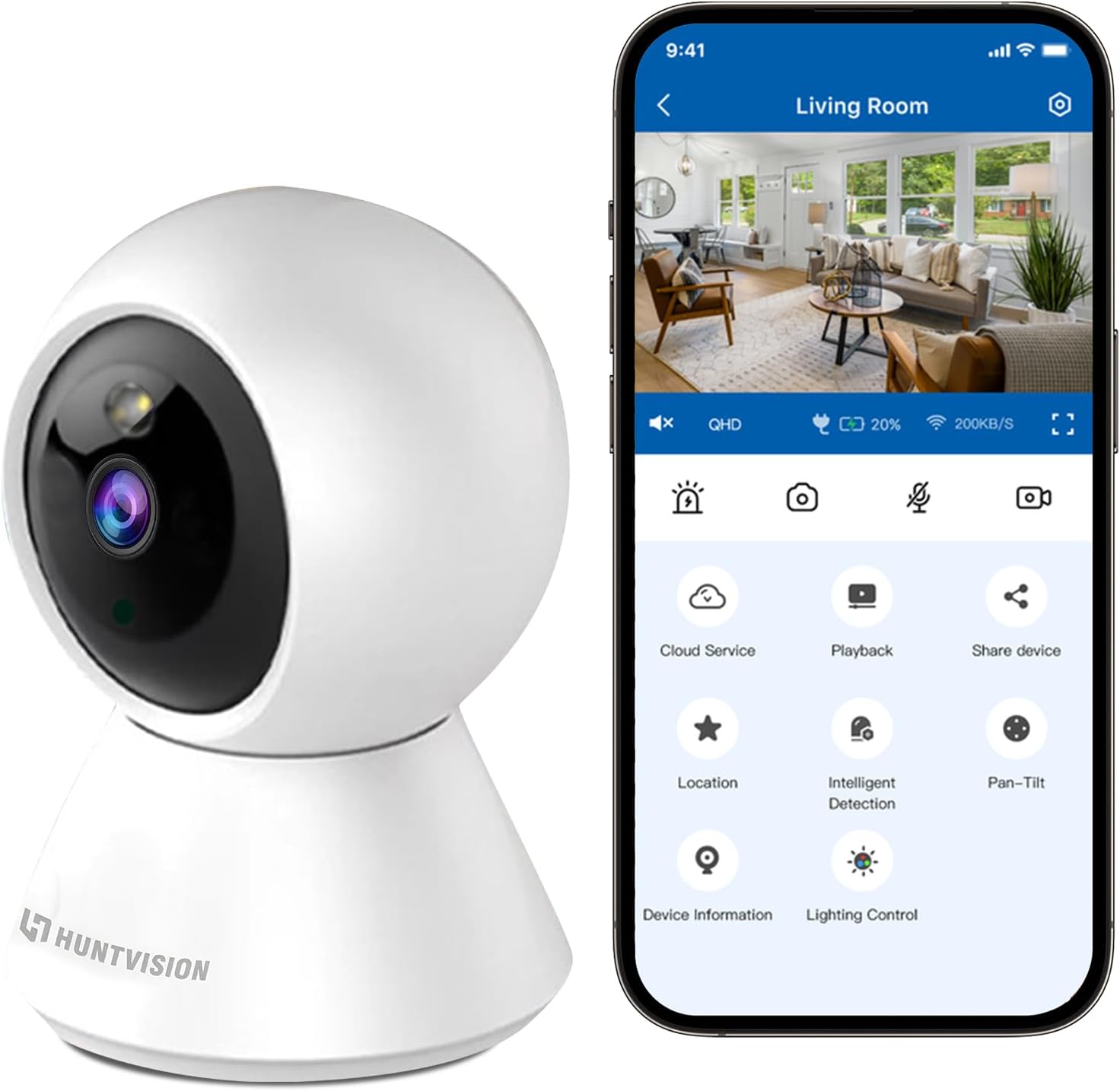
Figure 3.1: Connecting the camera via the Ivy Smart APP.
4. Інструкцыя па эксплуатацыі
4.1 У прамым эфіры View і кіраванне панарамаваннем/нахілам
- Open the Ivy Smart APP and select your E3-W camera from the device list to access the live view.
- Use the on-screen joystick or swipe gestures to control the camera's pan (355°) and tilt (85°) movements.
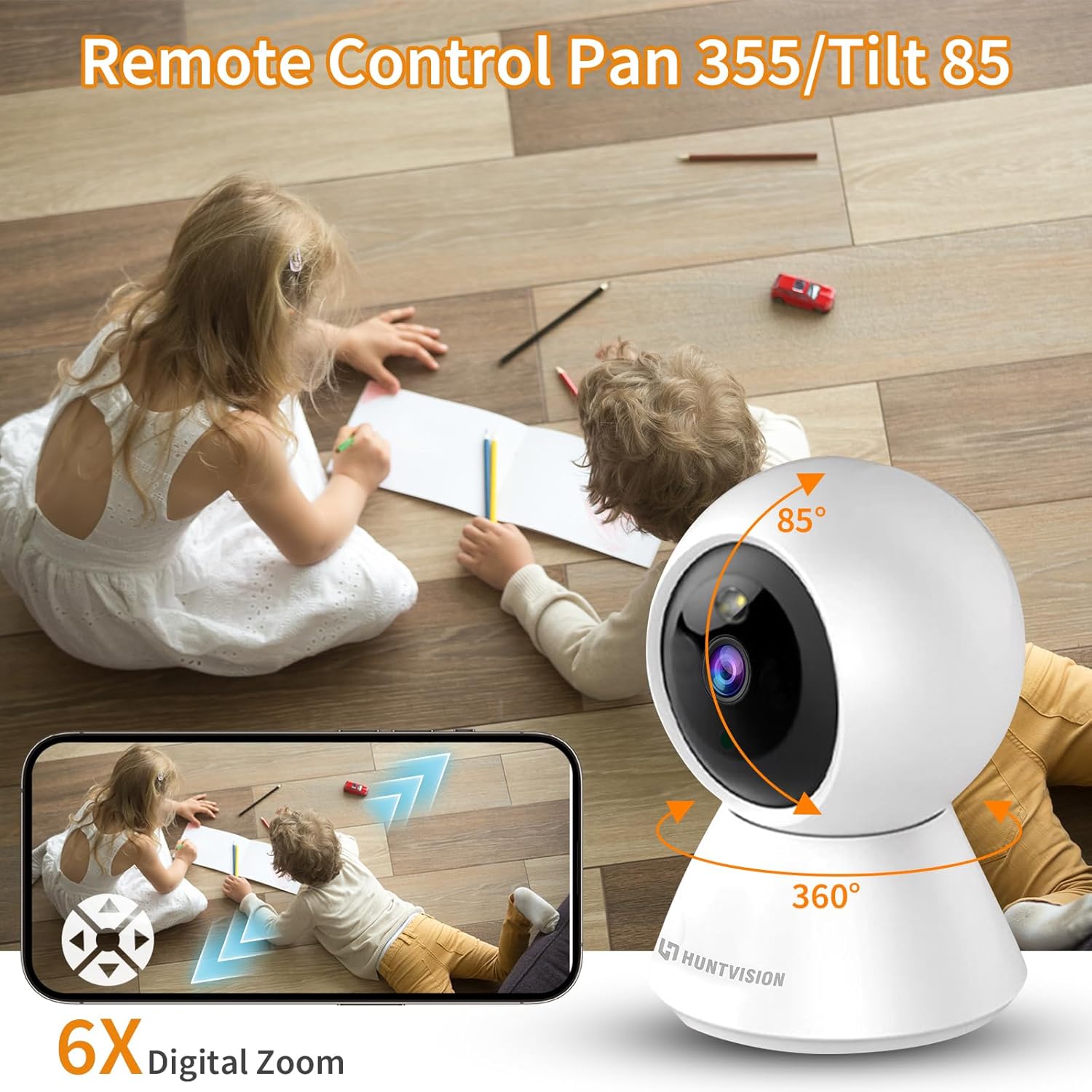
Figure 4.1: Remote Pan/Tilt control via the app.
4.2 Двухбаковае аўдыё
- З прамога эфіру view interface, tap the microphone icon to enable two-way audio.
- Press and hold the talk button to speak through the camera's speaker. Release to listen.
4.3 Выяўленне руху і абвесткі
- Navigate to the camera settings in the Ivy Smart APP.
- Уключыце «Выяўленне руху» і наладзьце ўзроўні адчувальнасці і зоны выяўлення па меры неабходнасці.
- Set up push notifications to receive alerts on your mobile device when motion is detected.
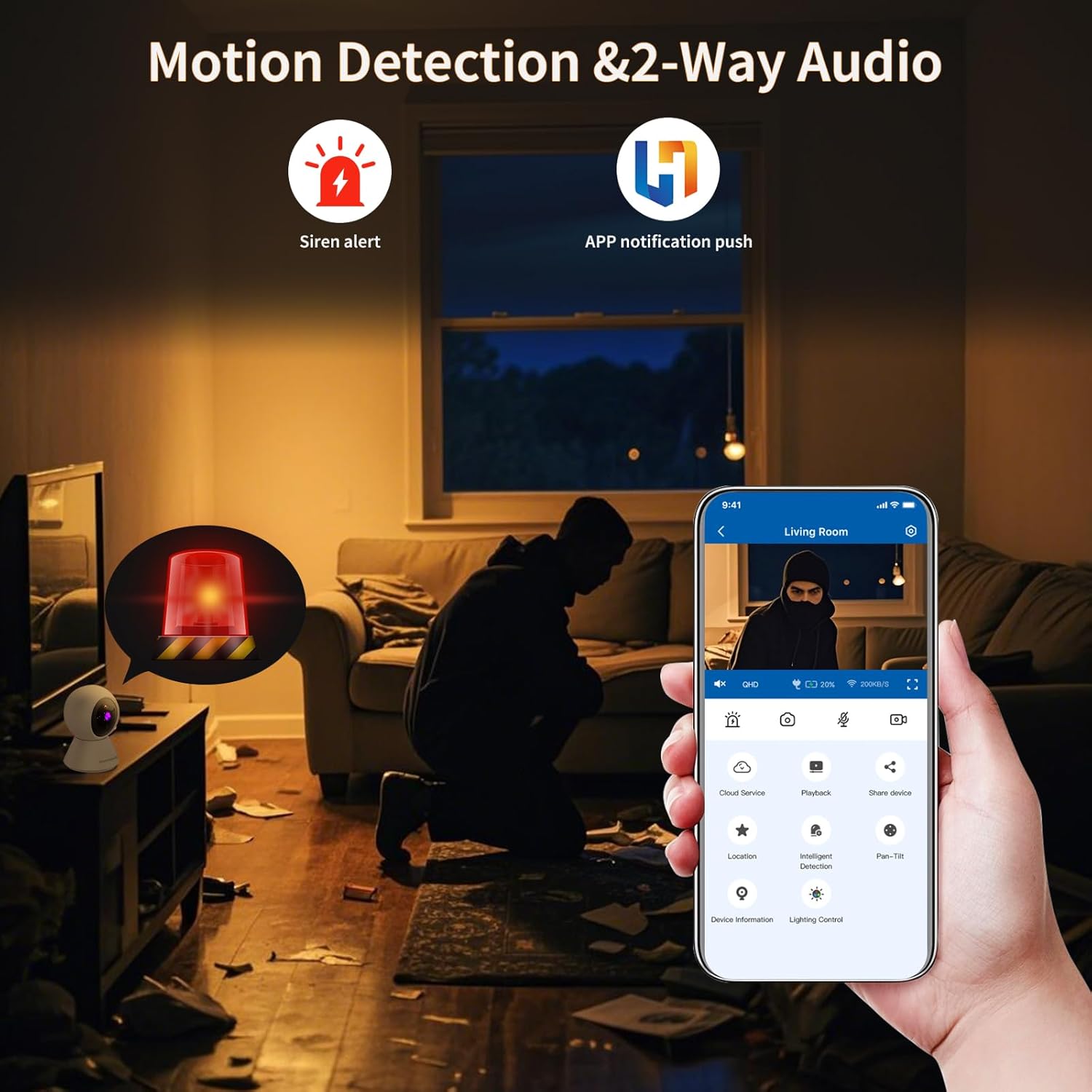
Figure 4.2: Motion detection and app notifications.
4.4 Начное бачанне
- Камера аўтаматычна пераключаецца ў рэжым начнога бачання ва ўмовах нізкай асветленасці.
- You can manually adjust day/night modes within the app settings if desired.

Figure 4.3: Night vision capability of the camera.
4.5 Запіс і прайграванне відэа
- Insert a Micro SD (TF) card (not included) into the camera's card slot for local storage. The camera supports continuous recording or event-triggered recording.
- Alternatively, subscribe to cloud storage services through the Ivy Smart APP for secure off-site storage.
- Доступ да запісанага footage via the "Playback" option in the app.
5. Тэхнічнае абслугоўванне
- Уборка: Акуратна працярыце аб'ектыў і корпус камеры мяккай сухой тканінай. Не выкарыстоўвайце агрэсіўныя хімікаты або абразіўныя ачышчальнікі.
- Абнаўленні прашыўкі: Regularly check for and install firmware updates via the Ivy Smart APP to ensure optimal performance and security.
- Цыкл харчавання: If the camera becomes unresponsive, unplug it from the power source for 10 seconds, then plug it back in.
6. Выпраўленне непаладак
- Камера ў аўтаномным рэжыме: Ensure the camera is powered on and within range of your Wi-Fi router. Check your Wi-Fi network status. Try restarting the camera and your router.
- Не атрымалася падлучыцца: Verify your Wi-Fi password is correct and you are connecting to a 2.4GHz network. Ensure the camera's status light is flashing before pairing. Try resetting the camera.
- Дрэнная якасць выявы: Check your internet connection speed. Ensure the camera lens is clean and free from obstructions. Adjust video quality settings in the app.
- Няма аўдыя: Check the microphone and speaker settings in the app. Ensure volume is not muted on your device or in the app.
- Папярэджанні аб руху не атрыманы: Verify motion detection is enabled and sensitivity is set appropriately. Check app notification settings on your phone.
7. Тэхнічныя характарыстыкі
| Асаблівасць | Спецыфікацыя |
|---|---|
| Назва мадэлі | E3-W |
| Выкарыстанне ў памяшканні/на вуліцы | У памяшканні |
| Крыніца харчавання | Правадная электрычная |
| Тып мацавання | Настольнае мацаванне |
| Дазвол відэазахопу | 1296p (3 МП) |
| Памеры прадмета (Д х Ш х У) | 3.15 х 3.15 х 4.73 цалі |
| Вага прадмета | 6.1 унцыі |
| Тэхналогія падлучэння | Wireless (2.4G WiFi, Bluetooth 4.2) |
| Асаблівасці | Датчык руху, начное бачанне |
| Рэкамендуемае выкарыстанне | Ахова ў памяшканні |
| Вытворца | Foscam Intelligent Technology Co., Ltd |
8. Гарантыя і падтрымка
8.1 Інфармацыя аб гарантыі
The MeterMall HuntVision E3-W camera comes with a Гарантыя 2 год з даты пакупкі. Гэтая гарантыя распаўсюджваецца на вытворчыя дэфекты і няспраўнасці пры нармальным выкарыстанні. Калі ласка, захавайце пацвярджэнне пакупкі для прэтэнзій па гарантыі.
8.2 Падтрымка кліентаў
For technical support, troubleshooting assistance, or warranty inquiries, please contact your retailer or the manufacturer's customer service. Refer to the product packaging or the Ivy Smart APP for specific contact details.
You can also visit the official HUNTVISION webсайт з часта задаванымі пытаннямі і дадатковымі рэсурсамі.