
Уводзіны
The GENAI Wireless Bluetooth Headset B112 provides a convenient and hands-free communication experience. This manual offers detailed instructions for setting up, operating, maintaining, and troubleshooting your headset to ensure optimal performance and longevity.
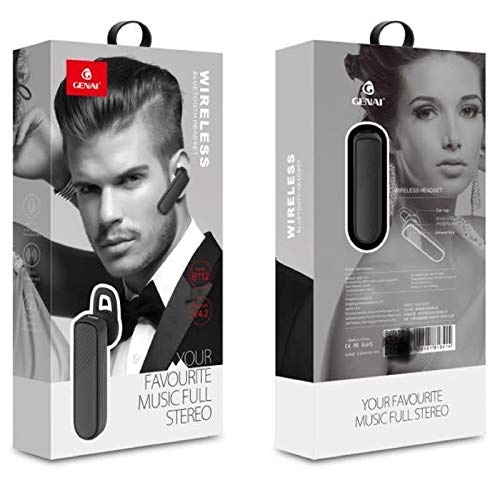
Image: GENAI Wireless Bluetooth Headset B112, main unit with ear hook.
Што ў скрынцы
Пакет прадукту ўключае ў сябе наступныя элементы:
- GENAI Wireless Bluetooth Headset B112
- Амбушюры
- Зарадны кабель (Micro USB)
Настройка
1. Зарадка гарнітуры
- Connect the Micro USB charging cable to the charging port on the headset.
- Connect the other end of the charging cable to a compatible USB power source (e.g., computer USB port, USB wall adapter).
- Індыкатар будзе гарэць падчас зарадкі.
- Поўная зарадка звычайна займае прыблізна 2 гадзіны.
- Once fully charged, the indicator light may change color or turn off, depending on the model. Disconnect the charging cable.
2. Спалучэнне з прыладай Bluetooth
- Пераканайцеся, што гарнітура цалкам зараджана.
- Уключэнне: Press and hold the multi-function button (usually the main button) on the headset until the indicator light flashes, typically alternating blue and red, indicating pairing mode.
- Актываваць Bluetooth: On your mobile phone or other Bluetooth-enabled device, go to the Bluetooth settings and ensure Bluetooth is turned on.
- Пошук прылады: Your device will scan for available Bluetooth devices. Look for "B112" or "GENAI B112" in the list.
- Падключыць: Select "B112" or "GENAI B112" to initiate the pairing process. If prompted for a password, enter "0000" (four zeros).
- Once successfully paired, the indicator light on the headset will typically flash blue slowly, and you may hear a voice prompt confirming the connection.
3. Нашэнне гарнітуры
The GENAI B112 headset is designed for comfortable wear. Attach the ear hook if desired, and adjust it to fit securely over your ear. The ear cushions can be changed for a better fit.
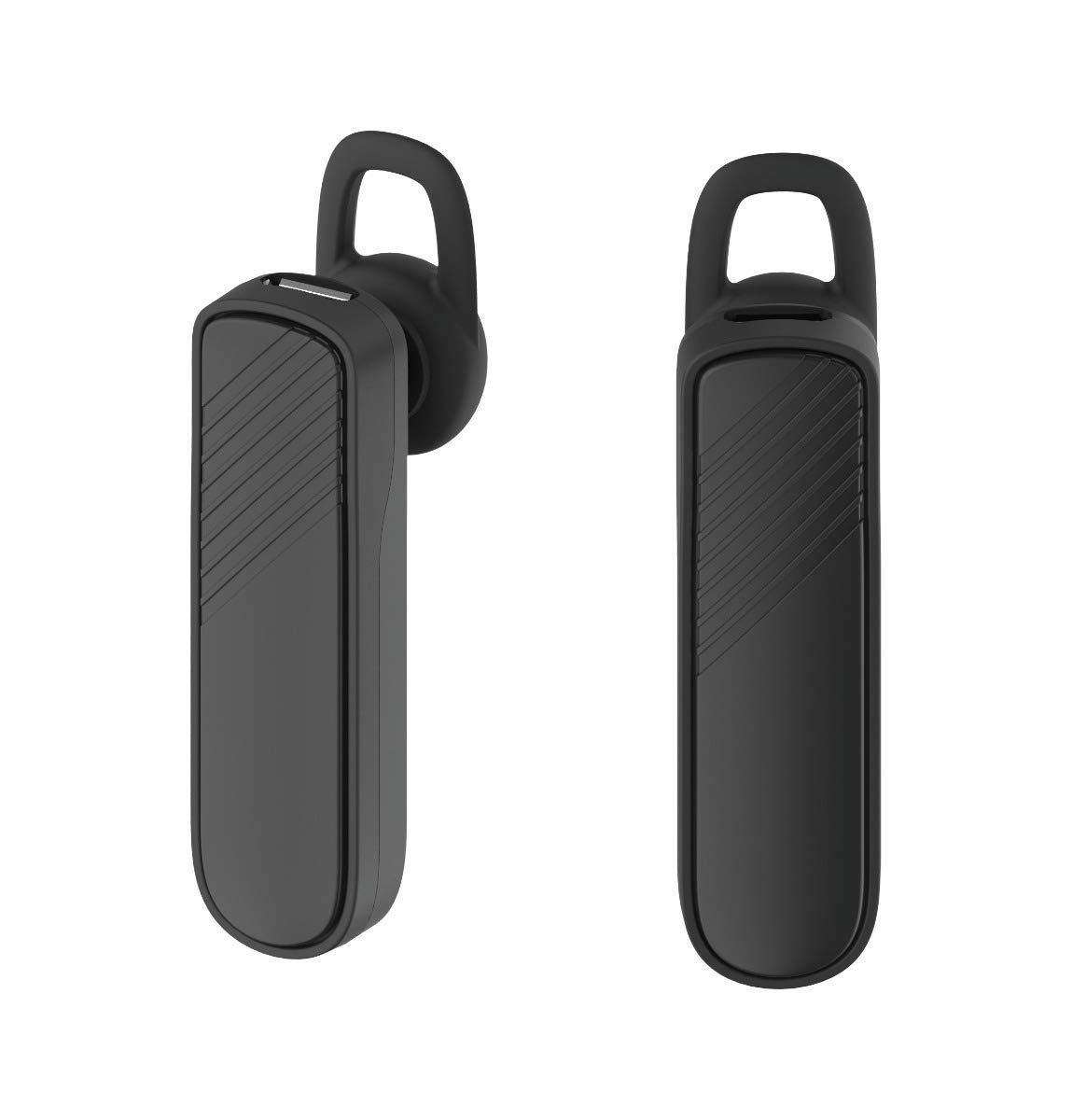
Выява: Два views of the GENAI Wireless Bluetooth Headset B112, illustrating its design.
Інструкцыя па эксплуатацыі
- Уключэнне/выключэнне харчавання: Press and hold the multi-function button for approximately 3-5 seconds to power on or power off the headset. A voice prompt will confirm the action.
- Адказ / завяршэнне званка: Press the multi-function button once to answer an incoming call. Press it again to end an active call.
- Адхіленне званкоў: Націсніце і ўтрымлівайце шматфункцыянальную кнопку прыблізна 2 секунды, каб адхіліць уваходны выклік.
- Паўторны набор апошняга нумара: Double-press the multi-function button to redial the last dialed number.
- Рэгулятар гучнасці: Use the dedicated volume buttons (if present) or the multi-function button (depending on model variation) to adjust the call or music volume. Refer to your device's manual for specific button functions.
- Прайграванне музыкі: When connected, you can play music from your paired device. The multi-function button may also control play/pause.
- Галасавыя падказкі: The headset provides voice alerts for power on/off and pairing status.
Тэхнічнае абслугоўванне
- Уборка: Use a soft, dry, lint-free cloth to clean the headset. Do not use harsh chemicals, cleaning solvents, or strong detergents.
- захоўванне: When not in use, store the headset in a cool, dry place, away from extreme temperatures and direct sunlight.
- Сыход за батарэяй: To prolong battery life, avoid fully discharging the battery frequently. Charge the headset regularly, even if not used for extended periods.
- Ўздзеянне вады: This headset is not waterproof. Avoid exposure to water, moisture, or rain.
Ліквідацыю непаладак
- Гарнітура не ўключаецца:
- Пераканайцеся, што гарнітура цалкам зараджана. Падключыце яе да крыніцы харчавання і дайце ёй зарадзіцца не менш за 30 хвілін, перш чым спрабаваць зноў уключыць.
- Не магу спалучыць гарнітуру з маёй прыладай:
- Ensure the headset is in pairing mode (indicator light flashing blue/red).
- Пераканайцеся, што Bluetooth уключаны на вашай прыладзе.
- Keep the headset and your device within close proximity (within 1 meter) during pairing.
- Выключыце і ўключыце гарнітуру і прыладу, а затым паспрабуйце зноў падключыць іх.
- Калі гарнітура была спалучана раней, паспрабуйце «забыцца» або «адлучыць» яе ад спісу Bluetooth вашай прылады, а затым зноў спалучыць.
- Няма гуку або нізкі гук:
- Check the volume levels on both the headset and your paired device.
- Ensure the headset is properly connected to your device. Sometimes, the audio output might switch to the phone speaker.
- Паспрабуйце перазагрузіць абедзве прылады.
- Гарнітура часта адключаецца:
- Пераканайцеся, што паміж гарнітурай і прыладай няма перашкод.
- Падыдзіце бліжэй да спалучанай прылады, каб паменшыць перашкоды.
- Праверце наяўнасць іншых актыўных прылад Bluetooth, якія могуць выклікаць перашкоды.
- Пераканайцеся, што гарнітура дастаткова зараджана.
Тэхнічныя характарыстыкі
| Назва мадэлі | B112 |
| Тэхналогія падлучэння | Bluetooth V4.2 |
| Порт для зарадкі | Micro USB |
| Час зарадкі | Прыкладна 2 гадзін |
| Час размовы | Да 20 гадзін |
| Час прайгравання музыкі | Прыкладна 20 гадзін |
| Час чакання | Да 1000 гадзін |
| Вага прадмета | 30 г |
| Матэрыял | Пластыкавыя |
| Асаблівасць | Вушка |
| Уключаныя кампаненты | Амбушюры |
| Сумяшчальныя прылады | Android, iOS, Mi devices (Bluetooth-enabled smartphones) |
Інфармацыя аб гарантыі
This GENAI Wireless Bluetooth Headset B112 comes with a Гарантыя на замену 3 месяцаў from the date of purchase. Please retain your proof of purchase for warranty claims. This warranty covers manufacturing defects. Please note that this warranty does not include refunds.
Падтрымка
For further assistance, technical support, or warranty claims, please contact your retailer or the GENAI customer service department. Refer to the product packaging or the official GENAI webсайт для кантактных дадзеных.