
Уводзіны
The UNITEK Y3035 Storage Drive Enclosure provides a convenient solution for connecting 2.5-inch or 3.5-inch SATA I/II/III Hard Disk Drives (HDDs) or Solid State Drives (SSDs) to your computer via a high-speed USB 3.0 interface. This enclosure allows you to utilize old hard drives as external storage, facilitating data recovery, backup, or expansion of your system's storage capacity.
Асаблівасці прадукту
- Універсальная сумяшчальнасць: Падтрымлівае 2.5-цалевыя і 3.5-цалевыя жорсткія дыскі і SSD-назапашвальнікі SATA I/II/III.
- Высакахуткасная перадача дадзеных: USB 3.0 (USB 3.1 Gen 1) interface offers data transfer rates up to 5Gbps. Backwards compatible with USB 2.0 and USB 1.1.
- Падтрымка UASP: Implements USB Attached SCSI Protocol for enhanced read and write speeds, improving performance by up to 30% compared to traditional USB 3.0.
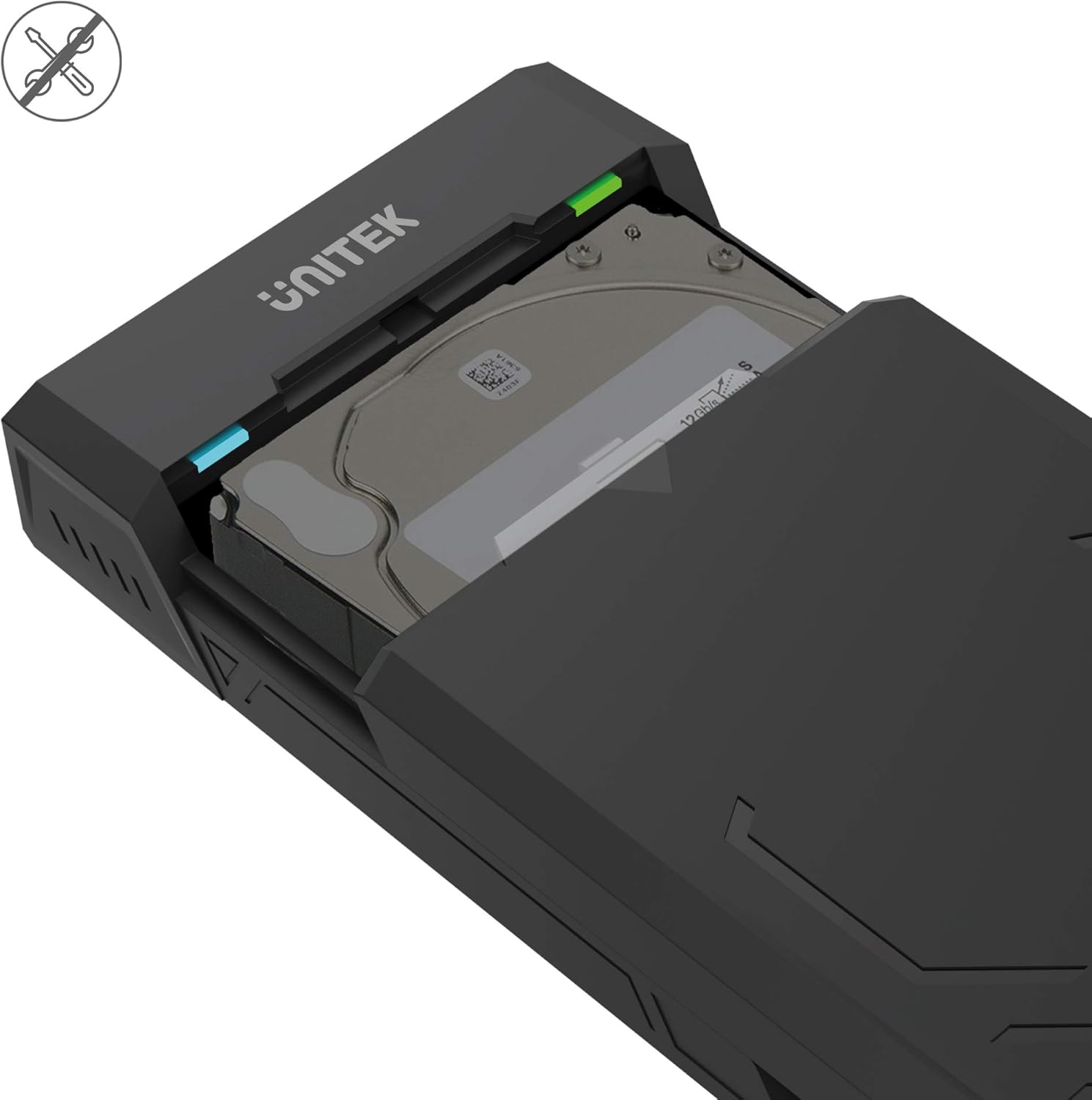
- Праектаванне без інструментаў: Allows for quick and easy installation and removal of hard drives without the need for tools.
- Аўтаматычны рэжым сну: Enters sleep mode after 30 minutes of inactivity to conserve energy and extend drive lifespan.
- Эфектыўнае рассейванне цяпла: Designed with ventilation openings to facilitate heat dissipation and maintain optimal operating temperatures.
- Plug & Play: No additional drivers are required for operation on most modern operating systems.

Змест пакета
Калі ласка, пераканайцеся, што ўсе прадметы прысутнічаюць у вашай упакоўцы:
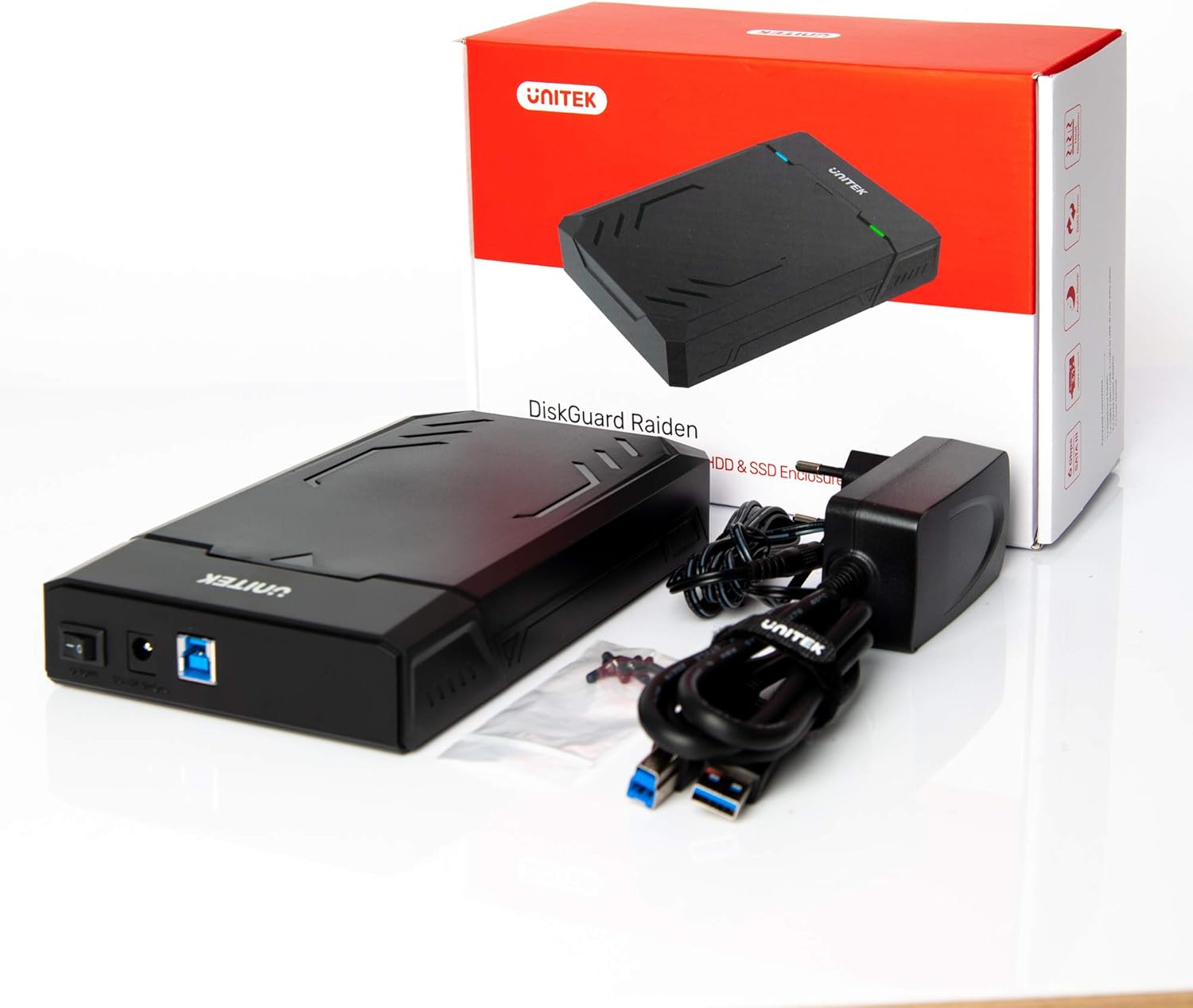
- UNITEK Y3035 Hard Drive Enclosure
- Кабель для перадачы дадзеных USB 3.0
- Power Adapter (for 3.5-inch HDDs or drives requiring external power)
Інструкцыя па наладзе
Follow these steps to install your hard drive into the enclosure:
- Адкрыйце корпус: Gently slide open the top cover of the UNITEK Y3035 enclosure.
- Устаўце жорсткі дыск: Align your 2.5-inch or 3.5-inch SATA HDD/SSD with the SATA connector inside the enclosure. Carefully push the drive into the connector until it is firmly seated.
- Зачыніце корпус: Засуньце верхнюю крышку назад на месца, пакуль яна надзейна не зашчоўкне.
- Падключыце кабель USB: Connect one end of the provided USB 3.0 data cable to the enclosure's USB port and the other end to an available USB 3.0 port on your computer.
- Connect Power Adapter (if necessary): For 3.5-inch hard drives, or if your 2.5-inch drive requires additional power, connect the provided power adapter to the enclosure's power input and then to a wall outlet. 2.5-inch drives may be bus-powered by the USB port alone.
Інструкцыя па эксплуатацыі
Once connected, the UNITEK Y3035 enclosure operates as a standard external storage device.
- Аўтаматычнае вызначэнне: Your operating system should automatically detect the connected drive. If it's a new drive, you may need to initialize and format it through Disk Management (Windows) or Disk Utility (macOS) before use.
- Доступ да дадзеных: The drive will appear as a removable storage device in 'My Computer' or 'Finder'. You can drag and drop files, or use it for backups and other storage tasks.
- Бяспечнае выдаленне: Always safely eject the drive from your operating system before disconnecting the USB cable or power adapter to prevent data corruption.
- Рэжым сну: The enclosure will automatically enter sleep mode after approximately 30 minutes of inactivity. The drive will spin down, and the indicator light may change or turn off. It will resume operation when accessed again.


Тэхнічнае абслугоўванне
To ensure the longevity and optimal performance of your UNITEK Y3035 enclosure:
- Уборка: Use a soft, dry cloth to clean the exterior of the enclosure. Avoid liquid cleaners or solvents.
- Асяроддзе: Keep the enclosure in a cool, dry place, away from direct sunlight, extreme temperatures, and high humidity.
- Апрацоўка: Handle the enclosure with care to prevent physical damage. Avoid dropping or subjecting it to strong impacts.
- Вентыляцыя: Ensure that the ventilation openings are not obstructed to allow for proper heat dissipation.
Ліквідацыю непаладак
If you encounter issues with your UNITEK Y3035 enclosure, refer to the following common solutions:
- Дыск не выяўлены:
- Ensure the hard drive is correctly seated within the enclosure's SATA connector.
- Verify that the USB cable is securely connected to both the enclosure and your computer.
- If using a 3.5-inch HDD, confirm the power adapter is connected and receiving power.
- Паспрабуйце падключыць корпус да іншага USB-порта на вашым кампутары.
- Test the enclosure with a different hard drive, or test the hard drive in another enclosure/system to isolate the issue.
- Check Disk Management (Windows) or Disk Utility (macOS) to see if the drive is recognized but uninitialized or unformatted.
- Павольная хуткасць перадачы дадзеных:
- Ensure the enclosure is connected to a USB 3.0 port on your computer. USB 2.0 ports will result in slower speeds.
- Verify that your operating system and drivers support USB 3.0 and UASP.
- The actual transfer speed can be affected by the performance of the installed hard drive.
- Корпус выпадкова адключаецца:
- Ensure the power adapter is providing stable power, especially for 3.5-inch drives.
- Check for loose USB cable connections.
- Avoid connecting the enclosure through unpowered USB hubs.
Тэхнічныя характарыстыкі
| мадэль | Y3035 |
| Марка | Юнітэк |
| Сумяшчальныя тыпы дыскаў | 2.5-цалевы / 3.5-цалевы жорсткі дыск/цвёрдацельны назапашвальнік SATA I/II/III |
| Абсталяванне інтэрфейсу | SATA 6.0 Gb/s, USB 3.0 (USB 3.1 Gen 1), USB 2.0, USB 1.1 |
| Хуткасць перадачы даных | Up to 5 Gigabits Per Second (USB 3.0) |
| Supported Devices Quantity | 1 |
| Матэрыял корпуса | Пластыкавыя |
| Колер | Чорны |
| Вага прадмета | 270 грам |
| Сумяшчальныя прылады | Ноўтбук, настольны ПК |
| Вытворца | Кампанія Allterco Robotics EOOD |

Гарантыя і падтрымка
For warranty information, technical support, or further inquiries regarding your UNITEK Y3035 enclosure, please visit the official Unitek website or contact their customer service department. Details can typically be found on the product packaging or the manufacturer's webсайт.