
1. Уводзіны
The GoolRC KF606 RC Plane is a 2.4Ghz remote-controlled fixed-wing aircraft designed for beginners. Its efficient aerodynamic contour ensures good flight performance and stability, offering better gliding capabilities. Constructed from durable EPP foam, the plane is lightweight at approximately 11 grams, providing flexibility and strong anti-dropping characteristics. It features left and right dual motor control, a built-in gyroscope for stability, and a replaceable battery for extended enjoyment. Its ultra-mini size allows for versatile use in various environments, from indoor spaces to outdoor gardens or small yards.
2. Змесціва ўпакоўкі
Please inspect the package contents to ensure all items are present and in good condition:
- 1 x GoolRC KF606 RC Airplane
- 1 х Пульт дыстанцыйнага кіравання
- 3 x Battery for Airplane
- 1 х USB-кабель для зарадкі
- 1 х Інструкцыя па эксплуатацыі
- 1 х дадатковы набор прапелераў
- 1 x Snap Joint

Малюнак 2.1: Змест пакета
The image above displays the complete contents of your GoolRC KF606 RC Plane package, including the aircraft, remote control, multiple batteries, charging cable, and essential accessories.
3. зборка
The GoolRC KF606 RC Plane is designed for quick and easy assembly. Follow these steps to prepare your aircraft for flight:
- Carefully attach the main wings to the fuselage using the designated slots. Ensure they are securely fastened.
- Connect the tail section to the rear of the fuselage. The snap joint should provide a firm connection.
- If necessary, install the propellers onto the motor shafts. Ensure they are facing the correct direction for thrust. Refer to the detailed diagrams in the included instructional manual for precise orientation.
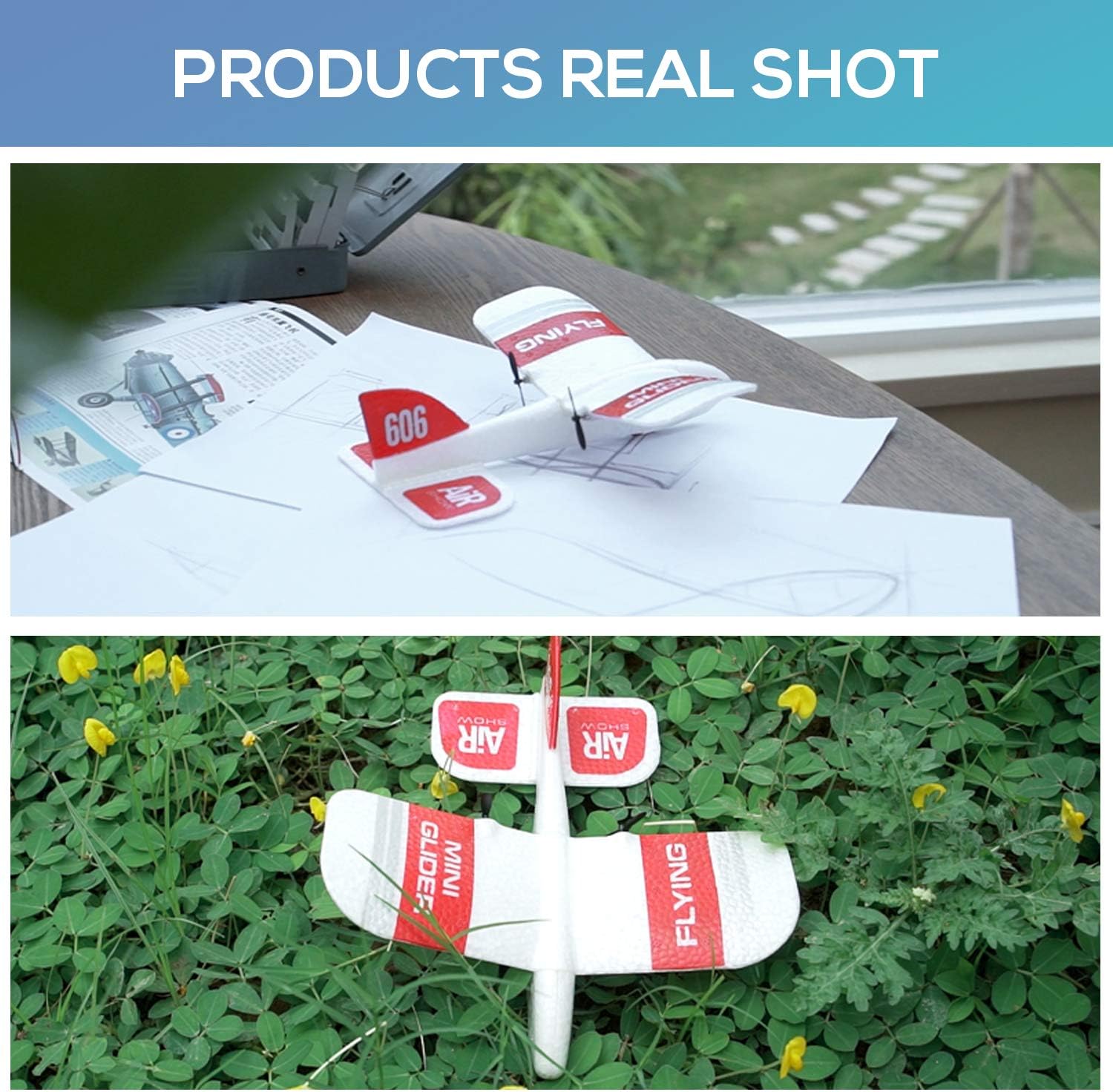
Figure 3.1: RC Plane Components
This image illustrates the main components of the RC plane, ready for assembly. Ensure all parts are aligned correctly before securing them.
4. Усталёўка і зарадка акумулятара
Proper battery handling is crucial for safe and optimal performance.
4.1. Airplane Battery
- Locate the battery compartment on the underside of the RC plane.
- Insert the provided airplane battery into the compartment and connect it to the aircraft's power port.
- Надзейна зачыніце батарэйны адсек.
4.2. Remote Controller Battery
The remote controller requires 2 x AAA batteries (not included).
- Адкрыйце батарэйны адсек на задняй панэлі пульта дыстанцыйнага кіравання.
- Устаўце 2 батарэйкі тыпу AAA, сачыце за правільнай палярнасцю (+/-).
- Зачыніце вечка адсека.
4.3. Charging the Airplane Battery
Use the provided USB charging cable to charge the airplane batteries.
- Connect the airplane battery to the USB charging cable.
- Падключыце зарадны кабель USB да сумяшчальнай крыніцы харчавання USB (напрыклад, камп'ютара, насценнага адаптара USB).
- The indicator light on the USB cable will show the charging status. Refer to the manual for specific light indications.
- Пасля поўнай зарадкі адключыце акумулятар ад зараднай прылады.
5. Інструкцыя па эксплуатацыі
Familiarize yourself with the controls and follow these steps for a successful flight.
5.1. Remote Controller Overview

Figure 5.1: Remote Controller Layout
The remote controller features a throttle stick (left) for altitude control and a steering stick (right) for turning left/right. Trimming buttons are available for fine-tuning flight stability. An H/L button allows switching between high and low speed modes.
5.2. Першы палёт
- Ensure both the airplane and remote controller batteries are fully charged and correctly installed.
- Turn on the power switch on the RC plane.
- Turn on the power switch on the remote controller. The remote will automatically pair with the aircraft.
- Place the plane on a flat surface or gently launch it by hand.
- Gradually increase the throttle to gain altitude. Use the steering stick to control direction.
- Practice gentle maneuvers in an open area, free from obstacles.

Figure 5.2: Indoor and Outdoor Flight
The KF606 is suitable for flying in various environments, including spacious indoor areas or calm outdoor settings like gardens and parks.
6. Тэхнічнае абслугоўванне
To ensure the longevity and performance of your GoolRC KF606 RC Plane, follow these maintenance guidelines:
- Уборка: After each flight, gently wipe down the plane with a soft, dry cloth to remove any dirt or debris. Avoid using harsh chemicals.
- Агляд прапелера: Regularly check the propellers for any damage (cracks, bends). Replace damaged propellers immediately using the provided extra set to maintain optimal flight performance and safety.
- EPP Foam Care: The EPP foam material is durable, but avoid excessive bending or sharp impacts. Minor dents can often be gently reshaped.
- захоўванне: Store the RC plane in a cool, dry place away from direct sunlight and extreme temperatures. Remove batteries from both the plane and the remote controller if storing for extended periods.

Figure 6.1: EPP Foam Durability
The plane's EPP foam construction offers good flexibility and resistance to minor impacts, contributing to its overall durability.
7. Выпраўленне непаладак
If you encounter any issues with your GoolRC KF606 RC Plane, refer to the following common troubleshooting tips:
- Plane not responding:
- Ensure both the plane and remote controller are powered on.
- Check if the batteries in both devices are fully charged.
- Verify that the remote controller is properly paired with the aircraft.
- Poor flight stability:
- Check for any damage to the wings or propellers. Replace if necessary.
- Ensure the plane is launched from a flat surface or with a gentle, straight throw.
- Adjust the trimming buttons on the remote controller for fine-tuning.
- Кароткі час палёту:
- Ensure the airplane battery is fully charged before each flight.
- Consider using a fresh battery if the existing one shows signs of degradation.
- Propellers not spinning:
- Check for any obstructions (e.g., grass, debris) around the propellers.
- Ensure the propeller is securely attached to the motor shaft.
If you continue to experience issues, please refer to the detailed instructional manual or contact GoolRC customer support.
8. Тэхнічныя характарыстыкі
| Асаблівасць | Спецыфікацыя |
|---|---|
| Нумар мадэлі | KF606 |
| Марка | GoolRC |
| Памеры прадукту | 7.48 х 7.08 х 1.97 цалі |
| Вага самалёта | Прыбл. 11 грам |
| Матэрыял | EPP Foam |
| Кантроль частаты | 2.4 ГГц |
| Каналы кіравання | 2 Channels (Left/Right, Throttle) |
| Рэкамендаваны ўзрост | 16 гады і вышэй |

Малюнак 8.1: Памеры вырабу
The image above provides a visual representation of the KF606 RC Plane's dimensions.
9. Правілы бяспекі
Adhere to these safety guidelines to prevent injury and damage:
- Нагляд дарослых: Always operate the RC plane under adult supervision, especially for younger users.
- Асяроддзе палёту: Fly in open, clear areas away from people, animals, buildings, trees, power lines, and water bodies.
- Умовы надвор'я: Пазбягайце палётаў пры моцным ветры, дажджы або іншых неспрыяльных умовах надвор'я.
- Бяспека прапелера: Keep fingers, hair, and loose clothing away from spinning propellers.
- Бяспека акумулятара: Use only approved charging cables and batteries. Do not overcharge or short-circuit batteries. Discontinue use if batteries show signs of damage or swelling.
- Рэкамендаваны ўзрост: Гэты прадукт рэкамендуецца карыстальнікам ва ўзросце ад 16 гадоў і старэй.
10. Гарантыя і падтрымка
For warranty information, technical support, or any product-related inquiries, please refer to the contact details provided in your product packaging or visit the official GoolRC webсайт. Захоўвайце чэк аб куплі як пацверджанне пакупкі.