
Уводзіны
The Gain Express PCM-282 Watt Power Meter is a plug-in device designed to monitor the electrical usage of your home appliances. It provides real-time data on various electrical parameters, helping you understand and manage your energy consumption. This manual provides essential information for the safe and effective use of your power meter.
Інфармацыя па бяспецы
- Do not disassemble or modify the device. Unauthorized modifications can lead to electric shock or damage to the unit.
- Ensure the power meter is used within its specified voltage and current limits (100-260V, Max 10A). Exceeding these limits can cause damage to the device or connected appliances, and poses a fire hazard.
- Пазбягайце выкарыстання прылады ў вільготных або damp асяроддзях.
- Захоўваць у месцах, недаступных дзецям.
- Always ensure the appliance is properly plugged into the meter and the meter into a wall socket. Loose connections can cause overheating.
- Калі прылада мае прыкметы пашкоджання або няспраўнасці, неадкладна спыніце яе выкарыстанне і звярніцеся ў службу падтрымкі.
Настройка
To begin monitoring your appliance's power consumption, follow these simple steps:
- Plug in the Meter: Insert the Gain Express PCM-282 Power Meter directly into a standard wall socket. Ensure it is firmly seated.
- Падключыць прыладу: Plug the electrical appliance you wish to monitor into the socket on the front of the power meter.
- Уключэнне: Once connected, the LCD display will illuminate, showing the current electrical parameters.
Note on Plug Compatibility: The meter is designed for a wide voltage range (100-260V) and features a universal socket. However, some regional plug types, such as certain NEMA 5-20 or 240V receptacles in the USA, may not fit securely or make proper contact without an appropriate adapter. Always ensure a secure and stable connection to prevent hazards.
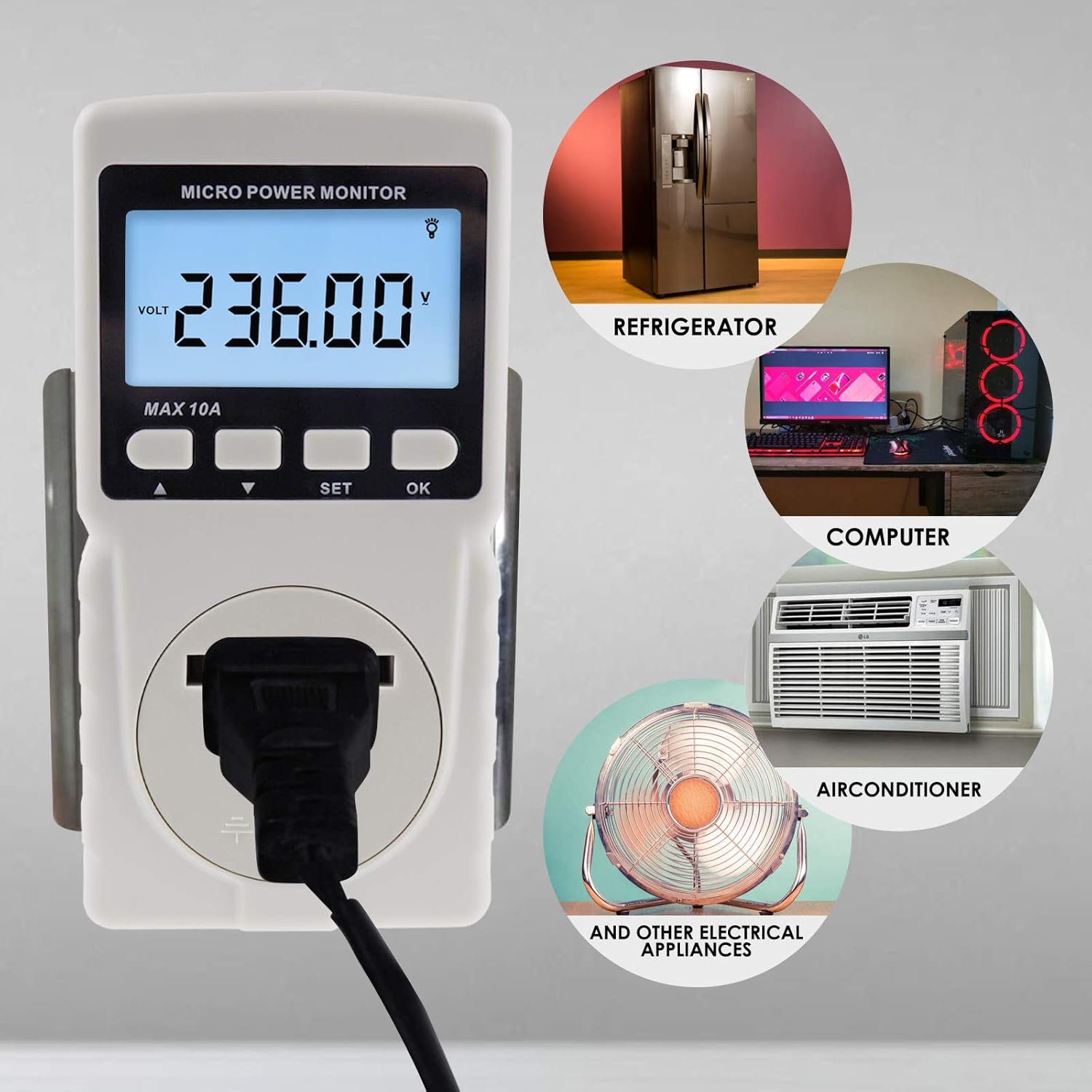
Image: The Gain Express PCM-282 Power Meter plugged into a wall socket, displaying voltage. Surrounding images show various appliances like a refrigerator, computer, and air conditioner, indicating the meter's wide application for monitoring electrical usage.
Video: An official product video demonstrating the features and usage of the Gain Express Watt Power Meter, including its compact size, large display, recording capabilities, and overload alarm. It highlights the meter's ability to track electricity consumption, cumulative time, wattage, current, power factor, voltage, frequency, and CO2 emissions.
Інструкцыя па эксплуатацыі
The PCM-282 Power Meter features a clear LCD display and intuitive buttons for easy operation.
Разуменне дысплея
The large LCD screen shows various electrical parameters. Refer to the diagram below for a detailed breakdown of the display elements:

Image: A detailed diagram illustrating the various indicators on the Gain Express PCM-282 Power Meter's LCD display, including Watt, Current, Voltage, Cumulative Time, Power Factor, Electricity Consumption, Backlight indicator, Frequency, the main Measurement Reading area, and the Measurement Unit display.
The meter cycles through different measurement interfaces. You can view:
- Ват (Вт): Імгненнае спажыванне энергіі.
- Ток (А): Electrical current drawn by the appliance.
- тtagе (V): The current line voltage.
- Частата (Гц): The frequency of the AC power supply.
- Cumulative Time (CT): The total time the appliance has been connected and drawing power.
- Electricity Consumption (kWh): Total energy consumed over time.
- CO2 Emission (Kg): Estimated CO2 emissions based on energy consumption.
- Каэфіцыент магутнасці (PF): A measure of how effectively electrical power is being used.

Image: A collage of display screens from the Gain Express PCM-282 Power Meter, each showing a different electrical parameter being measured, such as Watt, Current, Voltage, Frequency, Cumulative Time, Electricity Consumption, CO2 emissions, and Power Factor.
Функцыі кнопак
The meter has four buttons for navigation and settings:

Выява: бок А view of the Gain Express PCM-282 Power Meter, clearly labeling its components: the LCD Display, the Up and Down navigation keys, the Set key for entering settings, the OK key for confirmation, and the universal input Jack.
- Клавіша "Уверх" (▲): Used to navigate upwards or increase values in settings.
- Клавіша "Уніз" (▼): Used to navigate downwards or decrease values in settings.
- Клавіша SET: Enters the setting mode for various parameters.
- Клавіша ОК: Confirms selections or exits setting mode.
Абарона ад перагрузкі
The device includes an overload protection feature. If the power consumption of the connected appliance exceeds a preset alarm upper limit, the backlight will flicker to alert the user. This helps prevent damage to the meter and connected devices.
Функцыя падсвятлення
The meter features a backlight function for improved visibility in low-light conditions. The backlight can be turned ON or OFF as needed, typically through the settings menu or a dedicated button press (refer to specific button combinations in the full manual if available).

Image: The Gain Express PCM-282 Power Meter displaying a voltage reading with its backlight activated, demonstrating the improved readability in various lighting conditions.
Тэхнічнае абслугоўванне
Proper maintenance ensures the longevity and accuracy of your power meter.
- Уборка: Wipe the device with a soft, dry cloth. Do not use abrasive cleaners or solvents, as these can damage the casing або дысплей.
- захоўванне: When not in use for extended periods, store the meter in a cool, dry place, away from direct sunlight and extreme temperatures.
- агляд: Periodically check the plugs and sockets for any signs of wear, damage, or loose connections.
Ліквідацыю непаладак
If you encounter issues with your Gain Express PCM-282 Power Meter, refer to the following common problems and solutions:
- Дысплей не працуе:
- Ensure the meter is securely plugged into a live wall socket.
- Verify that the wall socket itself is functional by plugging in another device.
- No Reading for Connected Appliance:
- Check if the appliance is properly plugged into the meter's socket.
- Ensure the appliance is turned on and drawing power.
- Confirm that the meter's socket is making proper contact with the appliance's plug.
- Overload Alarm Flickering:
- The connected appliance is drawing more power than the preset overload limit. Reduce the load or use the meter with an appliance within its rated capacity.
- Check the appliance's power rating to ensure it is within the meter's maximum power capacity (2200W).
- Няправільныя паказанні:
- Ensure the meter is operating within its specified temperature range.
- Avoid using the meter in environments with strong electromagnetic interference.
- Plug Compatibility Issues (e.g., in USA):
- If the meter's plug does not fit securely into your wall socket or the appliance's plug does not fit securely into the meter's universal socket, an appropriate electrical adapter may be required.
- Do not force connections, as this can damage the plugs or sockets and create a safety hazard.
Тэхнічныя характарыстыкі
Detailed technical specifications for the Gain Express PCM-282 Power Meter:

Image: A comprehensive table outlining the technical specifications of the Gain Express PCM-282 Power Meter, covering operational parameters like voltage range, current, power, measurable ranges, accumulated data limits, power factor, and physical characteristics such as size, weight, and environmental conditions.
| Параметр | Каштоўнасць |
|---|---|
| Рабочы выпtagе далёкасць | 100-260В |
| Максімальны намінальны ток | 10А |
| Максімальная магутнасць | 2200 Вт |
| Вымерны дыяпазон | 0.2-2200W |
| Maximum Accumulated Electric Quantity | 99999 кВт.гадз |
| Maximum Accumulated Time | 99999 хвілін |
| Каэфіцыент магутнасці | 0.001-1.000 |
| Функцыя падсвятлення | Can be set ON/OFF |
| Дакладнасць | Узровень 1.0 |
| Пастаянная | 6400imp / kWh |
| Рассейванне магутнасці | <1 Вт |
| Працоўная тэмпература | 0-45°C |
| Тэмпература захоўвання | -20-60°C |
| Памер | Прыбл. 60 х 55.7 х 120 мм |
| Вага | Прыбл. 129.6 г |
Гарантыя і падтрымка
For warranty information or technical support, please refer to the documentation included with your product or contact Gain Express customer service. Keep your purchase receipt as proof of purchase for any warranty claims.