
iTouch iFitness
iTouch iFitness Bluetooth Smart Watch User Manual
Model: iFitness
Уводзіны
This manual provides comprehensive instructions for the setup, operation, and maintenance of your iTouch iFitness Bluetooth Smart Watch. The iFitness Activity Tracker is designed to assist you in monitoring your fitness goals, including steps, calories, distance, and sleep. It also offers smart notifications to keep you connected.
Кіраўніцтва па ўстаноўцы
1. Зарадка прылады
Before initial use, fully charge your iFitness Smart Watch. Connect the charging cable to the designated port on the device and a USB power source. A full charge typically takes approximately 2 hours.
2. Усталёўка прыкладання
The iFitness Smart Watch requires the companion iFitness App for full functionality.
- For iOS devices, download the "iFitness App" from the Apple App Store.
- For Android devices, download the "iFitness App" from the Google Play Store.
3. Спалучэнне прылады
- Пераканайцеся, што Bluetooth уключаны на вашым смартфоне.
- Open the iFitness App on your smartphone.
- Follow the on-screen instructions within the app to search for and pair with your iFitness Smart Watch.
- Confirm the pairing request on both your smartphone and the watch, if prompted.

Малюнак 1: Пярэдняя і задняя часткі view of the iTouch iFitness Smart Watch. The front displays the time and date, while the back shows the sensor area.
Інструкцыя па эксплуатацыі
Базавая навігацыя
The iFitness Smart Watch typically features a touch-sensitive screen or a single button for navigation. Tap or swipe to cycle through different functions and screens. Refer to the in-app guide for specific gestures.
Адсочванне фізічнай формы
- Шагомер: Automatically tracks your steps throughout the day.
- Трэкер калорый: Estimates calories burned based on your activity level and personal data.
- Адлегласць: Разлічвае пройдзеную адлегласць на аснове вашых крокаў.
- Падключаны GPS: When connected to your smartphone, the watch can utilize your phone's GPS for more accurate distance and route tracking during outdoor activities.
Маніторынг сну
Wear the iFitness Smart Watch to bed to monitor your sleep patterns. The device tracks sleep duration and quality, providing insights through the iFitness App.
Разумныя апавяшчэнні
Once paired with your smartphone, the watch can display notifications for incoming calls, text messages, and alerts from various social media applications. Configure notification settings within the iFitness App.
Функцыя дыстанцыйнага кіравання камерай
Use your iFitness Smart Watch as a remote shutter for your smartphone's camera. Activate this feature through the iFitness App and follow the instructions to capture photos remotely.
Знайсці мой тэлефон
If your phone is misplaced but within Bluetooth range, use the "Find My Phone" feature on your watch to make your phone ring, helping you locate it.
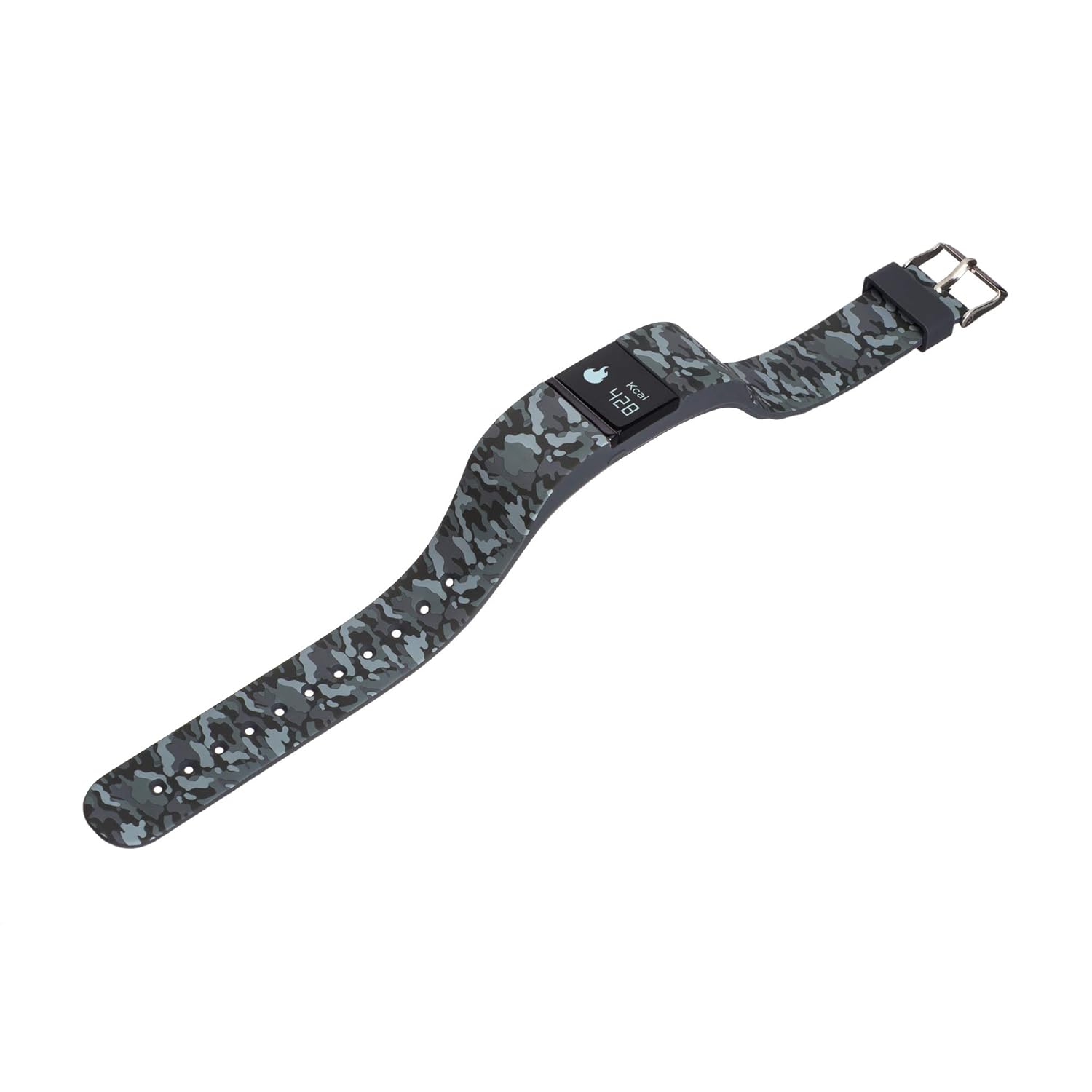
Малюнак 2: бок view of the iTouch iFitness Smart Watch, highlighting the strap design and a calorie tracking display.
Тэхнічнае абслугоўванне і догляд
Уборка
- Рэгулярна працірайце прыладу мяккай сурвэткайamp тканіна.
- Avoid using harsh chemicals or abrasive cleaners, as these can damage the watch's finish and sensors.
- Перад зарадкай пераканайцеся, што кантакты зараднай прылады чыстыя і сухія.
Воданепранікальнасць
The iFitness Smart Watch is water-resistant. This means it can withstand splashes, rain, and brief immersion in shallow water. It is not recommended for swimming, showering, or high-pressure water activities.
Сыход за раменьчыкам
The iFitness Activity Tracker comes with interchangeable straps. Clean straps regularly to prevent skin irritation. Ensure straps are securely attached before wearing.
Ліквідацыю непаладак
Прылада не ўключаецца
- Ensure the device is fully charged. Connect it to a charger for at least 30 minutes.
- Try performing a soft reset (refer to the app or manufacturer's website for specific instructions if available).
Праблемы спалучэння
- Пераканайцеся, што на вашым смартфоне ўключаны Bluetooth, і гадзіннік знаходзіцца ў зоне дзеяння прылады.
- Restart both your smartphone and the iFitness Smart Watch.
- Forget the device in your phone's Bluetooth settings and attempt to pair again through the iFitness App.
- Ensure the iFitness App is up to date.
Inaccurate Tracking Data
- Пераканайцеся, што гадзіннік шчыльна прылягае да запясця, але не занадта туга.
- Verify that your personal information (height, weight, age) is correctly entered in the iFitness App.
- For connected GPS, ensure your phone is with you and has a clear GPS signal.
Апавяшчэнні не з'яўляюцца
- Check notification settings within the iFitness App to ensure they are enabled for desired applications.
- Verify that your phone's notification settings allow the iFitness App to display alerts.
- Пераканайцеся, што гадзіннік падключаны да вашага смартфона праз Bluetooth.
Тэхнічныя характарыстыкі
| Асаблівасць | Дэталь |
|---|---|
| Марка | iTouch |
| мадэль | iFitness |
| Тэхналогія падлучэння | Bluetooth |
| Сумяшчальнасць аперацыйнай сістэмы | Android, iOS |
| Тып дысплея | Лічбавы |
| Асаблівасці | Calorie Tracker, Pedometer, Sleep Monitor, Remote Camera, Find My Phone, Connected GPS |
| Воданепранікальнасць | Yes (Splash and rain resistant) |
| Склад батарэі | Літый-іённы |
| Вага прадмета | 249 г |
Гарантыя і падтрымка
For information regarding product warranty, technical support, or service, please refer to the official iTouch website or contact iTouch customer service directly. Keep your purchase receipt as proof of purchase.
вытворца: American Exchange
Ask a question about this manual
Ask about setup, troubleshooting, compatibility, parts, safety, or missing instructions. Manuals+ will review the question and use this page’s manual context to help answer it.