
1. Уводзіны
Thank you for choosing the Nillkin Dual Wireless Charging Pad. This device is designed to provide convenient and efficient wireless charging for two compatible smartphones simultaneously. Please read this manual carefully before use to ensure proper operation and to maximize the lifespan of your product.
2. Асаблівасці прадукту
- Dual Wireless Charging: Charge two Qi-enabled devices simultaneously.
- Падтрымка хуткай зарадкі: Provides up to 10W for compatible Android devices and 7.5W for compatible iPhones.
- Пашыраныя функцыі бяспекі: Убудаваная перагрузка па току, перагрузкаtagе, абарона ад перагрэву і кароткага замыкання.
- Выяўленне старонніх аб'ектаў (FOD): Automatically detects metallic foreign objects to prevent overheating and damage.
- Святлодыёдны індыкатар: Clear status light to show charging progress and errors.
- Эфектыўнае рассейванне цяпла: Designed with venting to maintain optimal operating temperature.
- Дызайн супраць слізгацення: Ensures devices remain securely on the charging surface.
3. Змесціва ўпакоўкі
- Nillkin Dual Wireless Charging Pad
- Адаптар пераменнага току
- Кіраўніцтва карыстальніка
4. Кіраўніцтва па наладцы
- Падключыце харчаванне: Plug the provided AC power adapter into a wall outlet. Connect the other end of the adapter to the power input port on the Nillkin Dual Wireless Charging Pad.
- Размяшчэнне: Размясціце зарадную панэль на роўнай, устойлівай паверхні, удалечыні ад прамых сонечных прамянёў або крыніц цяпла.
- The charging pad is now ready for use.
5. Інструкцыя па эксплуатацыі
5.1 Зарадка прылады
- Пераканайцеся, што зарадная прылада падключана да сеткі.
- Place your Qi-enabled smartphone or other compatible device directly onto one of the charging areas marked with a '+' symbol on the pad. For optimal charging, center your device on the charging area.
- The LED indicator on the pad will illuminate blue to confirm that charging has begun.
- When charging is complete, the blue LED light will turn off.
- To charge a second device, place it on the other charging area. Both devices can charge simultaneously.
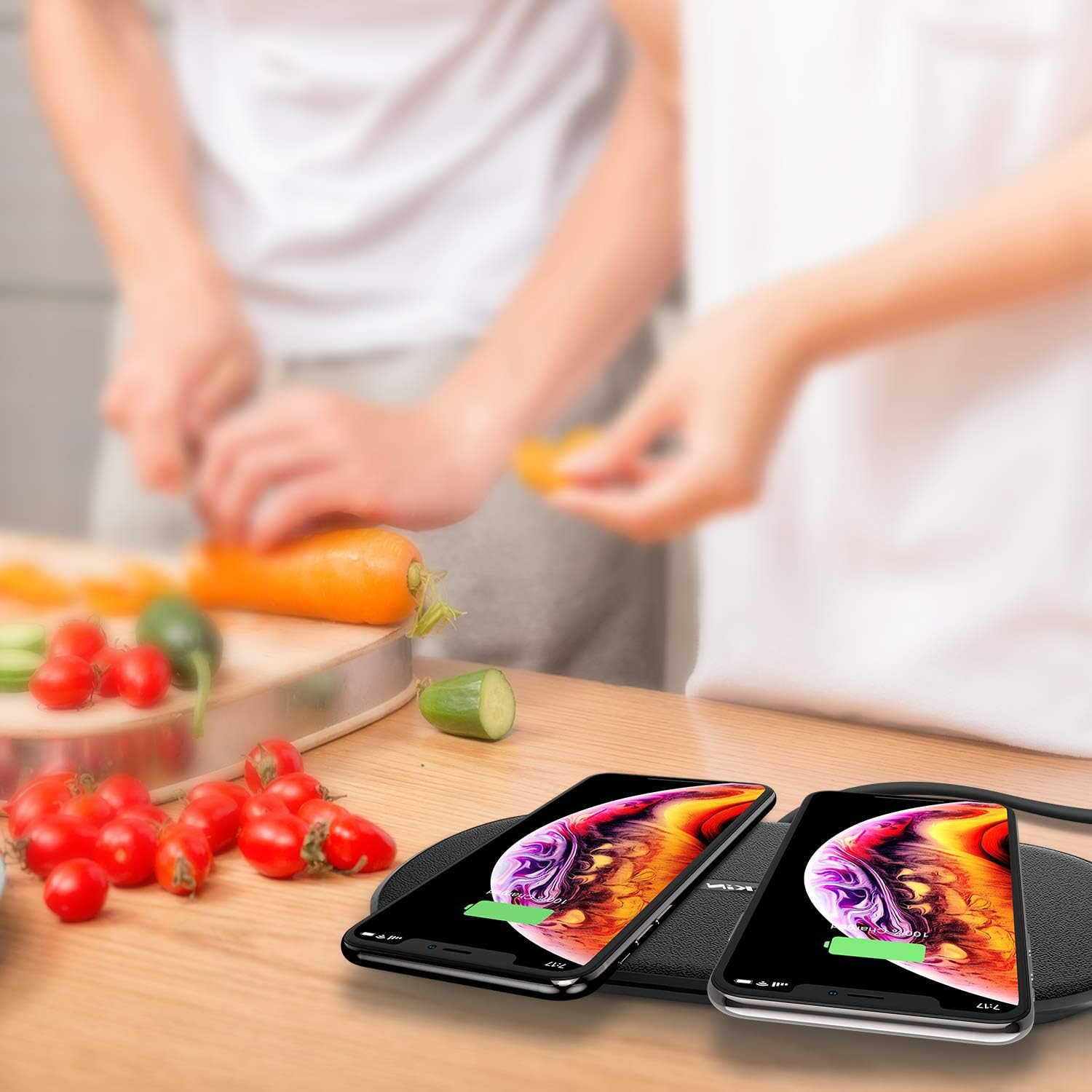
Image: The Nillkin Dual Wireless Charging Pad actively charging two smartphones side-by-side.
5.2 Статус святлодыёднага індыкатара
- Сіні святло гарыць: Прылада актыўна зараджаецца.
- Мігае сіні святло: Indicates improper device placement or detection of a foreign object. Adjust device position or remove any foreign objects.
- Сіняе святло выключана: Charging is complete, or the pad is not connected to power/no device is placed.

Выява: Падрабязная view of the charging pad highlighting the LED indicator and heat dissipation design on the underside.
6. Сумяшчальнасць
The Nillkin Dual Wireless Charging Pad is compatible with all Qi-enabled devices. This includes, but is not limited to, the following models:
- Хуткая зарадка 10 Вт: Samsung Galaxy S10, S8, S9, Note 9, LG G8 ThinQ, LG V30, and other compatible Android devices.
- 7.5W iPhone Fast Charging: iPhone 15, 14, 13, 12 Pro Max/Pro, iPhone 11, iPhone Xs, iPhone XR, iPhone X, and newer Qi-enabled iPhones.
- 5W Standard Charging: LG G7, LG G6, BlackBerry, and other standard Qi-enabled devices.
- 2.5 Вт зарадка: AirPods Pro, AirPods 2, Samsung Galaxy Buds, and other compatible wireless earbuds.

Image: A visual guide illustrating the universal compatibility of the charging pad with different smartphone brands and models, including various charging speeds.
7. Інфармацыя па бяспецы
- Не разбірайце і не мадыфікуйце прадукт.
- Keep the charging pad away from water, moisture, and high temperatures.
- Avoid placing metallic objects (e.g., keys, coins, credit cards) on the charging pad, as this may interfere with charging or cause overheating.
- Do not use the product in extremely hot or cold environments.
- Use only the provided AC adapter. Using unauthorized adapters may damage the product or connected devices.
- Ensure proper ventilation around the charging pad during use.
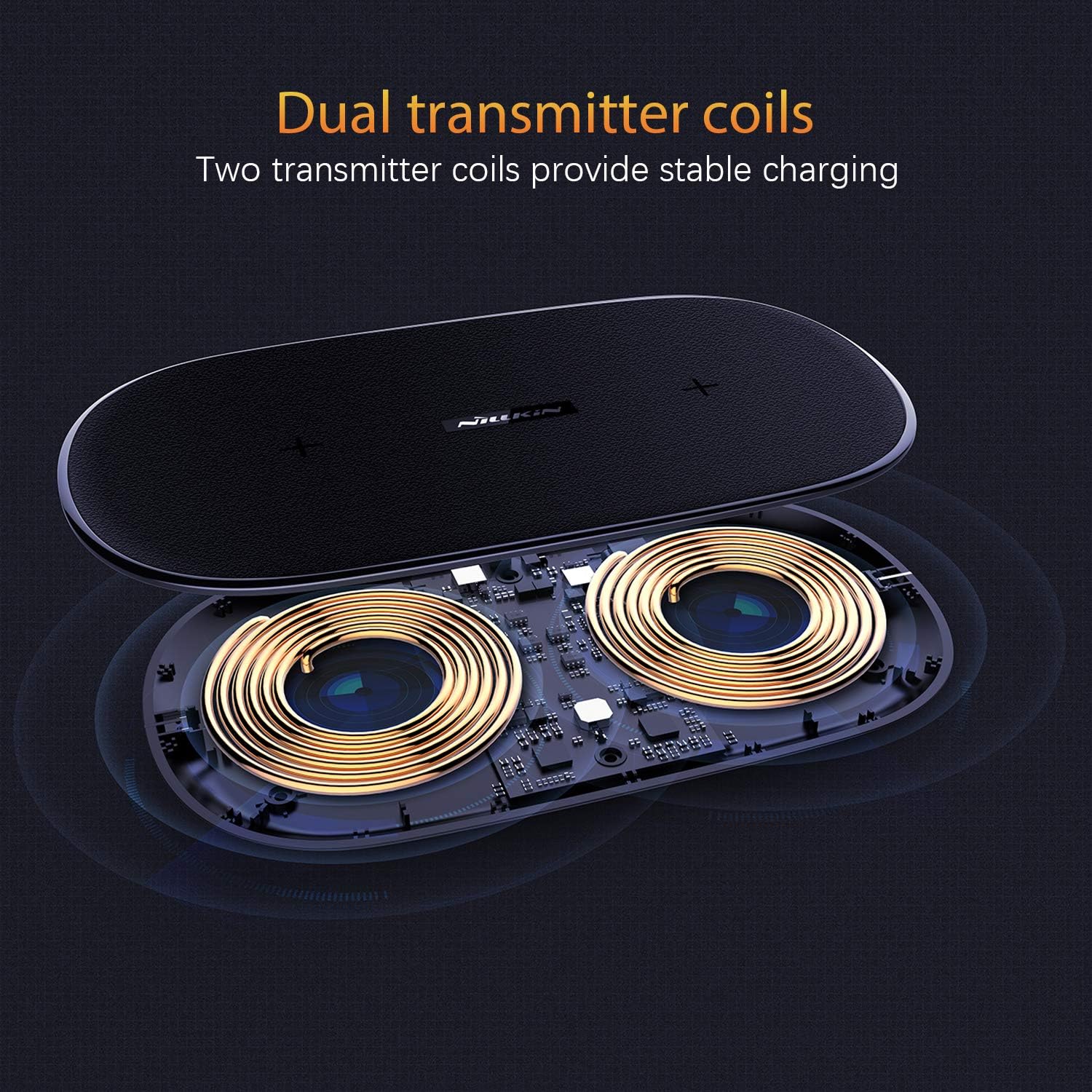
Image: The charging pad illustrating its foreign object detection feature, indicating that items like rings, keys, or pens will prevent charging.
8. Тэхнічнае абслугоўванне
- Clean the charging pad with a soft, dry cloth. Do not use abrasive cleaners or solvents.
- Калі прылада не выкарыстоўваецца, захоўвайце яе ў прахалодным сухім месцы.
- Не кідайце прыладу і не падвяргайце яе моцным ударам.
9. Выпраўленне непаладак
- Пытанне: Мая прылада не зараджаецца.
- A:
- Ensure the charging pad is properly connected to the power adapter and a working wall outlet.
- Пераканайцеся, што ваша прылада падтрымлівае стандарт Qi і сумяшчальная з бесправадной зарадкай.
- Remove any thick phone cases (over 6mm) or cases containing metal.
- Reposition your device on the charging pad to ensure it is centered over the charging coil.
- Check for any foreign metallic objects between your device and the charging pad.
- Q: The LED indicator is flashing blue.
- A: This indicates either improper device placement or the detection of a foreign object. Adjust your device's position or remove any metallic objects from the charging surface.
- Q: My device is charging slowly.
- A:
- Ensure you are using the original AC adapter provided with the charging pad.
- Confirm your device supports fast wireless charging and is correctly aligned.
- Some phone cases can reduce charging efficiency. Try charging without the case.
- Q: The charging pad feels warm.
- A: It is normal for the charging pad to become slightly warm during operation. If it becomes excessively hot, ensure it is placed in a well-ventilated area and that no foreign objects are present. Discontinue use if overheating persists.
10. Тэхнічныя характарыстыкі
| Марка | Nillkin |
| мадэль | Падвойная бесправадная зарадная пляцоўка |
| Увод | Requires AC Adapter (included) |
| Выхад (макс.) | 10W (Android), 7.5W (iPhone), 5W (Standard Qi), 2.5W (Earbuds) |
| Тып раздыма | Бесправадная сувязь |
| Сумяшчальныя прылады | Qi-enabled Cellular Phones, Earbuds |
| Асаблівасці | Fast Charging, Wireless Charging, Foreign Object Detection |
| Матэрыял | Leather, Polyurethane Foam |
| Тып мацавання | Настольнае мацаванне |

Image: Technical drawing showing the dimensions of the Nillkin Dual Wireless Charging Pad.
11. Гарантыя і падтрымка
Nillkin products are designed and manufactured to the highest quality standards. For warranty information or technical support, please refer to the warranty card included with your product or visit the official Nillkin website. You may also contact Nillkin customer service directly for assistance.