
Геній 31730024400
Кіраўніцтва карыстальніка Genius Mini Soundbar 100 USB Black
Мадэль: 31730024400
1. Уводзіны
Welcome to the user manual for your new Genius Mini Soundbar 100 USB Black. This compact and versatile soundbar is designed to enhance your audio experience for computers, laptops, and other devices with a 3.5mm audio output. Please read this manual carefully to ensure proper setup, operation, and maintenance of your device.
Асноўныя характарыстыкі
- Выходная магутнасць 6 Вт RMS
- Wired 3.5mm audio and USB connectivity
- USB Plug and Play: No batteries or AC adapter required
- Зручны ўбудаваны рэгулятар гучнасці
- Ultra-compact design for easy placement
- Bass Boost feature for enhanced low-frequency sound
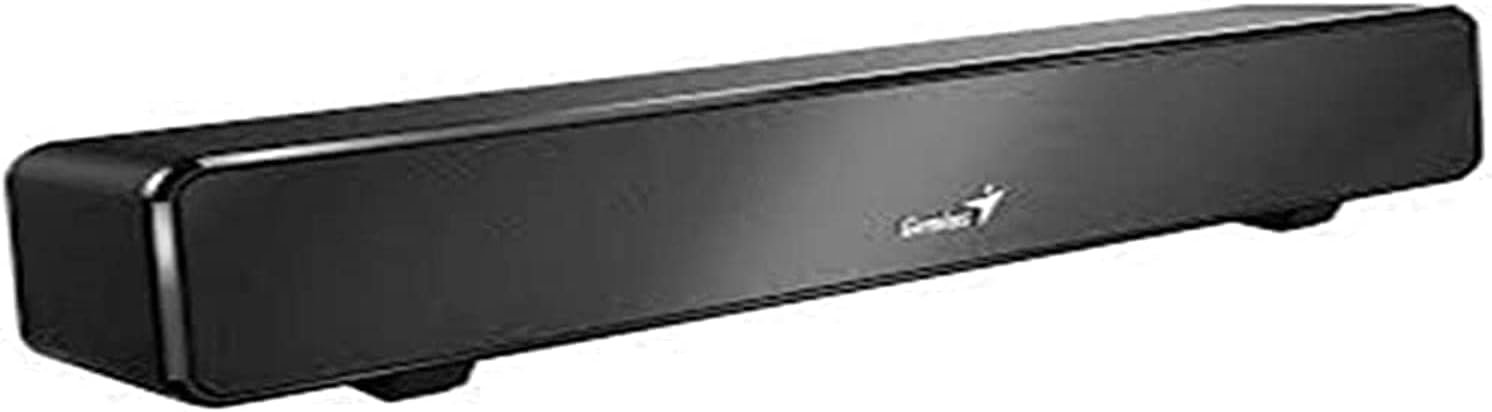
Фронт view of the Genius Mini Soundbar 100 USB Black, showcasinяго кампактны дызайн і элегантная чорная аздабленне.
2. Змесціва ўпакоўкі
Калі ласка, праверце змесціва пакета, каб пераканацца ў наяўнасці ўсіх прадметаў:
- Genius Mini Soundbar 100 USB Black
- Кіраўніцтва карыстальніка (гэты дакумент)
3. Настройка
Падключэнне Soundbar
The Genius Mini Soundbar 100 is designed for simple plug-and-play operation. Follow these steps to connect your soundbar:
- Connect the USB Power Cable: Locate the USB-A connector on the soundbar's integrated cable. Plug this connector into an available USB port on your computer, laptop, or a USB power adapter (not included). The soundbar draws power directly from the USB connection.
- Connect the 3.5mm Audio Cable: Locate the 3.5mm audio jack on the soundbar's integrated cable. Plug this jack into the 3.5mm audio output port (headphone jack) on your computer, laptop, smartphone, or television.
- Размяшчэнне: Place the soundbar on a stable, flat surface, such as a desk or TV stand, ensuring it is positioned for optimal sound projection.

Тыл view of the Genius Mini Soundbar 100 USB Black, illustrating the integrated USB power cable and the 3.5mm audio input cable with in-line volume control.
4. Інструкцыя па эксплуатацыі
Уключэнне/выключэнне
The Genius Mini Soundbar 100 powers on automatically when connected to a powered USB port. There is no separate power button. To turn off the soundbar, simply disconnect the USB power cable.
Рэгулятар гучнасці
The soundbar features an in-line volume control knob located on the audio cable. Rotate the knob clockwise to increase the volume and counter-clockwise to decrease it. You can also adjust the volume directly from your connected device (computer, smartphone, etc.).
Прайграванне аўдыё
Once connected, the soundbar will function as the audio output device for your system. Ensure your device's audio output is set to the 3.5mm jack if you have multiple audio options. Play any audio content (music, videos, games) from your connected device, and the sound will be routed through the soundbar.
5. Тэхнічнае абслугоўванне
To ensure the longevity and optimal performance of your Genius Mini Soundbar 100, follow these maintenance guidelines:
- Уборка: Use a soft, dry cloth to wipe the exterior of the soundbar. Do not use liquid cleaners, aerosols, or abrasive solvents, as these may damage the finish or internal components.
- захоўванне: Калі саўндбар не выкарыстоўваецца працяглы час, захоўвайце яго ў прахалодным, сухім месцы, удалечыні ад прамых сонечных прамянёў і экстрэмальных тэмператур.
- Апрацоўка: Avoid dropping the soundbar or subjecting it to strong impacts. Do not attempt to disassemble the unit, as this will void the warranty.
6. Выпраўленне непаладак
If you encounter any issues with your soundbar, please refer to the following table for common problems and their solutions:
| праблема | Магчымая прычына | Рашэнне |
|---|---|---|
| Няма гуку з гукавой панэлі. |
|
|
| Гук скажоны або невыразны. |
|
|
| Soundbar is not recognized by the computer. |
|
|
7. Тэхнічныя характарыстыкі
Detailed technical specifications for the Genius Mini Soundbar 100 USB Black:
| Асаблівасць | Дэталь |
|---|---|
| Назва мадэлі | Mini Soundbar 100 |
| Нумар мадэлі | 31730024400 |
| Марка | Геній |
| Тып дынаміка | Саундбар |
| Рэжым выхаду гуку | Стэрэа (2.0-канал) |
| Выходная магутнасць RMS | 6 ват |
| Тэхналогія падлучэння | USB (for power), 3.5mm Audio Jack (for audio input) |
| Сумяшчальныя прылады | USB devices, Cellphones, PCs, TVs with 3.5mm audio output |
| Тып кантролера | Push Button (in-line volume control) |
| Колер | Чорны |
| Памеры прадукту (Д х Ш х У) | 32 х 6.5 х 7 см (прыблізна 12.6 х 2.56 х 2.76 цалі) |
| Вага прадмета | 477 грамаў (прыблізна 1.05 фунта) |
| Тып мацавання | Настольнае мацаванне |
| Асаблівасці | Bass Boost |
8. Гарантыя і падтрымка
Інфармацыя аб гарантыі
Genius products are manufactured to the highest quality standards. This product comes with a limited warranty covering defects in materials and workmanship. Spare parts availability is guaranteed for 2 years from the date of purchase. Please retain your proof of purchase for warranty claims.
Падтрымка кліентаў
For technical assistance, troubleshooting, or warranty inquiries, please visit the official Genius website or contact their customer support. Refer to the packaging or the Genius webсайт для атрымання самай актуальнай кантактнай інфармацыі.
Ask a question about this manual
Ask about setup, troubleshooting, compatibility, parts, safety, or missing instructions. Manuals+ will review the question and use this page’s manual context to help answer it.