
Уводзіны
This manual provides comprehensive instructions for the safe and efficient use of your TUINYO TP19 Bluetooth Wireless Over-Ear Headphones. Please read this manual thoroughly before operating the device and retain it for future reference.

Image: TUINYO TP19 Bluetooth Wireless Over-Ear Headphones, showcasing the sleek design in black and blue.
Інфармацыя па бяспецы
- Пазбягайце працяглага ўздзеяння высокай гучнасці, каб прадухіліць пашкоджанне слыху.
- Не карыстайцеся навушнікамі падчас кіравання аўтамабілем, язды на ровары або ў сітуацыях, калі немагчымасць чуць навакольныя гукі можа быць небяспечнай.
- Трымайце прыладу далей ад вады, вільгаці і экстрэмальных тэмператур.
- Не спрабуйце разбіраць або мадыфікаваць навушнікі. Гэта можа ануляваць гарантыю і прывесці да пашкоджанняў.
- Clean the headphones with a soft, dry cloth. Avoid using harsh chemicals.
Змест пакета
- TUINYO TP19 Bluetooth Wireless Over-Ear Headphones
- Зарадны кабель Micro USB
- Аўдыёкабель 3.5 мм
- Ахоўны футляр
- Кіраўніцтва карыстальніка (гэты дакумент)

Image: All items included in the TUINYO TP19 headphone package: the headphones, a protective case, a micro USB charging cable, and a 3.5mm audio cable.
Прадукт скончаныview
The TUINYO TP19 headphones feature a comfortable over-ear design with soft memory-protein earmuffs and an adjustable stainless steel headband for a perfect fit. Controls are intuitively placed on the earcup.

Выява: Падрабязная view of the headphone's ergonomic features: leather-padded headband, adjustable headband mechanism, soft memory-protein earmuffs, and the equalizer (EQ) button.
Асноўныя характарыстыкі:
- High Fidelity Stereo Sound: Powered by 40mm neodymium drivers for immersive audio.
- Зручны дызайн: Memory-protein ear cushions and adjustable headband for extended wear.
- Двайны рэжым: Supports both wireless Bluetooth and wired 3.5mm audio connections.
- Доўгі тэрмін службы батарэі: Да 40 гадзін прайгравання ад адной зарадкі.
- Убудаваны мікрафон: Для званкоў у рэжыме hands-free і галасавых каманд.
- Складаны дызайн: Для зручнай пераноскі і захоўвання.
Настройка
1. Зарадка навушнікаў
- Падключыце зарадны кабель micro USB да порта зарадкі на навушніках.
- Падключыце другі канец кабеля да адаптара харчавання USB (не ўваходзіць у камплект) або да USB-порта кампутара.
- The LED indicator will show charging status (typically red while charging, off or blue when fully charged).
- A full charge takes approximately 2-2.5 hours and provides up to 40 hours of music playtime.

Image: Graphic illustrating the impressive battery duration, highlighting up to 35 hours of battery life and a quick charge feature where 15 minutes of charging provides 3 hours of playtime.
2. Уключэнне/выключэнне харчавання
- Уключэнне: Press and hold the Power button (usually the multi-function button) for a few seconds until the LED indicator lights up and you hear a power-on prompt.
- Выключэнне: Press and hold the Power button again for a few seconds until the LED indicator turns off and you hear a power-off prompt.
3. Спарванне Bluetooth
- Пераканайцеся, што навушнікі адключаны.
- Націсніце і ўтрымлівайце кнопку харчавання прыблізна 5-7 секунд, пакуль святлодыёдны індыкатар не пачне міргаць па чарзе чырвоным і сінім колерамі, паказваючы рэжым спалучэння.
- На вашай прыладзе (смартфоне, планшэце, ПК) уключыце Bluetooth і знайдзіце даступныя прылады.
- Select "TP 19" from the list of devices.
- Once paired, the LED indicator will flash blue slowly, and you will hear a connection confirmation.
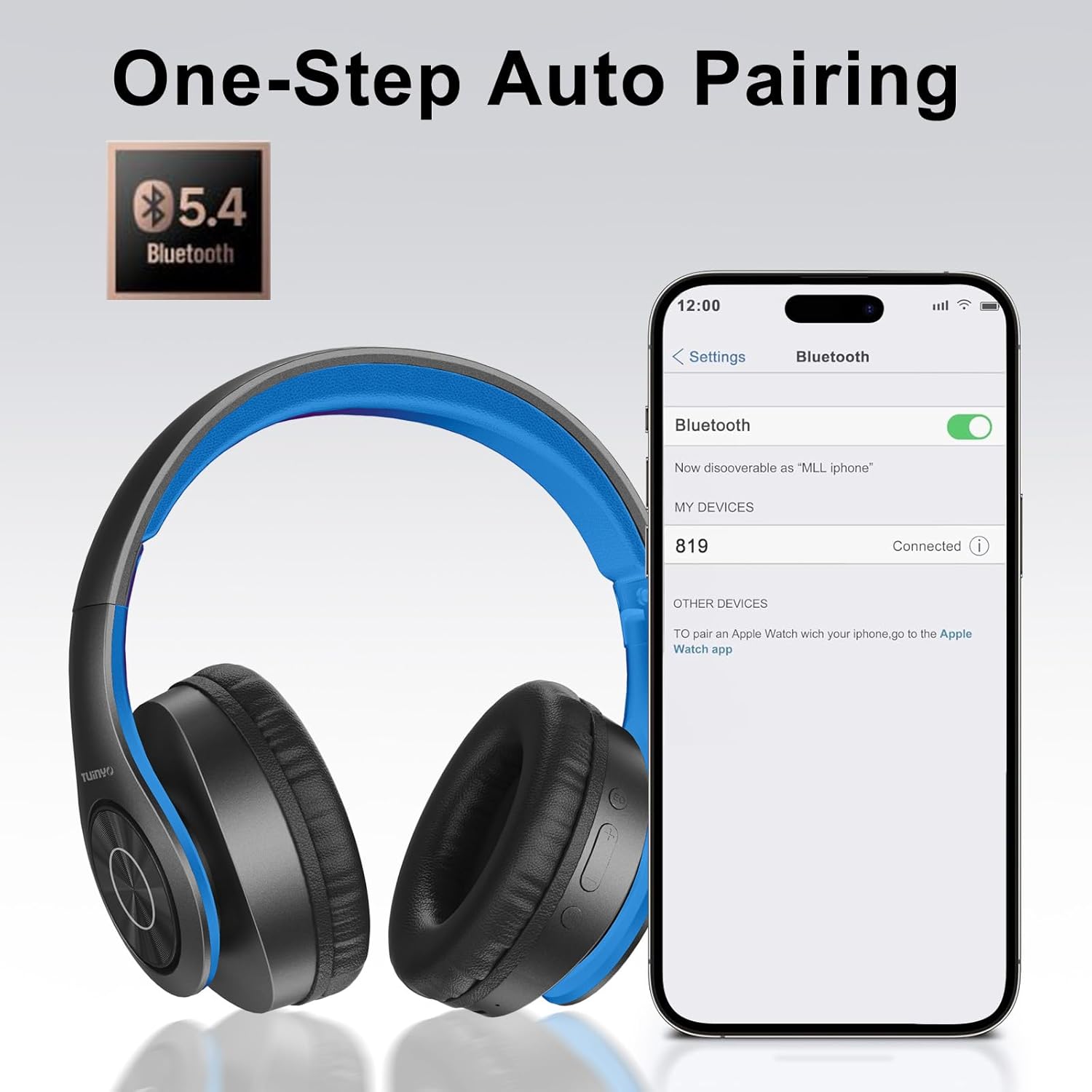
Image: A smartphone screen displaying the Bluetooth settings, showing the "819" (representing the TP19 headphones) successfully connected, illustrating the one-step auto pairing feature.
Video: An official TUINYO video demonstrating the Bluetooth pairing process and showing the headphones in use. This video highlights the ease of connecting the headphones to a device.
Інструкцыя па эксплуатацыі
1. Wireless Mode
- Прайграванне/Паўза: Націсніце шматфункцыянальную кнопку адзін раз.
- Павялічыць гучнасць: Націсніце кнопку «+».
- Паменшыць гучнасць: Націсніце кнопку «-».
- Наступны трэк: Націсніце і ўтрымлівайце кнопку «+».
- Папярэдні трэк: Націсніце і ўтрымлівайце кнопку «-».
2. Правадны рэжым
When the battery is low or if you prefer a wired connection, you can use the included 3.5mm audio cable.
- Падключыце адзін канец аўдыёкабеля 3.5 мм да ўваходнага аўдыёпорта на навушніках.
- Connect the other end to your audio device's 3.5mm jack.
- In wired mode, controls on the headphones may be limited, and playback will be controlled by your connected device.
3. Функцыі выкліку
- Адказ/завяршэнне выкліку: Націсніце шматфункцыянальную кнопку адзін раз.
- Адхіліць выклік: Націсніце і ўтрымлівайце шматфункцыянальную кнопку на працягу 2 секунд.
- Паўторны набор апошняга нумара: Двойчы націсніце шматфункцыянальную кнопку.
4. Галасавы памочнік
The headphones support voice-enabled assistants like Siri. Press the Multi-function button twice to activate your device's voice assistant.
5. Sound Effects (EQ Mode)
The headphones feature multiple sound effects (EQ modes) to customize your listening experience. Press the EQ button (often labeled "EQ" or a similar icon) to cycle through available modes such as Normal, Rock, Pop, Classic, Jazz, and Country.
Video: An official TUINYO video showcasing the various sound modes and controls on the headphones, demonstrating how to switch between different equalizer settings.
Тэхнічнае абслугоўванне
- Store the headphones in the protective case when not in use to prevent damage.
- Трымайце порт зарадкі і аўдыёраздым чысцінёй ад пылу і смецця.
- Avoid exposing the headphones to direct sunlight or extreme heat for extended periods.
- Do not use abrasive cleaners or solvents on the headphones.
Ліквідацыю непаладак
| праблема | Рашэнне |
|---|---|
| Навушнікі не ўключаюцься. | Пераканайцеся, што навушнікі цалкам зараджаныя. Падключыце іх да крыніцы харчавання і паспрабуйце яшчэ раз. |
| Немагчыма спалучыць прыладу. |
|
| Няма гуку ў бесправадным рэжыме. |
|
| У правадным рэжыме гуку няма. |
|
Тэхнічныя характарыстыкі
| Асаблівасць | Дэталь |
|---|---|
| Назва мадэлі | ТП 19 |
| Тэхналогія падлучэння | Бесправадная сувязь (Bluetooth) |
| Тэхналогія бесправадной сувязі | Bluetooth 5.1 |
| Дыяпазон Bluetooth | 10 метраў |
| Тып аўдыё драйвера | Дынамічны драйвер |
| Памер аўдыё драйвера | 40 міліметра |
| АЧХ | 20 кГц |
| Імпеданс | 32 Ом |
| Тэрмін службы батарэі | 40 гадзін |
| Час зарадкі | 2.5 гадзін |
| Гняздо для навушнікаў | 3.5 мм Jack |
| Тып кіравання | Галасавое кіраванне, сэнсарны |
| Асаблівасць | Складаны |
| Вага прадмета | 8.9 унцыі (251 грама) |
| Памеры прадукту | 6.85 х 3.9 х 9.72 цалі |
| Матэрыял | Пластыкавыя |
| Уключаныя кампаненты | Cable, Protective Case, micro usb cable |
Гарантыя і падтрымка
By choosing TUINYO, you are covered by a 30-day hassle-free return policy and a one-year warranty. For any inquiries or assistance, please contact our prompt and friendly customer service, available 24/7.
For further support, visit the official TUINYO store: TUINYO Store