
1. Уводзіны
This manual provides detailed instructions for the safe and effective use of your Elecom LBT-TWS05BK True Wireless Bluetooth Earphones. Please read this manual thoroughly before using the product and retain it for future reference.
The Elecom LBT-TWS05BK earphones are designed for stable connectivity, superior comfort, and high usability, delivering rich audio performance. They feature an ergonomic design, advanced communication technology, and convenient smart features.
2. Інфармацыя па бяспецы
Каб забяспечыць бяспечную працу і прадухіліць пашкоджанні, калі ласка, выконвайце наступныя меры засцярогі:
- Не падвяргайце навушнікі або зарадны футляр уздзеянню экстрэмальных тэмператур, вільготнасці або вадкасцей.
- Не кідайце прыладу і не падвяргайце яе моцным ударам.
- Не спрабуйце разбіраць або мадыфікаваць выраб. Гэта прывядзе да анулявання гарантыі.
- Захоўваць у месцах, недаступных дзецям і хатнім жывёлам.
- Слухайце на ўмераным узроўні гучнасці, каб пазбегнуць пашкоджання слыху.
- Be aware of your surroundings when using the earphones, especially in traffic or dangerous situations.
3. Змесціва ўпакоўкі
Праверце, ці ёсць усе прадметы ў камплекце з вашым прадуктам:
- Elecom LBT-TWS05BK True Wireless Bluetooth Earphones (Left and Right)
- Чахол для зарадкі
- USB Charging Cable (Type-A to Type-C)
- Ear Caps (XS, S, M, L sizes; M size pre-installed)
- Кіраўніцтва па эксплуатацыі
4. Прадукт скончыўсяview
Familiarize yourself with the components of your Elecom LBT-TWS05BK earphones.

Выява: Крупны план view of the Elecom LBT-TWS05BK true wireless earbuds, showcasing their sleek black design and the ELECOM branding.

Image: The Elecom LBT-TWS05BK earbuds placed inside their compact charging case, ready for storage or charging.
The earphones feature a compact design with a 6.0mm diameter external magnetic dynamic driver for clear sound. The charging case is designed for single-handed operation with a push-button lid.
5. Настройка
5.1. Зарадка навушнікаў і чахла
- Connect the supplied USB Type-A to Type-C cable to the charging case's USB Type-C port and a USB power source.
- The LED indicators on the charging case will show the charging status. Four LEDs indicate a full charge.
- Змесціце навушнікі ў зарадны чахол. Яны пачнуць зараджацца аўтаматычна.
- A 15-minute charge provides approximately 1 hour of music playback. A full charge of the earphones allows for about 5 hours of continuous music playback or 4.5 hours of talk time. The charging case can recharge the earphones up to 2.5 times, providing a total of about 17.5 hours of use.
5.2. Першапачатковае спалучэнне
The Elecom LBT-TWS05BK supports auto-pairing and Google Fast Pair for compatible Android devices.

Image: An illustration demonstrating the Google Fast Pair feature, where simply opening the charging case near a compatible smartphone prompts a pairing notification. Also shows the one-push open mechanism of the case.
- Пераканайцеся, што на вашым смартфоне ўключаны Bluetooth.
- Адкрыйце зарадны чахол. Навушнікі аўтаматычна пяройдуць у рэжым спалучэння.
- For Android devices with Google Fast Pair, a notification will appear on your screen. Tap to connect.
- For other devices, go to your device's Bluetooth settings and select "LBT-TWS05BK" from the list of available devices.
- Once paired, the earphones will automatically connect to the last paired device when removed from the case.
5.3. Усталёўка навушнікаў
The earphones feature an ergonomic design for optimal fit and stability.
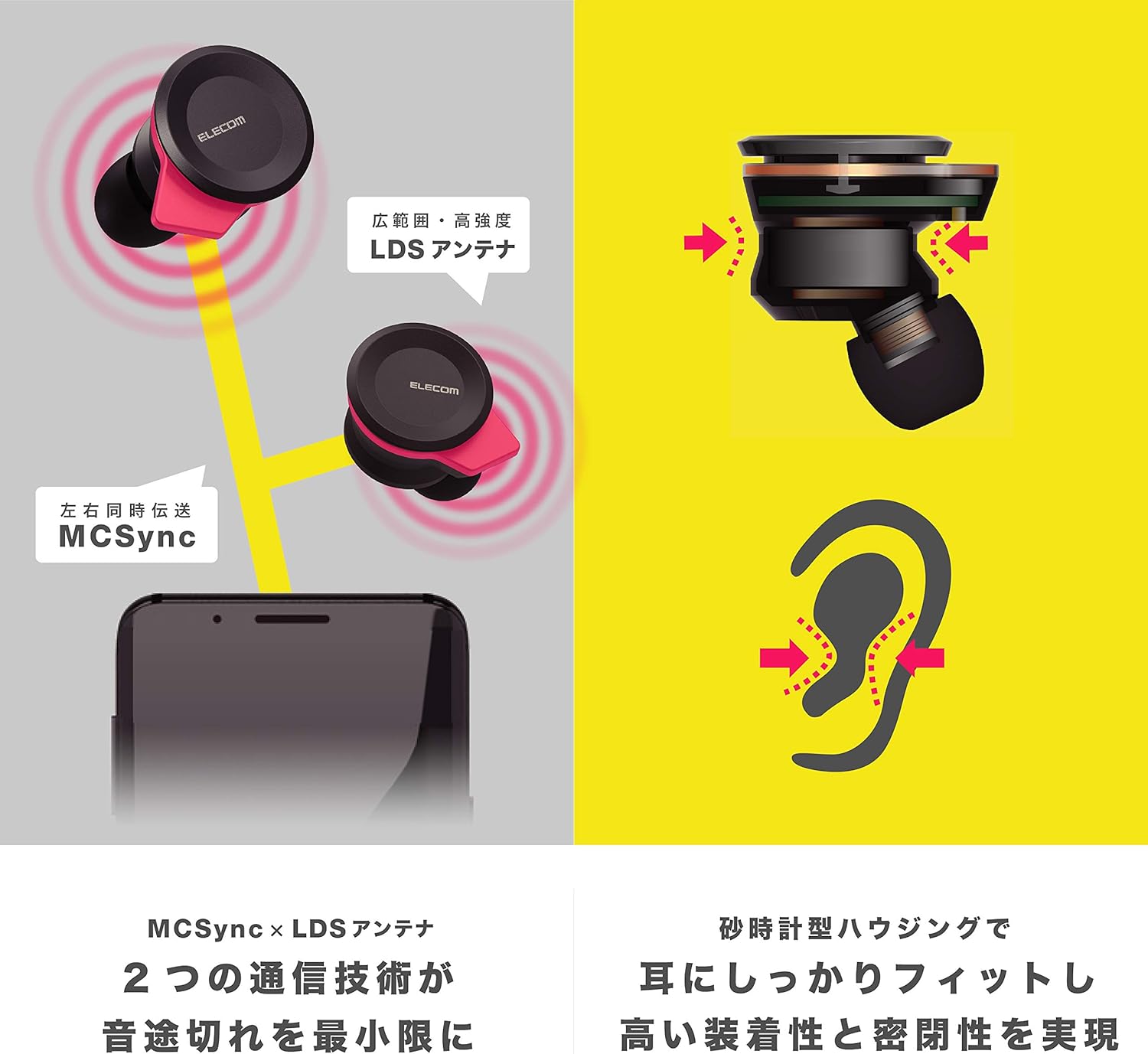
Image: An illustration showing the ergonomic hourglass shape of the earbud designed to fit securely in the ear, alongside a diagram explaining the MCSync and LDS antenna technologies for stable communication.
- Select the ear caps that provide the best seal and comfort from the four included sizes (XS, S, M, L). The M size is pre-installed.
- Акуратна ўстаўце навушнік у слыхавы праход.
- Adjust the earbud so that the hourglass shape is firmly seated between your ear tragus and anti-tragus for a stable fit.
6. Інструкцыя па эксплуатацыі
The Elecom LBT-TWS05BK earphones offer various functions for audio playback, calls, and smart assistant interaction.
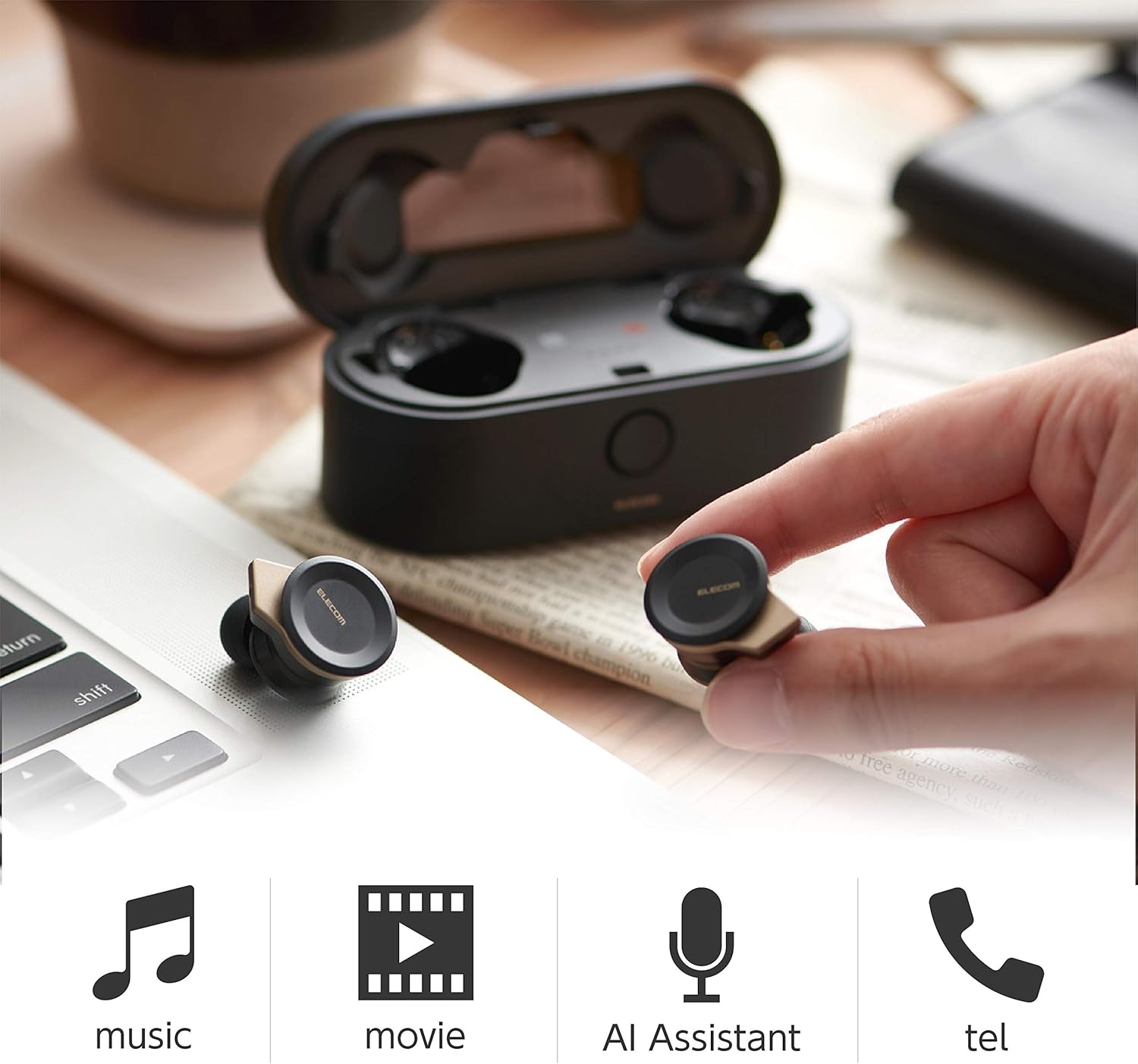
Image: The Elecom LBT-TWS05BK earbuds displayed with icons representing their versatile uses: music playback, movie watching, AI assistant activation, and phone calls.
6.1. Уключэнне/выключэнне харчавання
- Уключэнне: Remove the earphones from the charging case. They will power on automatically.
- Выключэнне: Змясціце навушнікі назад у зарадны чахол. Яны аўтаматычна выключацца.
6.2. Прайграванне музыкі
Use the buttons on the earphones to control music playback (specific button functions may vary, refer to quick start guide for exact mapping):
- Прайграванне/Паўза: Аднаразовае націсканне на любы навушнік.
- Наступны трэк: Двойчы націсніце на правы навушнік.
- Папярэдні трэк: Двойчы націсніце на левы навушнік.
- Рэгулятар гучнасці: Adjust via your connected device or voice assistant.
6.3. Апрацоўка выклікаў
The right earbud supports calls and voice AI functions.
- Адказ/завяршэнне выкліку: Single press on the right earbud.
- Адхіліць выклік: Націсніце і ўтрымлівайце правы навушнік на працягу 2 секунд.
6.4. Voice AI Activation
Compatible with voice AI assistants like Siri and Google Assistant.
- Activate Voice AI: Triple press on the right earbud.
6.5. External Sound Capture Function
This function allows you to hear surrounding sounds while wearing the earphones.
- Актываваць/дэактываваць: Націсніце і ўтрымлівайце левы навушнік на працягу 2 секунд.
7. Тэхнічнае абслугоўванне
Правільны догляд гарантуе даўгавечнасць і прадукцыйнасць вашых навушнікаў.
- Уборка: Выкарыстоўвайце мяккую сухую тканіну для чысткі навушнікаў і зараднага чахла. Не выкарыстоўвайце абразіўныя ачышчальнікі або растваральнікі.
- Вушныя накладкі: Remove and clean ear caps regularly with water and mild soap. Ensure they are completely dry before reattaching.
- захоўванне: Калі навушнікі не выкарыстоўваюцца, захоўвайце іх у зарадным чахле, каб абараніць ад пылу і пашкоджанняў.
- Сыход за батарэяй: Пазбягайце частай поўнай разрадкі акумулятара. Рэгулярна зараджайце яго, каб падтрымліваць яго ў працоўным стане.
8. Выпраўленне непаладак
If you encounter issues with your Elecom LBT-TWS05BK earphones, refer to the following common solutions:
- Няма праблем з гукам/падключэннем:
- Пераканайцеся, што навушнікі зараджаныя і ўключаныя.
- Праверце, ці ўключаны Bluetooth на вашай прыладзе.
- Паспрабуйце зноў падключыць навушнікі да прылады.
- Ensure earphones are within the 10m transmission distance.
- Навушнікі не зараджаюцца:
- Пераканайцеся, што зарадны кабель надзейна падключаны як да корпуса, так і да крыніцы харчавання.
- Праверце, ці дастаткова зарада батарэі зараднага чахла.
- Ensure the earphones are correctly seated in the charging case.
- Дрэнная якасць гуку:
- Ensure ear caps provide a good seal in your ear.
- Ачысціце сопла навушнікаў ад смецця.
- Падыдзіце бліжэй да падлучанай прылады, каб палепшыць узровень сігналу.
- Voice AI/Calls Not Working on Left Earbud:
- Note that calls and voice AI functions are only compatible with the right earbud.
9. Тэхнічныя характарыстыкі
| Асаблівасць | Спецыфікацыя |
|---|---|
| Нумар мадэлі | LBT-TWS05BK |
| Метад сувязі | Стандарт Bluetooth версіі 5.0 |
| Выхад | Bluetooth клас магутнасці 1 |
| Максімальная адлегласць перадачы | Прыблізна 10м |
| Дыяпазон частот | 2.4 ГГц |
| Метад мадуляцыі | FHSS (Спектр скачка частоты) |
| Падтрымліваецца Bluetooth Profiles | A2DP, AVRCP, HFP, HSP |
| A2DP Compatible Codec | SBC, AAC |
| A2DP Compatible Content Protection | SCMS-T |
| Maximum Registration Capacity | 8 прылад |
| Multipoint (Simultaneous Standby) | Несумяшчальны |
| Тып драйвера | 6.0mm diameter external magnetic dynamic driver (ETEMDriver) |
| Камунікацыйныя тэхналогіі | MCSync (MultiCast Synchronization), LDS Antenna |
| Мікрафон | High-quality MEMS microphone with HDVoice |
| Час бесперапыннага размовы | Прыбл. 4.5 гадзіны |
| Continuous Music Playback Time | Прыбл. 5 гадзіны |
| Total Playback Time (with charging case) | Прыбл. 17.5 гадзіны |
| Порт для зарадкі | USB Type-C |
| Хуткая зарадка | 15 min charge for 1 hour playback |
| Вага | 61 Grams (total package weight) |
| Матэрыял | Пластыкавыя |
| Узровень воданепранікальнасці | Водатрывалы |
| Сумяшчальныя прылады | Smartphones, Tablets, iOS Devices, Android Devices |
10. Гарантыя і падтрымка
For warranty information and customer support, please refer to the official ELECOM webсайт або звярніцеся да мясцовага прадаўца. Захоўвайце пацвярджэнне пакупкі для прэтэнзій па гарантыі.