
CREATE 901ac5f5-3fab-4ab6-92cb-7ef7d8ca7a54
Кіраўніцтва карыстальніка вентылятара CREATE/COOL пастаяннага току
Model: 901ac5f5-3fab-4ab6-92cb-7ef7d8ca7a54
1. Уводзіны
Thank you for choosing the CREATE/COOL DC Tower Fan. This bladeless tower fan is designed to provide efficient and quiet air circulation with its advanced DC motor and 9-speed settings. Featuring a sleek design, remote control, and 90-degree oscillation, it offers optimal comfort for any room.
Please read this manual thoroughly before operating the device to ensure safe and proper use. Keep this manual for future reference.
2. Інструкцыі па тэхніцы бяспекі
- Заўсёды адключайце вентылятар ад разеткі перад чысткай або любым тэхнічным абслугоўваннем.
- Не выкарыстоўвайце вентылятар з пашкоджаным шнуром або вілкай. Калі шнур або вілка пашкоджаны, звярніцеся да кваліфікаванага абслугоўваючага персаналу.
- Do not place the fan near water or in excessively humid environments.
- Keep fingers, hair, and loose clothing away from the fan's openings during operation.
- Пераканайцеся, што вентылятар усталяваны на ўстойлівай, роўнай паверхні, каб прадухіліць яго перакульванне.
- Гэты прыбор не прызначаны для выкарыстання асобамі (уключаючы дзяцей) з абмежаванымі фізічнымі, сэнсарнымі або разумовымі здольнасцямі або з адсутнасцю вопыту і ведаў, за выключэннем выпадкаў, калі яны знаходзяцца пад наглядам або праінструктаваныя адносна выкарыстання прыбора асобай, адказнай за іх бяспеку.
- За дзецьмі трэба сачыць, каб яны не гулялі з прыборам.
- Do not insert any objects into the fan's openings.
- Не накрывайце вентылятар падчас працы.
3. Змесціва ўпакоўкі
Праверце наяўнасць усіх прадметаў у камплекце:
- CREATE/COOL DC Tower Fan Unit
- Пульт дыстанцыйнага кіравання
- Шнур харчавання (інтэграваны)
- Кіраўніцтва карыстальніка (гэты дакумент)
4. Настройка
- Распакуйце вентылятар: Carefully remove the tower fan and all accessories from the packaging.
- Размяшчэнне: Place the fan on a firm, level surface. Ensure there is adequate space around the fan for proper air circulation and oscillation.
- Падключыце харчаванне: Insert the power plug into a standard electrical outlet. Ensure the voltage matches the fan's requirements (230V).
- Акумулятар пульта дыстанцыйнага кіравання: The remote control may require batteries (not included). Open the battery compartment and insert the correct type and number of batteries, observing polarity.
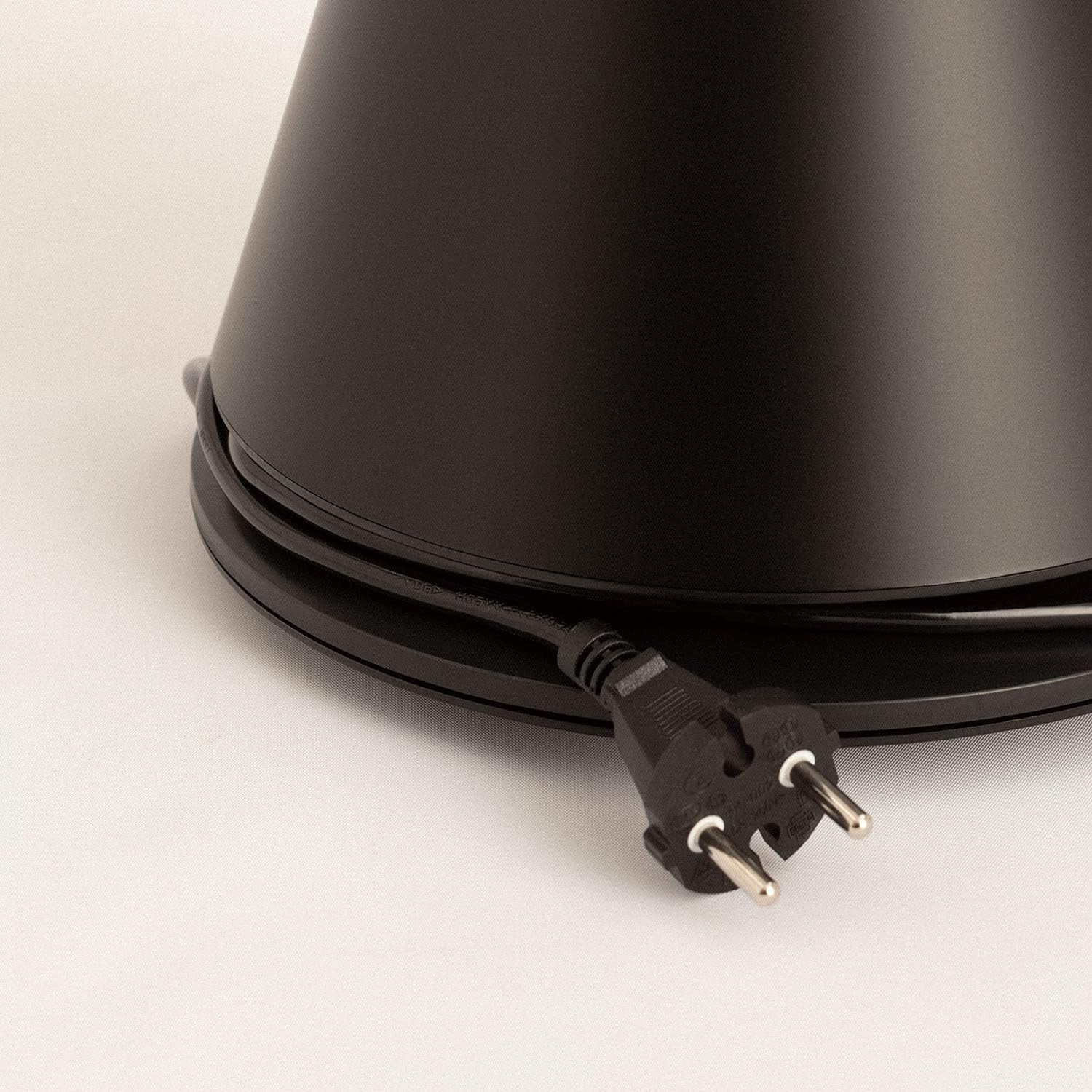
Image: Power cord connected to the fan base.
This image shows the integrated power cord and plug, ready for connection to a wall outlet. The cord is neatly wrapped around the base for storage.
5. Інструкцыя па эксплуатацыі
Control Panel (Digital Display Touch-System)
The fan features a digital display touch-system on its top, which also serves as the integrated remote control storage. Touch the icons to control the fan.
Пульт дыстанцыйнага кіравання
The magnetic remote control can be stored conveniently on top of the fan. It provides full functionality for operating the fan from a distance.

Image: Remote control for the tower fan.
This image displays the compact remote control with clearly labeled buttons for power, speed adjustment, mode selection, and oscillation control.
Функцыі:
- Уключэнне/выключэнне харчавання: Націсніце кнопку харчавання (⏻), каб уключыць або выключыць вентылятар.
- Рэгуляванне хуткасці: The fan has 9 speed levels. Use the '+' and '-' buttons to increase or decrease the fan speed.
- Рэжымы ветру: Select between 2 wind modes (e.g., Normal, Sleep, Natural - specific modes may vary). Press the mode button to cycle through available modes.
- Ваганні: Націсніце кнопку ваганняў (↻) to activate or deactivate the 90-degree oscillation feature, which distributes air evenly across the room.
- Таймер: Set the fan to automatically turn off after a specified period. Refer to the display for timer settings (e.g., 1-12 hours).

Image: Tower fan placed in a bedroom.
This image shows the sleek black tower fan positioned in a modern bedroom, demonstrating its compact footprint and aesthetic integration into a living space.
6. Тэхнічнае абслугоўванне
Рэгулярная чыстка дапаможа падтрымліваць прадукцыйнасць вентылятара і падоўжыць тэрмін яго службы.
- Ачыстка вонкавага выгляду: Працірайце вонкавыя паверхні вентылятара мяккай губкайamp тканіна. Не выкарыстоўвайце абразіўныя ачышчальнікі або растваральнікі.
- Выдаленне пылу: Use a vacuum cleaner with a brush attachment or compressed air to remove dust from the air intake and outlet grilles.
- захоўванне: Калі вентылятар захоўваецца працяглы час, адключыце яго ад сеткі, старанна ачысціце і захоўвайце ў прахалодным, сухім месцы, пажадана ў арыгінальнай упакоўцы.
- Не апускайце вентылятар у ваду або любую іншую вадкасць.
7. Выпраўленне непаладак
| праблема | Магчымая прычына | Рашэнне |
|---|---|---|
| Вентылятар не ўключаецца. | Не падключаны да сеткі; разетка не працуе; кнопка харчавання не націснутая. | Пераканайцеся, што вентылятар надзейна падключаны да спраўнай разеткі. Націсніце кнопку харчавання. |
| Слабы струмень паветра. | Low speed setting; Air inlets/outlets blocked by dust. | Increase the fan speed. Clean the air inlets and outlets. |
| Шумны вентылятар. | Fan not on a level surface; Internal obstruction; High speed setting. | Place the fan on a flat, stable surface. Check for any obstructions. Reduce fan speed. |
| Не працуе пульт дыстанцыйнага кіравання. | Batteries dead or incorrectly inserted; Obstruction between remote and fan. | Replace batteries, ensuring correct polarity. Remove any obstructions. Ensure remote is pointed at the fan. |
8. Тэхнічныя характарыстыкі
| Асаблівасць | Дэталь |
|---|---|
| Марка | СТВАРЫЦЬ |
| Нумар мадэлі | 901ac5f5-3fab-4ab6-92cb-7ef7d8ca7a54 |
| Памеры прадукту | 102 х 23 х 102 см (прыблізна 23 Г х 23 Ш х 102 В см) |
| Вага | 2.6 кілаграма |
| Колер | Чорны |
| Крыніца харчавання | Правадная электрычная |
| тtage | 230 вольт |
| Ватtage | 26 ват |
| Узровень шуму | 2 dB (Note: This value seems unusually low based on customer reviews, typical fan noise is higher. Please refer to actual product performance.) |
| Колькасць хуткасцяў | 9 |
| Асаблівасці | Oscillating, Lightweight, DC Motor, Timer, Remote Control |
9. Гарантыя і падтрымка
CREATE products are manufactured to the highest quality standards. For information regarding warranty coverage, please refer to the warranty card included with your purchase or visit the official CREATE webсайт.
For technical support, troubleshooting assistance, or spare parts, please contact CREATE customer service. Contact details can typically be found on the product packaging or the official brand webсайт.
Webсайт: CREATE Official Store