
Уводзіны
Thank you for choosing the Perixx PERIBOARD-317 Backlit USB Keyboard. This full-size wired keyboard is designed for comfortable daily typing, featuring large print keys and white LED backlighting for enhanced visibility in various lighting conditions. Its low-profile keys offer a quiet and responsive typing experience. This manual provides essential information for setting up, operating, maintaining, and troubleshooting your keyboard.
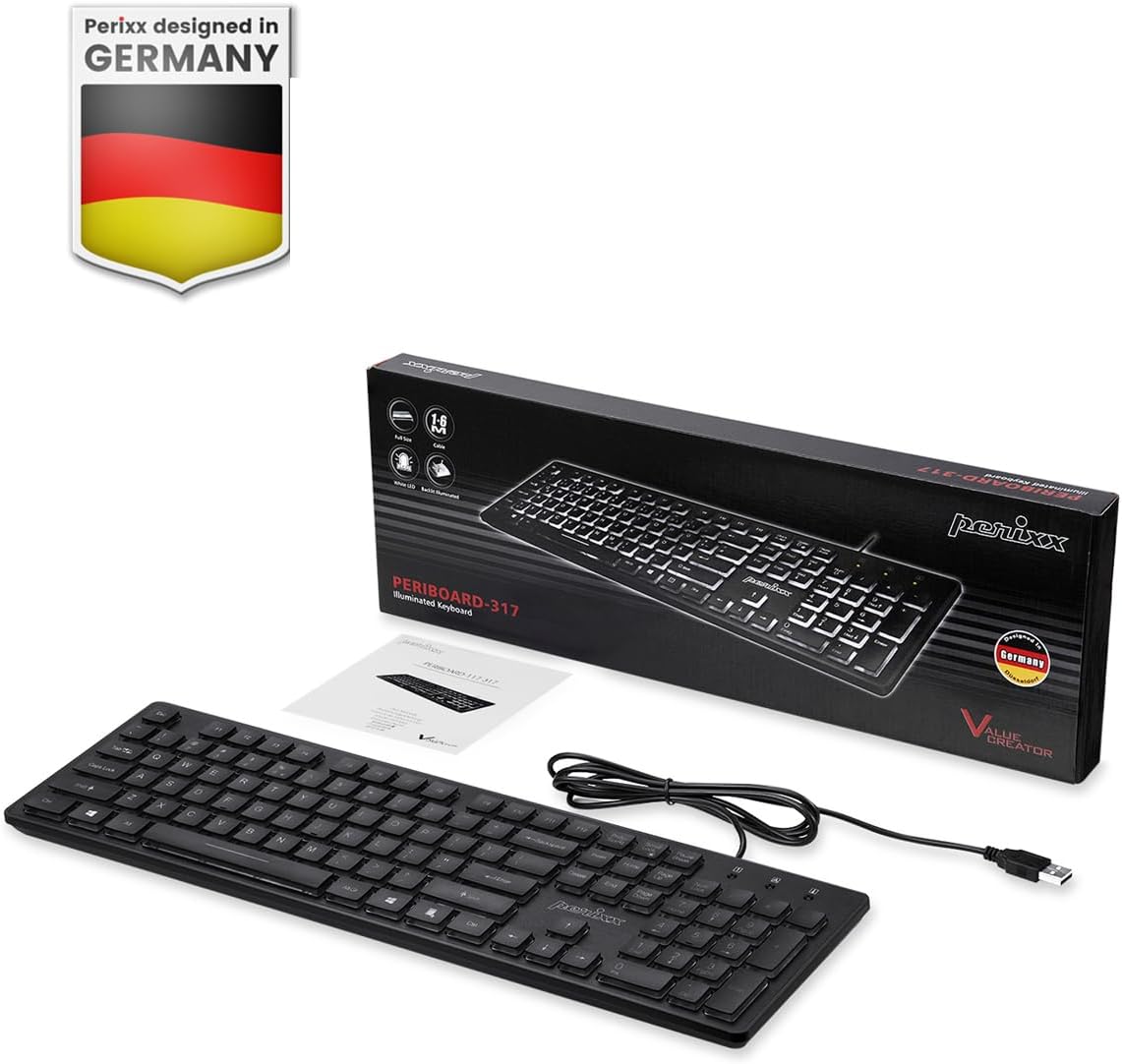
Image: Perixx PERIBOARD-317 keyboard and its contents.
1. Настройка
1.1 Змест пакета
- Perixx PERIBOARD-317 Keyboard
- Кіраўніцтва карыстальніка
1.2 Сістэмныя патрабаванні
- Compatible with Windows 7, 8, 10, and 11.
- Available USB-A port.
1.3 Падключэнне клавіятуры
- Unpack the Perixx PERIBOARD-317 keyboard from its packaging.
- Знайдзіце свабодны порт USB-A на вашым кампутары.
- Plug the USB-A cable of the keyboard into the USB-A port on your computer.
- The keyboard is plug-and-play; no additional drivers or software installation is required. Your computer will automatically detect and configure the device.

Image: Connecting the Perixx PERIBOARD-317 keyboard via USB.
2. Інструкцыя па эксплуатацыі
2.1 Асноўны набор тэксту
The Perixx PERIBOARD-317 features a standard full-size Italian QWERTY layout with 105 keys. The large print characters on the keys are designed for improved visibility, making typing easier for users with visual impairments or in low-light environments.

Image: Large print keys for enhanced visibility.
2.2 Кантроль падсветкі
The keyboard is equipped with a bright, uniformly distributed white LED backlight. This feature allows for comfortable typing in dimly lit conditions.
- Turning On/Off the Backlight: Locate the backlight control key (often indicated by a sun or light bulb icon, or a dedicated function key combination). Press this key to toggle the backlight on or off.
- Рэгуляванне яркасці: If available, use the designated brightness control keys (often function keys combined with Fn) to increase or decrease the backlight intensity.

Image: White LED backlighting for clear visibility.

Image: Easy typing in low-light conditions with the illuminated keys.
2.3 Scroll Lock and Backlight Interaction
Please note the interaction between the backlight and the Scroll Lock function:
- When the backlight is active, the Scroll Lock function is disabled.
- When the backlight is turned off, the Scroll Lock function is enabled.
2.4 Вопыт набору тэксту
Нізкапрафесійныfile keys with wider surfaces provide a responsive, quiet, and precise typing experience. The high-quality ABS key printing is designed to resist wear, and the membrane switches are rated for 5 million keystrokes.

Image: Quiet and responsive typing experience.

Image: Low-profile chiclet keys for comfortable typing.
3. Тэхнічнае абслугоўванне
3.1 Чыстка клавіятуры
Каб падтрымліваць прадукцыйнасць і знешні выгляд клавіятуры:
- Адключыце клавіятуру ад кампутара перад чысткай.
- Выкарыстоўвайце мяккую безворсовую тканіну, злёгку dampпрамыйце вадой або мяккім ачышчальным растворам, каб працерці клавішы і паверхню.
- Пазбягайце распылення вадкасцей непасрэдна на клавіятуру.
- Для выдалення пылу і смецця паміж клавішамі выкарыстоўвайце сціснутае паветра.
3.2 Захоўванне
Store the keyboard in a dry environment, away from extreme temperatures and direct sunlight, when not in use for extended periods.
4. Выпраўленне непаладак
4.1 Клавіятура не рэагуе
- Пераканайцеся, што USB-кабель надзейна падключаны як да клавіятуры, так і да USB-порта кампутара.
- Паспрабуйце падключыць клавіятуру да іншага USB-порта на вашым кампутары.
- Перазагрузіце кампутар.
- Праверце клавіятуру на іншым камп'ютары, каб вызначыць, у чым праблема: у клавіятуры ці ў камп'ютары.
4.2 Падсветка не працуе
- Ensure the backlight is turned on using the dedicated backlight control key.
- Check if the brightness level is set too low. Adjust it using the brightness control keys.
- Verify that the Scroll Lock function is not interfering (refer to section 2.3).
4.3 Клавішы не рэгіструюцца або паўтараюцца
- Clean the affected keys as described in the Maintenance section.
- Пераканайцеся, што пад вечкам клавішы няма смецця.
- If the issue persists, it may indicate a hardware problem. Refer to the Warranty and Support section.
5. Тэхнічныя характарыстыкі
| Асаблівасць | Дэталь |
|---|---|
| Марка | Перыкс |
| Назва мадэлі | PERIBOARD-317 IT B |
| Нумар мадэлі | 11629 |
| Тэхналогія падлучэння | USB (правадной) |
| Апісанне клавіятуры | Full-size, Backlit |
| Рэкамендуемае выкарыстанне | Daily use, study |
| Асаблівасць | Backlit (White LED), Large Print Keys |
| Keyboard Backlight Color Support | Аднатонны |
| Памеры прадукту (Д х Ш х У) | 44 Д x 12.9 Ш x 2.7 У см |
| Крыніца харчавання | Правадная электрычная |
| Тып перамыкача | Linear (Membrane) |
| Раскладка клавіятуры | QWERTY (Italian) |
| Колькасць ключоў | 105 |
| Сумяшчальныя аперацыйныя сістэмы | Windows 7, 8, 10, 11 |
| Матэрыял корпуса | АБС-пластык |
| Вага прадмета | 530 грам |
| Вытворца | Перыкс |
| Нумар дэталі вытворцы | PB-317IT-11629 |
| Краіна паходжання | Кітай |
6. Гарантыя і падтрымка
6.1 Інфармацыя аб гарантыі
The Perixx PERIBOARD-317 keyboard is covered by a limited 24-month warranty from the date of purchase. This warranty covers manufacturing defects and workmanship under normal use.
6.2 Як атрымаць падтрымку
For warranty claims, technical assistance, or product inquiries, please visit the official Perixx website. Warranty replacement requests (RMA) are generally processed within 48-72 hours.
Для атрымання дадатковай інфармацыі наведайце: www.perixx.com

Image: Perixx - Designed in Germany.