
1. Уводзіны
This manual provides detailed instructions for the installation, operation, and maintenance of your D-Link DCS-8627LH Full HD Outdoor Wi-Fi Camera with Spotlight. Please read this manual thoroughly before using the device to ensure proper setup and functionality. Keep this manual for future reference.
2. Прадукт скончыўсяview
The D-Link DCS-8627LH is an outdoor Wi-Fi camera designed for security monitoring, featuring Full HD 1080p resolution, a built-in spotlight, and advanced detection capabilities. It integrates with the mydlink app for remote access and smart home ecosystems like Google Assistant and Amazon Alexa.
2.1 Змест пакета
- Вонкавая Wi-Fi камера D-Link DCS-8627LH Full HD
- Мантажны камплект (шрубы, дзюбелі)
- Адаптар сілкавання
- Кіраўніцтва па хуткай ўстаноўцы
2.2 Асаблівасці камеры
- Раздзяленне Full HD 1080p: Captures clear video at 30 frames per second.
- Убудаваны пражэктар: Enhances color night vision and acts as a deterrent.
- Інфрачырвонае начное бачанне: Provides clear video up to 7 meters in low light conditions.
- Двухбаковы аўдыё: Убудаваны мікрафон і дынамік для сувязі.
- Выяўленне руху і гуку: Triggers recording and sends notifications.
- Падключэнне Wi-Fi: Easy wireless setup and access.
- Лакальнае сховішча: Supports microSD card for video recording.
- Ўстойлівы да надвор'я дызайн: Падыходзіць для вонкавай ўстаноўкі.
- Інтэграцыя разумнага дома: Compatible with mydlink app, Google Assistant, Amazon Alexa, and IFTTT.
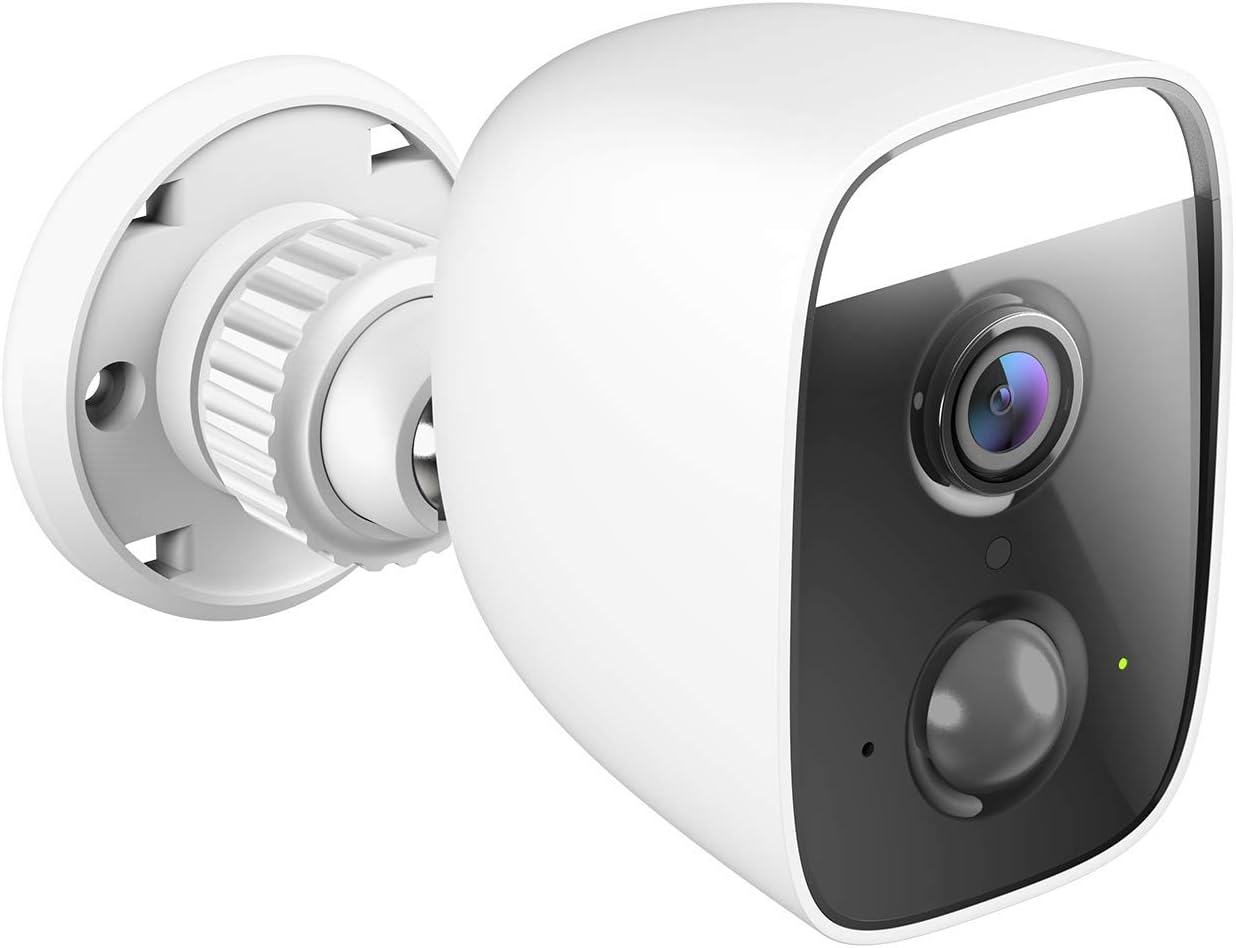
Малюнак 1: Вуглавы view of the D-Link DCS-8627LH camera, showcasinяго кампактны дызайн і ўбудаваны пражэктар.

Малюнак 2: Фронт view of the D-Link DCS-8627LH camera, highlighting the lens, motion sensor, and spotlight.
3. Настройка
3.1 Перш чым пачаць
- Ensure your Wi-Fi network is active and you have the Wi-Fi password.
- Have your smartphone or tablet ready.
- Choose a suitable outdoor location for installation, ensuring Wi-Fi signal strength and access to a power outlet.
3.2 mydlink App Installation
- Download the free mydlink app from the App Store (iOS) or Google Play (Android).
- Launch the mydlink app and create a new account or log in with an existing one.
3.3 Adding the Camera to mydlink
- Plug the camera into a power outlet near your Wi-Fi router for initial setup.
- Wait for the camera's LED indicator to flash orange, indicating it's ready for setup.
- In the mydlink app, tap the menu icon (☰) and select "Add a Device."
- Scan the setup QR code located on the camera or its packaging.
- Выконвайце інструкцыі на экране праграмы, каб падключыць камеру да сеткі Wi-Fi.
- Once connected, the LED indicator will turn solid green.
3.4 Фізічная ўстаноўка
The DCS-8627LH camera is designed for wall or pole mounting. Ensure the chosen location provides a clear view and is within range of your Wi-Fi signal and a power source.
- Use the provided mounting template to mark screw holes on the wall or pole.
- Прасвідруйце адтуліны і ўстаўце дзюбелі ў сцяну, калі мацуеце на мур.
- Secure the mounting bracket to the surface using the screws.
- Attach the camera to the mounting bracket and adjust the angle as needed.
- Connect the power adapter to the camera and plug it into a weather-protected outdoor power outlet.

Малюнак 3: Вуглавы view of the D-Link DCS-8627LH camera, showing the adjustable mounting base.

Малюнак 4: Тыл view of the camera, indicating the location of the microSD card slot and reset button.
4. Інструкцыя па эксплуатацыі
The D-Link DCS-8627LH camera is primarily operated through the mydlink app.
4.1 Using the mydlink App
- жыць View: Tap on your camera in the app to view жывое відэа.
- Запіс: Manually record video or configure event-based recording (motion/sound detection).
- Прайграванне: Access recorded videos stored on the microSD card or mydlink cloud (if subscribed).
- Апавяшчэнні: Атрымлівайце push-паведамленні на свой смартфон пры выяўленні руху або гуку.
- Двухбаковы аўдыё: Выкарыстоўвайце значок мікрафона ў прамым эфіры view гаварыць праз дынамік камеры.
- Кіраванне пражэктарам: Manually turn the spotlight on/off or configure it to activate upon motion detection.

Малюнак 5: A smartphone screen showing a mydlink app notification for motion detection, with options for live view or contacting security.
4.2 Выяўленне руху і гуку
Configure detection zones and sensitivity levels within the mydlink app settings for your camera. This allows you to customize when the camera triggers recordings and sends alerts.
4.3 Інтэграцыя разумнага дома
The DCS-8627LH supports integration with:
- Памочнік Google: Выкарыстоўвайце галасавыя каманды для view трансляцыю з камеры на сумяшчальных прыладах.
- Amazon Alexa: Кіруйце сваёй камерай і view its feed using Alexa-enabled devices.
- IFTTT (Калі гэта, то гэта): Create custom automation rules with other smart devices and services.
Refer to the respective platform's documentation or the mydlink app for detailed setup instructions for these integrations.
5. Тэхнічнае абслугоўванне
5.1 Чыстка камеры
Перыядычна чысціце аб'ектыў і корпус камеры мяккай губкайamp cloth. Avoid using harsh chemicals or abrasive materials that could damage the lens or finish.
5.2 Абнаўленне прашыўкі
D-Link regularly releases firmware updates to improve performance and add new features. Check for and install updates via the mydlink app to ensure your camera has the latest enhancements and security patches.
5.3 Кіраванне картамі MicroSD
If using a microSD card for local storage, ensure it is properly inserted and formatted through the mydlink app. Regularly check the card's status and consider replacing it if errors occur or its performance degrades.
6. Выпраўленне непаладак
This section addresses common issues you might encounter with your D-Link DCS-8627LH camera.
6.1 Праблемы з падключэннем
- Няма сувязі: Ensure the camera is powered on and within Wi-Fi range. Check your router's internet connection.
- Слабы сігнал Wi-Fi: Relocate the camera closer to your router or consider using a Wi-Fi extender.
- Памылка налады: Try resetting the camera and repeating the setup process in the mydlink app.
6.2 Image Quality Problems
- Размытая выява: Ачысціце аб'ектыў камеры. Пераканайцеся, што перад аб'ектывам няма перашкод.
- Дрэннае начное бачанне: Ensure the infrared LEDs are not obstructed. Check for reflective surfaces close to the camera.
6.3 Апавяшчэнні не атрыманы
- Check mydlink app settings to ensure notifications are enabled for your camera.
- Verify your smartphone's notification settings for the mydlink app.
- Adjust motion/sound detection sensitivity and zones in the app.
6.4 Скід налад камеры
To perform a factory reset, locate the reset button (refer to Figure 4). With the camera powered on, use a paperclip to press and hold the reset button for approximately 10 seconds until the LED changes color. Release the button and wait for the camera to restart. You will then need to set up the camera again through the mydlink app.
7. Тэхнічныя характарыстыкі
| Асаблівасць | Спецыфікацыя |
|---|---|
| Нумар мадэлі | DCS-8627LH |
| Дазвол відэа | 1080p Full HD (1920x1080) |
| Частата кадраў | 30 кадраў у секунду |
| Viewing кут | 123.8 градусаў |
| Дыяпазон начнога бачання | Да 7 метраў (інфрачырвоны) |
| Бесправоднае падключэнне | Wi-Fi (2.4 GHz), Bluetooth (for setup) |
| Крыніца харчавання | Electric cable (12 Volts) |
| Воданепранікальнасць | Воданепранікальны |
| Працоўная тэмпература | Up to 45 degrees Celsius |
| Памеры (Д х Ш х У) | 12.6 х 6 х 8.4 см |
| Вага | 237 грамаў |
| Лакальнае сховішча | Слот для карты MicroSD |
| Сумяшчальныя прылады | Smartphone (mydlink app), Google Assistant, Amazon Alexa |
8. Гарантыя і падтрымка
8.1 Гарантыя вытворцы
The D-Link DCS-8627LH camera comes with a 2-гадовая гарантыя вытворцы з даты пакупкі. Гэтая гарантыя распаўсюджваецца на дэфекты матэрыялаў і вырабу пры нармальным выкарыстанні. Калі ласка, захавайце пацвярджэнне пакупкі для прэтэнзій па гарантыі.
8.2 Наяўнасць запасных частак
Запасныя часткі для гэтага прадукта даступныя на працягу 2 гады з дня пакупкі.
8.3 Тэхнічная падтрымка
For technical assistance, troubleshooting beyond this manual, or warranty inquiries, please visit the official D-Link support website or contact their customer service. Contact information can typically be found on the D-Link webсайт для вашага рэгіёну.