
Уводзіны
Thank you for choosing the DEPSTECH D04 1080P HD Webкамера. Гэта кіраўніцтва змяшчае неабходную інфармацыю па наладзе, эксплуатацыі і абслугоўванні вашай webcam to ensure optimal performance. The D04 webcam is designed to deliver sharp, crystal-clear video and natural audio for various applications, including video conferencing, online teaching, streaming, and gaming.
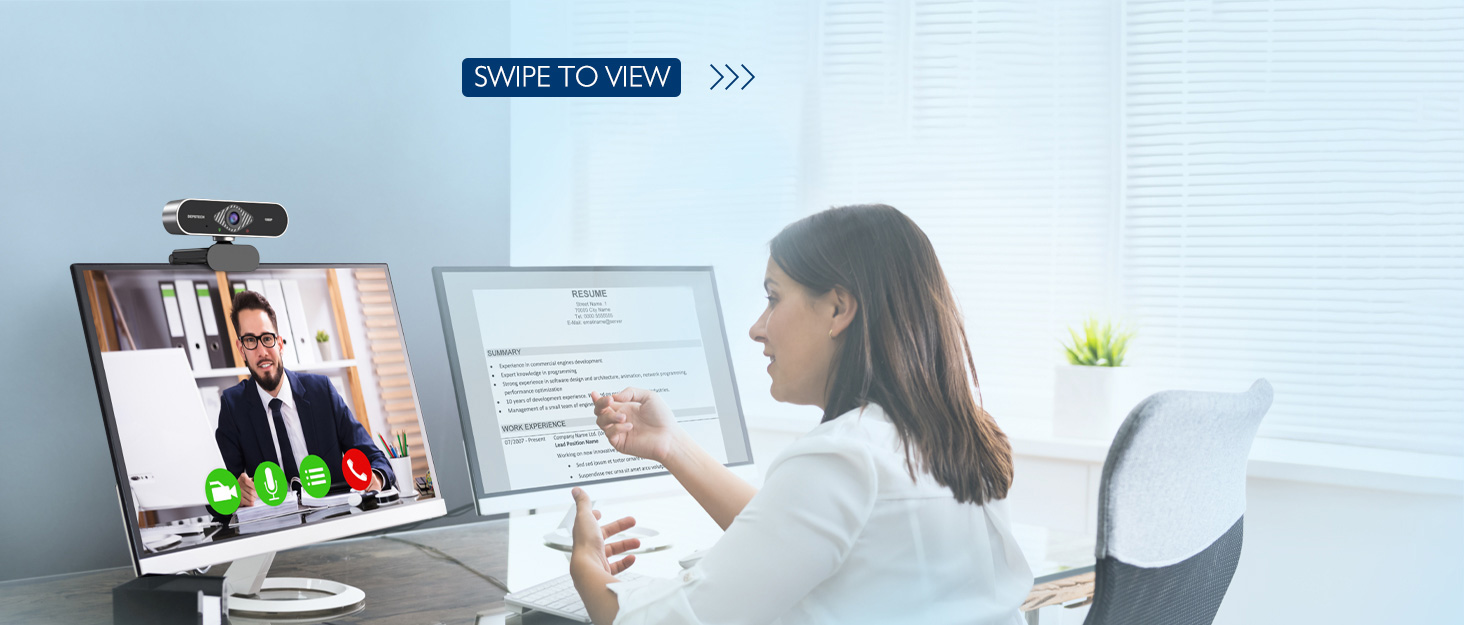
Image: DEPSTECH D04 Webcam in use for a video conference.
Асноўныя характарыстыкі:
- Відэа ў поўным HD 1080P: Delivers sharp and crystal-clear video at 30 frames per second with a 6-layer glass HD lens and 1/2.9” CMOS image sensor.
- Stereo Microphone with Noise Reduction: Features an automatic noise reduction function for clearer and more natural sound, even in noisy environments.
- Automatic Light Correction & HDR: Ensures excellent video quality even in dimly lit conditions.
- Падключыў і гуляй: No additional drivers or software required for most operating systems.
- Шырокая сумяшчальнасць: Works with MAC OS, Windows XP/7/8/10, and popular applications like Skype, YouTube, Yahoo!, and Zoom.
Змест пакета
- DEPSTECH D04 Webкамера
- Міні штатыў
- Палітыка прыватнасці
- Кіраўніцтва карыстальніка
Інструкцыя па наладзе
1. Placement of the Webкамера
DEPSTECH D04 webcam features a flexible mounting clip that allows it to be placed on various devices or surfaces.
- На экране манітора/ноўтбука: Адкрыйце кліп і ўстаўце webcam on top of your monitor or laptop screen. Adjust the angle so the camera is stable and facing you.
- На штатыве: Прымацаваць webcam to the included mini tripod using the universal screw mount at the bottom of the clip. Place the tripod on a flat surface.
- На роўнай паверхні: The clip can also be folded to create a stand, allowing the webcam to sit directly on your desk or shelf.

выява: Webcam mounted on a laptop screen.

выява: Webcam mounted on a tripod.
2. Падключэнне Webкамера
DEPSTECH D04 webcam is a plug-and-play device, requiring no additional driver installation for most operating systems.
- Падключыце кабель USB ад webcam to an available USB port on your computer (desktop or laptop).
- Wait for your operating system to automatically detect and install the device. This usually takes a few seconds.
- Once detected, the webcam is ready for use with your preferred video communication or recording software.

Image: USB connection for the webкулачок.
Інструкцыя па эксплуатацыі
1. Выкарыстанне Webcam with Software
After connecting, your DEPSTECH D04 webcam will be recognized as a standard video and audio input device by most applications.
- Open your desired video conferencing, streaming, or recording application (e.g., Zoom, Skype, OBS, YouTube, Facetime).
- Navigate to the application's settings or preferences, usually under 'Audio' and 'Video' sections.
- Select "DEPSTECH D04 Webcam" or "USB 2.0 Camera" as your video input device.
- Select "USB 2.0 Camera Audio" as your microphone input device.
- Adjust video and audio settings as needed within the application.

Image: User engaged in a video call with the webкулачок.
2. Вокладка прыватнасці
The webcam includes a privacy cover for enhanced security and peace of mind. Slide the cover over the lens when the webcam is not in use to prevent accidental recordings or unauthorized access.

выява: Webcam with the privacy cover closed.
3. Светавыя індыкатары
The webcam features indicator lights to show its status:
- Зялёнае святло: Indicates the camera is active and in use by an application.
- Чырвонае святло: Паказвае на webcam is powered on and connected.
Тэхнічнае абслугоўванне
To ensure the longevity and optimal performance of your DEPSTECH D04 webкулачок, выконвайце наступныя рэкамендацыі па тэхнічным абслугоўванні:
- Ачыстка аб'ектыва: Gently wipe the lens with a soft, lint-free cloth. Avoid using harsh chemicals or abrasive materials that could scratch the lens.
- Ачышчэнне арганізма: Выкарыстоўвайце мяккую сухую тканіну для ачысткі вонкавага боку webкулачок.
- захоўванне: Калі прылада не выкарыстоўваецца, асабліва працяглы час, захоўвайце яе webcam in a clean, dry place. Use the privacy cover to protect the lens.
- Пазбягайце экстрэмальных умоў: Не выкрывайце webпадвяргаць уздзеянню экстрэмальных тэмператур, вільготнасці або прамых сонечных прамянёў.
Ліквідацыю непаладак
If you encounter issues with your DEPSTECH D04 webкулачок, звярніцеся да наступных распаўсюджаных рашэнняў:
- WebКамера не выяўлена:
- Паспрабуйце падключыць webпадключыце камеру да іншага USB-порта вашага кампутара.
- Перазагрузіце кампутар.
- Пераканайцеся, што кабель USB надзейна падлучаны.
- Праверце дыспетчар прылад вашай аперацыйнай сістэмы (Windows) або раздзел «Інфармацыя пра сістэму» (Mac), каб даведацца, ці webкамера ёсць у спісе.
- Няма відэа/чорны экран:
- Пераканайцеся, што вечка для прыватнасці адкрыта.
- Пераканайцеся, што webУ наладах вашага прыкладання ў якасці прылады відэаўваходу выбрана камера.
- Зачыніце і зноў адкрыйце праграму.
- Няма гуку/нізкая якасць гуку:
- Ensure "USB 2.0 Camera Audio" is selected as the microphone input in your application's settings.
- Check your computer's sound settings to ensure the microphone is enabled and not muted.
- Adjust the microphone input volume in your application or system settings.
- Дрэнная якасць відэа:
- Ensure you have adequate lighting in your environment. The webcam has auto light correction, but good ambient light helps.
- Ачысціць webкулачковы аб'ектыў.
- Check your internet connection speed if streaming or video conferencing.
Тэхнічныя характарыстыкі
| Марка | ДЭПСТЭХ |
| Нумар мадэлі | D04 |
| Дазвол відэазахопу | 1080p |
| Хуткасць захопу выявы | 30 кадраў у секунду |
| Тэхналогія фотадатчыка | CMOS (1/2.9” CMOS image sensor) |
| Тып фокусу | Фіксаваны фокус |
| Тып аб'ектыва | Шырокі кут |
| Тэхналогія падлучэння | USB |
| Падтрымоўваны аўдыяфармат | Стэрэа |
| Асаблівасці | Auto Light Correction, Noise Canceling Microphone, Tripod and Privacy Cover Included |
| Сумяшчальнасць аперацыйнай сістэмы | Mac OS, Windows XP/7/8/10 |
| Колер | Чорны |
Інфармацыя аб гарантыі
DEPSTECH D04 Webкамера пастаўляецца з 1 год гарантыі from the date of purchase. This warranty covers manufacturing defects and ensures the product is free from defects in material and workmanship under normal use. Please retain your proof of purchase for warranty claims. The warranty does not cover damage caused by misuse, accident, unauthorized modification, or external causes.
Падтрымка
For further assistance, technical support, or warranty inquiries, please contact DEPSTECH customer service. You can typically find contact information on the official DEPSTECH webна сайце або праз прадаўца, у якога вы набылі тавар.
Please have your model number (D04) and proof of purchase ready when contacting support.