
1. Уводзіны
Дзякуй за пакупкуasing the HOMPOW Mini Projector. This projector is designed to provide a high-quality viewing experience with its 1080P Full HD support and 6500 lumens brightness. It includes a 100-inch projection screen for immediate use. This manual will guide you through the setup, operation, and maintenance of your new projector.
Змест пакета
- Міні-праектар HOMPOW
- 100-inch Projection Screen
- Пульт дыстанцыйнага кіравання
- Кабель HDMI
- Адаптар сілкавання
- Кіраўніцтва карыстальніка
2. Інструкцыі па тэхніцы бяспекі
Please read all safety instructions carefully before using the projector. Failure to follow these instructions may result in fire, electric shock, or other injuries.
- Не глядзіце непасрэдна ў аб'ектыў праектара, калі ён уключаны.amp уключаны. Яркае святло можа пашкодзіць вочы.
- Не блакуйце вентыляцыйныя адтуліны. Для прадухілення перагрэву неабходна забяспечыць належную цыркуляцыю паветра.
- Трымайце праектар далей ад вады або іншых вадкасцей. Не выкарыстоўвайце яго ў вільготным асяроддзі.
- Размясціце праектар на ўстойлівай, роўнай паверхні, каб прадухіліць яго падзенне.
- Выкарыстоўвайце толькі адаптар сілкавання, які пастаўляецца з праектарам.
- Адключайце праектар ад сеткі падчас навальніцы або калі ён не выкарыстоўваецца працяглы час.
- Не спрабуйце рамантаваць праектар самастойна. Звяртайцеся па любыя паслугі па абслугоўванні да кваліфікаванага персаналу.
3. Прадукт скончыўсяview
Кампаненты праектара
Familiarize yourself with the main parts of your HOMPOW Mini Projector.


Парты ўводу/вываду
- Порт HDMI: Connect to devices like laptops, gaming consoles (PS3/PS4), Fire TV Stick, and TV boxes.
- Порт USB: Connect USB drives for media playback or power for streaming devices.
- Слот для SD-карты: Insert SD cards for direct media playback.
- AV-порт: Падключыцеся да старых прылад з дапамогай AV-кабеля.
- Порт VGA: Connect to computers with VGA output.
- Аўдыёвыхад (раздым 3.5 мм): Падключыце знешнія дынамікі або навушнікі.
- Уваход пастаяннага току: Уваходная магутнасць для праектара.
4. Настройка
Пачатковае размяшчэнне
Place the projector on a stable surface. For optimal viewing, ensure the projector is positioned directly in front of the projection surface (wall or screen). The recommended projection distance is approximately 3 meters for a clear image.
Падключэнне сілкавання
- Connect the power adapter to the DC In port on the projector.
- Падключыце адаптар сілкавання да электрычнай разеткі.
- Націсніце кнопку харчавання на праектары або пульце дыстанцыйнага кіравання, каб уключыць яго.
Падключэнне прылад
The projector supports various input sources. Below are common connection methods:
HDMI Connection (e.g., Fire TV Stick, Laptop, Gaming Console)
- Connect the HDMI output cable from your device (e.g., Fire TV Stick) to the HDMI input port on the projector.
- If using a streaming stick like Fire TV Stick, connect its USB power cable to the projector's USB port for power.
- On the projector's main menu, select the "HDMI" input source.
Smartphone/Tablet Connection
To connect a smartphone or tablet, an HDMI conversion adapter (not included) is required. Connect your device to the adapter, then connect the adapter to the projector's HDMI port.

USB Drive/SD Card Playback
Insert a USB drive into the USB port or an SD card into the SD card slot. Select the corresponding input source from the main menu to browse and play media files.
5. Інструкцыя па эксплуатацыі
Рэгуляванне фокусу
Rotate the focus ring on the projector lens until the image appears clear and sharp on the screen.
Карэкцыя Keystone
The projector features a ±15-degree keystone correction function. Adjust the keystone dial to correct distorted images (trapezoidal shape) if the projector is not perfectly perpendicular to the screen.
Выбар крыніцы
Use the remote control or the buttons on the projector to navigate the main menu and select your desired input source (HDMI, USB, SD, AV, VGA).
Аўдыёвыхад
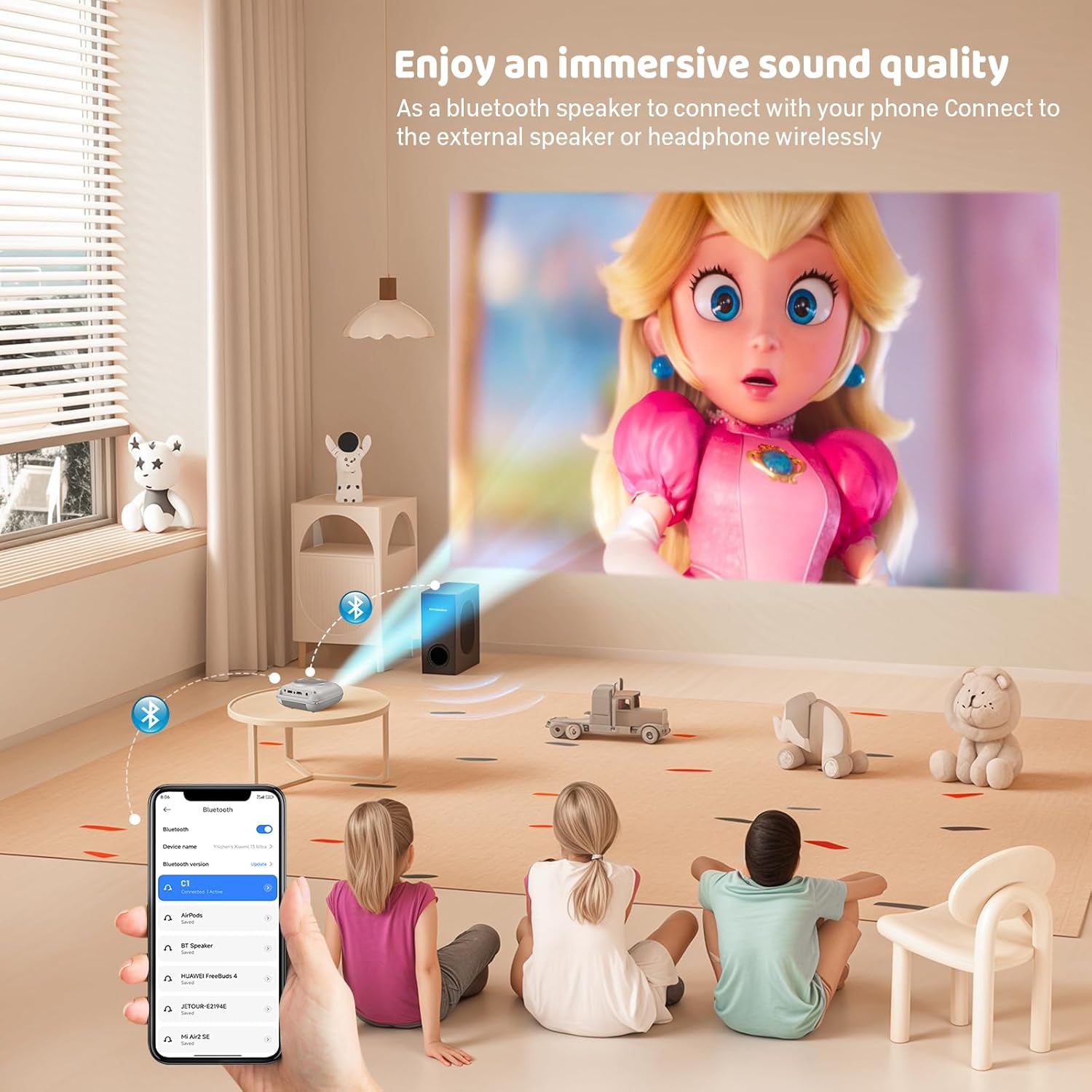
The projector has two built-in speakers for immersive sound. For a different audio experience, you can connect external speakers or headphones via the 3.5mm audio jack.
Адлюстраванне экрана
The projector supports screen mirroring for compatible devices. Refer to the on-screen instructions or the projector's menu for specific steps to enable screen mirroring from your smartphone or tablet.
6. Тэхнічнае абслугоўванне
Ачыстка аб'ектыва
Выкарыстоўвайце мяккую тканіну без ворса, спецыяльна распрацаваную для аптычных лінзаў, каб акуратна праціраць аб'ектыў праектара. Пазбягайце выкарыстання абразіўных ачышчальнікаў або тканін, якія могуць падрапаць аб'ектыў.
Cleaning the Projector Body
Працірайце знешнія паверхні праектара мяккай сухой тканінай. Не выкарыстоўвайце вадкія ачышчальнікі або растваральнікі.
Вентыляцыя
Ensure the ventilation openings are clear of dust and debris. The projector features a dual-fan cooling system to maintain optimal operating temperature and extend lamp life. Do not obstruct these vents.
Lamp жыццё
Святлодыёд lamp in your HOMPOW projector has a lifespan of approximately 60,000 hours, providing long-term use without frequent lamp замена.
7. Выпраўленне непаладак
| праблема | Магчымая прычына | Рашэнне |
|---|---|---|
| Няма выявы або выява размытая | Focus not adjusted; incorrect input source; cable not connected properly. | Adjust the focus ring; select the correct input source; check all cable connections. |
| Няма гуку | Volume too low; audio cable not connected; device audio settings. | Increase projector volume; ensure audio cables are connected; check audio output settings on the connected device. |
| Выява мае трапецападобную форму | Праектар не перпендыкулярны экрану. | Adjust the keystone correction dial or reposition the projector. |
| Пульт дыстанцыйнага кіравання не працуе | Batteries low or dead; obstruction between remote and projector. | Замяніце батарэйкі; пераканайцеся, што ІЧ-прыёмнік праектара знаходзіцца ў прамой бачнасці. |
| Праектар пераграваецца | Ventilation ports blocked. | Пераканайцеся, што ўсе вентыляцыйныя адтуліны чыстыя і не засмечаныя. |
8. Тэхнічныя характарыстыкі
- Тэхналогія адлюстравання: ВК
- Уласнае раздзяленне: 1280 х 720 пікселяў
- Падтрымліваецца дазвол: Да 1080P Full HD
- Яркасць: 6500 люмен
- Каэфіцыент кантраснасці: 3000:1
- Lamp жыццё: 60,000 гадзіны
- Памер праекцыі: 32-176 inches (Recommended: 100 inches)
- Адлегласць праекцыі: 1m - 5.2m (Recommended: 3m)
- Карэкцыя трапецеідальных скажэнняў: ±15 degrees manual
- Падключэнне: HDMI, USB, SD, AV, VGA
- Аўдыё: Built-in dual speakers, 3.5mm audio out
- Спажываная магутнасць: 48 Вт
- Памеры прадукту: 19 х 15 х 8 см
- Вага прадукту: 1.71 кг
9. Гарантыя і падтрымка
The HOMPOW Mini Projector comes with a manufacturer's warranty. Please refer to the warranty card included in your package for specific terms and conditions. For any product inquiries, technical support, or warranty claims, please contact HOMPOW customer service through the contact page on their official website or the platform where you purchased the product. Our customer support team aims to respond promptly during business hours.