
Уводзіны
This manual provides comprehensive instructions for the safe and efficient operation of your Flex DD 4G 18.0-EC Cordless Drill Driver. Please read this manual thoroughly before using the tool and keep it for future reference. Understanding the features and proper usage will ensure optimal performance and extend the lifespan of your tool.
Інфармацыя па бяспецы
Агульныя папярэджанні па тэхніцы бяспекі пры выкарыстанні электраінструментаў
- Заўсёды апранайце сродкі абароны вачэй.
- Трымайце працоўнае месца ў чысціні і добра асветленым.
- Не выкарыстоўвайце электраінструменты ў выбуханебяспечных памяшканнях, напрыклад, у прысутнасці гаручых вадкасцей, газаў або пылу.
- Падчас працы з электраінструментам не дапускайце дзяцей і навакольных.
- Пазбягайце выпадковага запуску. Перад падключэннем акумулятара, падняццем або пераноскай інструмента пераканайцеся, што выключальнік знаходзіцца ў становішчы «выключана».
- Выкарыстоўвайце правільны электраінструмент для вашага прымянення.
- Адключыце акумулятарную батарэю ад электраінструмента, перш чым рабіць якія-небудзь рэгуляванні, мяняць прыналежнасці або захоўваць электраінструмент.
- Захоўвайце невыкарыстоўваемыя электраінструменты ў месцах, недаступных дзецям, і не дазваляйце людзям, якія не знаёмыя з электраінструментам або гэтымі інструкцыямі, працаваць з ім.
- Абслугоўвайце электраінструменты. Праверце, ці няма зрушэнняў або зачаплення рухомых частак, паломкі дэталяў і любых іншых умоў, якія могуць паўплываць на працу электраінструмента.
- Карыстайцеся электраінструментам, прыладамі, насадкамі і г.д. у адпаведнасці з гэтымі інструкцыямі, з улікам умоў працы і працы, якую трэба выканаць.
Specific Drill Driver Safety Warnings
- Трымайце электраінструмент за ізаляваныя паверхні захопу, калі выконваеце аперацыі, пры якіх рэжучы прыналежнасць можа датыкацца са схаванай праводкай або ўласным шнуром.
- Заўсёды пераканайцеся, што апрацоўваемая дэталь надзейна замацаванаampрэд. або ўтрымліваўся.
- Do not force the drill. Allow the tool to work at its own pace.
- Ensure the chuck is tightened securely before operation.
Змест пакета
The Flex DD 4G 18.0-EC Cordless Drill Driver package typically includes the following items:
- Flex DD 4G 18.0-EC Cordless Drill Driver (Tool only, battery and charger sold separately)
- 1 Handle (Part No. 489.417)
- 1 Belt Clip (Part No. 467.154)
- 1 Bit Holder (Part No. 453.995)
- 1 Bit Garage (Part No. 430.862)
- 1 L-BOXX 136 Transport Case (Part No. 414.085)
- 1 Case Insert (Part No. 477.591)

An image showing the Flex DD 4G 18.0-EC Cordless Drill Driver, its auxiliary handle, and the L-BOXX 136 transport case with its insert. The drill is red and black, resting on top of the closed black L-BOXX case.
Асноўныя характарыстыкі
The Flex DD 4G 18.0-EC Cordless Drill Driver is designed for high performance and durability. Key features include:
- Electronic Management System (EMS): Protects the machine, extends service life, and increases efficiency.
- Бесщеточный рухавік: Provides higher efficiency and a longer service life.
- 4-ступеністая каробка перадач: Offers speeds up to 4200 RPM for maximum drilling and screwdriving efficiency.
- Accelerator Switch with Lock-on Function: Allows for variable speed control and continuous operation.
- Electronic Quick Brake: Stops the chuck rotation quickly for increased safety and control.
- Robust Die-Cast Aluminum Gear Housing: Ensures durability and heat dissipation.
- Metal Keyless Chuck with Auto-Lock Function: Для хуткай і лёгкай змены біт.
- Tool-Free Removable Chuck: Enhances versatility for various applications.
- Right/Left Rotation with Interlock: For both driving and removing fasteners.
- Высоўная ручка: Provides user protection even with high torque applications.
- Ergonomic Non-Slip Rubber Grip: Для камфортнага і бяспечнага кіравання.
- Убудаваны святлодыёдны святло: Асвятляе рабочую зону.
- LED Battery Capacity Display: Паказвае пакінуты зарад батарэі.
- Flex Battery System: Compatible with all 18.0 V battery packs (sold separately).
Настройка
Прымацаванне дапаможнай ручкі
The auxiliary handle provides additional control and safety, especially during high-torque applications.
- Аслабце ручку, павярнуўшы яе супраць гадзіннікавай стрэлкі.
- Slide the handle onto the front of the drill driver, positioning it for comfortable use.
- Зацягніце ручку, паварочваючы яе па гадзіннікавай стрэлцы, пакуль яна не будзе надзейна замацавана.

A close-up image of the Flex DD 4G 18.0-EC Cordless Drill Driver with its auxiliary handle attached. The handle is positioned on the front of the tool, providing an additional grip point.
Устаноўка/выдаленне акумулятара
This tool operates with Flex 18.0 V battery packs (not included).
- Ўстаноўка: Align the battery pack with the base of the tool and slide it in until it clicks into place.
- Выдаленне: Press the battery release button (usually located on the battery pack) and slide the battery pack out.
Усталёўка/выдаленне свердзелаў або адвёртак
The tool features a metal keyless chuck.
- Ўстаноўка: Rotate the chuck counter-clockwise to open the jaws. Insert the bit fully into the chuck. Rotate the chuck clockwise to tighten the jaws securely around the bit.
- Выдаленне: Rotate the chuck counter-clockwise to open the jaws and remove the bit.

A close-up image of the metal keyless chuck on the Flex DD 4G 18.0-EC Cordless Drill Driver. The chuck jaws are visible, ready to accept a drill bit or screwdriver bit.
Removable Chuck Function
The chuck can be removed without tools for specific applications or to use a bit directly in the spindle.
- Пераканайцеся, што інструмент выключаны, а акумулятар выняты.
- Rotate the chuck counter-clockwise until it detaches from the spindle.
- To reattach, align the chuck with the spindle and rotate clockwise until it locks securely.
Інструкцыя па эксплуатацыі
Уключэнне/выключэнне і кіраванне хуткасцю
- Уключэнне: Press the accelerator switch to start the tool. The speed is variable depending on the pressure applied to the switch.
- Выключэнне: Release the accelerator switch. The electronic quick brake will stop the chuck rotation.
- Lock-on Function: For continuous operation, press the accelerator switch and then engage the lock-on button (if present, typically on the side of the switch). To release, press the accelerator switch again.
Selecting Rotation Direction (Forward/Reverse)
A forward/reverse switch is located above the accelerator switch.
- Push the switch to the left for forward rotation (drilling/driving).
- Push the switch to the right for reverse rotation (removing screws/bits).
- Position the switch in the center for the lock-off position, preventing accidental starting.
Selecting Torque and Speed Settings
The tool features a torque collar and a 4-speed gearbox.
- Налада крутоўнага моманту: Rotate the torque collar to select the desired torque level (1-11) for screwdriving. The drill symbol indicates drill mode, which bypasses the clutch for maximum power.
- Налада хуткасці: Use the gear selector switch (typically on top of the tool) to choose between the four speed ranges (1, 2, 3, 4). Lower speeds are for higher torque applications (e.g., driving large screws), while higher speeds are for drilling.

A person wearing work gloves is operating the Flex DD 4G 18.0-EC Cordless Drill Driver to drill a hole into a metal sheet. The drill is held firmly with both hands, demonstrating proper usage.
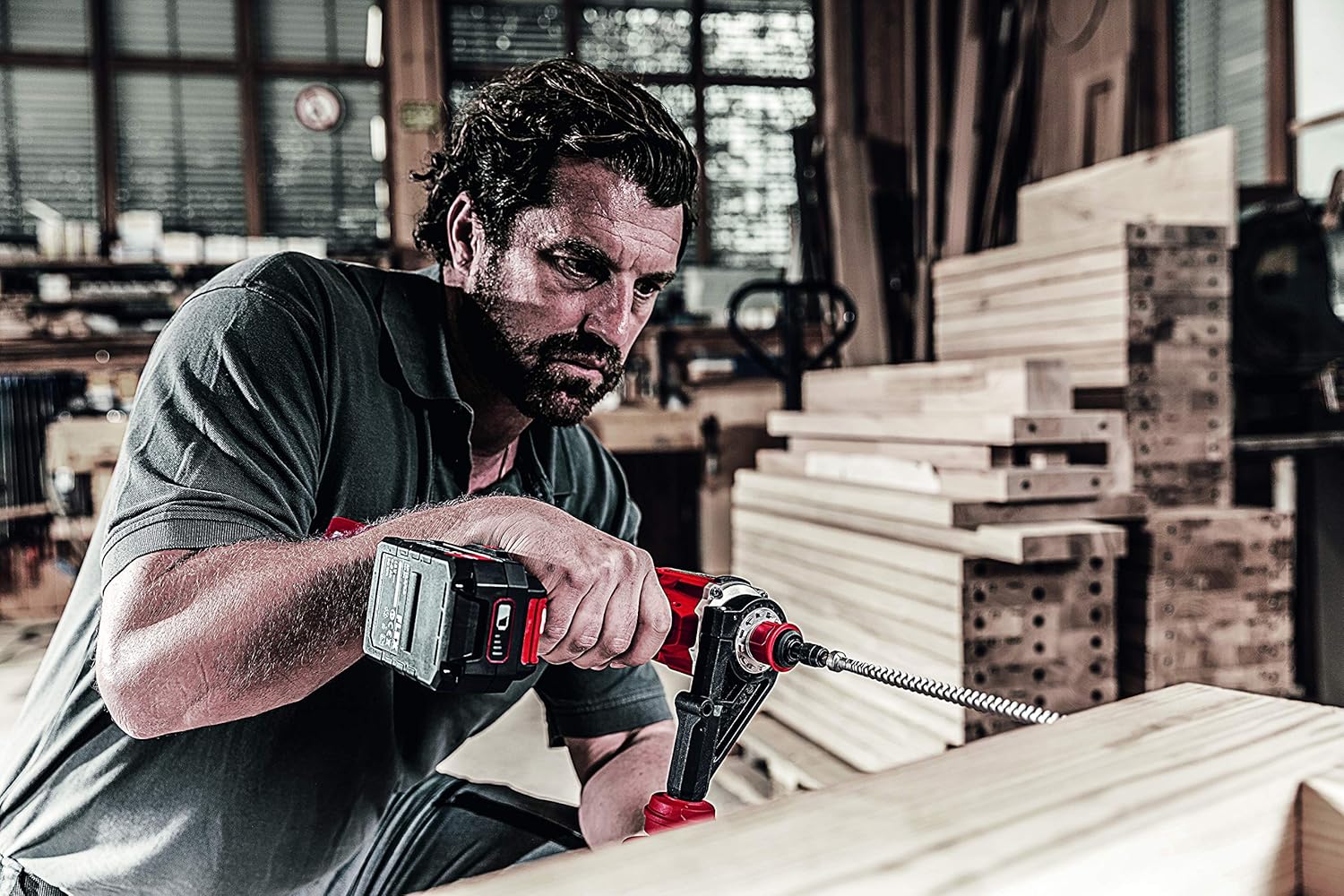
A person is using the Flex DD 4G 18.0-EC Cordless Drill Driver to drill into a wooden beam with a large auger bit. The auxiliary handle is attached, providing stability during the operation.
Тэхнічнае абслугоўванне
Генеральная ўборка
- Каб пазбегнуць перагрэву, падтрымлівайце вентыляцыйныя адтуліны інструмента ў чысціні.
- Рэгулярна чысціце корпус інструмента мяккай губкайamp тканіна. Не выкарыстоўвайце растваральнікі або абразіўныя ачышчальнікі.
- Remove any dust or debris from the chuck jaws.
Сыход за батарэяй
- Захоўвайце акумулятарныя батарэі ў прахалодным, сухім месцы, удалечыні ад прамых сонечных прамянёў і экстрэмальных тэмператур.
- Do not store battery packs fully discharged. Charge them periodically if not in use for extended periods.
- Refer to the battery pack and charger manuals for specific charging and storage instructions.
Тэхнічнае абслугоўванне патронаў
- Periodically inspect the chuck jaws for wear or damage.
- If the chuck becomes stiff, apply a small amount of dry lubricant to the jaws.
Ліквідацыю непаладак
Інструмент не запускаецца
- Пераканайцеся, што акумулятарная батарэя цалкам зараджана і правільна ўстаўлена.
- Check that the forward/reverse switch is not in the center (lock-off) position.
- Verify that the accelerator switch is being pressed firmly.
Reduced Power or Performance
- The battery pack may be low on charge. Recharge the battery.
- The selected torque setting may be too low for the application. Increase the torque setting or switch to drill mode.
- The drill bit or screwdriver bit may be dull or damaged. Replace with a sharp, appropriate bit.
- Overload protection may have activated. Allow the tool to cool down.
Chuck Not Holding Bits Securely
- Ensure the chuck is tightened firmly.
- Check for debris inside the chuck jaws. Clean if necessary.
- Inspect the chuck jaws for wear or damage. If damaged, the chuck may need replacement.
Тэхнічныя характарыстыкі
The following are the technical specifications for the Flex DD 4G 18.0-EC Cordless Drill Driver:
| Спецыфікацыя | Каштоўнасць |
|---|---|
| Акумулятар Voltage | 18 В |
| Battery Capacity (compatible) | 2.5 / 5.0 Аг |
| Max. Torque (Soft/Hard) | 64/135 Нм |
| Налады крутоўнага моманту | 11 + 1 (рэжым свідравання) |
| No-Load Speed (1st/2nd/3rd/4th Gear) | 460 / 910 / 2100 / 4200 RPM |
| Chuck Width | 1.5 - 13 мм |
| Максімальны дыяметр свідравання (сталь) | 13 мм |
| Максімальны дыяметр свідравання (дрэва) | 76 мм |
| Вага (без батарэі) | 1.5 кг |
| Памеры прадукту (Д х Ш х У) | 24 х 7.5 х 21.5 см |
| Вытворца | ФЛЕКС |
| Нумар мадэлі | 447765 |
| Крыніца харчавання | Бесправадны, працуе ад батарэек |
| Матэрыял | Метал |
Гарантыя і падтрымка
Інфармацыя аб гарантыі
Please refer to the warranty card included with your product or visit the official Flex webпадрабязныя ўмовы гарантыі глядзіце на сайце. Захоўвайце пацвярджэнне пакупкі для прэтэнзій па гарантыі.
Падтрымка кліентаў
For technical assistance, spare parts, or service, please contact Flex customer support. Contact information can typically be found on the Flex webсайце або ва ўпакоўцы прадукту.