
1. Уводзіны
Thank you for choosing the LAXIHUB 1080P Full HD Outdoor Security Camera. This device is designed to provide reliable surveillance for your outdoor spaces, featuring high-definition video, two-way audio, motion and noise detection, and robust weatherproofing. Please read this manual thoroughly before installation and use to ensure proper operation and safety.
2. Прадукт скончыўсяview
2.1 Змест пакета
- LAXIHUB Outdoor Security Camera
- Адаптар сілкавання
- Мантажныя шрубы і анкеры
- Кіраўніцтва карыстальніка
- Карта Micro SD на 32 ГБ (папярэдне ўсталяваная або ўваходзіць у камплект асобна)
2.2 Асноўныя магчымасці
- Відэа ў фармаце Full HD 1080P: Захоплівае выразныя і дэталізаваныя здымкі ежыtage.
- Падключэнне Wi-Fi 2.4G: Connects to your home network for remote access.
- IP65 Воданепранікальнасць: Designed to withstand outdoor conditions (operating temperature -20°C to 50°C / -4°F to 122°F).
- Палепшанае начное бачанне: Provides clear monitoring in low-light conditions up to 15 feet.
- Двухбаковы аўдыё: Дазваляе весці сувязь у рэжыме рэальнага часу праз камеру.
- Motion & Noise Detection: Alerts you to activity and sound.
- Лакальнае і воблачнае сховішча: Supports Micro SD card (up to 128GB, 32GB included) and optional cloud storage.
- Інтэграцыя разумнага дома: Сумяшчальнасць з Amazon Alexa і Google Assistant.
2.3 Кампаненты камеры
Азнаёмцеся з фізічнымі кампанентамі камеры:
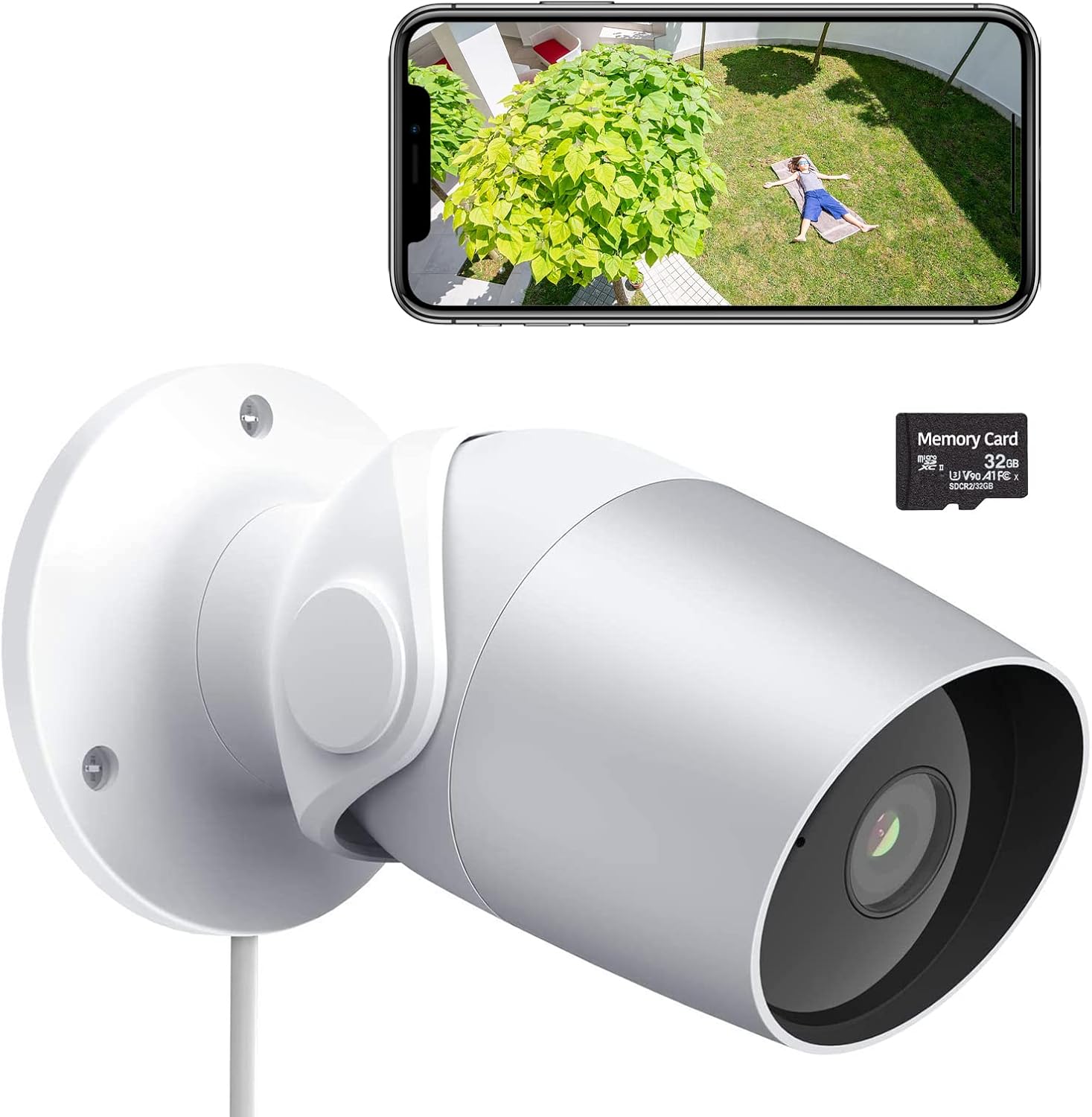
Figure 1: LAXIHUB Outdoor Security Camera with included 32GB Micro SD card and a smartphone displaying live feed.

Figure 2: Visual representation of the camera's main features.
3. Настройка
3.1 Загрузка праграмы і стварэнне ўліковага запісу
- Download the 'Arenti' app from the App Store (iOS) or Google Play Store (Android).
- Адкрыйце праграму і зарэгіструйце новы ўліковы запіс або ўвайдзіце ў сістэму, калі ён у вас ужо ёсць.
3.2 Уключэнне камеры
- Падключыце адаптар сілкавання да ўваходнага порта сілкавання камеры.
- Падключыце адаптар сілкавання да стандартнай электрычнай разеткі.
- Wait for the camera's indicator light to flash, indicating it is ready for pairing.
3.3 Падключэнне да Wi-Fi
- In the Arenti app, tap the '+' icon to add a new device.
- Выберыце мадэль вашай камеры са спісу.
- Follow the on-screen instructions to connect the camera to your 2.4GHz Wi-Fi network. Ensure your phone is connected to the same 2.4GHz network during setup.
- Адсканіруйце QR-код, які адлюстроўваецца на вашым тэлефоне, з дапамогай аб'ектыва камеры, калі будзе запытана.
- Пасля падключэння індыкатар будзе гарэць пастаянна.
3.4 Усталёўка карты Micro SD
The camera supports a Micro SD card up to 128GB for local storage. A 32GB card is typically included.
- Locate the Micro SD card slot on the camera (refer to the product diagram if needed).
- Акуратна ўстаўце карту Micro SD у слот залацістымі кантактамі ўніз, пакуль яна не зафіксуецца са шчоўкам.
- In the app, navigate to camera settings and format the SD card for optimal performance.
3.5 Мантаж камеры
The camera is designed for wall mounting.
- Choose a suitable location for mounting, ensuring a clear field of view і доступ да электрычнай разеткі.
- Use the included mounting template (if provided) or mark the screw holes on the wall.
- Drill pilot holes and insert wall anchors if mounting into drywall or masonry.
- Secure the camera's mounting base to the wall using the provided screws.
- Адрэгулюйце кут камеры па меры неабходнасці для аптымальнага пакрыцця.
4. Кіраванне камерай
4.1 У прамым эфіры View і прайграванне
- Open the Arenti app and select your camera to view жывы канал.
- Выкарыстоўвайце функцыю прайгравання, каб паўторнаview запісана footagзахоўваюцца на SD-карце або ў воблаку.
4.2 Motion and Noise Detection

Figure 3: The camera's AI-powered human motion and sound detection capabilities.
- In the app settings, enable and configure motion and noise detection sensitivity.
- Set up detection zones to focus on specific areas.
- Receive push notifications on your smartphone when activity is detected.
4.3 Двухбаковае аўдыё

Малюнак 4: Выпample of two-way audio functionality for communication.
- У жывым эфіры view, tap the microphone icon to speak through the camera.
- Націсніце на значок дынаміка, каб пачуць гук з месцазнаходжання камеры.
4.4 Начное бачанне
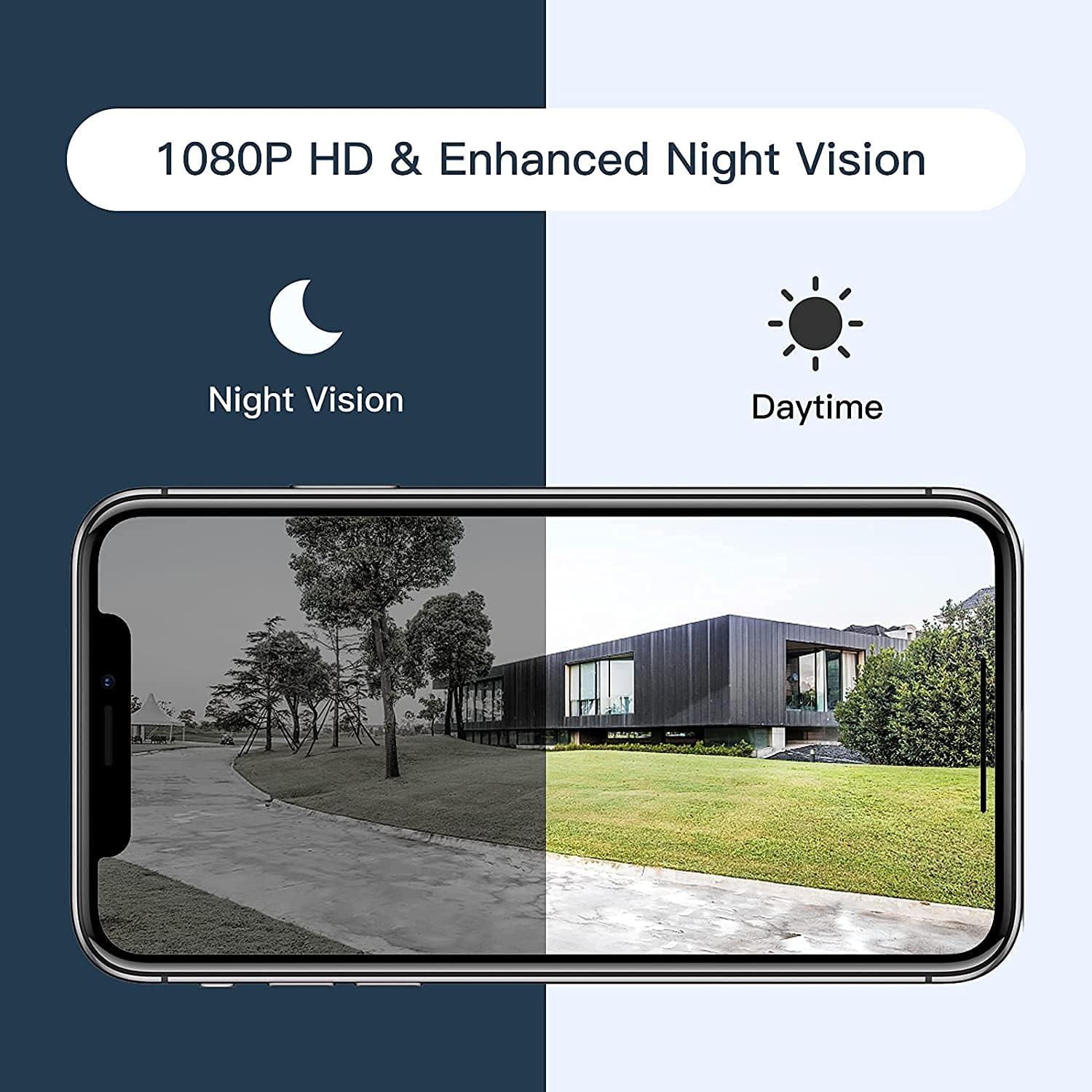
Figure 5: Comparison of daytime and night vision footage.
Камера аўтаматычна пераключаецца ў рэжым начнога бачання ва ўмовах нізкай асветленасці, забяспечваючы выразнае чорна-белае відэа.
4.5 Інтэграцыя разумнага дома

Figure 6: The camera's compatibility with Amazon Alexa for voice control and viewінж.
- To connect with Amazon Alexa or Google Assistant, follow the instructions in the Arenti app's integration section.
- Пасля падключэння вы можаце выкарыстоўваць галасавыя каманды для view відэа з камеры на сумяшчальных разумных дысплеях.
4.6 Сумесны доступ

Figure 7: The camera supports sharing live view access with multiple family members.
You can share access to your camera's live feed with family members through the Arenti app. Navigate to the camera settings and select the sharing option to invite others.
5. Тэхнічнае абслугоўванне
- Уборка: Regularly wipe the camera lens with a soft, dry cloth to ensure clear image quality. Do not use harsh chemicals.
- Абнаўленні прашыўкі: Check the Arenti app periodically for available firmware updates. Keeping your camera's firmware updated ensures optimal performance and security.
- Падключэнне сілкавання: Ensure the power cable and adapter are securely connected and free from damage.
- Абарона ад надвор'я: While IP65 rated, avoid directing high-pressure water jets directly at the camera. Ensure the power connection point is protected from excessive moisture.
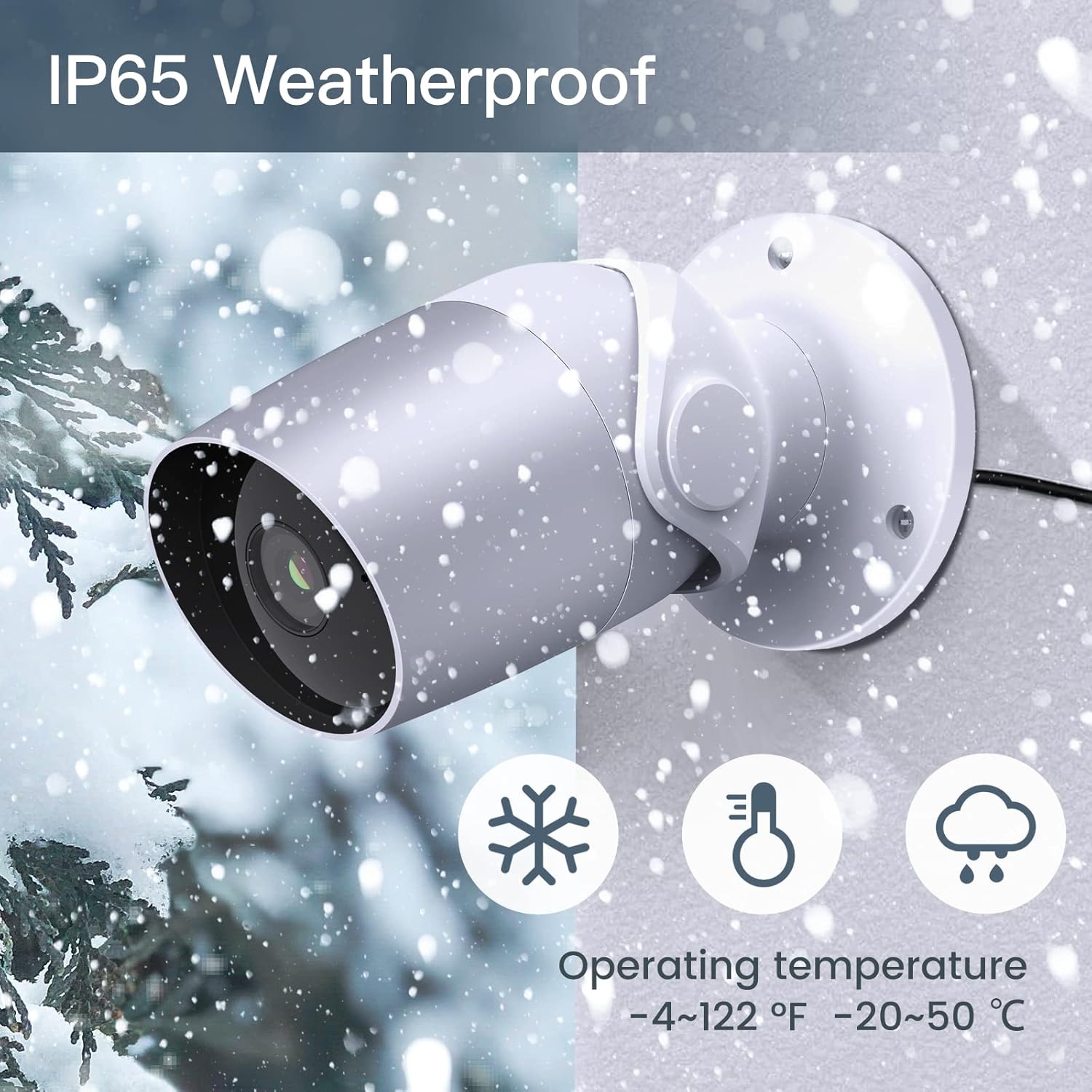
Figure 8: The camera's IP65 weatherproof rating ensures durability in various outdoor conditions.
6. Выпраўленне непаладак
- Камера не ўключаецца: Ensure the power adapter is correctly connected to the camera and a working power outlet. Try a different outlet or adapter if available.
- Не магу падключыцца да Wi-Fi:
- Пераканайцеся, што ваша сетка Wi-Fi працуе на частаце 2.4 ГГц. Камера не падтрымлівае Wi-Fi на частаце 5 ГГц.
- Праверце правільны пароль ад Wi-Fi.
- Move the camera closer to your Wi-Fi router during setup.
- Reset the camera (refer to the app or product for reset button location) and try pairing again.
- Дрэнная якасць відэа:
- Check your Wi-Fi signal strength. A weak signal can affect video streaming.
- Ачысціце аб'ектыў камеры.
- Motion/Noise detection not working:
- Ensure detection is enabled in the app settings.
- Адрэгулюйце ўзроўні адчувальнасці.
- Verify notification permissions for the Arenti app on your smartphone.
- Праблемы з двухбаковым аўдыё:
- Праверце налады гучнасці на тэлефоне і ў дадатку.
- Ensure your phone's microphone is enabled for the Arenti app.
7. Тэхнічныя характарыстыкі
| Асаблівасць | Спецыфікацыя |
|---|---|
| Дазвол відэазахопу | 1080p Full HD |
| Пратакол злучэння | Wi-Fi (толькі 2.4 ГГц) |
| Міжнародны рэйтынг абароны | IP65 да атмасферных уздзеянняў |
| Viewing кут | 110 градусаў |
| Дыяпазон начнога бачання | 15 футаў |
| Частата кадраў | 25 кадраў у секунду |
| Крыніца харчавання | Электрычны шнур (12 вольт пастаяннага току, 4.5 Вт) |
| Захоўванне | Micro SD Card (up to 128GB, 32GB included), Cloud Storage |
| Тып абвесткі | Audio and Motion Detection |
| Сумяшчальныя прылады | Смартфон, Amazon Alexa, Google Assistant |
| Працоўная тэмпература | -20°C да 50°C (-4°F да 122°F) |
| Памеры прадукту | 8 х 3.66 х 6 цалі |
| Вага прадмета | 14.1 унцыі |
8. Інфармацыя аб гарантыі
Specific warranty details for your LAXIHUB Security Camera may vary by region and retailer. Please refer to the warranty card included with your product or contact LAXIHUB customer support directly for detailed information regarding warranty coverage and terms.
9. Падтрымка кліентаў
If you encounter any issues or have questions not covered in this manual, please contact LAXIHUB customer support through the Arenti app or visit the official LAXIHUB website for assistance. You may also refer to the seller's support channels if purchased through a third-party retailer.