
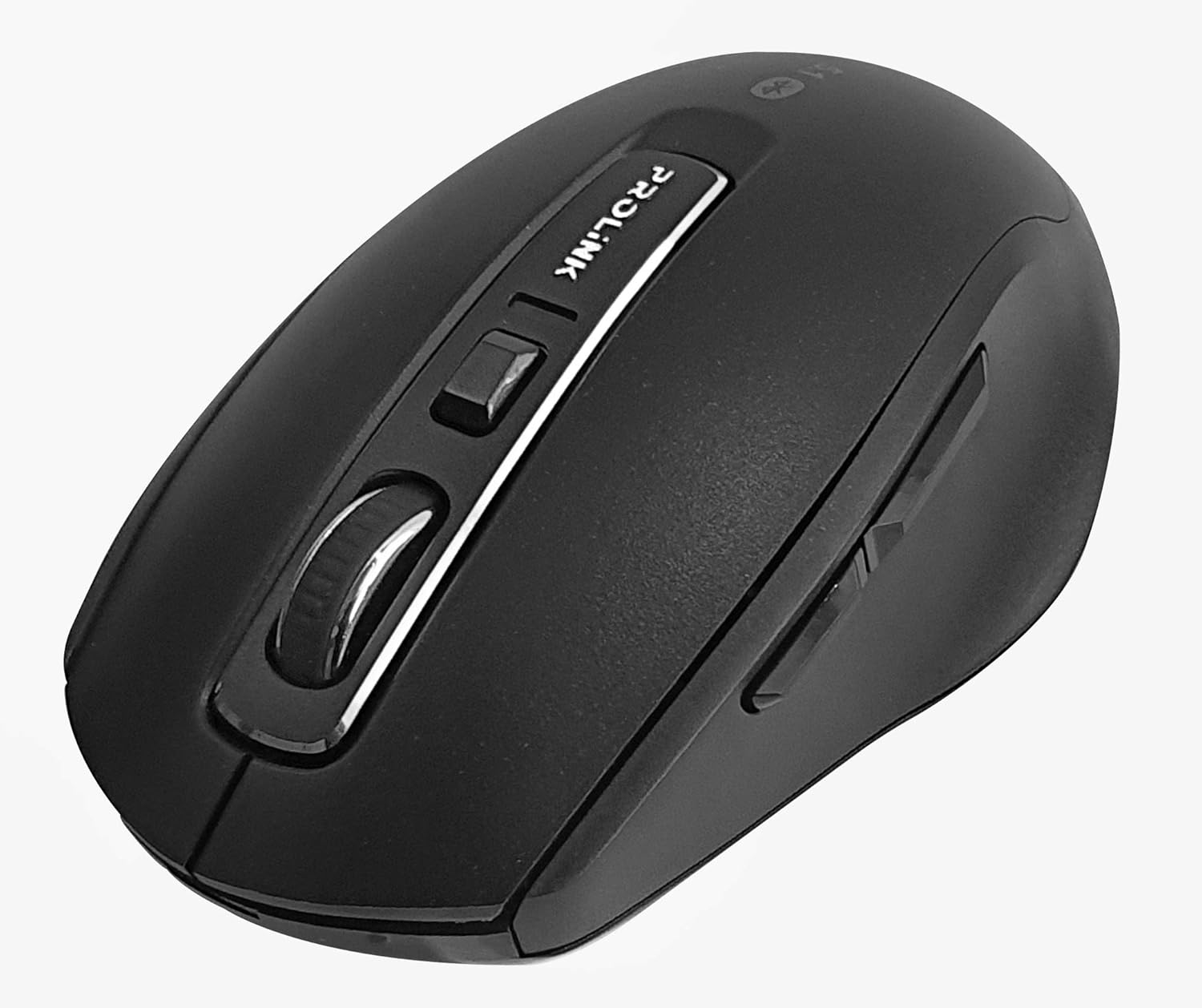
Выява: зверху ўніз view of the Prolink PMB8502 Bluetooth Wireless Optical Mouse.
1. Уводзіны і большview
The Prolink PMB8502 Bluetooth Mouse is designed for seamless wireless control of your desktop, laptop, or tablet. It features Bluetooth 5.2 connectivity, an ergonomic design, and adjustable DPI settings for personalized comfort and precision. This manual provides detailed instructions for setup, operation, maintenance, and troubleshooting.
Асноўныя характарыстыкі:
- Bluetooth 5.2 connectivity (backward compatible with 5.1/5.0/4.2/4.1/4.0)
- Up to 27 months battery life (based on supplied batteries)
- Рэгуляваны DPI: 800/1200/1600
- 6-button design including back and forward buttons
- Эрганамічны дызайн для зручнага выкарыстання
- Operating range of up to 10 meters

Image: Prolink PMB8502 mouse highlighting its Bluetooth 5.2, battery life, DPI, and range features.
2. Змесціва ўпакоўкі
- Prolink PMB8502 Bluetooth Wireless Optical Mouse
- 1 батарэйка тыпу АА (папярэдне ўсталяваная або ўваходзіць асобна)
- Кіраўніцтва карыстальніка (гэты дакумент)
3. Інструкцыі па ўсталёўцы
3.1. Устаноўка батарэі
- Знайдзіце вечка адсека для батарэй на ніжняй частцы мышы.
- Акуратна зрушце або падніміце вечка, каб адкрыць адсек.
- Устаўце адну батарэйку тыпу АА, пераканаўшыся, што станоўчая (+) і адмоўная (-) клемы правільна сумяшчаюцца з пазнакамі ўнутры адсека.
- Зачыніце вечка батарэйнага адсека, пакуль яна надзейна не зашчоўкнецца.
3.2. Спарванне Bluetooth
Before pairing, ensure your device (computer, laptop, tablet) has Bluetooth enabled.
- Уключыце мыш з дапамогай перамыкача ўкл./выкл., размешчанага на ніжняй панэлі.
- Press and hold the Bluetooth 'Connect' button (usually located near the On/Off switch or within the battery compartment) for 3-5 seconds until the LED indicator on the mouse begins to flash, indicating it is in pairing mode.
- На прыладзе перайдзіце да налад Bluetooth.
- Пошук new devices. The mouse should appear as "Prolink PMB8502" or similar.
- Select the mouse from the list to complete the pairing process. The LED indicator on the mouse will stop flashing and remain solid for a few seconds, then turn off, indicating a successful connection.

Выява: спераду view of the Prolink PMB8502 mouse, showing its ergonomic shape.
4. Інструкцыя па эксплуатацыі
4.1. Функцыі кнопак
- Левая кнопка мышы: Стандартны выбар і актывацыя.
- Правая кнопка мышы: Доступ да кантэкстных меню.
- Кола пракруткі: Пракручвае дакументы і web pages vertically. Can also be pressed for middle-click functionality.
- Кнопка рэгулявання DPI: Located below the scroll wheel. Press to cycle through DPI settings (800/1200/1600).
- Кнопка "Наперад": Перамяшчаецца наперад web браўзэры або file даследчыкі.
- Кнопка "Назад": Пераходзіць назад у web браўзэры або file даследчыкі.

Выява: Збоку view of the Prolink PMB8502 mouse, illustrating the placement of the back and forward navigation buttons.
4.2. Рэгуляванне DPI
The mouse offers three DPI (Dots Per Inch) settings: 800, 1200, and 1600. Press the DPI button located below the scroll wheel to switch between these sensitivities. A higher DPI setting results in faster cursor movement across the screen.
4.3. Кіраванне харчаваннем
- Перамыкач уключэння/выключэння: To conserve battery life, turn off the mouse using the switch on its underside when not in use for extended periods.
- Аўтаматычны рэжым сну: The mouse automatically enters a sleep mode after more than 10 minutes of inactivity. To wake it up, simply move the mouse or click any button.
5. Тэхнічнае абслугоўванне
5.1. Уборка
Для чысткі мышы выкарыстоўвайце мяккую, сухую тканіну без ворса. Для ўстойлівага бруду злёгкуampen the cloth with water or a mild cleaning solution. Avoid using harsh chemicals, abrasive cleaners, or spraying liquids directly onto the mouse.
5.2. Замена батарэі
When the mouse performance degrades or the LED indicator suggests low battery, replace the AA battery following the steps in Section 3.1. Dispose of used batteries responsibly according to local regulations.
6. Выпраўленне непаладак
- Mouse not connecting or erratic movement:
- Пераканайцеся, што мыш уключана.
- Праверце ўзровень батарэі і пры неабходнасці заменіце яе.
- Пераканайцеся, што Bluetooth уключаны на вашай прыладзе.
- Try re-pairing the mouse with your device (refer to Section 3.2).
- Move the mouse closer to your device to rule out range issues.
- Ensure there are no other strong wireless signals interfering with the Bluetooth connection.
- Cursor not moving smoothly:
- Ачысціце аптычны датчык на ніжняй частцы мышы.
- Выкарыстоўвайце мыш на чыстай, небліскучай паверхні.
- Адрэгулюйце DPI на ўзровень, які вам падыходзіць.
- Кнопкі не рэагуюць:
- Праверце ўзровень батарэі.
- Ensure the mouse is properly connected via Bluetooth.
- Перазагрузіце камп'ютар або прыладу.
7. Тэхнічныя характарыстыкі
| Асаблівасць | Дэталь |
|---|---|
| Гузікі | 6 |
| Датчык | Аптычны |
| Дазвол DPI | 800 / 1200 / 1600 DPI |
| Інтэрфейс | Bluetooth 5.2 (backward compatible with Bluetooth 5.1/5.0/4.2/4.1/4.0) |
| Хуткасць справаздач USB | 125 Гц |
| FPS | 2400 разоў/сек |
| Працоўная вільготнасць | 30%RH - 95%RH |
| Працоўная тэмпература | -20°C - +60°C |
| Аперацыйная сістэма | Windows 7 / 10 / 11, Mac OS 10.2 above |
| Памеры (Д х Ш х У) | 108 мм x 66.7 мм x 40.2 мм |
| Вага | 69.2g (product only) |
| Тып батарэі | 1 х АА батарэя |

Image: Graphic displaying the technical specifications of the Prolink PMB8502 mouse.
8. Гарантыя і падтрымка
The Prolink PMB8502 Bluetooth Wireless Optical Mouse typically comes with a Гарантыя 3 год from the date of purchase. Please refer to your purchase receipt or the official Prolink website for specific warranty terms and conditions applicable in your region.
For technical support, troubleshooting assistance, or warranty claims, please visit the official Prolink website or contact their customer service department. Contact information can usually be found on the product packaging or the Prolink official webсайт.
Інтэрнэт-рэсурсы:

Image: Prolink PMB8502 mouse with a "3 Year Warranty" label, indicating product assurance.