
Уводзіны
The Amazon Basics DisplayPort to HDMI Female Converter allows you to connect a computer or other device with a DisplayPort output to an HDMI-equipped display, such as an HDTV, monitor, or projector. This adapter supports video resolutions up to 4K at 60Hz, providing a high-quality visual experience. It is a uni-directional converter, meaning it converts signals from DisplayPort to HDMI only.

Image: The Amazon Basics DisplayPort to HDMI Female Converter, showing both the DisplayPort male connector and the HDMI female port on the adapter.
Асноўныя характарыстыкі
- Падтрымка высокага дазволу: Supports video resolutions up to 4K@60Hz for clear and vibrant visuals.
- Аднанакіраванае пераўтварэнне: Converts signal from DisplayPort (DP) to HDMI only. Not bi-directional.
- Шырокая сумяшчальнасць: Connects computers with DisplayPort to HDMI-equipped HDTVs, monitors, or projectors.
- Plug & Play: No external power adapter or driver installation required for operation.
- DisplayPort Standards: Supports both Standard DisplayPort (DP) and Dual-Mode DisplayPort (DP++).
Змест пакета
- 1 x Amazon Basics DisplayPort to HDMI Female Converter (Model DP12-UH01)
- Note: An HDMI cable is required and sold separately.
Інструкцыя па наладзе
Follow these steps to connect your DisplayPort source device to an HDMI display:
- Вызначыць парты: Ensure your computer or source device has a DisplayPort output and your display has an HDMI input. This adapter is not compatible with USB ports.
- Падключэнне DisplayPort: Insert the male DisplayPort connector of the adapter into the DisplayPort output on your computer.
- Падключыце кабель HDMI: Take your HDMI cable (not included) and plug one end into the HDMI female port on the converter.
- Падключэнне да дысплея: Plug the other end of the HDMI cable into the HDMI input port on your HDTV, monitor, or projector.
- Уключэнне: Power on both your computer and your display. The display should automatically detect the signal. If not, manually select the correct HDMI input on your display.
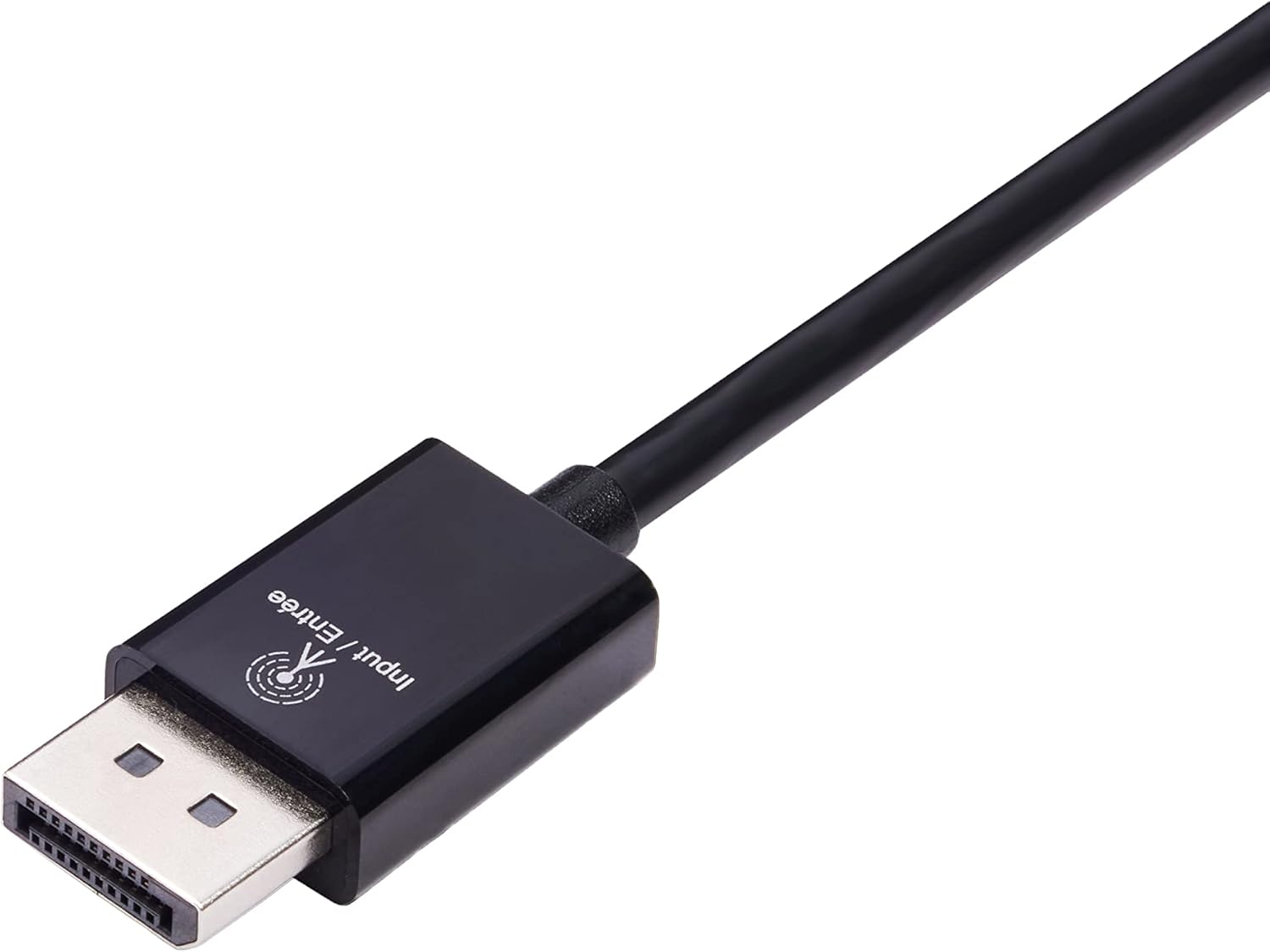
Image: Close-up of the DisplayPort male connector, labeled "Input / Entrée".
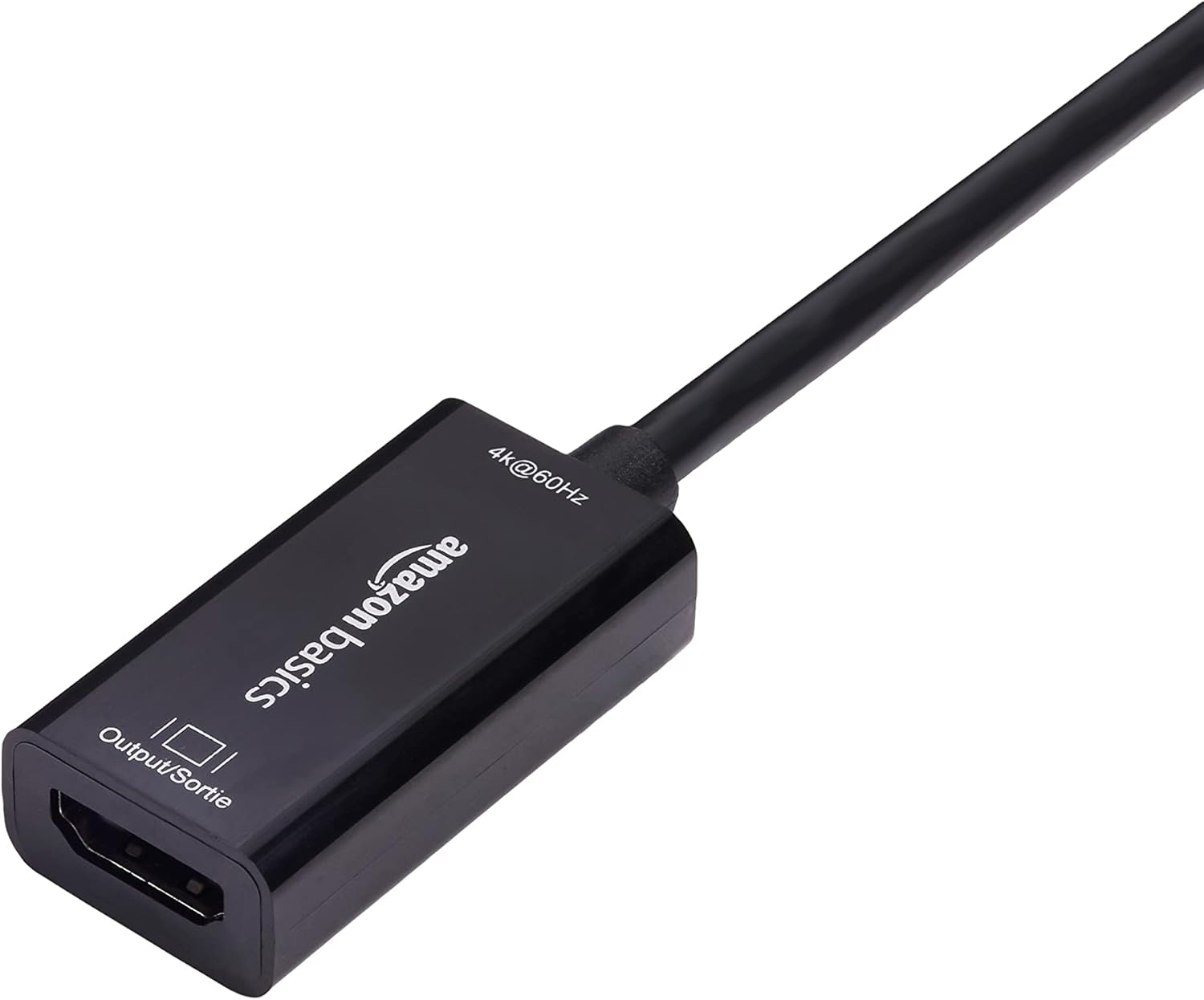
Image: Close-up of the HDMI female port on the converter, labeled "Output / Sortie".
The adapter is plug-and-play, requiring no additional software or drivers.

Image: The DisplayPort to HDMI converter connected to a laptop's DisplayPort, with an HDMI cable ready to connect to a display.
Інструкцыя па эксплуатацыі
Once connected, the Amazon Basics DisplayPort to HDMI Female Converter operates automatically. Your computer's operating system should detect the connected display and extend or duplicate your desktop as configured in your display settings.
- Налады дысплея: To adjust resolution, refresh rate, or display mode (extend/duplicate), access your computer's display settings. For Windows, right-click on the desktop and select "Display settings." For macOS, go to "System Preferences" > "Displays."
- Перадача аўдыё: This adapter supports audio transmission from DisplayPort to HDMI. Ensure your computer's sound output is set to the HDMI display if you wish to use its speakers.
Догляд і абслугоўванне
To ensure the longevity and optimal performance of your converter:
- Захоўвайце адаптар у сухім месцы, удалечыні ад вільгаці і экстрэмальных тэмператур.
- Пазбягайце празмернага згінання або скручвання кабеля.
- Clean the connectors periodically with a dry, lint-free cloth to prevent dust buildup.
- Не спрабуйце разбіраць або рамантаваць адаптар самастойна.
Ліквідацыю непаладак
| праблема | Рашэнне |
|---|---|
| Няма адлюстравання на маніторы. |
|
| Resolution or refresh rate issues (e.g., not 4K@60Hz). |
|
| No audio from the display. |
|
| Adapter not working with a USB port. | This adapter is designed for DisplayPort outputs only and is not compatible with USB ports. Please ensure your computer has a dedicated DisplayPort. |

Image: A compatibility chart illustrating that the adapter works with PCs with DisplayPort, HDMI TVs, and projectors, but not with computer USB ports.
Тэхнічныя характарыстыкі
| Асаблівасць | Дэталь |
|---|---|
| Нумар мадэлі | DP12-UH01 |
| Тып раздыма | DisplayPort (мужчынскі) - HDMI (жанчынскі) |
| Максімальная дазвол | 4K @ 60 Гц |
| Напрамак | Uni-directional (DisplayPort to HDMI only) |
| Сумяшчальныя прылады | Computers with DisplayPort, HDTVs, Monitors, Projectors |
| Колер | Чорны |
| Памеры прадмета (Д х Ш х У) | 1.8 х 0.75 х 0.55 цалі (4.57 х 1.91 х 1.4 см) |
| Вага прадмета | 0.8 унцыі (22.68 грам) |
| Уваходны кнtage | 20 вольт |
| Бягучы рэйтынг | 1 Amps |
| Тып сілкавання | No Plug (Bus-powered) |

Image: A diagram illustrating the approximate dimensions of the converter, showing a length of 9 inches (22.86 cm) for the cable and adapter combined.
Інфармацыя аб гарантыі
This Amazon Basics DisplayPort to HDMI Female Converter is covered by a 1-гадовая абмежаваная гарантыя provided by Amazon Basics. For details regarding warranty claims and terms, please refer to the official Amazon Basics warranty policy or contact customer support.
Падтрымка кліентаў
For further assistance, technical support, or warranty inquiries, please visit the official Amazon Basics support page or contact Amazon customer service directly. You can typically find support contact information on the Amazon website under the "Help" or "Customer Service" sections.