
iTouchless LIDMX
iTouchless Sensor Trash Can Lid Replacement User Manual
Model: LIDMX | Brand: iTouchless
Уводзіны
This manual provides detailed instructions for the iTouchless Sensor Trash Can Lid Replacement, designed to seamlessly integrate with various iTouchless trash can models including IT13MX, IT13MXL, DZT13P, DZT13PL, DZT13M, DZT08P, and DZT08PL. This replacement lid features advanced sensor technology for hygienic, touchless operation and enhanced functionality.

Figure 1: iTouchless Sensor Trash Can Lid Replacement
Асноўныя характарыстыкі
- Perfect Compatibility: Designed as a direct replacement for iTouchless models IT13MX, IT13MXL, DZT13P, DZT13PL, DZT13M, DZT08P, and DZT08PL.
- Удасканаленая сэнсарная тэхналогія: Features VisioSense and Reflx Technology for precise, touchless operation and prevention of accidental lid closure.
- 100% Touchless & Hygienic: Automatic lid opening with hand motion, promoting a sanitary environment.
- Soft & Silent Closure: Engineered for quiet and gentle lid closing.
- PetGuard Lock: Patent-pending feature to prevent pets from opening the lid.
- Універсальныя параметры харчавання: Operates on 4 D size batteries (not included) for up to 1.5 years, or an optional Official iTouchless AC Adapter (sold separately).
- Прэміум-функцыі: Includes Stay-Open Mode for extended use, manual Open and Close buttons, and an easy-access on/off switch.
- Трывалы дызайн: Constructed from durable plastic for long-lasting and reliable performance.
Настройка
1. Устаноўка батарэі
The lid requires 4 D size batteries (not included). Locate the battery compartment on the underside of the lid. Insert the batteries according to the polarity indicators (+/-). Ensure the battery compartment cover is securely closed after installation.

Figure 2: Battery Compartment and Power Options
2. Attaching the Lid
Carefully align the replacement lid with the top rim of your iTouchless trash can. Gently press down until it sits securely. The lid is designed for a precise fit with compatible models.

Figure 3: Lid Designed for Perfect Fit
3. Уключэнне
Locate the on/off switch, typically found on the back or side of the lid. Flip the switch to the "ON" position. The sensor will activate, and the lid is ready for use.
Аперацыя
1. Аўтаматычная праца датчыка
To open the lid automatically, simply wave your hand or an object within the sensor's range (typically above the sensor eye). The lid will open smoothly and quietly. It will remain open for a few seconds and then close automatically. VisioSense and Reflx Technology prevent the lid from closing on your hand.

Figure 4: 100% Automatic Open Feature
2. Manual Open and Close Buttons
For extended open time or manual control, use the "OPEN" and "CLOSE" buttons located on the front of the lid. Press "OPEN" to keep the lid open indefinitely (Stay-Open Mode). Press "CLOSE" to close the lid manually.
Відэа 1: Скончанаview of iTouchless Trash Cans & Waste Receptacles with Odor Control. This video demonstrates the touchless operation and features of iTouchless trash cans, including the lid's functionality.
3. Замак PetGuard
The PetGuard lock feature helps prevent pets from accidentally opening the lid. Engage the lock mechanism (refer to the specific location on your lid, usually a small switch near the sensor) to disable the automatic sensor temporarily.
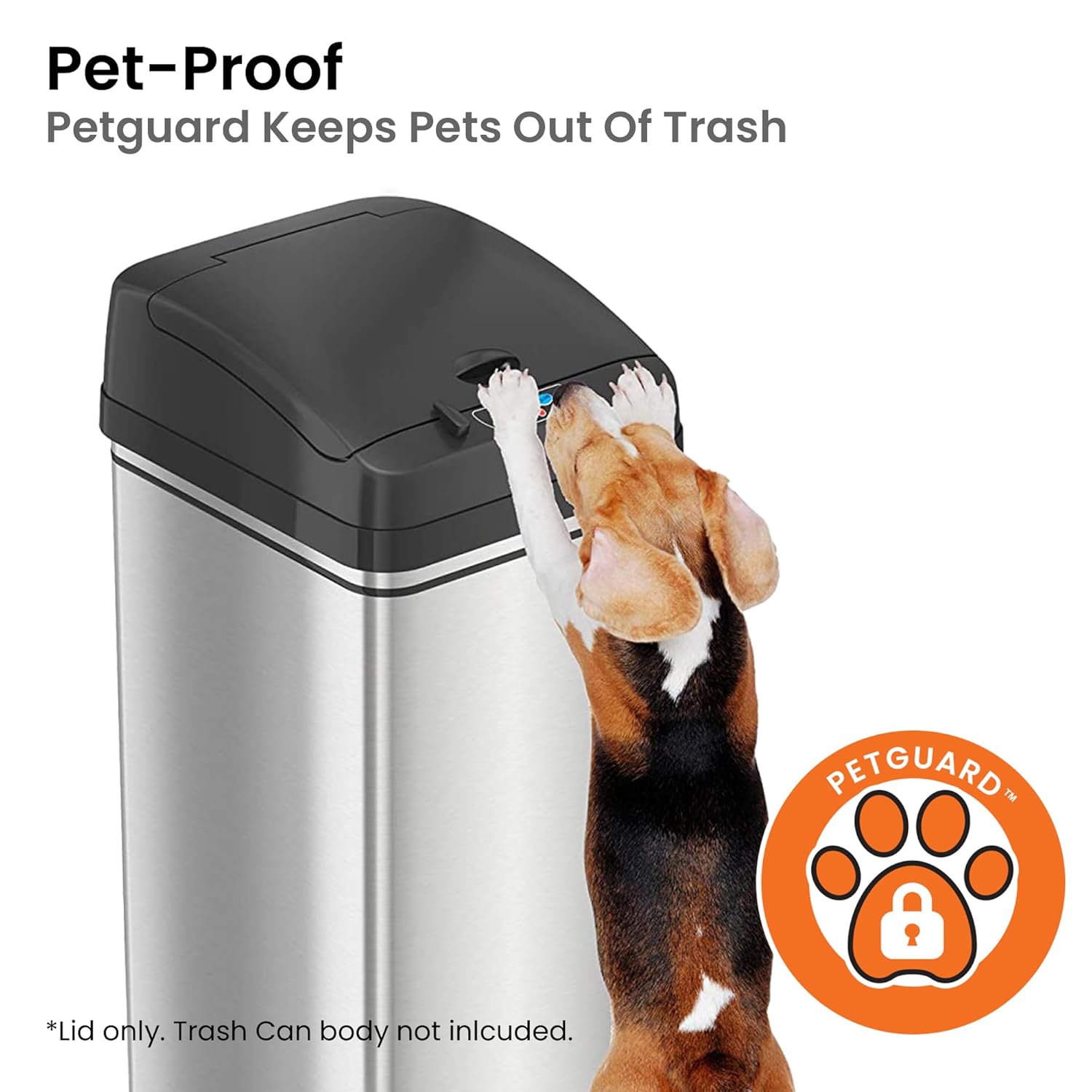
Figure 5: Pet-Proof Feature with PetGuard
Тэхнічнае абслугоўванне
1. Cleaning the Lid
To clean the lid, wipe it with a soft, damp cloth. Avoid using abrasive cleaners or harsh chemicals, as they may damage the surface or electronic components. Ensure the sensor area is kept clean and free from obstructions for optimal performance.
2. Odor Filter Replacement
Some iTouchless models feature an odor filter compartment within the lid. Regularly check and replace the odor filter to maintain fresh air and prevent odors. Refer to your specific trash can model's instructions for filter replacement details.

Figure 6: Odor Filter Installation
Video 2: iTouchless 13 Gal Sensor Kitchen Trash Can with Odor Filter. This video highlights the odor filter feature and its benefits for maintaining a fresh environment.
Ліквідацыю непаладак
If you experience any issues with your iTouchless Sensor Trash Can Lid, please refer to the official Troubleshooting Guide for detailed solutions. Common issues include sensor unresponsiveness or lid not closing properly.
For a comprehensive troubleshooting guide, please download the PDF document available on the product's Amazon page or the iTouchless webсайт: Кіраўніцтва па ліквідацыі непаладак (PDF).
Тэхнічныя характарыстыкі
| Памеры прадукту | 11 х 13 х 5 цалі; 2.05 фунтаў |
| Нумар мадэлі тавару | LIDMX |
| Вытворца | iTouchless |
| Матэрыял | Пластыкавыя |
| Колер | Black Lid |
| Механізм адчынення | Датчык руху |
| Рэкамендуемае выкарыстанне | Indoor (Bathroom, Kitchen) |
| Крыніца харчавання | 4 D size batteries (not included) or optional AC Adapter (sold separately) |

Малюнак 7: Памеры вырабу
Гарантыя і падтрымка
iTouchless is committed to ensuring customer satisfaction. For any questions, feedback, or warranty inquiries, please reach out to our dedicated U.S.-based Customer Service Team. Contact information can be found on the official iTouchless webсайт.
Avoid using non-iTouchless brand AC Adapters, as they may void the product warranty.