
Уводзіны
Thank you for choosing the iTouchless 4 Gallon Slim Sensor Trash Can. This automatic wastebasket is designed for convenience and hygiene, featuring touchless operation and an AbsorbX Odor Control System. This manual provides detailed instructions for setup, operation, maintenance, and troubleshooting to ensure optimal performance of your new trash can.

Image: The iTouchless 4 Gallon Slim Sensor Trash Can, showcasing its brushed stainless steel finish and sleek design.
Змест пакета
Калі ласка, пераканайцеся, што ўсе прадметы прысутнічаюць у камплекце:
- 1 датчык вечка смеццевага вядра
- 1 Корпус смеццевага бака
- 1 фільтр пахаў AbsorbX
Настройка
1. Устаноўка батарэі
Your sensor trash can requires 4 'C' size batteries (not included). Ensure correct polarity when inserting the batteries.
- Знайдзіце батарэйны адсек на ніжняй частцы вечка.
- Адкрыйце крышку батарэйнага адсека.
- Insert 4 'C' size batteries, matching the positive (+) and negative (-) terminals as indicated.
- Надзейна зачыніце крышку батарэйнага адсека.
Image: An icon representing a 'C' size battery, indicating the type of batteries required.
2. Усталёўка фільтра паху AbsorbX
The AbsorbX Odor Filter helps neutralize trash odors for a fresh environment.
- Знайдзіце адсек для фільтра на ніжняй частцы вечка.
- Insert the AbsorbX odor filter into the designated slot.
- Ensure the filter is seated properly.
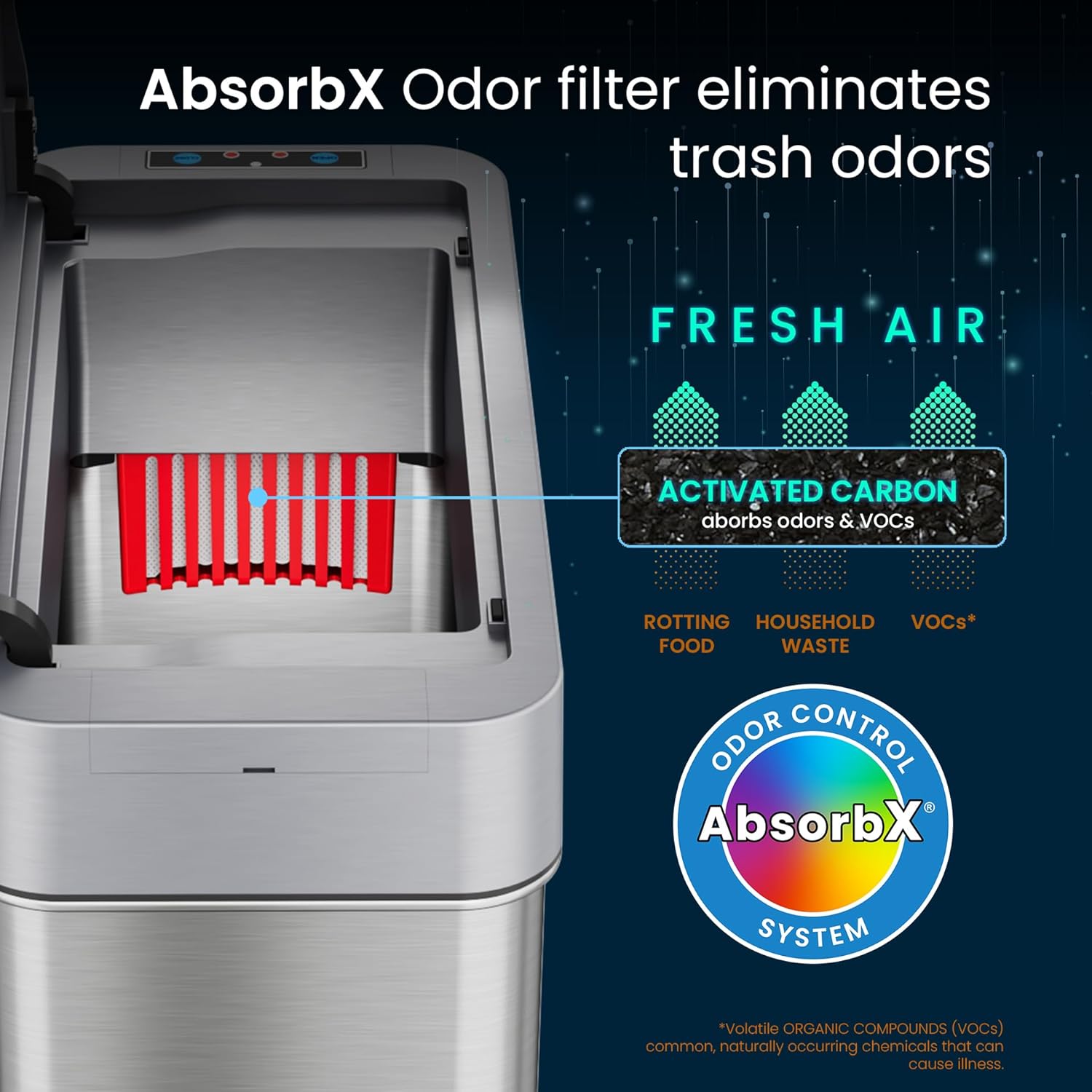
Image: A diagram illustrating the AbsorbX Odor Control System, showing how the activated carbon filter absorbs odors and VOCs.
3. размяшчэнне
This model features a right-side lid opening, designed for optimal placement next to a toilet or sink where the bin is on the right side when facing the fixture.
- Place the trash can in your desired location, ensuring the sensor is unobstructed.
- Allow sufficient space for the lid to open fully to the right.

Image: The slim sensor trash can positioned neatly between a toilet and a bathroom vanity, demonstrating its space-saving design.

Image: A diagram illustrating the right-side lid opening mechanism, showing the lid pivoting open to the right.
Інструкцыя па эксплуатацыі
1. Automatic Lid Operation
The trash can features a motion sensor for touchless operation.
- Адкрыццё вечка: Wave your hand or an object within 6 inches (15 cm) above the sensor eye. The lid will open automatically.
- Закрыццё вечка: Вечка аўтаматычна зачыніцца праз 5 секунд бяздзейнасці.
- VisioSense Technology: If your hand remains within the sensor's range, the lid will stay open for longer clean-ups.
- Reflux Technology: This feature prevents the lid from closing on your hand, ensuring safety during use.

Image: A hand hovering over the sensor of the trash can, with the lid automatically opening, indicated by blue wave icons.
2. Ручное адкрыццё/закрыццё
For extended open times or manual control, use the buttons on the sensor panel.
- Press the 'OPEN' button to keep the lid open indefinitely.
- Press the 'CLOSE' button to close the lid manually.
3. Кіраванне харчаваннем
The trash can is equipped with an on/off switch, typically located near the battery compartment or on the back of the lid unit.
- Turn the power switch to 'ON' for automatic sensor operation.
- Turn the power switch to 'OFF' to disable the sensor and conserve battery life when not in use for extended periods.
Тэхнічнае абслугоўванне
1. Уборка
Паверхня з нержавеючай сталі ўстойлівая да адбіткаў пальцаў і лёгка чысціцца.
- Працярыце знешні выгляд мяккай, damp тканіна і мяккае сродак для мыцця.
- Пазбягайце выкарыстання абразіўных ачышчальнікаў або абразіўных губак, бо яны могуць пашкодзіць пакрыццё.
- Do not submerge the lid in water.
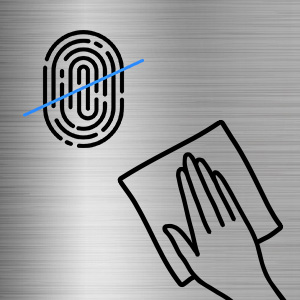
Image: An icon depicting a fingerprint with a line through it and a hand wiping a surface, symbolizing the fingerprint-proof and easy-to-clean nature of the trash can.
2. AbsorbX Filter Replacement
For continuous odor control, replace the AbsorbX filter every 3 months.
- Open the filter compartment on the underside of the lid.
- Зніміце стары фільтр.
- Insert a new AbsorbX filter.
- Надзейна зачыніце адсек.
3. Замена батарэі
When the sensor light dims or the lid operation becomes sluggish, it's time to replace the batteries. A set of 4 'C' size batteries can last up to two years with intelligent energy use.
- Выключыце сілкаванне.
- Адкрыйце батарэйны адсек.
- Выміце старыя батарэі і ўтылізуйце іх адказна.
- Insert new 4 'C' size batteries, observing correct polarity.
- Close the compartment and turn the power switch back on.
Ліквідацыю непаладак
If you encounter issues with your iTouchless sensor trash can, please refer to the following common solutions:
| праблема | Магчымая прычына | Рашэнне |
|---|---|---|
| Вечка не адчыняецца аўтаматычна. | Low batteries, sensor obstructed, power switch off. | Replace batteries, clean sensor, ensure power switch is ON. |
| Lid opens slowly or makes noise. | Нізкі ўзровень батарэй. | Заменіце батарэі. |
| Вечка не зачыняецца. | Sensor continuously triggered, manual open button pressed. | Ensure no objects are near the sensor, press 'CLOSE' button, or turn power off/on. |
| Непрыемныя пахі захоўваюцца. | Фільтр AbsorbX патрабуе замены. | Заменіце фільтр паху AbsorbX. |
Тэхнічныя характарыстыкі
| Асаблівасць | Дэталь |
|---|---|
| Нумар мадэлі | SG04SSR-2 |
| Ёмістасць | 4 галонаў (15 літраў) |
| Памеры (Д х Ш х У) | 14 х 6 х 14 цалі |
| Вага | 4 фунта |
| Матэрыял | Нержавеючая сталь |
| Механізм адчынення | Motion-Sensor (Right Side Open) |
| Крыніца харчавання | 4 x 'C' Size Batteries (not included) |
| Асаблівасці | AbsorbX Odor Control System, VisioSense, Reflux Technology, Fingerprint-Proof Finish |

Image: A diagram showing the dimensions of the iTouchless Slim Sensor Trash Can, including height, width, and depth measurements in inches and centimeters.
Гарантыя і падтрымка
Your iTouchless 4 Gallon Slim Sensor Trash Can is backed by a Full-Service Manufacturer's Warranty. For detailed warranty information, please refer to the official iTouchless webсайт або звярніцеся ў службу падтрымкі кліентаў.
For any questions, technical assistance, or warranty claims, please contact iTouchless Customer Support. Contact information can typically be found on the product packaging or the official iTouchless webсайт.