
Уводзіны
This manual provides essential information for the proper setup, operation, and maintenance of your Schubert Preludio 88-Key Digital Piano. Please read this manual thoroughly before using the instrument to ensure optimal performance and longevity. Keep this manual for future reference.
Інструкцыі па тэхніцы бяспекі
- Пераканайцеся, што гучнасць адаптара сілкаванняtage адпавядае вашай мясцовай крыніцы харчавання.
- Do not expose the instrument to rain, moisture, or extreme temperatures.
- Пазбягайце размяшчэння прылады побач з крыніцамі цяпла або пад прамымі сонечнымі прамянямі.
- Не адчыняйце casinг; звяртайцеся да кваліфікаванага персаналу па ўсё абслугоўванне.
- Захоўвайце ў месцах, недаступных для маленькіх дзяцей, каб пазбегнуць няшчасных выпадкаў.
- Disconnect power during thunderstorms or when not in use for extended periods.
Настройка
Распакаванне і зборка
Carefully remove all components from the packaging. Ensure all items listed in the "Included in Delivery" section are present.
- Place the keyboard on a stable, flat surface or a compatible keyboard stand.
- Attach the music stand to the designated slot on the keyboard.
- Connect the sustain pedal to the "PEDAL" input on the rear panel of the keyboard.
- Connect the power adapter to the "DC 12V" input and then to a power outlet.

Малюнак 1: Камплект пастаўкі аксесуараў. The image displays the Schubert Preludio keyboard's accessories, including the music stand, sustain pedal, power adapter, and various USB cables for connectivity.

Figure 2: Connection Options. This image shows the various input/output ports on the rear of the keyboard, including Audio In, Audio Out, USB, pedal input, and two 6.3mm headphone jacks.
Інструкцыя па эксплуатацыі
Уключэнне/выключэнне харчавання
Націсніце УЛАДА кнопка для ўключэння або выключэння клавіятуры.
Рэгулятар гучнасці
Адрэгулюйце агульную гучнасць з дапамогай ГАЛОЎНЫ ОБ'ём knob. Individual volumes for Upper and Lower voices can be adjusted via the ГУЧНАСЦЬ+ і ГУЧ- buttons in Function mode.
Выбар тэм (гукаў)
The Schubert Preludio offers 140 different voices. To select a voice:
- Націсніце ГОЛАС кнопка.
- Use the number pad or the +/- buttons to select the desired voice number. The selected voice number will be displayed on the LED screen.

Figure 3: Control Panel and Voice Selection. The image highlights the control panel with buttons for voice selection, layering, splitting, and reverb, along with categories like Piano, Organ, Guitar, and Strings.
Layer and Split Functions
- пласт: Націсніце ПЛАСТ button to combine two voices simultaneously. Select the second voice using the voice selection method.
- Разбіць: Націсніце SPLIT button to divide the keyboard into two sections, each with a different voice. The split point can be adjusted. This is useful for teaching or playing duets.
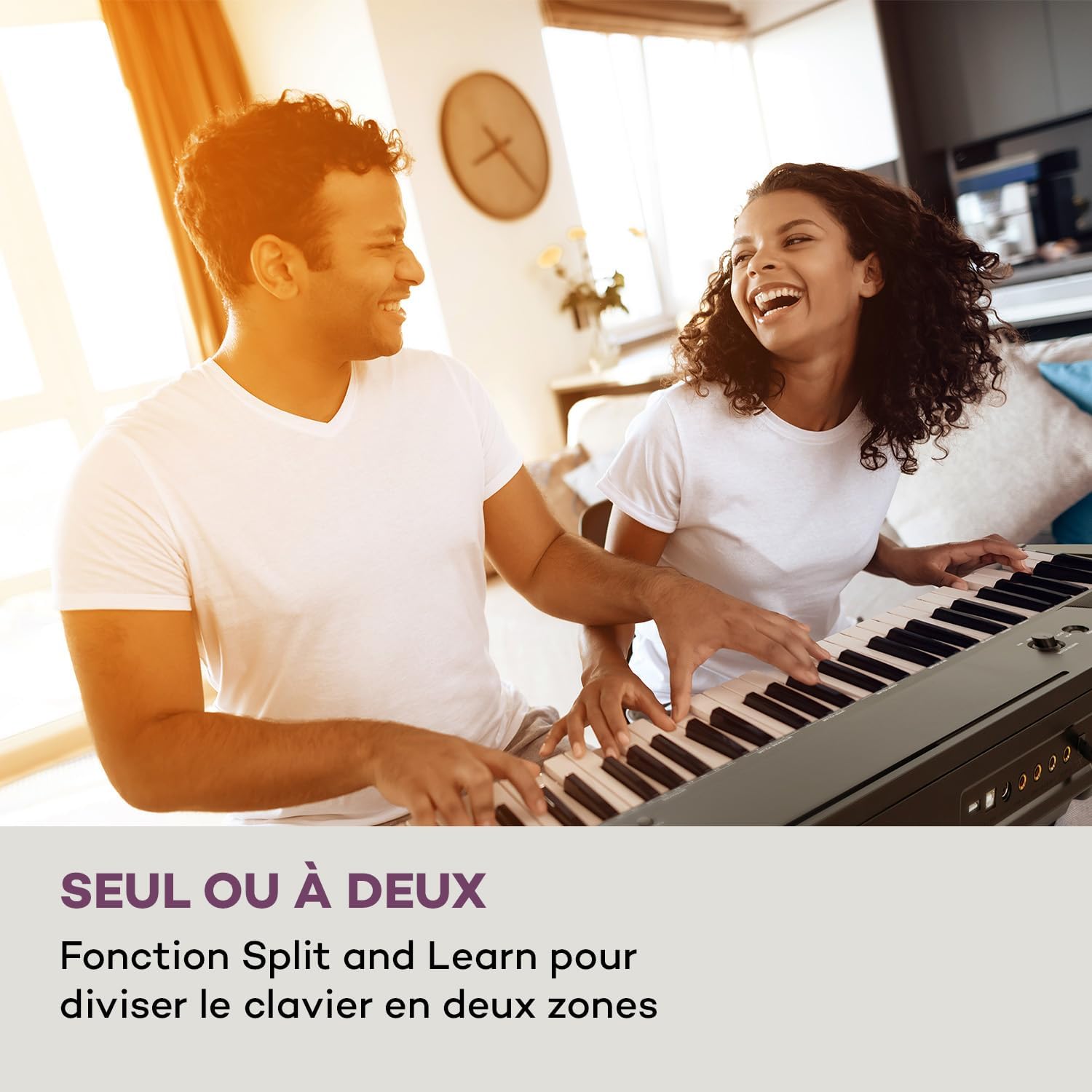
Figure 4: Split and Learn Function. This image shows two individuals playing the keyboard simultaneously, demonstrating the Split function which divides the keyboard into two playable zones.
Metronome and Tempo
Activate the metronome by pressing the МЕТРО кнопка. Адрэгулюйце тэмп з дапамогай ТЭМП кнопкі.
Запіс і прайграванне
The keyboard features a recording function:
- Націсніце ЗАПІС button to start recording your performance.
- Прэса ГУЛЬНЯ to listen to your recorded track.
Падключэнне USB
The integrated USB port allows for MP3 playback and MIDI connectivity:
- Прайграванне MP3: Устаўце USB-дыск з MP3 files into the USB port. Use the ПЕСНЯ buttons to navigate and play tracks.
- USB-MIDI: Connect the keyboard to a computer using the provided USB-MIDI cable for use with educational and recording software.

Figure 5: Recording and USB Playback. The image depicts the keyboard's capability for recording performances and playing MP3 files via its integrated USB port, enhanced by its 5-watt RMS speakers.
Тэхнічнае абслугоўванне
- Уборка: Выкарыстоўвайце мяккую сухую тканіну для чысткі паверхні клавіятуры. Не выкарыстоўвайце абразіўныя ачышчальнікі або растваральнікі.
- захоўванне: When not in use, store the keyboard in a dry, dust-free environment. If storing for a long period, disconnect the power adapter.
- Сыход за ключамі: Avoid excessive force on the keys. Clean keys gently with a slightly damp анучай, калі неабходна, затым неадкладна высушыце.
Ліквідацыю непаладак
| праблема | Магчымая прычына | Рашэнне |
|---|---|---|
| Няма гуку | Харчаванне не падключана, гучнасць занадта нізкая, навушнікі падключаны. | Check power connection, increase master volume, disconnect headphones. |
| Клавішы не адказваюць | Function mode active, internal error. | Exit Function mode, power cycle the instrument. |
| Не працуе педаль сустейна | Pedal not fully inserted, pedal polarity issue. | Ensure pedal is firmly connected. Some pedals require the keyboard to be powered on with the pedal already pressed to set polarity. |
| Праблемы з прайграваннем USB | Не падтрымліваецца file format, corrupted USB drive. | Забяспечыць files are MP3 format. Try a different USB drive or reformat the current one. |
Тэхнічныя характарыстыкі
- Назва мадэлі: Preludio
- Колькасць клавіш: 88
- Тып ключа: Full-size, touch-sensitive (3 levels)
- Sounds (Voices): 140
- Дэманстрацыйныя песні: 16
- Функцыі: Sustain, Vibrato, Transposition, Octave, Split, Layer, Metronome, Record, Playback, Learning Function
- Падключэнне: 1 x 6.3 mm Audio In, 1 x 6.3 mm Audio Out, 2 x 6.3 mm Headphone Outputs, 1 x USB (Type A for MP3), 1 x USB-MIDI (Type B)
- крыніца харчавання: AC adapter (220-240 V~ | 50/60 Hz)
- Памеры (Д х У х Г): Прыблізна 130 х 29 х 35 см (51.2 х 11.4 х 13.8 цалі)
- Вага: Прыбл. 6.2 кг (13.7 фунта)
- матэрыял: Пластыкавыя

Малюнак 6: Памеры вырабу. A visual representation of the keyboard's length, height, and depth measurements.
Гарантыя і падтрымка
For detailed warranty information and technical support, please refer to the warranty card included with your product or visit the official Schubert webсайт. Захоўвайце пацвярджэнне пакупкі для любых гарантыйных прэтэнзій.
Відэа аб прадуктах
Sustain Pedal Overview
This video provides a close-up view and demonstration of the M-Audio SP-2 sustain pedal, which is compatible with digital pianos like the Schubert Preludio. It shows how the pedal functions to extend notes, similar to an acoustic piano.
Keyboard Features Overview
This video offers a detailed close-up view of the digital piano, showcasing its keys, control panel, and various functions. It provides a visual guide to the instrument's design and user interface.