
1. Прадукт скончыўсяview
The One Fire Baby Night Light Star Projector is a versatile device designed to create a soothing and engaging environment for children. It features multiple projection films, Bluetooth music connectivity, 360-degree rotation, and convenient remote control operation. This manual provides detailed instructions for safe and effective use of your projector.
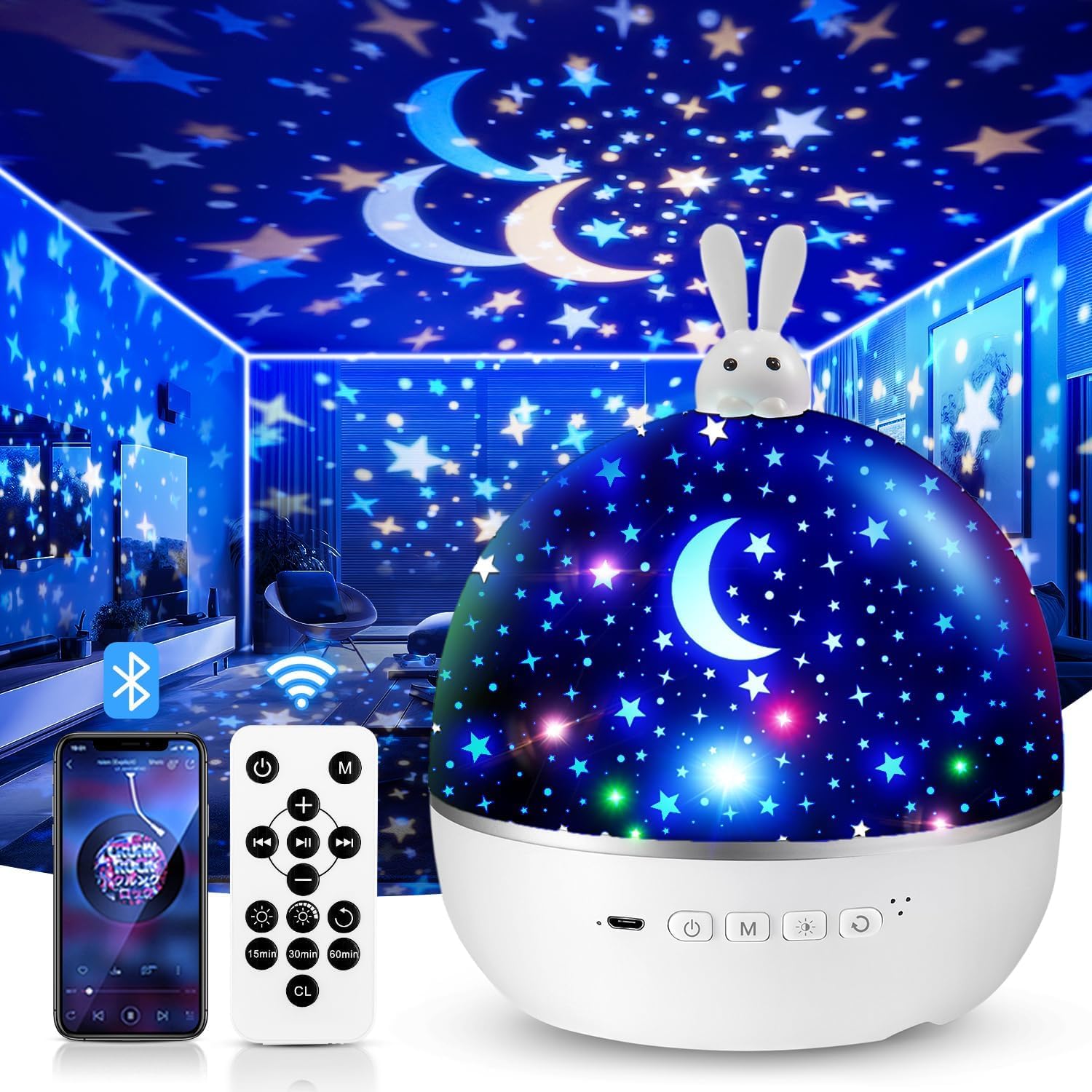
Image 1.1: The One Fire Baby Night Light Star Projector, featuring a rabbit design on top.
2. Інструкцыі па тэхніцы бяспекі
- Трымайце прыладу далей ад вады і вільгаці.
- Do not disassemble or attempt to repair the device yourself. Contact customer support if issues arise.
- Для зарадкі выкарыстоўвайце толькі кабель USB, які ўваходзіць у камплект.
- Пераканайцеся, што прылада размешчана на ўстойлівай роўнай паверхні.
- Пазбягайце прамога траплення ў вочы святлодыёднай крыніцы святла.
- This product is not a toy. Adult supervision is recommended when used by children.
3. Змесціва ўпакоўкі
Калі ласка, праверце ўпакоўку на наяўнасць наступных прадметаў:
- One Fire Baby Night Light Star Projector Unit
- Зарадны кабель USB Type-C
- Пульт дыстанцыйнага кіравання
- Projection Films (Quantity: 15 sets, including various themes)
- Кіраўніцтва карыстальніка
4. Асаблівасці прадукту
- Safe LED Light Source: Provides a soft, gentle glow suitable for children's eyes.
- Multiple Projection Films: Includes 15 diverse film themes for varied visual experiences.
- Маляўнічыя светлавыя эфекты: Offers 96 modes with various color combinations (red, yellow, green, etc.).
- Паварот на 360°: Projects dynamic, moving patterns on walls and ceilings.
- Bluetooth Music Speaker: Connects wirelessly to play lullabies or other audio.
- Пульт дыстанцыйнага кіравання: Manages power, light colors, brightness, rotation, music, and timer settings.
- Таймер аўтаматычнага выключэння: Programmable for 15, 30, or 60 minutes.
- USB акумулятар: Convenient Type-C USB charging.
- Двайная функцыянальнасць: Functions as a star projector or a standard night light by removing the projection cover.

Выява 4.1: Канецview of the 15 colorful projection films included with the night light, categorized into Bedtime Stories, Puzzle Education, and Festival Gifts.
5. Настройка
5.1 Зарадка прылады
- Connect the provided USB Type-C cable to the charging port on the projector.
- Plug the other end of the USB cable into a compatible USB power adapter (5V) or a computer USB port.
- The charging indicator light will illuminate. Once fully charged, the indicator may change color or turn off.
5.2 Installing/Changing Projection Films
The projector comes with various film themes. Follow these steps to install or change them:
- Gently remove the top dome cover of the projector.
- Locate the inner transparent cylinder where the film is placed.
- Carefully unroll your desired film and insert it into the cylinder, ensuring it fits snugly. The images on the film should face outwards.
- Replace the top dome cover, aligning it correctly.

Image 5.1: A child interacting with the One Fire Night Light, illustrating its use in a bedroom setting. The top dome cover is visible.
6. Інструкцыя па эксплуатацыі
6.1 Уключэнне/выключэнне сілкавання
- Press the power button on the projector or the remote control to turn the device on/off.
6.2 Рэжым праекцыі
- Ensure a projection film is installed and the top dome cover is in place for optimal projection.
- Use the light mode button on the projector or remote to cycle through different color combinations.
6.3 Рэжым начнога святла
- To use as a standard night light, remove the inner projection film cylinder and ensure the top dome cover is in place. The device will emit a soft, diffused light.
6.4 Функцыя кручэння
- Press the rotation button on the projector or remote control to activate or deactivate the 360-degree rotation feature.

Image 6.1: The night light projecting an ocean theme with 360-degree silent rotation, creating an immersive experience in a child's room.
7. Функцыі дыстанцыйнага кіравання
The remote control allows convenient operation from a distance. Ensure the remote has working batteries (1 Lithium-ion battery required, not included).

Image 7.1: A hand holding the remote control, demonstrating its use to adjust settings like timer and brightness for the night light.
| Кнопка | Функцыя |
|---|---|
| Уключэнне/выключэнне харчавання | Уключае або выключае праектар. |
| Светлавы рэжым | Cycles through different light colors and effects. |
| Яркасць | Adjusts between 3 brightness levels (100%, 60%, 30%). |
| Кручэнне | Activates or deactivates 360-degree rotation. |
| Прайграванне/Паўза музыкі | Plays or pauses Bluetooth-connected music. |
| Папярэдні/наступны трэк | Skips to the previous or next song. |
| Павялічыць/паменшыць гучнасць | Adjusts the music volume. |
| Timer (15/30/60 min) | Sets the automatic shut-off timer for 15, 30, or 60 minutes. |
8. Спарванне Bluetooth
To play music through the projector's built-in speaker, follow these steps to pair your device:
- Пераканайцеся, што праектар уключаны.
- Уключыце Bluetooth на вашым смартфоне або іншай аўдыёпрыладзе.
- Пошук available Bluetooth devices. The projector will appear as "WH-E01".
- Select "WH-E01" to pair. A confirmation sound may play from the projector once connected.
- You can now play music from your device, controlling playback and volume via your device or the projector's remote control.

Image 8.1: A child sleeping peacefully with the night light projecting unicorn images, while a smartphone displays music playback, illustrating the Bluetooth music feature.
9. Тэхнічнае абслугоўванне
- Уборка: Use a soft, dry cloth to wipe the surface of the projector. Do not use abrasive cleaners or solvents.
- Сыход за плёнкай: Handle projection films carefully to avoid scratches or damage. Store them in a clean, dry place.
- захоўванне: When not in use for extended periods, store the projector in a cool, dry place, away from direct sunlight.
10. Выпраўленне непаладак
| праблема | Магчымая прычына | Рашэнне |
|---|---|---|
| Праектар не ўключаецца. | Нізкі акумулятар або адсутнасць энергіі. | Charge the device using the USB Type-C cable. Ensure the power adapter is working. |
| Projection is blurry or unclear. | Film not installed correctly or top cover is dirty. | Ensure the film is properly seated in the inner cylinder. Clean the top dome cover and lens with a soft cloth. Adjust the distance to the projection surface. |
| Bluetooth не падключаецца. | Projector not in pairing mode, or device too far. | Ensure the projector is on. Turn off and on Bluetooth on your device. Move your device closer to the projector. Check if another device is already connected. |
| Не працуе пульт дыстанцыйнага кіравання. | Разраджаны акумулятар або перашкода. | Replace the remote control battery (1 Lithium-ion). Ensure there is no obstruction between the remote and the projector. |
| Rotation function is not working. | Rotation feature is off. | Press the rotation button on the projector or remote control to activate it. |
11. Тэхнічныя характарыстыкі
| Асаблівасць | Дэталь |
|---|---|
| Нумар мадэлі | GJWH102236w5 |
| Памеры (Д х Ш х У) | 13.69 х 13.69 х 16.51 см |
| Вага | 530 грамаў |
| Матэрыял | Акрыланітрылбутадыенстырол (АБС) |
| Увод магутнасці | 5 вольт |
| Намінальная магутнасць | 4.2 ват |
| Крыніца святла | Святлодыёдныя (4 лямпачкі) |
| Светлавы струмень | 6 люмен |
| Тып батарэі | 1 Lithium-ion (required, not included) |
| Сувязь | USB Type-C, Bluetooth (WH-E01) |
| Асаблівасці | Rechargeable, Remote Control, Auto-Off Timer (15/30/60 min), 360° Rotation |
12. Гарантыя і падтрымка
One Fire offers a 30-дзённая палітыка вяртання сродкаў і а Гарантыя 12 месяцаў for this product. If you encounter any issues or have questions regarding your One Fire Baby Night Light Star Projector, please contact our customer support team.
Падтрымка кліентаў:
- For assistance, please refer to the contact information provided on the product packaging or the official One Fire webсайт.
- When contacting support, please have your model number (GJWH102236w5) and purchase details ready.