
Bluenin T30
Bluenin T30 True Wireless Earbuds User Manual
Мадэль: T30
Уводзіны
Thank you for choosing the Bluenin T30 True Wireless Earbuds. These earbuds are designed to provide a superior audio experience with advanced features such as Bluetooth 5.0 connectivity, CVC8.0 noise-canceling microphone, and IPX7 waterproofing, making them ideal for various activities including sports and travel. This manual will guide you through the setup, operation, and maintenance of your new earbuds.
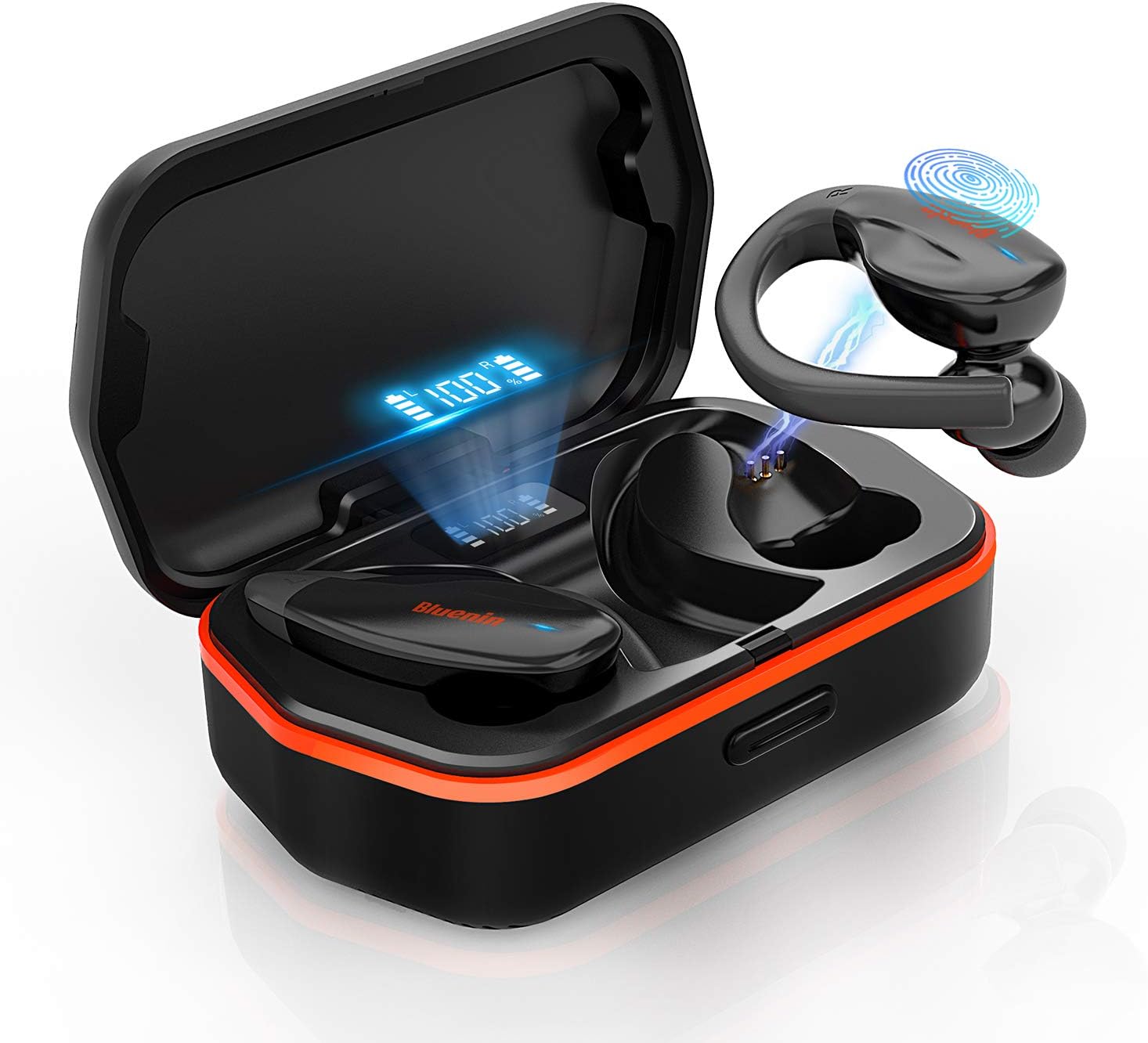
Image: The Bluenin T30 True Wireless Earbuds, showcasing their design and the charging case with a digital battery display.
Настройка
Распакоўка і першапачатковая аплата
Upon receiving your Bluenin T30 earbuds, carefully open the packaging. Inside, you will find the earbuds, the charging case, and a USB charging cable. It is recommended to fully charge the earbuds and the charging case before first use.
Нашэнне навушнікаў
The Bluenin T30 earbuds feature an ergonomic anti-fall earhook design for a secure and comfortable fit, especially during active use. Gently insert the eartips into your ears and adjust the earhook to rest comfortably around your ear.

Image: A person demonstrating the secure and comfortable fit of the Bluenin T30 earbuds with their ergonomic anti-fall earhook design.
Спалучэнне ў адзін крок
The T30 earbuds utilize Bluetooth 5.0 technology for stable and fast connections. To pair them with your device:
- Пераканайцеся, што Bluetooth на вашай прыладзе ўключаны.
- Дастаньце абодва навушнікі з зараднага чахла. Яны аўтаматычна ўключацца і пяройдуць у рэжым спалучэння.
- On your device, search for Bluetooth devices and select "Bluenin T30" from the list.
- Пасля падключэння вы пачуеце пацверджанне, і навушнікі будуць гатовыя да выкарыстання.

Image: A visual representation of the one-step pairing process, showing the earbuds connecting to a smartphone via Bluetooth.
Аперацыйная
Сэнсарныя элементы кіравання
The Bluenin T30 earbuds feature sensitive touch controls for easy management of your audio and calls. The touch sensitive area is located on the outer surface of each earbud.
| Дзеянне | Кантроль |
|---|---|
| Гучнасць +/- | Specific touch gesture (refer to quick start guide for exact gesture) |
| Прайграванне / Паўза | Адзін націск на любы навушнік |
| Наступны/Папярэдні трэк | Double tap (right for next, left for previous) |
| Адказ / адхіленне выкліку | Single tap to answer, long press to reject |
| Уключэнне / выключэнне харчавання | Long press or place in/remove from case |

Image: An illustration detailing the various touch control functions available on the Bluenin T30 earbuds for media and call management.
Якасць гуку і шумапрыглушэнне
The T30 earbuds deliver premium HiFi sound with deep bass and crystal clear treble. They are equipped with CVC 8.0 Noise Cancellation technology, which helps to reduce ambient noise for clearer calls and a more immersive listening experience.

Image: Highlighting the premium HiFi sound, Bluetooth 5.0, and CVC 8.0 Noise Cancellation features of the Bluenin T30 earbuds.
Тэхнічнае абслугоўванне
Зарадка навушнікаў і чахла
The Bluenin T30 earbuds offer a long-lasting playtime of up to 6 hours on a single charge, with the charging case providing an additional 23 recharges, totaling up to 136 hours of playtime. The charging case also functions as a backup power bank for your personal devices.
- To charge the earbuds, place them back into the charging case. The digital display on the case will show their charging status.
- To charge the case, connect it to a power source using the provided USB cable. The display will indicate the case's battery level.

Image: The Bluenin T30 charging case acting as a power bank, illustrating its long-lasting playtime capabilities and ability to charge other devices.
Воданепранікальнасць (IPX7)
The T30 earbuds are IPX7 waterproof, meaning they are resistant to sweat, water, and rain. This makes them suitable for workouts and outdoor activities. While they can withstand splashes and brief immersion, they are not designed for swimming or prolonged submersion.
- After exposure to sweat or water, ensure the earbuds are dry before placing them back into the charging case to prevent damage to the charging contacts.
- Clean the earbuds regularly with a soft, dry cloth to remove any earwax or debris.

Image: The Bluenin T30 earbuds submerged in water, illustrating their IPX7 waterproof rating, making them resistant to sweat, water, and rain.
Ліквідацыю непаладак
Агульныя праблемы і рашэнні
- Навушнікі не спалучаюцца: Ensure both earbuds are out of the case and fully charged. Turn off and on your device's Bluetooth. If issues persist, try forgetting the device in your Bluetooth settings and re-pairing.
- Працуе толькі адзін навушнік: Змесціце абодва навушнікі назад у зарадны футляр, зачыніце вечка, пачакайце некалькі секунд, а затым зноў дастаньце іх. Гэта часта сінхранізуе іх зноў.
- Няма гуку: Праверце ўзровень гучнасці як на прыладзе, так і ў навушніках. Пераканайцеся, што навушнікі правільна падключаны да прылады.
- Праблемы з зарадкай: Clean the charging contacts on both the earbuds and inside the case with a dry cotton swab. Ensure the charging cable is securely connected and the power source is active.
- Дрэнная якасць гуку: Ensure the earbuds are securely fitted in your ears. Check for any debris blocking the speaker mesh. Move closer to your connected device to avoid interference.
Тэхнічныя характарыстыкі
| Асаблівасць | Дэталь |
|---|---|
| Назва мадэлі | Т30 |
| Марка | Блюнін |
| Тэхналогія падлучэння | Бесправадная сувязь (Bluetooth 5.0) |
| Формаў-фактар | У вуху з завушным кручком |
| Кантроль шуму | Шумапрыглушэнне CVC 8.0 |
| Узровень воданепранікальнасці | IPX7 воданепранікальны |
| Метад кантролю | Дакранацца |
| Тэрмін службы батарэі (навушнікі) | Да 6 гадзін |
| Агульны час прайгравання (з кейсам) | Да 136 гадзін |
| Функцыя зараднага кейса | Backup Power Bank |
| Матэрыял | Сілікон |
| Памеры прадукту | 4.72 х 2.36 х 1.97 цалі |
| Вага прадмета | 8.8 унцыі |
Гарантыя і падтрымка
Bluenin products are designed for reliability and performance. For warranty information, technical support, or service inquiries, please refer to the contact details provided in your product packaging or visit the official Bluenin webсайт. Калі ласка, захавайце пацвярджэнне пакупкі для прэтэнзій па гарантыі.
Каб атрымаць дадатковую дапамогу, вы таксама можаце звязацца з прадаўцом непасрэдна праз платформу, дзе быў набыты тавар.
Ask a question about this manual
Ask about setup, troubleshooting, compatibility, parts, safety, or missing instructions. Manuals+ will review the question and use this page’s manual context to help answer it.