
Timex TW500
Timex Wireless Charging Alarm Clock Radio
Мадэль: TW500
Уводзіны
The Timex TW500 is a versatile alarm clock radio designed for modern living. It features wireless charging for compatible devices, a USB charging port, dual digital alarms, an FM radio with presets, a dimmable display, and a sleep timer. This manual provides detailed instructions for setting up and operating your device.
Прадукт скончаныview

Фронт View: The Timex TW500 alarm clock radio features a large, clear green LED display showing the time, along with indicators for PM, alarm status, and charging. Control buttons are located on the top panel.

Магчымасць падвойнай зарадкі: This image illustrates the dual charging feature of the TW500, with a smartphone wirelessly charging on the top surface and another smartphone connected to the USB-A charging port located on the back of the unit.
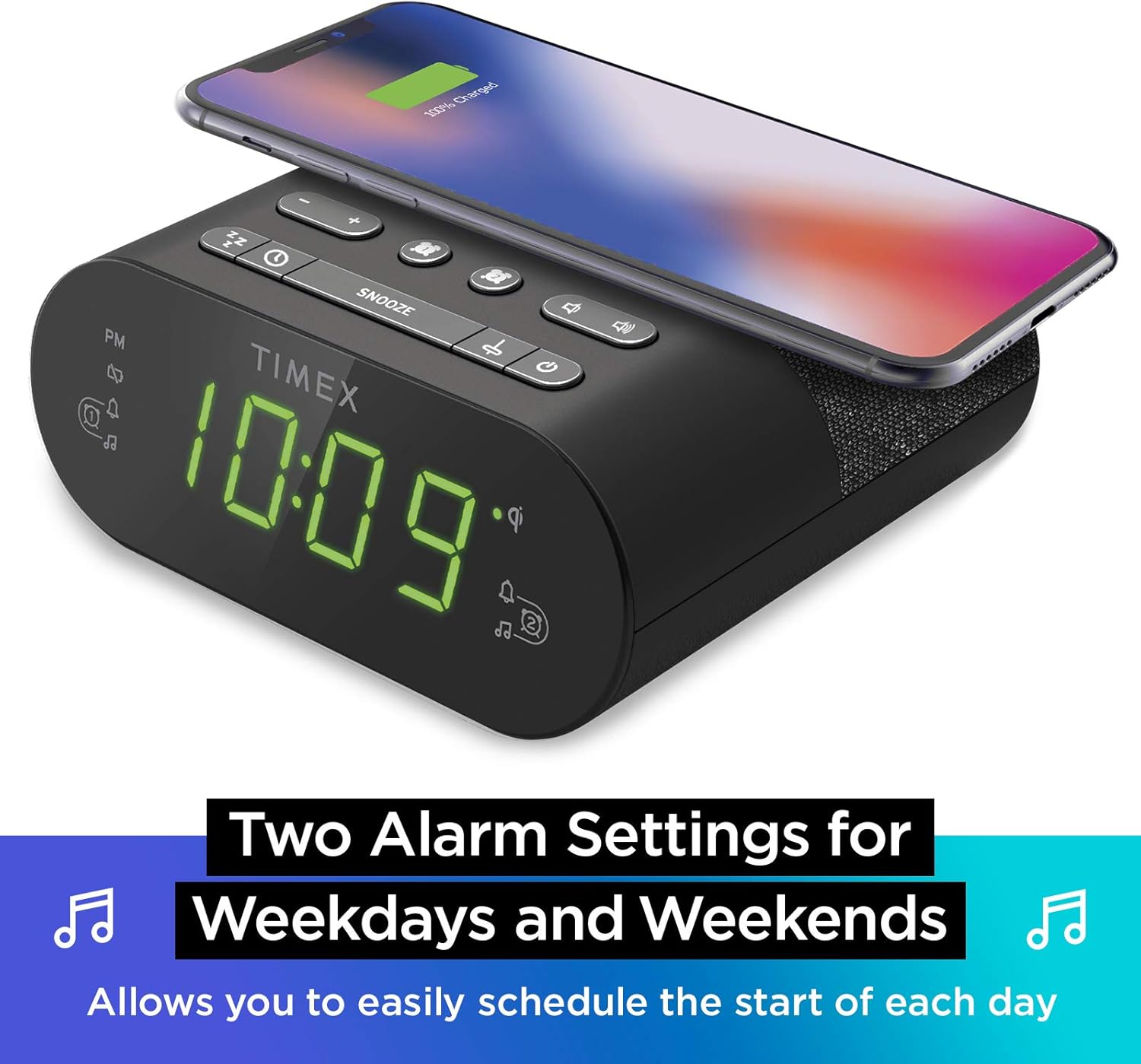
Налады падвойнага будзільніка: The TW500 supports two independent alarm settings, allowing users to schedule separate wake times for different days or for two individuals.
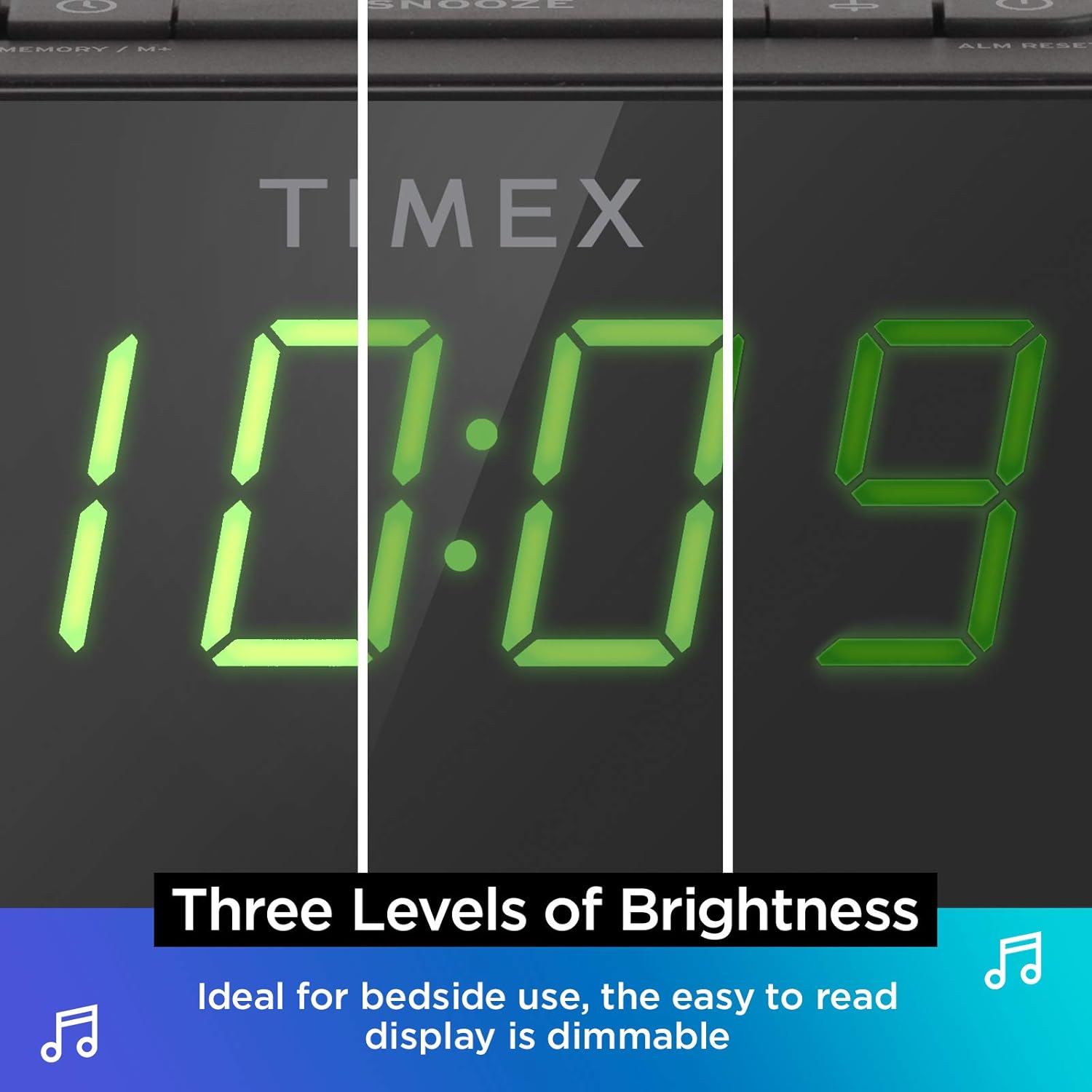
Дысплей з зацямненнем: The digital display offers multiple brightness levels, ensuring comfortable viewing in various lighting conditions, from bright daylight to a dark bedroom.
Настройка
1. Падключэнне сілкавання
Connect the supplied AC power adapter to the DC jack on the back of the unit and plug the other end into a working wall outlet. The unit will power on and the display will light up.
2. Устаноўка рэзервовага акумулятара
Для бесперапыннага адліку часу падчас адключэння электрычнасціtages, install one CR-2032 battery (included) into the battery compartment on the bottom of the unit. Ensure correct polarity (+/-) as indicated.
3. Налада антэны
Extend the FM wire antenna on the back of the unit fully for optimal FM radio reception. Adjust its position as needed to improve signal quality.
Інструкцыя па эксплуатацыі
Ўстаноўка часу
- Націсніце і ўтрымлівайце УСТАНОВА ЧАСУ button located on the top panel until the time display flashes.
- Націсніце - or + buttons to adjust the hour. Pay attention to the PM indicator.
- Націсніце УСТАНОВА ЧАСУ button again to confirm the hour and move to minutes setting.
- Націсніце - or + кнопкі для налады хвілін.
- Націсніце УСТАНОВА ЧАСУ button one last time to save the time and exit time setting mode.
Налада будзільнікаў (Будзільнік 1 і Будзільнік 2)
The TW500 features two independent alarms. The process is identical for both.
- Націсніце і ўтрымлівайце ТРЫВОГА АДЗІН or ТРЫВОГА ДРУГІ кнопку, пакуль не пачне міргаць час будзільніка.
- Націсніце - or + buttons to adjust the alarm hour. Observe the PM indicator.
- Націсніце адпаведную ТРЫВОГА АДЗІН or ТРЫВОГА ДРУГІ button again to confirm the hour and move to minutes setting.
- Націсніце - or + кнопкі для налады хвілін будзільніка.
- Націсніце адпаведную ТРЫВОГА АДЗІН or ТРЫВОГА ДРУГІ button again to select the alarm source (FM radio or Tone). The corresponding icon will light up.
- Націсніце адпаведную ТРЫВОГА АДЗІН or ТРЫВОГА ДРУГІ button one last time to save the alarm setting. The alarm indicator will remain lit.
To turn an alarm off, repeatedly press the corresponding ТРЫВОГА АДЗІН or ТРЫВОГА ДРУГІ button until the alarm indicator light turns off.
Праца FM-радыё
- Націсніце ВКЛ/ВЫКЛ кнопка для ўключэння радыё.
- Націсніце - or + buttons to tune to your desired FM station. Press and hold to auto-scan for the next available station.
- Націсніце АБ'ЁМ - or ОБ'ём + кнопкі для рэгулявання гучнасці.
- Налада перадустановак: Націсніце і ўтрымлівайце MEMORY/M+ button. The preset number will flash. Use the - or + кнопкі для выбару нумара зададзенай налады (1-10). Націсніце MEMORY/M+ зноў захаваць.
- Успамінаючы прасеты: Каротка націсніце ПРЕДНАСТРОЙКІ FM кнопка для пераключэння паміж захаванымі станцыямі.
- Націсніце ВКЛ/ВЫКЛ кнопку, каб выключыць радыё.
Бесправадная зарадка
The top surface of the TW500 features a Qi-compatible wireless charging pad.
- Place your Qi-enabled smartphone or other compatible device directly onto the wireless charging pad.
- Ensure the device is centered on the charging pad for optimal connection. A charging indicator on your device or the TW500 (if applicable) will confirm charging has begun.
- Выміце прыладу пасля поўнай зарадкі.
USB-зарадка
A 5W USB-A charging port is located on the back of the unit.
- Connect your device's USB charging cable to the USB port on the TW500.
- Падключыце другі канец кабеля да прылады. Зарадка пачнецца аўтаматычна.
Дыммер дысплея
The display brightness can be adjusted to suit your preference.
- Націсніце ДЫММЕР button repeatedly to cycle through different brightness levels (High, Medium, Low, Off).
Таймер сну
Таймер сну дазваляе засынаць пад радыё, якое аўтаматычна выключаецца праз зададзены час.
- Пакуль гучыць радыё, націсніце кнопку СПАЦЬ некалькі разоў націскайце кнопку, каб пераключацца паміж опцыямі таймера сну (напрыклад, 10, 20, 30, 60, 90 хвілін, Выкл.).
- Радыё будзе прайгравацца на працягу выбранага часу, а затым аўтаматычна выключыцца.
Функцыя адкладання
Калі гучыць будзільнік, націсніце вялікую кнопку СНАОЗ button on the top of the unit to temporarily silence the alarm for 9 minutes. The alarm will sound again after the snooze period.
Тэхнічнае абслугоўванне
- Уборка: Для чысткі вонкавых паверхняў прылады выкарыстоўвайце мяккую сухую тканіну. Не выкарыстоўвайце вадкія ачышчальнікі або абразіўныя матэрыялы.
- Замена батарэі: Replace the CR-2032 backup battery annually or if the time display is incorrect after a power outage.
- захоўванне: If storing the unit for an extended period, disconnect it from power and remove the backup battery.
Ліквідацыю непаладак
| праблема | Магчымая прычына | Рашэнне |
|---|---|---|
| Прылада не ўключаецца. | Power adapter not connected or outlet is not working. | Ensure AC adapter is securely plugged into the unit and a live wall outlet. Test the outlet with another device. |
| Сігналізацыя не гучыць. | Будзільнік не настроены, гучнасць будзільніка занадта нізкая або будзільнік выключаны. | Verify alarm time and source are set correctly. Increase radio volume if alarm source is FM. Ensure alarm indicator is lit. |
| Слабы прыём FM-радыё. | Антэна не выцягнутая або сігнал слабы. | Fully extend the FM wire antenna and reposition it for better reception. Try moving the unit to a different location. |
| Бесправадная зарадка не працуе. | Прылада не сумяшчальная з Qi, не адцэнтравана або на планшэты ёсць старонні прадмет. | Ensure your device supports Qi wireless charging. Re-position the device centrally on the pad. Remove any metal objects or thick cases. |
| Зарадка ад USB не працуе. | Cable faulty or device not compatible. | Try a different USB cable. Ensure the device is compatible with standard USB charging. |
Тэхнічныя характарыстыкі
- мадэль: TW500
- Памеры: 5.48 цалі (Ш) х 2.17 цаляў (Г) х 5.20 цаля (В)
- Вага: 0.7 фунта (прыблізна 0.32 кг)
- Спажываная магутнасць: Адаптар пераменнага току (у камплекце)
- Рэзервовае капіраванне батарэі: 1 х батарэя CR-2032 (у камплекце)
- Бесправадная зарадка: Qi-сумяшчальны
- Порт для зарадкі USB: 5 Вт USB-A
- радыё: FM with 10 presets
- Дысплей: 0.9" Green LED, Dimmable
- сігналізацыя: Dual Digital Alarms (Wake to Radio or Tone)
Афіцыйнае відэа пра прадукт
Гэта відэа дае візуальнае ўяўленне праview of the Timex TW500, highlighting its key features such as wireless charging, USB charging, FM radio, dual alarms, and dimmable display. It demonstrates the product's compact design and functionality.
Гарантыя і падтрымка
This Timex product comes with a limited warranty. For detailed warranty information, product support, or to register your product, please refer to the warranty card included in your product packaging or visit the official Timex website. If you are not 100% satisfied with your new Timex alarm clock radio and its performance, please contact the seller for assistance.
вытворца: Timex
UPC: 758859207179