
1. паview
The CHONCHOW T931 is a full-sized wired gaming keyboard designed for various computing and gaming platforms. It features LED rainbow backlighting, anti-ghosting capabilities, and an ergonomic design for comfortable use. This manual provides instructions for setup, operation, maintenance, and troubleshooting.
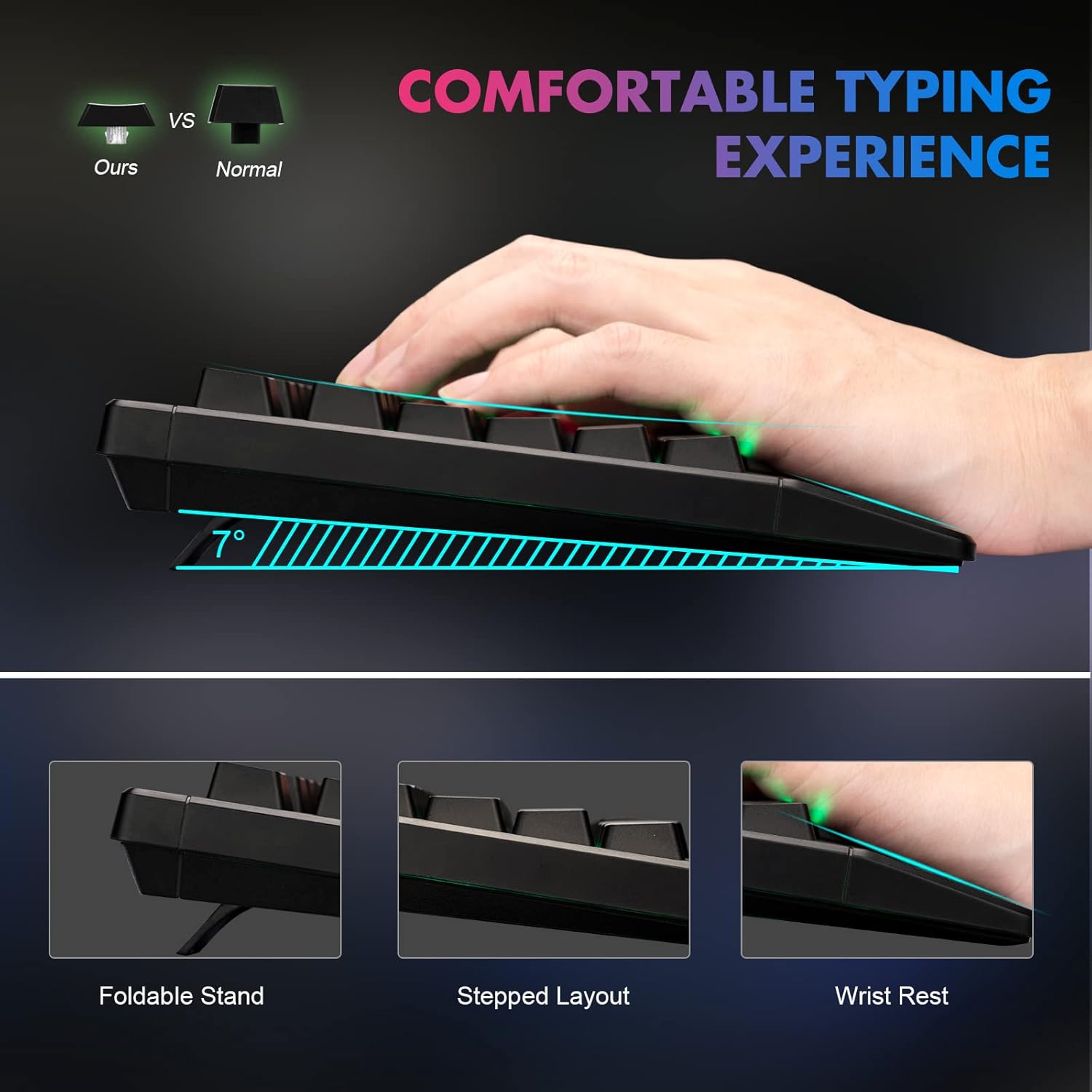
Figure 1: Ergonomic design of the CHONCHOW T931 keyboard, highlighting the integrated wrist rest, stepped key layout, and foldable feet for adjustable typing angle.
2. Настройка
The CHONCHOW T931 keyboard is a plug-and-play device, requiring no additional driver installation for basic functionality.
2.1 Падключэнне клавіятуры
- Locate an available USB port on your computer, laptop, or compatible gaming console (PS3, PS4, PS5, Xbox).
- Устаўце USB-раз'ём клавіятуры ў USB-порт.
- The operating system will automatically detect and install the necessary drivers. The keyboard will be ready for use within a few seconds.
2.2 Сумяшчальнасць
This keyboard is compatible with a wide range of operating systems and devices, including:
- Аперацыйныя сістэмы: Windows 2000, 2003, XP, Vista, Win7, Win8, Win10, Win11, macOS, Linux.
- прылады: PC, Laptops, Gaming Consoles (PS3, PS4, PS5, Xbox), and various tablet models.
3. Інструкцыя па эксплуатацыі
3.1 Кантроль падсветкі
The keyboard features LED rainbow backlighting with multiple modes and adjustable brightness.
- Уключэнне/выключэнне падсветкі: Прэса FN + Light Bulb Key (located next to the right ALT key) to toggle the backlight on or off.
- Змена рэжымаў асвятлення: Прэса FN + PG UP / PG DN to cycle through available static and dynamic backlight modes.
- Наладзіць яркасць: Прэса FN + Plus (+) / Minus (-) keys to adjust the backlight brightness (3 levels available).
- Рэгуляванне дынамічнай хуткасці: For dynamic lighting modes, press FN + стрэлка ўлева / стрэлка ўправа to adjust the speed of the effect.
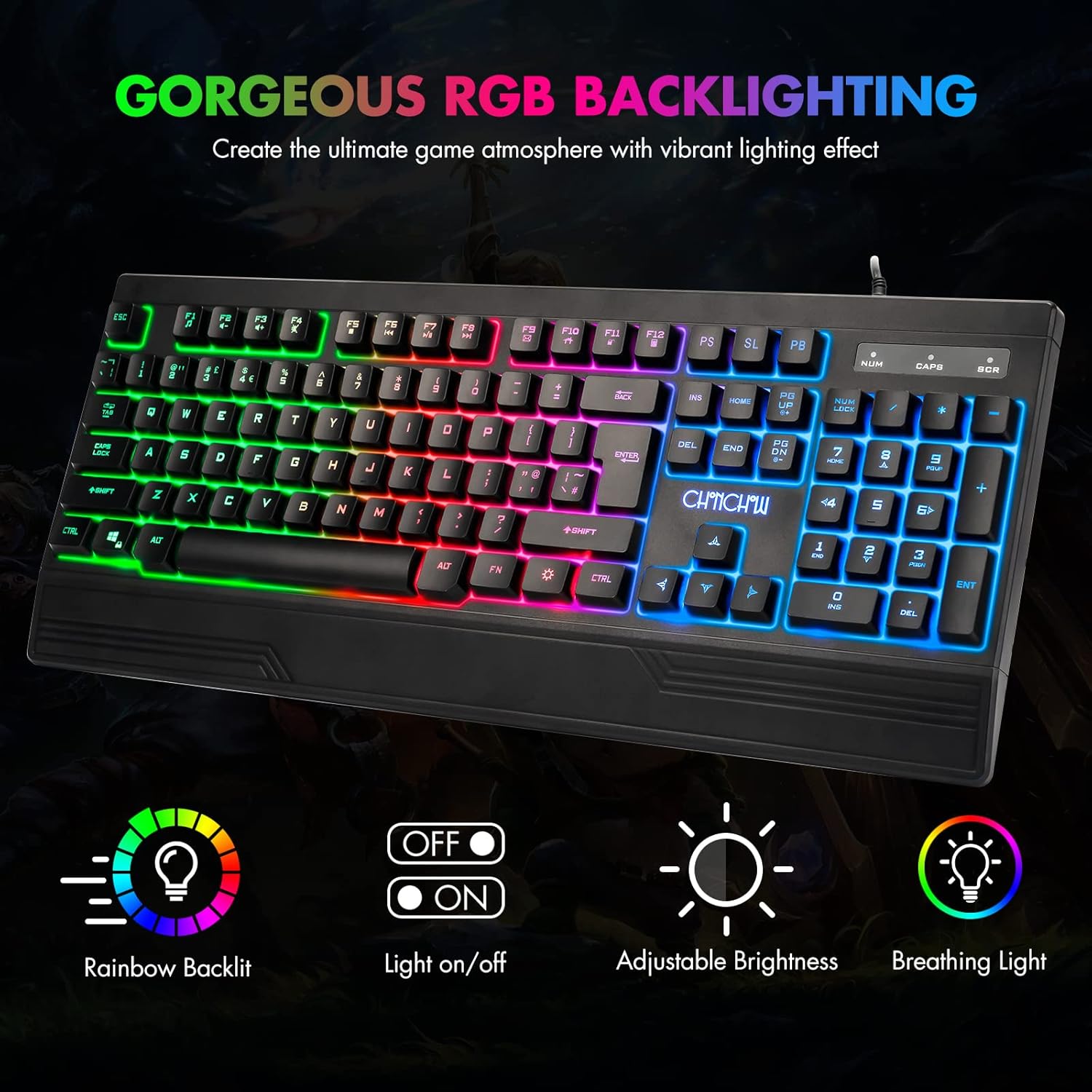
Figure 2: The CHONCHOW T931 keyboard showcasing its vibrant rainbow LED backlighting and indicators for various lighting controls.
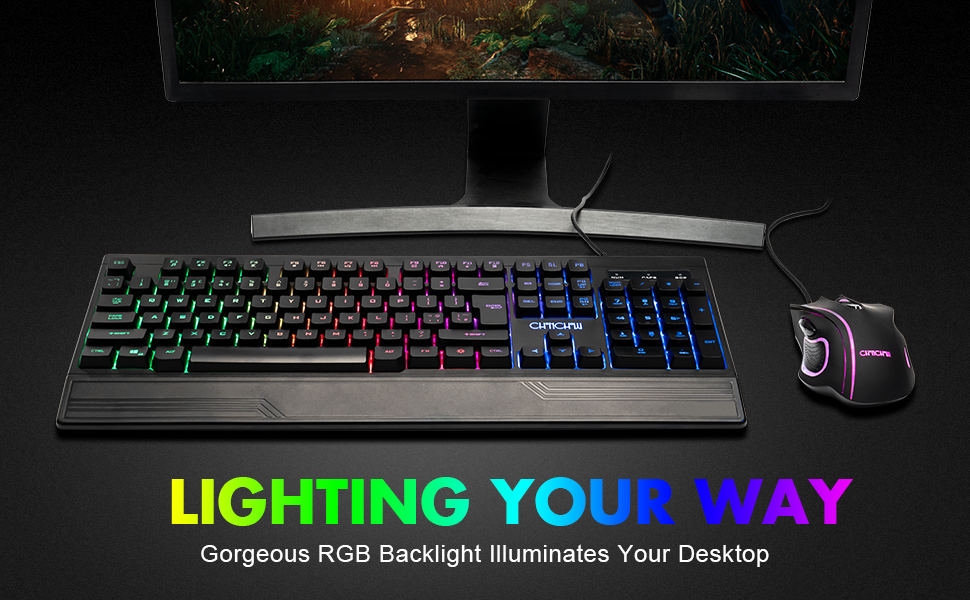
Малюнак 3: падрабязна view of the FN key combinations for managing the keyboard's LED backlight settings.
3.2 Мультымедыйныя функцыі
Access multimedia controls by pressing the FN key in combination with the designated function keys (F1-F12).
| Камбінацыя клавіш | Функцыя |
|---|---|
| FN + F1 | Музычны прайгравальнік |
| FN + F2 | Памяншэнне гучнасці |
| FN + F3 | Павялічыць гучнасць |
| FN + F4 | Адключыць гук |
| FN + F5 | Спыніць прайграванне |
| FN + F6 | Папярэдні трэк |
| FN + F7 | Прайграванне/Паўза |
| FN + F8 | Наступны трэк |
| FN + F9 | Электронная пошта |
| FN + F10 | Галоўная старонка |
| FN + F11 | Блакаванне клавіятуры |
| FN + F12 | Калькулятар |

Figure 4: Illustration of multimedia function keys and the WASD interchange function.
3.3 Гульнявыя функцыі
- 26-клавішная абарона ад прывідаў: This feature ensures that multiple key presses are registered simultaneously without conflict, which is crucial for fast-paced gaming.
- Interchangeable W/A/S/D Keys: Прэса FN + W to swap the functionality of the W, A, S, D keys with the arrow keys (Up, Left, Down, Right). Press FN + W again to restore the original setting.
- WIN Lock Function: The keyboard includes a WIN lock function to prevent accidental presses of the Windows key during gameplay, which can minimize interruptions.

Figure 5: The keyboard's anti-ghosting capability ensures accurate registration of multiple simultaneous key presses.
4. Тэхнічнае абслугоўванне
Proper maintenance can extend the lifespan and performance of your keyboard.
4.1 Spill-Resistant Design
The CHONCHOW T931 keyboard features a spill-resistant design to protect against minor liquid spills. In case of a spill, immediately disconnect the keyboard from your device and allow it to dry completely before reconnecting.

Figure 6: The keyboard's spill-resistant construction helps protect against accidental liquid exposure.
4.2 Cleaning and Detachable Keycaps
For thorough cleaning, the keycaps are detachable.
- Gently pull up on the keycaps to remove them. A keycap puller (not included) can assist in this process.
- Clean the keycaps with a soft, damp cloth. For the keyboard base, use a soft brush or compressed air to remove dust and debris.
- Ensure all components are completely dry before reattaching the keycaps.
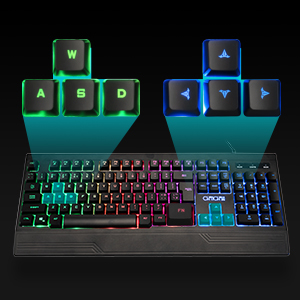
Figure 7: Detachable keycaps facilitate easy cleaning and maintenance of the keyboard.
5. Выпраўленне непаладак
If you encounter issues with your CHONCHOW T931 keyboard, please refer to the following common solutions:
- Клавіятура не адказвае:
- Пераканайцеся, што USB-кабель надзейна падключаны як да клавіятуры, так і да прылады.
- Паспрабуйце падключыць клавіятуру да іншага порта USB.
- Test the keyboard on another computer or device to rule out a device-specific issue.
- Перазагрузіце камп'ютар або прыладу.
- Падсвятленне не працуе:
- Прэса FN + Light Bulb Key to ensure the backlight is turned on.
- Адрэгулюйце яркасць з дапамогай FN + Plus (+) / Minus (-) ключы.
- Keys Not Registering Correctly:
- Ensure no debris is lodged under the keycaps. Refer to the cleaning instructions in Section 4.2.
- If W/A/S/D keys are acting as arrow keys, press FN + W to revert to standard functionality.
Калі гэтыя дзеянні не вырашаць праблему, звярніцеся ў службу падтрымкі кліентаў для атрымання дадатковай дапамогі.
6. Тэхнічныя характарыстыкі
| Асаблівасць | Дэталь |
|---|---|
| Марка | ЧОНЧОУ |
| Нумар мадэлі | Т931 |
| Тэхналогія падлучэння | Правадной USB |
| Раскладка клавіятуры | QWERTY, 104 клавіш |
| Тып перамыкача | Crater Switch Keys |
| Падсвятленне | LED Rainbow (RGB) |
| Асаблівасці | Backlit, Ergonomic, Wrist Rest, 26-Key Anti-Ghosting, Spill-Resistant |
| Памеры прадукту (Д х Ш х У) | 17.4 цалі х 6.4 цалі х 1.2 цалі (44.2 см х 16.3 см х 3.0 см) |
| Матэрыял | Пластыкавыя |
| Сумяшчальныя аперацыйныя сістэмы | Windows, macOS, Linux |
| Рэкамендуемае выкарыстанне | Гульнявая |
7. Гарантыя і падтрымка
CHONCHOW offers a 30-day refund or replacement policy for quality issues and a 12-month warranty from the date of purchase.
For warranty claims, technical support, or any product-related inquiries, please contact CHONCHOW customer service through the retailer's platform or the official CHONCHOW webсайт.