
Yenkee YSP 2025
Кіраўніцтва карыстальніка акустычнай сістэмы для ПК Yenkee YSP 2025 2.0
Model: YSP 2025
1. Уводзіны
Дзякуй за пакупкуasing the Yenkee YSP 2025 2.0 PC Speaker System. This manual provides detailed instructions for setting up, operating, and maintaining your new speakers. Please read this manual thoroughly before use to ensure proper operation and to maximize the lifespan of your product.
The Yenkee YSP 2025 speaker system is designed to enhance your multimedia audio experience with powerful and clear sound. It features versatile connectivity options including Bluetooth 5.0, 3.5mm audio input, TF card reader, and USB port for various audio sources.
2. Інфармацыя па бяспецы
Каб забяспечыць бяспечную працу і пазбегнуць пашкоджанняў, калі ласка, выконвайце наступныя меры бяспекі:
- Не падвяргайце дынамікі ўздзеянню вады, вільгаці або экстрэмальных тэмператур.
- Do not place the speakers near heat sources such as radiators, heat registers, stoves, or other apparatus (including ampLifiers), якія вырабляюць цяпло.
- Выкарыстоўвайце толькі насадкі/аксэсуары, указаныя вытворцам.
- Адключайце гэты прыбор ад сеткі падчас навальніцы або калі ён не выкарыстоўваецца на працягу доўгага часу.
- Звяртайцеся да кваліфікаванага абслугоўваючага персаналу. Тэхнічнае абслугоўванне патрабуецца, калі прылада была пашкоджана якім-небудзь чынам, напрыклад, пашкоджаны шнур сілкавання або вілка, была праліта вадкасць або ў прыладу ўпалі прадметы, прылада падвяргалася ўздзеянню дажджу або вільгаці, не працуе належным чынам , або быў адкінуты.
- Не блакуйце вентыляцыйныя адтуліны. Усталюйце ў адпаведнасці з інструкцыямі вытворцы.
- Абараняйце сеткавы шнур ад наступання або заціскання, асабліва ў месцах вілкі, разеткі і месца выхаду з прылады.
3. Змесціва ўпакоўкі
Калі ласка, праверце змесціва ўпакоўкі пасля распакавання. Калі якія-небудзь прадметы адсутнічаюць або пашкоджаныя, звярніцеся да прадаўца.
- Yenkee YSP 2025 2.0 PC Speaker System (2 speakers)
- Пульт дыстанцыйнага кіравання
- Аўдыёкабель 3.5 мм
- Сілавы кабель
- Кіраўніцтва карыстальніка
4. Прадукт скончыўсяview
Familiarize yourself with the components and controls of your Yenkee YSP 2025 speaker system.

Малюнак 4.1: Фронт view of the Yenkee YSP 2025 speakers, showing the main speaker with control panel on the side and the secondary speaker.
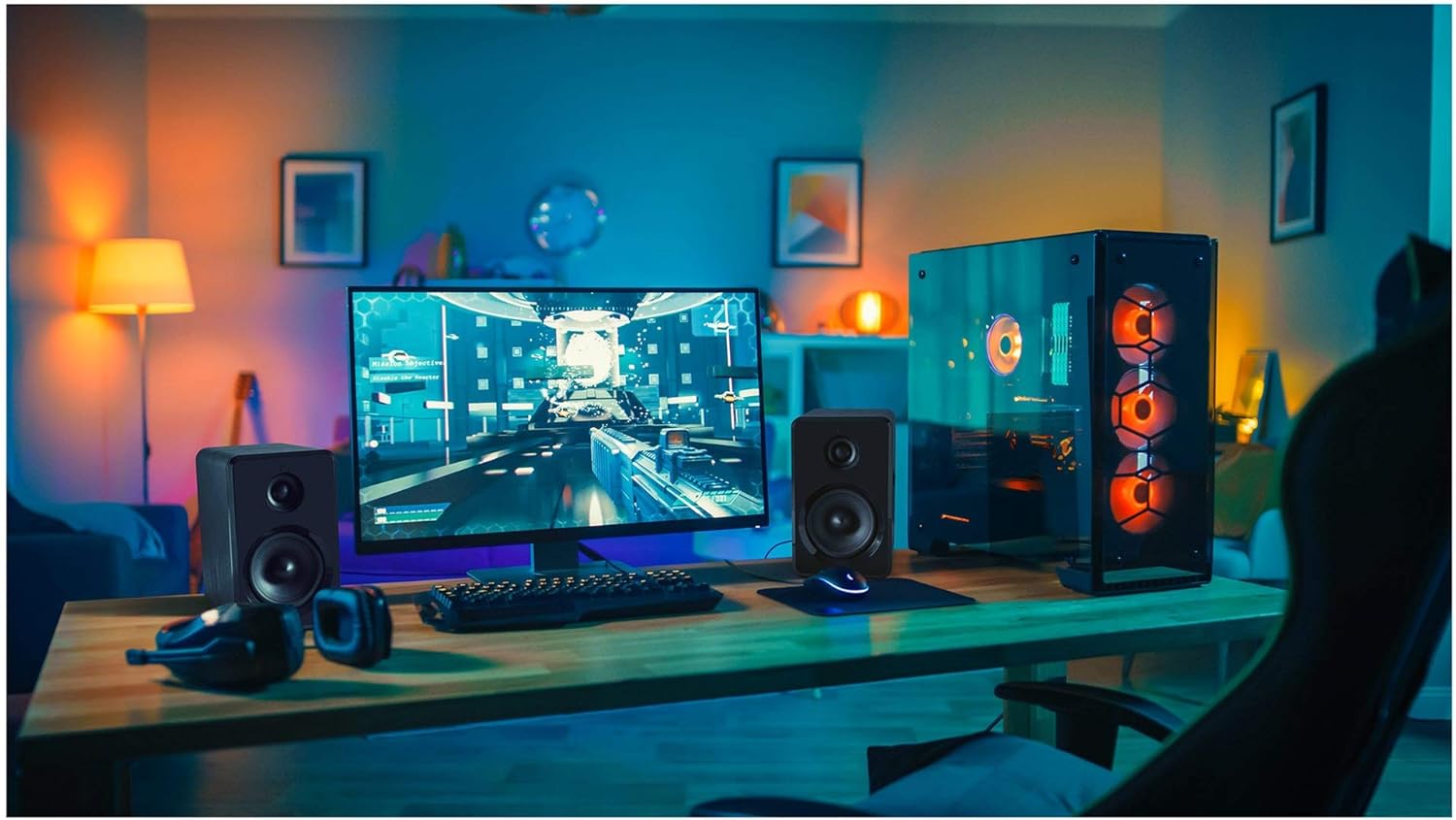
Малюнак 4.2: Yenkee YSP 2025 speakers integrated into a typical desktop computer setup, demonstrating their compact size and placement beside a monitor.

Малюнак 4.3: The retail packaging for the Yenkee YSP 2025 speakers, highlighting key features and including an image of the remote control.
4.1 Main Speaker Controls and Ports
The main speaker houses the primary controls and connectivity ports:
- Рэгулятар гучнасці: Рэгулюе агульную гучнасць.
- Кнопка рэжыму: Cycles through input modes (Bluetooth, AUX, USB, TF).
- Кнопка прайгравання/паўзы: Controls playback in Bluetooth, USB, and TF modes.
- Кнопкі папярэдняга/наступнага трэка: Navigates tracks in Bluetooth, USB, and TF modes.
- Порт USB: Для прайгравання з USB-флэшкі.
- Слот TF карты: Для прайгравання з карт TF (microSD).
- AUX-уваход (3.5 мм): Для падлучэння знешніх аўдыёпрылад праз кабель.
- Спажываная магутнасць: Падключаецца да адаптара сілкавання.
- Выхад на дынамік: Connects to the secondary speaker.
4.2 Пульт дыстанцыйнага кіравання
У камплекце ёсць пульт дыстанцыйнага кіравання, які забяспечвае зручны доступ да розных функцый:
- Уключэнне/выключэнне харчавання
- Выбар рэжыму
- Павялічыць/паменшыць гучнасць
- Адключыць гук
- Прайграванне/Паўза
- Папярэдні/наступны трэк
- EQ Presets (if available)
5. Настройка
5.1 Размяшчэнне дынамікаў
For optimal sound quality, place the speakers on a stable, flat surface. Position them equidistant from your listening position, forming an equilateral triangle for the best stereo imaging. Ensure there is adequate ventilation around the speakers.
5.2 Падключэнне дынамікаў
- Connect the cable from the secondary speaker to the "Speaker Output" port on the main speaker.
- Connect the power cable to the "Power Input" on the main speaker, then plug the other end into a standard wall outlet (100-240V).
5.3 Падключэнне аўдыёкрыніц
5.3.1 Злучэнне AUX
Use the included 3.5mm audio cable to connect your device (e.g., computer, smartphone, MP3 player) to the "AUX Input" port on the main speaker.
5.3.2 USB/TF Card Connection
Insert a USB flash drive or TF (microSD) card into the respective port on the main speaker. The system will automatically switch to USB/TF mode and begin playing supported audio files.
6. Інструкцыя па эксплуатацыі
6.1 Уключэнне/выключэнне сілкавання
Press the Power button on the remote control or the main speaker to turn the speakers on or off.
6.2 Выбар рэжыму
Press the "MODE" button on the main speaker or the remote control to cycle through the available input modes: Bluetooth, AUX, USB, and TF.
6.3 Рэгулятар гучнасці
Rotate the volume knob on the main speaker clockwise to increase volume and counter-clockwise to decrease. Alternatively, use the Volume Up/Down buttons on the remote control.
6.4 Спалучэнне па Bluetooth
- Switch the speaker system to Bluetooth mode. The indicator light will flash, indicating it's ready for pairing.
- На прыладзе з падтрымкай Bluetooth (напрыклад, смартфоне, планшэце, камп'ютары) уключыце Bluetooth і знайдзіце даступныя прылады.
- Select "Yenkee YSP 2025" from the list of devices.
- Once paired, the indicator light will stop flashing and remain solid. You can now play audio wirelessly from your device.
6.5 USB/TF Playback
When a USB flash drive or TF card is inserted, the speakers will automatically switch to the corresponding mode and begin playing audio files. Use the Play/Pause and Previous/Next Track buttons on the main speaker or remote control to manage playback.
7. Тэхнічнае абслугоўванне
Proper maintenance ensures the longevity and performance of your speakers:
- Уборка: Use a soft, dry cloth to clean the speaker surfaces. Do not use abrasive cleaners, waxes, or solvents.
- захоўванне: If storing the speakers for an extended period, unplug them from the power outlet and store them in a cool, dry place, away from direct sunlight and extreme temperatures.
- Вентыляцыя: Пераканайцеся, што вентыляцыйныя адтуліны не заблакіраваны, каб прадухіліць перагрэў.
8. Выпраўленне непаладак
If you encounter issues with your Yenkee YSP 2025 speakers, refer to the following common problems and solutions:
| праблема | Магчымая прычына | Рашэнне |
|---|---|---|
| Няма гуку |
|
|
| Скажоны гук |
|
|
| Праблемы спалучэння Bluetooth |
|
|
| USB/TF-карта не прайграваецца |
|
|
9. Тэхнічныя характарыстыкі
Detailed technical specifications for the Yenkee YSP 2025 speaker system:
| Нумар мадэлі | YSP 2025 |
| Тып дынаміка | 2.0 PC Speaker System |
| Выхадная магутнасць (RMS) | 40 Вт |
| АЧХ | 60 Гц - 20 кГц |
| Версія Bluetooth | 5.0 |
| Параметры падлучэння | Bluetooth, 3.5mm AUX, USB, TF Card |
| Памеры (на дынамік) | 115 х 185 х 159 мм (Ш х У х Г) |
| Агульная вага | 2.5 кг |
| Электразабеспячэнне | Пераменны ток 100-240 В |
| Метад кантролю | Кнопка, пульт дыстанцыйнага кіравання |
| Колер | Чорны |
10. Гарантыя і падтрымка
Yenkee products are manufactured to the highest quality standards. For information regarding warranty terms and conditions, please refer to the warranty card included with your product or contact your local retailer. Keep your purchase receipt as proof of purchase.
For technical support or service inquiries, please contact the retailer where you purchased the product or visit the official Yenkee webсайт для кантактнай інфармацыі.
Ask a question about this manual
Ask about setup, troubleshooting, compatibility, parts, safety, or missing instructions. Manuals+ will review the question and use this page’s manual context to help answer it.