
1. Уводзіны
Thank you for choosing the KSIX Thermometer HR Fitness Band. This device is designed to help you monitor your physical activity, body temperature, heart rate, and sleep patterns. Please read this manual carefully before using the product to ensure proper operation and maintenance.
2. Змесціва ўпакоўкі
- KSIX Thermometer HR Fitness Band
- Кіраўніцтва карыстальніка
- Зарадны кабель
3. Прадукт скончыўсяview
The KSIX Thermometer HR Fitness Band features a 1.4-inch TFT color display and a durable design. It includes sensors for continuous body temperature and heart rate monitoring. The band is also water-resistant up to 1 meter for 30 minutes.

Малюнак 3.1: Спераду view of the KSIX Thermometer HR Fitness Band with a clock display.
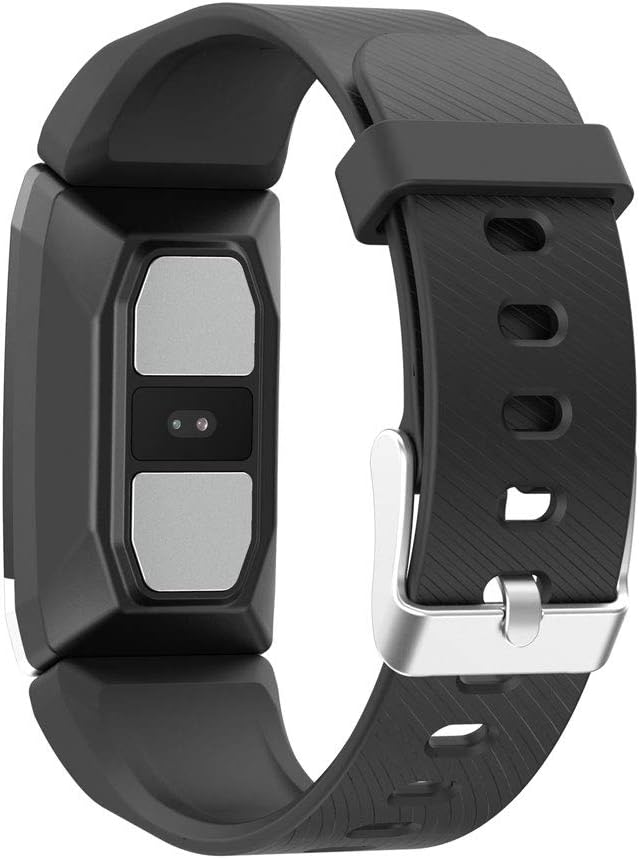
Малюнак 3.2: Задняя частка view of the fitness band, highlighting the integrated sensors for health monitoring.
Асноўныя характарыстыкі:
- Маніторынг тэмпературы цела: Integrated sensor for continuous temperature tracking.
- Dynamic Heart Rate Monitoring: 24-hour continuous heart rate tracking.
- Мульты-спартыўны рэжым: Records duration, steps, and heart rate during various sports activities.
- Адсочванне сну: Кантралюе працягласць і якасць сну.
- Воданепранікальнасць: IP67 rated, submersible up to 1 meter for 30 minutes.
- Апавяшчэнні: Receive alerts for calls and messages when connected to your smartphone.
4. Настройка
4.1 Зарадка прылады
Before first use, fully charge your fitness band. Connect the charging cable to the designated port on the band and to a USB power source. The battery icon on the screen will indicate charging status. A full charge typically takes approximately 2 hours.
4.2 Усталёўка і спалучэнне праграм
- Спампаваць Wearfit 2.0 праграму з крамы праграм вашага смартфона (сумяшчальная з Android 5.1+ і iOS 8.0+).
- Пераканайцеся, што Bluetooth уключаны на вашым смартфоне.
- Open the Wearfit 2.0 app and follow the on-screen instructions to create an account or log in.
- Navigate to the device pairing section within the app and search for your KSIX Thermometer HR Fitness Band.
- Select your device from the list to establish a Bluetooth 4.0 connection.
- Once paired, the band will synchronize with your smartphone, and you can customize settings and view дадзеныя.
5. Інструкцыя па эксплуатацыі
5.1 Навігацыя па інтэрфейсе
The fitness band features a touch-sensitive screen. Swipe up, down, left, or right to navigate through different functions and menus. Tap to select an option or confirm an action.
5.2 Monitoring Body Temperature
The band continuously monitors your body temperature. To view your current temperature, navigate to the temperature screen on the device. Historical data and trends can be viewed in the Wearfit 2.0 app.
5.3 Маніторынг сардэчнага рытму
The dynamic heart rate monitor tracks your pulse 24 hours a day. Access the heart rate screen on the band to see your real-time heart rate. Detailed graphs and average readings are available in the Wearfit 2.0 app.
5.4 Мультыспартыўны рэжым
Activate multi-sport mode from the device menu to track specific activities. This mode records duration, step count, and heart rate during your workout. End the activity to save the data, which will then sync to the Wearfit 2.0 app.
5.5 Адсочванне сну
Wear the band while sleeping to automatically track your sleep patterns. The device records sleep duration and quality. View detailed sleep analysis in the Wearfit 2.0 app.
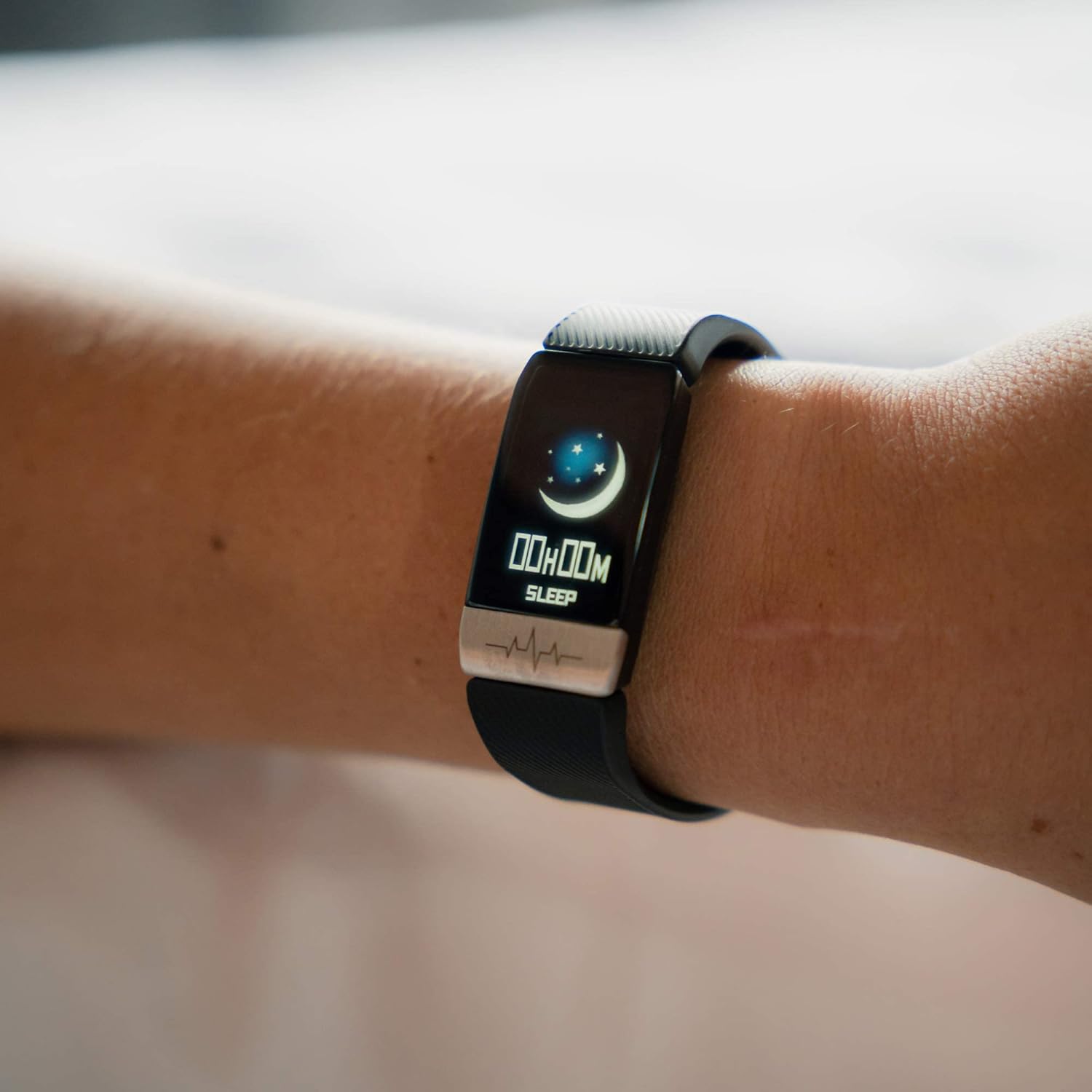
Figure 5.1: The fitness band displaying sleep tracking information on the user's wrist.
5.6 Апавяшчэнні
Once paired with your smartphone, the band can display notifications for incoming calls, messages, and app alerts. Ensure notification permissions are enabled in the Wearfit 2.0 app and your phone's settings.
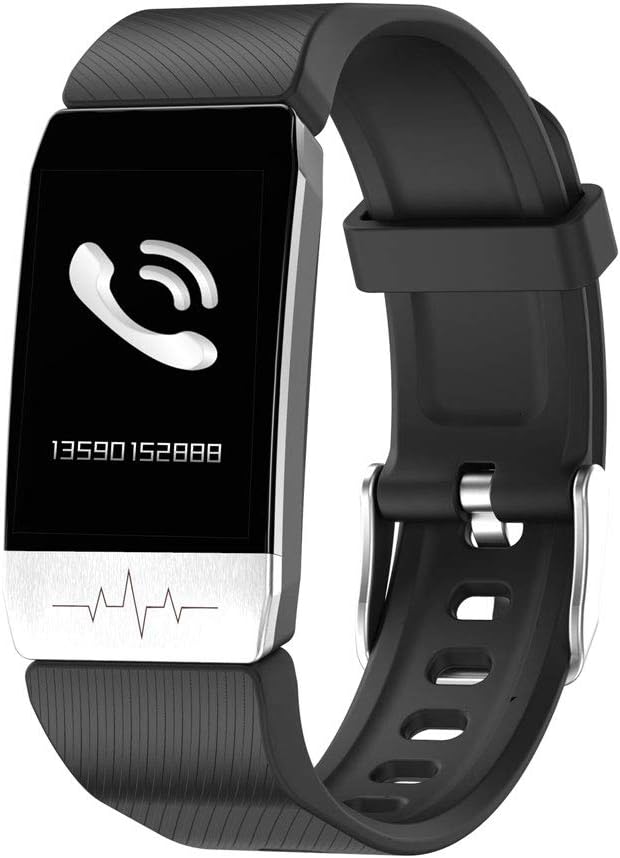
Figure 5.2: The fitness band showing an incoming call notification.
6. Тэхнічнае абслугоўванне
6.1 Ачыстка
Regularly clean your fitness band with a soft, damp cloth. Avoid using harsh chemicals or abrasive materials, as these can damage the device. Ensure the charging contacts are clean and dry before charging.
6.2 Воданепранікальнасць
The KSIX Thermometer HR Fitness Band is IP67 water-resistant, meaning it can be submerged in water up to 1 meter deep for a maximum of 30 minutes. It is suitable for daily use, such as washing hands or showering. However, it is not recommended for diving, high-pressure water activities, or prolonged submersion.

Figure 6.1: The fitness band submerged in water, showcasinг яго воданепранікальная канструкцыя.
7. Выпраўленне непаладак
- Прылада не ўключаецца: Ensure the device is fully charged. Connect it to the charger and wait a few minutes before attempting to power it on again.
- Немагчыма спалучыць прыладу са смартфонам:
- Пераканайцеся, што Bluetooth уключаны на вашым тэлефоне.
- Make sure the Wearfit 2.0 app is installed and running.
- Check if the band's battery is not critically low.
- Try restarting both your phone and the fitness band.
- Ensure the band is not already paired with another device.
- Inaccurate readings (temperature/heart rate):
- Ensure the band is worn snugly on your wrist, but not too tight.
- Ачысціце датчыкі на задняй частцы бранзалета.
- Avoid extreme temperatures or rapid changes in environment.
- Note that these devices are not medical instruments and readings are for reference only.
- Апавяшчэнні не з'яўляюцца:
- Verify that the band is successfully paired with your phone.
- Check notification settings within the Wearfit 2.0 app.
- Ensure your phone's system settings allow the Wearfit 2.0 app to send notifications.
8. Тэхнічныя характарыстыкі
| Асаблівасць | Дэталь |
|---|---|
| Нумар мадэлі | TP-8427542106342_BXSTBAND_Vendor |
| Дысплей | 1.4-цалевы каляровы TFT-дысплей |
| Ёмістасць батарэі | 90 мАг |
| Тэрмін службы батарэі | Да 5 дзён |
| Сувязь | Bluetooth 4.0 |
| Воданепранікальнасць | IP67 (up to 1m for 30 minutes) |
| Сумяшчальнасць | Android 5.1+ / iOS 8.0+ |
| Датчыкі | Body Temperature, Heart Rate, Micro Vibration |
| Матэрыял папружкі | Нержавеючая сталь |
| Матэрыял корпуса | Нержавеючая сталь |
| Памеры (пакет) | 13.2 х 10.1 х 4.8 см |
| Вага | 60 г |
9. Гарантыя і падтрымка
The KSIX Thermometer HR Fitness Band comes with a Гарантыя 2 год з даты пакупкі, якая пакрывае вытворчыя дэфекты. Гэтая гарантыя не распаўсюджваецца на пашкоджанні, выкліканыя няправільным выкарыстаннем, аварыямі, несанкцыянаванымі мадыфікацыямі або звычайным зносам.
For technical support, warranty claims, or further assistance, please contact your retailer or visit the official KSIX webсайт для кантактнай інфармацыі.
вытворца: ATLANTIS INTERNACIONAL