
SYSTEMTREFF 20192505-a
SYSTEMTREFF PC AMD Ryzen 7 5700G User Manual
Model: Ed2505 (20192505-a)
Уводзіны
This manual provides essential information for setting up, operating, maintaining, and troubleshooting your SYSTEMTREFF PC AMD Ryzen 7 5700G. Please read this manual thoroughly before using your new computer to ensure proper functionality and longevity.

Выява: Пярэдні бок view of the SYSTEMTREFF PC, showcasing its transparent side panel and illuminated internal components.
Кіраўніцтва па ўстаноўцы
Follow these steps to set up your SYSTEMTREFF PC.
1. Распакоўка і размяшчэнне
- Асцярожна дастаньце камп'ютар з упакоўкі. Захавайце ўсе ўпаковачныя матэрыялы для будучай транспарціроўкі або абслугоўвання.
- Place the PC on a stable, flat surface with adequate ventilation. Ensure there is sufficient space around the computer for airflow, especially at the front, rear, and top vents.
- Avoid placing the PC near heat sources, in direct sunlight, or in areas with excessive dust or humidity.

Выява: Розныя views of the PC case illustrating its physical dimensions for proper placement.
2. Падключэнне перыферыйных прылад
Падключыце манітор, клавіятуру, мыш і іншыя прылады да адпаведных партоў.
- Манітор: Connect your monitor to the HDMI or DVI-D port on the rear of the PC. Ensure the cable is securely fastened.
- Клавіятура і мыш: Connect your USB keyboard and mouse to any available USB ports (USB 2.0 or USB 3.0/3.2). PS/2 ports are also available for compatible devices.
- Аўдыё: Connect speakers or headphones to the audio output jack (green) and a microphone to the microphone input jack (pink) on the rear or front panel.
- Сетка: For a wired connection, connect an Ethernet cable from your router to the RJ45 LAN port on the rear. For wireless connectivity, ensure the included USB Wi-Fi stick is connected.
- Магутнасць: Падключыце кабель харчавання да блока харчавання (БП) на задняй панэлі кампутара, а затым падключыце другі канец да заземленай электрычнай разеткі.

Выява: Падрабязная view of the available front and rear ports for connecting various peripherals.
Інструкцыя па эксплуатацыі
1. First Boot and Initial Setup
- After connecting all peripherals, press the power button located on the top front of the PC.
- The system will boot into Windows 10 Pro. Follow the on-screen instructions to complete the initial Windows setup, including region, language, and user account creation.
- Drivers for all components are pre-installed, ensuring a plug-and-play experience.
2. Асноўнае выкарыстанне
- Уключэнне/выключэнне харчавання: Press the power button to turn on. To shut down, click the Start button in Windows, then select Power > Shut down.
- Перазапуск: Каб перазагрузіць сістэму, націсніце кнопку «Пуск», а затым выберыце «Харчаванне» > «Перазагрузка».
- Рэжым сну: Каб перавесці сістэму ў рэжым сну, націсніце кнопку «Пуск», а затым выберыце «Харчаванне» > «Сон».
- Падключэнне: The PC supports Wi-Fi and Bluetooth for wireless connections. Use the Windows settings to connect to wireless networks or pair Bluetooth devices.

Малюнак: Examples of typical usage scenarios for the PC, including productivity, entertainment, and gaming.
Тэхнічнае абслугоўванне
Regular maintenance helps ensure the optimal performance and longevity of your PC.
1. Уборка
- Знешні выгляд: Выкарыстоўвайце мяккі, damp cloth to clean the exterior of the case. Avoid abrasive cleaners.
- пыл: Periodically clean dust from the vents and fans using compressed air. Ensure the PC is powered off and unplugged before cleaning. The case features a mesh front and side panel for improved airflow and dust filtration.

Image: Features of the PC case designed for efficient cooling and maintenance access.
2. Абнаўленне праграмнага забеспячэння
- Рэгулярна правярайце наяўнасць абнаўленняў Windows і ўсталёўвайце іх, каб забяспечыць стабільнасць і бяспеку сістэмы.
- Keep your graphics drivers updated for optimal performance, especially for gaming and multimedia applications.
Ліквідацыю непаладак
У гэтым раздзеле разглядаюцца распаўсюджаныя праблемы, з якімі вы можаце сутыкнуцца.
Няма сілы
- Пераканайцеся, што кабель харчавання надзейна падключаны як да ПК, так і да электрычнай разеткі.
- Verify that the power switch on the back of the power supply unit (PSU) is in the 'On' position.
- Test the outlet with another device to confirm it is functional.
Няма адлюстравання на маніторы
- Check that the monitor is powered on and its video cable is securely connected to the PC's HDMI or DVI-D port.
- Ensure the monitor input source is correctly selected (e.g., HDMI 1, DVI).
- If you have multiple display outputs, try connecting to a different port.
Запаволенне або завісанне сістэмы
- Зачыніце непатрэбныя праграмы, якія працуюць у фонавым рэжыме.
- Check for sufficient free space on your drives, especially the C: drive (SSD).
- Запусціце праверку на вірусы, каб праверыць наяўнасць шкоднасных праграм.
- Пераканайцеся, што ПК мае дастатковую вентыляцыю і не пераграваецца.
Тэхнічныя характарыстыкі
Detailed technical specifications of your SYSTEMTREFF PC.
| Кампанент | Спецыфікацыя |
|---|---|
| Працэсар | AMD Ryzen 7 5700G (8 Cores, up to 4.6 GHz Turbo) |
| Графіка | Integrated AMD Radeon RX Vega 8 (4GB, 2000 MHz, DirectX 12.1) |
| АЗП | 32 ГБ DDR4 3200 МГц |
| Захоўванне | 1TB M.2 NVMe SSD + 2TB HDD |
| Аперацыйная сістэма | Windows 10 Pro (64-bit, pre-installed) |
| Электразабеспячэнне | 500 ват |
| Сувязь | Wi-Fi, Bluetooth, Gigabit LAN (RJ45) |
| Пярэднія парты | 1x USB 3.0, 2x USB 2.0, аўдыёўваход/выхад |
| Заднія парты | HDMI 4K HD, DVI-D, PS/2, 4x USB 3.2, 2x USB 2.0, HD 7.1 Sound, RJ45 LAN |
| Памеры (ВxШxГ) | 45 х 20.5 х 38.5 см |
| Вага | 12 кг |

Image: Visual summary of the PC's core performance components.


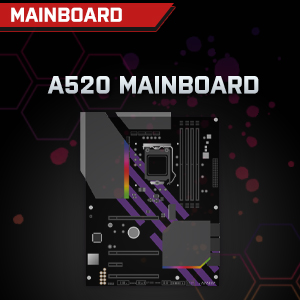

Image: Individual component representations for CPU, RAM, Graphics, Storage, Mainboard, and Power Supply.
Гарантыя і падтрымка
SYSTEMTREFF is committed to providing excellent customer service.
- Гарантыя вытворцы: Your SYSTEMTREFF PC comes with a 36-month (3-year) manufacturer's warranty. This warranty covers defects in materials and workmanship under normal use.
- Кантроль якасці: All individually assembled PCs undergo a quality control check before shipment.
- Вяртае: In case of issues, SYSTEMTREFF offers free returns.
- Звязацца са службай падтрымкі: For technical assistance, warranty claims, or any other inquiries, please contact SYSTEMTREFF customer support. Contact details can typically be found on the manufacturer's official webсайт або дакументацыю, якая прыкладаецца да вашай пакупкі.

Image: Information regarding warranty, ease of setup, and customer support availability.