
1. Уводзіны
Thank you for choosing the Ourlife Kids Camera OU-630. This digital camera is designed for children, offering 1080p Full HD video recording, 12MP photo resolution, and a unique 60x macro magnification function for exploring the micro-world. It features a 3.5-inch large screen, various creative filters, games, and music playback. Please read this manual carefully to ensure proper use and maintenance of your camera.
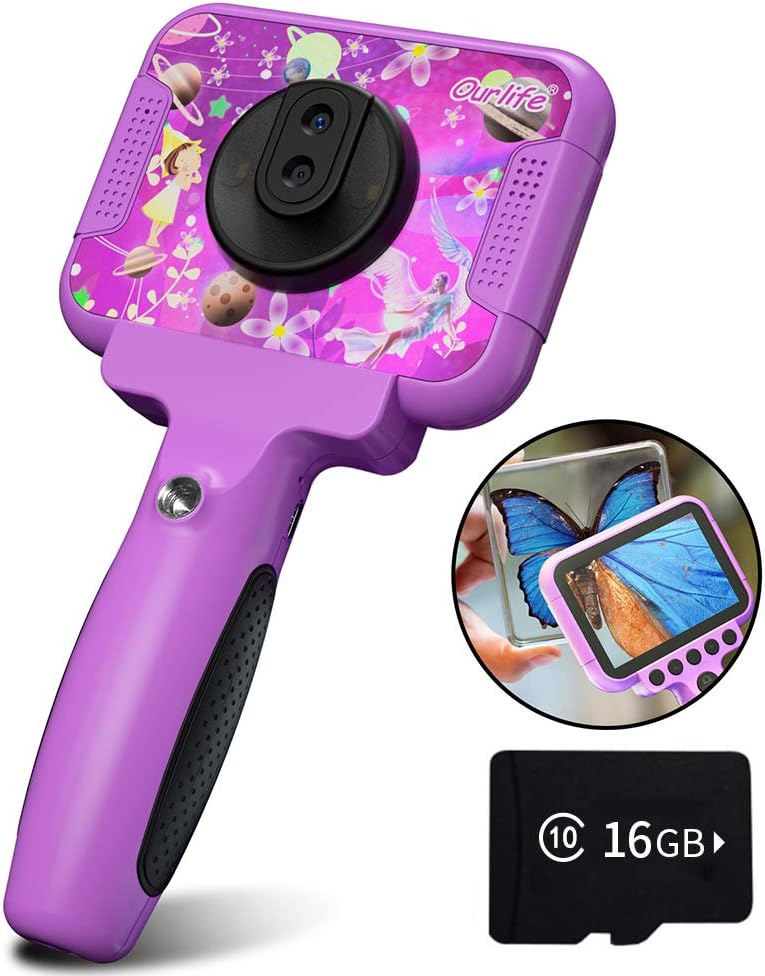
Image 1.1: The Ourlife Kids Camera OU-630, highlighting its design and macro capability.
2. Змесціва ўпакоўкі
Калі ласка, праверце ўпакоўку, каб пераканацца ў наяўнасці ўсіх прадметаў:
- Kids Camera x 1
- Карта памяці TF на 16 ГБ х 1
- Base Bracket x 1
- Кабель для зарадкі USB x 1
- Кіраўніцтва карыстальніка x 1
- Neck Lanyard x 1
- Папружка для рукі x 1

Image 2.1: Contents of the Ourlife Kids Camera OU-630 package.
3. Прадукт скончыўсяview
Азнаёмцеся з кампанентамі і элементамі кіравання камеры:
- Экран дысплея: 3.5-inch color screen for viewрабіць фота і відэа, а таксама карыстацца меню.
- Асноўны аб'ектыў: For standard photography and video.
- Макрааб'ектыў: Dedicated lens for 60x magnification.
- Кнопкі кіравання: M (Menu), Up, OK, Down, Power, Shutter/LED.
- Ручка: Ergonomically designed for child-friendly grip.
- Порт USB: Для зарадкі і перадачы дадзеных.
- Слот TF карты: Для ўстаўкі карты памяці.

Image 3.1: Key features and specifications of the Ourlife Kids Camera OU-630.
Табліца функцый кнопак
| Кнопка | Рэжым камеры | Рэжым запісу | Музычны рэжым | Рэжым гульні | Рэжым прайгравання |
|---|---|---|---|---|---|
| M | Вярнуцца да меню | ||||
| ▲ | Change filters/Frames Long press: Zoom in | Change filters/Frames | Папярэдняя песня | Рух налева | Previous photo |
| OK | Long press: Open/Close LED light | OK | Choose music/story | OK | Прайграванне / Паўза |
| ▼ | Change filters/Frames Long press: Zoom out | Change filters/Frames | Наступная песня | Рух направа | Наступнае фота |
| ⏻ | Switch to Splicing mode | Вярнуцца да меню | НУЛЬ | НУЛЬ | Выдаліць |
| ◎ | Сфатаграфаваць | Вярнуцца да меню | НУЛЬ | НУЛЬ | НУЛЬ |
Image 3.2: Detailed functions of each button across different modes.
4. Настройка
4.1. Зарадка камеры
Before first use, fully charge the camera. Connect the included USB charging cable to the camera's USB port and to a compatible USB power source (e.g., computer, wall adapter). The charging indicator light will show the charging status. A full charge provides approximately 3 hours of use.
4.2. Устаўка карты TF
The camera requires a TF (MicroSD) card to store photos and videos. A 16GB TF card is included. Locate the TF card slot on the side of the camera. Gently insert the TF card with the metal contacts facing down until it clicks into place. To remove, push the card in again until it springs out.
5. Інструкцыя па эксплуатацыі
5.1. Уключэнне/выключэнне харчавання
- Каб уключыць, націсніце і ўтрымлівайце Power button (⏻) пакуль экран не загарыцца.
- Каб выключыць харчаванне, націсніце і ўтрымлівайце Power button (⏻) пакуль экран не выключыцца.
5.2. Навігацыя па меню
Выкарыстоўвайце Уверх (▲) і Уніз (▼) buttons to navigate through menu options. Press the Кнопка ОК to confirm a selection. Press the Кнопка M (Меню). to return to the previous menu or the main menu.
5.3. Фатаграфаванне
- У галоўным меню абярыце Значок камеры і націсніце OK.
- Скампануйце здымак з дапамогай экрана.
- Націсніце Shutter button (◎) зрабіць фота.
- Выкарыстоўвайце Уверх (▲) і Уніз (▼) buttons to change filters or frames. Long press Уверх (▲) каб павялічыць, доўга націсніце Уніз (▼) каб паменшыць.
5.4. Запіс відэа
- У галоўным меню абярыце Значок відэа і націсніце OK.
- Націсніце Shutter button (◎) каб пачаць запіс.
- Націсніце Shutter button (◎) яшчэ раз, каб спыніць запіс.
- Выкарыстоўвайце Уверх (▲) і Уніз (▼) buttons to change filters or frames during recording.
5.5. Macro Function
The camera features a dedicated macro lens for 60x magnification, ideal for observing small objects. The optimal focal length for macro photography is 20-40mm.
- To switch between the main lens and macro lens, long press the Shutter button (◎).
- When in macro mode, position the camera close to the subject (20-40mm distance).
- Use the included base bracket for stability during macro shots to prevent hand shake.
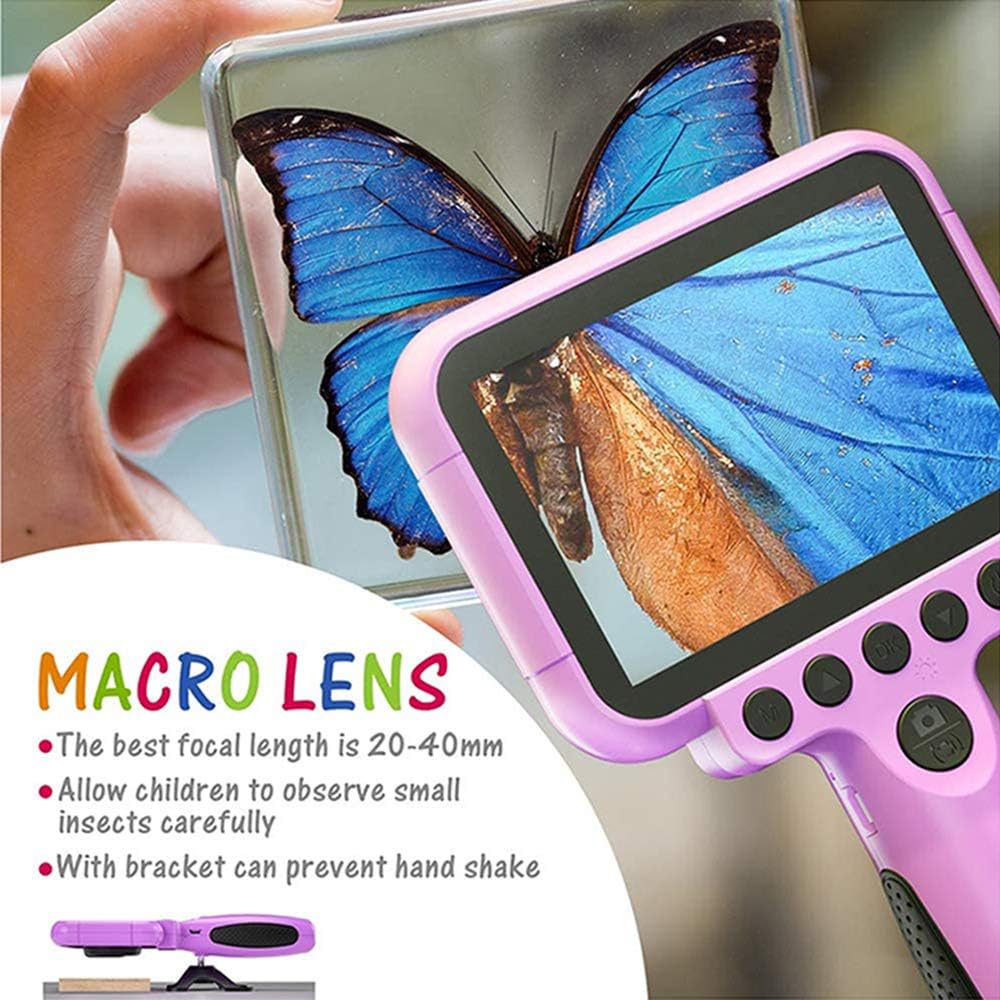
Image 5.1: Demonstrating the macro lens function for detailed observation.

Image 5.2: Switching between HD and Macro lenses.
5.6. Patchwork Mode (Splicing Mode)
This mode allows you to combine two separate photos into one. It includes various border patterns.
- In Camera Mode, press the Power button (⏻) to switch to Splicing (Patchwork) mode.
- Follow the on-screen prompts to take two photos that will be merged.
- Select from 9 available border patterns.

Image 5.3: Using the Patchwork Mode to combine images.
5.7. Рэжым музыкі
The camera supports MP3 music playback. Store your favorite music files on the TF card. From the main menu, select the Значок музыкі і націсніце OK. Выкарыстоўвайце Уверх (▲) і Уніз (▼) buttons to select songs, and OK гуляць / прыпыніць.
5.8. Гульні
The camera includes pre-installed games for entertainment. From the main menu, select the Game icon і націсніце OK. Use the navigation buttons to play.
5.9. Рэжым прайгравання
каб view your captured photos and videos, select the Photos/Video Playback icon з галоўнага меню і націсніце OK. Выкарыстоўвайце Уверх (▲) і Уніз (▼) buttons to browse, and OK to play videos or view photos. To delete a file, націсніце Power button (⏻) пакуль viewing гэта.
5.10. Налады
Access camera settings by selecting the Значок налад from the main menu. Here you can adjust various parameters such as date/time, language, resolution, and more.
6. Тэхнічнае абслугоўванне
- Падтрымлівайце камеру ў чысціні, праціраючы яе мяккай сухой тканінай.
- Avoid exposing the camera to extreme temperatures, direct sunlight, or moisture.
- Не спрабуйце самастойна разабраць або адрамантаваць камеру.
- Ensure the TF card is inserted correctly to prevent data loss.
- Charge the camera regularly to maintain battery health.
7. Выпраўленне непаладак
- Камера не ўключаецца: Пераканайцеся, што акумулятар зараджаны. Падключыце да крыніцы харчавання і паспрабуйце яшчэ раз.
- Нельга рабіць фота/відэа: Check if a TF card is inserted and if it has sufficient storage space.
- Дрэнная якасць выявы: Ensure the lens is clean. Check lighting conditions. For macro shots, ensure correct focal distance (20-40mm).
- Камера завісае: Націсніце і ўтрымлівайце кнопку харчавання, каб прымусова перазапусціць кампутар.
- TF card error: Reinsert the TF card. If the issue persists, try formatting the card (this will erase all data) or use a different TF card.
8. Тэхнічныя характарыстыкі
| Асаблівасць | Дэталь |
|---|---|
| Нумар мадэлі | ОУ-630 |
| Эфектыўнае рашэнне | 12 МП |
| Дазвол відэа | 1080p |
| Памер экрана | 3.5 цалі |
| Стабілізацыя выявы | Лічбавы |
| Тып аб'ектыва | Macro (60x zoom) |
| Тып батарэі | 1 літый-палімерны (у камплекце) |
| Тэхналогія падлучэння | USB |
| Тып носьбіта, які падтрымліваецца | SD-карта |
| Рэжымы здымкі | Loop recording, Continuous shooting, Timed photo, Macro photography, Filter photos |
| Памеры прадмета (Д х Ш х У) | 3.94" Г x 7.28" Ш x 0.79" У |
9. Гарантыя і падтрымка
Гэта Оurlife Kids Camera OU-630 comes with a Гарантыя 12 месяцаў from the date of purchase. This warranty covers manufacturing defects and workmanship. It does not cover damage caused by misuse, accidents, unauthorized repairs, or normal wear and tear.
For technical support, warranty claims, or any questions regarding your product, please contact Ourlife customer service. Refer to the contact information provided on the product packaging or the official Ourlкалі webсайт.