
Уводзіны
This manual provides essential information for the safe and efficient operation of your Blackview BV6300 Pro rugged smartphone. Please read this manual thoroughly before using your device to ensure proper functionality and to prevent damage.
Што ў скрынцы
Праверце, ці ёсць усе прадметы ў ўпакоўцы вашага прадукту:
- Чорныview BV6300 Pro Smartphone
- Кабель USB
- Адаптар сілкавання
- Навушнікі-ўкладышы
- Інструмент выцягвання SIM-карты
- Ахоўная плёнка для экрана (папярэдне наклееная)
- Spare Screen Protector

Выява: Чорныview BV6300 Pro retail box contents, showing the smartphone, USB cable, power adapter, earbuds, SIM ejector tool, and screen protectors.
Настройка
1. Ўстаноўка SIM-карты
- Выключыце прыладу.
- Знайдзіце латок для SIM-карты на бакавой панэлі тэлефона.
- Устаўце інструмент для выцягвання SIM-карты ў невялікую адтуліну побач з латком і моцна націсніце, пакуль латок не выскочыць.
- Place your Nano-SIM cards (up to two) and/or a microSD card into the designated slots on the tray. Ensure the metal contacts face downwards.
- Асцярожна ўстаўце латок назад у тэлефон, пакуль ён не будзе ўпоравень з корпусам прылады.
2. Пачатковая зарадка
Перад першым выкарыстаннем цалкам зарадзіце Blackview BV6300 Pro. Connect the USB cable to the phone's Type-C port and the power adapter, then plug the adapter into a wall outlet. The charging indicator will appear on the screen.

Выява: Чорныview BV6300 Pro being charged via its USB-C port and also demonstrating wireless charging capability on a pad.
3. Уключэнне/выключэнне харчавання
- To power on: Press and hold the Power button (located on the right side) until the Blackview з'яўляецца лагатып.
- Каб выключыць прыладу: націсніце і ўтрымлівайце кнопку харчавання, а затым абярыце «Выключыць прыладу» з опцый на экране.
Інструкцыя па эксплуатацыі
1. Android 10 System Overview
Твой чорныview BV6300 Pro runs on Android 10, offering an intuitive user experience with features like Gesture Navigation, Dark Mode, Grayscale, Privacy Protect, and a new interface. Explore the settings menu to customize your device.

Image: Various screens of the Blackview BV6300 Pro showcasing the Android 10 operating system, including settings, home screen, and feature icons like Gesture Navigation and Dark Mode.
2. Выкарыстанне камеры
Чорныview BV6300 Pro is equipped with a 16MP HDR Quad Rear Camera and a 13MP Front Camera. Open the Camera app to access various shooting modes.
- Задняя камера: Features a 16MP main sensor, an 8MP 120° ultra-wide angle lens, and additional macro and depth sensors.
- Пярэдняя камера: A 13MP sensor for high-resolution selfies and video calls.
- Рэжымы здымкі: Includes Night Mode for low-light conditions, Slow Motion for dynamic video, and Macro for close-up shots.

Выява: Візуальнае адлюстраванне Чорнагаview BV6300 Pro's camera system, highlighting its quad rear cameras and front camera, along with examples of photos taken using different modes such as Ultra-Wide Angle, Night Mode, Mono, Slow Motion, and Macro.
3. Функцыі бяспекі
Your device supports Face Unlock and Fingerprint Unlock for secure access.
- Распазнаванне асобы: Register your face in the security settings for quick and convenient unlocking.
- Разблакіроўка адбіткам пальца: The fingerprint sensor is located on the rear of the device. Register your fingerprints in the security settings for secure access.
4. Сувязь
The BV6300 Pro supports Dual SIM 4G VoLTE for enhanced call quality and network coverage. It also includes NFC for contactless payments and data transfer.
Video: An official Blackview відэашоўasing the BV6300 Pro's features, including its slim body, IP68/IP69K water and MIL-STD-810G drop resistance, quad rear cameras, 13MP front camera, 5.7-inch display, NFC, fingerprint unlock, MediaTek Helio P70 processor, 6GB RAM, 128GB ROM, Type-C port, 4380mAh battery with 18W wired and 10W wireless fast charge, Dual 4G VoLTE, global bands, and Android 10 Dark Theme.
Video: An official Blackview video highlighting the BV6300 Pro's ruggedness, slim design, and key specifications such as IP68 & IP69K, MIL-STD-810G, MediaTek Helio P70, 6GB RAM, 128GB ROM, Samsung 16MP Quad Camera, and 4380mAh Battery.
Тэхнічнае абслугоўванне
Каб забяспечыць даўгавечнасць і аптымальную прадукцыйнасць вашага Blackview BV6300 Pro, follow these maintenance guidelines:
- Уборка: Use a soft, dry cloth to clean the device. Avoid chemical solvents or abrasive materials.
- Воданепранікальнасць: The device is IP68/IP69K rated for water and dust resistance. Ensure all port covers are securely closed before exposing the phone to water. Do not intentionally submerge the device in corrosive liquids.
- Сыход за батарэяй: Avoid extreme temperatures. Do not disassemble or puncture the battery. Use only the provided charger or compatible power sources.
- Абарона ад удараў: While rugged, avoid unnecessary drops or impacts. The MIL-STD-810G rating indicates resistance to certain drops, but extreme force can still cause damage.
Ліквідацыю непаладак
Калі ў вас узніклі праблемы з вашым Blackview BV6300 Pro, refer to the following common solutions:
- Завісанне/не рэагуе на паведамленні прылады: Націсніце і ўтрымлівайце кнопку харчавання прыблізна 10-15 секунд, каб прымусова перазагрузіць кампутар.
- Праблемы з зарадкай: Ensure the USB cable and power adapter are securely connected. Try a different outlet or charging accessory. Check the charging port for any debris.
- Праблемы з падключэннем да сеткі: Check if your SIM card is properly inserted. Verify that mobile data is enabled in settings. If issues persist, restart the device or contact your network provider.
- Якасць камеры: Ensure the camera lenses are clean and free of smudges. For optimal results, use appropriate lighting and experiment with different camera modes.
Тэхнічныя характарыстыкі
| Марка | Чорныview |
| Назва мадэлі | BV6300 Pro |
| Ёмістасць памяці | 128 ГБ |
| Аператар бесправадной сувязі | T-Mobile |
| Сотавая тэхналогія | 2G, 3G, 4G |
| Тэхналогія падлучэння | Bluetooth, WiFi |
| Колькасць слотаў для SIM-карт | Дзве SIM |
| Тып раздыма | 3.5mm Jack, USB Type C |
| Ёмістасць батарэі | 4380 Міліamp Гадзіны |
| Біяметрычная функцыя бяспекі | Распазнаванне твараў |
| Узровень воданепранікальнасці | Waterproof (IP68/IP69K) |
| Rear Facing Camera Photo Sensor Resolution | 16 МП |
| Разрозненне аптычнага датчыка | 16.0, 8.0 MP |
| Рэжымы здымкі | Night Mode, Slow Motion |
| Мадэльны год | 2020 |

Image: An illustration of the Blackview BV6300 Pro's internal components, highlighting the CPU (MediaTek Helio P70), 6GB RAM, and 128GB ROM, with an indication for an optional 128GB SD card.
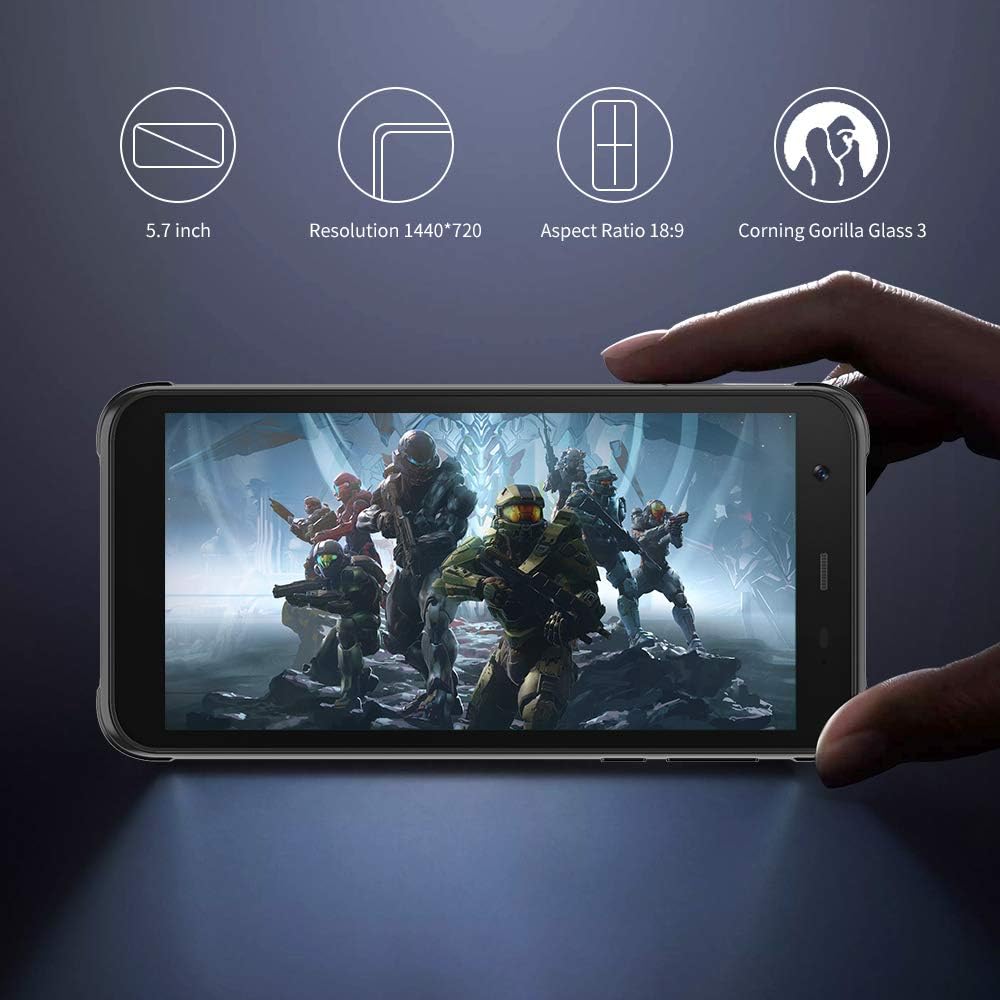
Выява: Чорныview BV6300 Pro held in a hand, displaying its 5.7-inch screen with a resolution of 1440x720, an 18:9 aspect ratio, and Corning Gorilla Glass 3 protection.

Image: Technical drawing of the Blackview BV6300 Pro showing its dimensions: 159.6mm height, 78.2mm width, and 11.6mm thickness.
Гарантыя і падтрымка
For warranty information and customer support, please refer to the documentation included with your purchase or visit the official Blackview webсайт. Захоўвайце пацвярджэнне пакупкі для прэтэнзій па гарантыі.