
мерос MSS560
Meross Smart Dimmer Switch (MSS560) User Manual
Мадэль: MSS560
Уводзіны
The Meross Smart Dimmer Switch (MSS560) is designed to provide intelligent control over your lighting. This single-pole dimmer switch allows you to remotely control, dim, and schedule your lights using the Meross app, Apple HomeKit, Amazon Alexa, or Google Assistant. It requires a neutral wire for installation and operates on a 2.4GHz Wi-Fi network.
Інфармацыя па бяспецы
- Неабходны нейтральны провад: Ensure your electrical box has a neutral wire (typically white) before installation. If unsure, consult a qualified electrician.
- Выключыце харчаванне перад усталёўкай: Заўсёды адключайце электрычнасць з дапамогай аўтаматычнага выключальніка перад устаноўкай або абслугоўваннем выключальніка, каб пазбегнуць паражэння электрычным токам.
- Single Pole Setup Only: This switch is designed for single pole configurations only. It is not compatible with 3-way or multi-way switch setups.
- Сумяшчальнасць лямпачкі: Works with non-smart dimming bulbs. Maximum wattage: 400W for incandescent (INC), 150W for CFL & LED bulbs. Do not use with smart bulbs.
- Патрабаванні да Wi-Fi: Supports 2.4GHz Wi-Fi networks only. 5GHz Wi-Fi is not supported. No hub is required.
- Вогнеахоўны матэрыял: The switch housing is made of PC+ABS fire-retardant material for safety.
- Абарона ад перагрузкі: Certified by FCC/ETL, the device includes protection against electrical overload.
Што ў скрынцы
- Meross Smart Dimmer Switch (MSS560)
- Кіраўніцтва па хуткай ўстаноўцы
- Драцяныя арэхі
- Крапежныя шрубы
- Faceplate (standard size)
Настройка
Кантрольны спіс перад устаноўкай
- Verify your electrical box has a neutral wire (white).
- Ensure you have a 2.4GHz Wi-Fi network.
- Confirm your setup is single pole (not 3-way).
- Check bulb compatibility (non-smart dimmable LED/CFL/INC).

Image: Diagram illustrating the necessity of a neutral wire and compatible bulb types (LED, CFL, INC) with wattage limits, and incompatibility with smart bulbs.

Image: Important notes on switch compatibility, including single pole setup, 2.4GHz Wi-Fi, neutral wire, and non-smart dimming bulb support.
Ўстаноўка абсталявання
- Выключыць харчаванне: Locate your circuit breaker and turn off the power to the switch you are replacing. Verify power is off using a voltagэлектронны тэстар.
- Зняць стары перамыкач: Carefully remove the faceplate and unscrew the existing switch from the electrical box. Pull the switch outward without touching any wires.
- Вызначыць правады: Identify the Live (black/red), Load (brown/black), Neutral (white), and Ground (green/bare copper) wires. Label them if necessary.
- Падключыць новы камутатар: Use the provided wire nuts to connect the corresponding wires of the Meross Smart Dimmer Switch to your home's electrical wires. Ensure all connections are secure.
- Бяспечны перамыкач: Carefully push the wires and the new switch into the electrical box. Screw the switch to the box and attach the faceplate.
- Аднавіць сілу: Turn on the power at your circuit breaker.
Video: Official Meross guide on how to install the HomeKit smart dimmer switch, demonstrating the wiring process and safety precautions.
App Setup & Pairing
- Спампаваць праграму Meross: Спампуйце праграму Meross з App Store або Google Play.
- Дадаць прыладу: Open the Meross app, tap the '+' icon to add a new device, and select the Smart Dimmer Switch. Follow the in-app instructions.
- Падключыцеся да Wi-Fi: Connect the switch to your 2.4GHz Wi-Fi network.
- HomeKit Setup (Optional): If using Apple HomeKit, scan the HomeKit setup code located on the device or its packaging. You may need to manually enter the 8-digit code.
- Calibrate Dimming Range: Use the app to set the maximum and minimum light levels for optimal dimming performance with your specific bulbs.
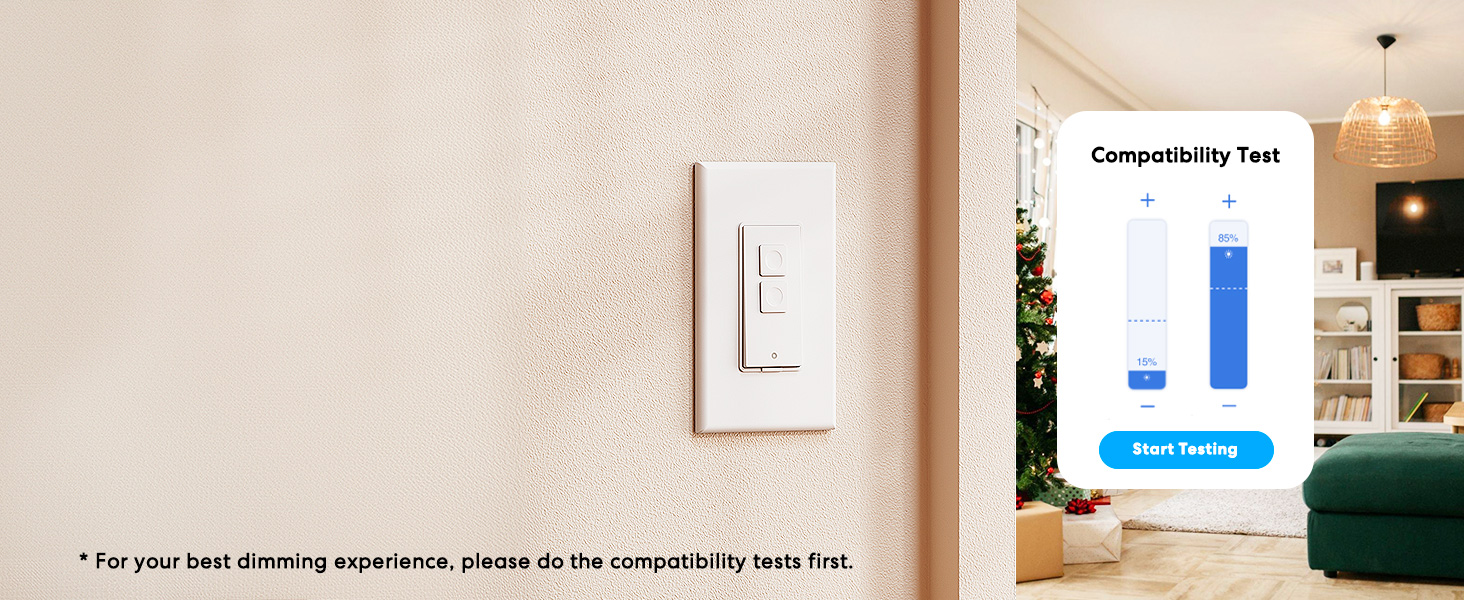
Image: Meross app interface demonstrating the dimming compatibility test to optimize light levels.
Інструкцыя па эксплуатацыі
Ручное кіраванне
The Meross Smart Dimmer Switch features physical buttons for direct control:
- Кнопка ўключэння/выключэння: Press the main button to turn lights on or off.
- Dimming Buttons: Use the smaller up/down buttons to adjust brightness levels.
Кантроль прыкладанняў
Control your lights from anywhere with internet access using the Meross app:
- Дыстанцыйнае ўключэнне/выключэнне: Tap the switch icon in the app to toggle lights.
- Зацямненне: Use the slider in the app to precisely adjust brightness from 0% to 100%.

Image: A user controlling lights remotely via the Meross app on a smartphone.
Галасавое кіраванне
The Meross Smart Dimmer Switch is compatible with leading voice assistants:
- Apple HomeKit/Siri: Say "Hey Siri, turn on the light" or "Hey Siri, dim the light to 50%".
- Amazon Alexa: Say "Alexa, turn on the light" or "Alexa, dim the light to 20%".
- Памочнік Google: Say "Hey Google, turn on the light" or "Hey Google, dim the light to 90%".

Image: Visual representation of voice commands for Siri, Alexa, and Google Assistant to control light brightness.
Scheduling & Scenes
Automate your lighting to suit your lifestyle:
- Расклад: Set specific times for lights to turn on/off or dim automatically. Supports sunrise and sunset settings.
- Сцэны: Create custom scenes for different moods or activities (e.g., "Movie Night" with dimmed lights).

Image: Meross app interface displaying options for setting scenes, timers, and schedules for automated lighting control.
Тэхнічнае абслугоўванне
- Уборка: Wipe the switch and faceplate with a soft, dry cloth. Do not use liquid cleaners or aerosols.
- Абнаўленні прашыўкі: Regularly check the Meross app for firmware updates to ensure optimal performance and security.
Ліквідацыю непаладак
- Перамыкач не рэагуе: If the switch is unresponsive or the indicator light is red, try pressing the small power reset button located at the bottom of the switch.
- Праблемы з падключэннем Wi-Fi: Ensure your smartphone is connected to a 2.4GHz Wi-Fi network during setup. If the switch loses connection, verify your router is functioning correctly and the switch is within range.
- Праблемы зацямнення: If lights flicker or do not dim correctly, re-calibrate the dimming range in the Meross app. Ensure you are using compatible non-smart dimmable bulbs.
- HomeKit Remote Control: For remote control via HomeKit, an additional networked Apple device (HomePod, Apple TV 4K/HD, or iPad) must be set up as a HomeKit bridge and remain online.
Тэхнічныя характарыстыкі
| Асаблівасць | Спецыфікацыя |
|---|---|
| Рэжым працы | УКЛ ВЫКЛ |
| Бягучы рэйтынг | 4 Amps |
| Аперацыйная Voltage | 120 вольт |
| Тып кантакту | Звычайна адкрыты |
| Тып раздыма | Clamp |
| Тэрмінал | Клінок |
| Памеры прадмета (Д х Ш х У) | 4.7 х 2.8 х 1.5 цалі |
| Тып схемы | 1-баковы (аднаполюсны) |
| Тып прывада | Кнопка |
| Кантактны матэрыял | медзь |
| Міжнародны рэйтынг абароны | IP00 |
| Колькасць пазіцый | 1 |
| Верхняя адзнака тэмпературы | 40 градусы па Цэльсіі |
| Тып кантролера | Amazon Alexa, Apple HomeKit, Google Assistant |
| Метад кантролю | Голас, праграма |
| Пратакол злучэння | Wi-Fi (толькі 2.4 ГГц) |
| Колер | Белы |
| Ватtage | 400 watts (INC), 150 watts (CFL & LED) |
| Матэрыял | Plastic (PC+ABS fire-retardant) |
Гарантыя і падтрымка
Гарантыя
The Meross Smart Dimmer Switch typically comes with a 1-year warranty. Please refer to your product packaging or the Meross webсайт для атрымання канкрэтных гарантыйных умоў.
Падтрымка
If you have any questions regarding your switch type, installation, or Wi-Fi connections, please contact Meross customer support. You can usually find contact information within the Meross app or on the official Meross webсайт.
Дадатковая інфармацыя
Відэа: Оверview of Meross smart home products, showcasing various features and benefits of integrating smart devices into your home.
Звязаныя дакументы - MSS560
 |
Meross Smart Dimmer Switch MSS560 User Manual User manual for the Meross Smart Dimmer Switch (MSS560), detailing installation, setup, LED indicators, troubleshooting, warranty, and compliance information. |
 |
Кіраўніцтва карыстальніка і кіраўніцтва па ўсталёўцы разумнай разеткі Meross Падрабязнае кіраўніцтва карыстальніка для разумнай разеткі Meross, якое ўключае інфармацыю па бяспецы, змесціва камплекта, правілы выкарыстання святлодыёдаў і кнопак, кіраўніцтва па ўсталёўцы, спасылку на галасавых памочнікаў, часта задаваныя пытанні, гарантыю і адмову ад адказнасці. Даведайцеся, як наладзіць і выкарыстоўваць разумную разетку Meross. |
 |
Meross Smart Wall Switch MSS560 User Manual and Installation Guide Comprehensive user manual and installation guide for the Meross Smart Wall Switch (MSS560), covering setup, hardware installation, troubleshooting, warranty, and compliance information. |
 |
Кіраўніцтва карыстальніка для разумнага насценнага выключальніка Meross MSS560XHK (ЗША) Кіраўніцтва карыстальніка і кіраўніцтва па ўсталёўцы насценнага выключальніка Meross MSS560XHK(ЗША), якое ахоплівае інфармацыю па ўсталёўцы, эксплуатацыі, ліквідацыі непаладак і адпаведнасці патрабаванням. |
 |
Кіраўніцтва карыстальніка разумнага сеткавага фільтра Meross MSS425 Падрабязнае кіраўніцтва карыстальніка для разумнага сеткавага фільтра Meross MSS425, якое ўключае інфармацыю аб бяспецы, інструкцыі па наладзе, святлодыёдныя індыкатары, інтэграцыю галасавога памочніка, ліквідацыю непаладак, гарантыю і адмову ад адказнасці. Уключае наладу для Google Assistant і Amazon Alexa. |
 |
Кіраўніцтва карыстальніка разумнага сеткавага фільтра Meross MSS420F User manual for the Meross MSS420F Smart Surge Protector, covering safety information, installation, setup, LED indicators, voice assistant integration, FAQ, warranty, and disclaimer. |
Ask a question about this manual
Ask about setup, troubleshooting, compatibility, parts, safety, or missing instructions. Manuals+ will review the question and use this page’s manual context to help answer it.