
Introduction to Apple Watch Series 6
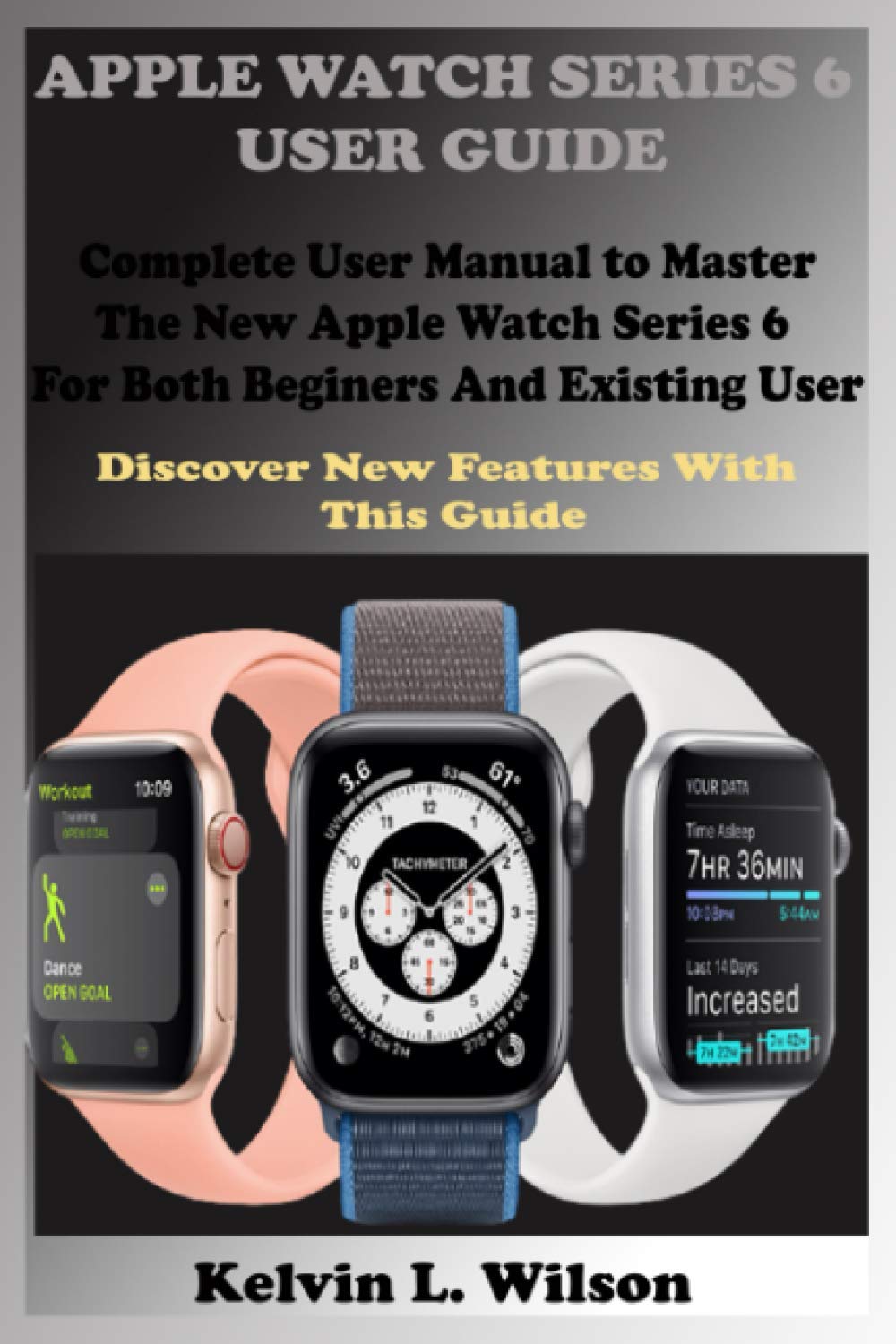
The Apple Watch Series 6 offers advanced health and fitness features, along with seamless integration with your iPhone. This guide will help you understand and utilize all the functionalities of your device, running on watchOS 7.
Key features include blood oxygen measurement, ECG monitoring, heart rate tracking, and fall detection. Whether you are a new user or upgrading from a previous model, this manual covers essential setup, operation, and troubleshooting information.
Асаблівасці большview
The Apple Watch Series 6 is equipped with a range of innovative features designed to enhance your daily life and health monitoring:
- Вымярэнне кіслароду ў крыві: Кантралюйце ўзровень кіслароду ў крыві непасрэдна з запясця.
- Праграма ЭКГ: Зрабіце электракардыяграму, каб праверыць наяўнасць прыкмет фібрыляцыі перадсэрдзяў.
- Маніторынг сардэчнага рытму: Track your heart rate throughout the day and receive notifications for high or low heart rates.
- Праграма для сну: Monitor your sleep patterns and set sleep goals.
- Выяўленне падзення: Automatically calls emergency services if a hard fall is detected and you are unresponsive.
- Fitness and Activity Tracking: Track workouts, daily activity, and achieve fitness goals.
- Інтэграцыя Siri: Выкарыстоўвайце галасавыя каманды для розных задач.
- Apple Pay: Make secure payments directly from your watch.
- Сувязь: Make calls, send messages, and manage mail from your wrist.
Налада і пачатковая канфігурацыя
This section guides you through the initial setup of your Apple Watch Series 6.
1. Спалучэнне з iPhone
- Ensure your iPhone is updated to the latest iOS version and Bluetooth is enabled.
- Уключыце Apple Watch, націснуўшы і ўтрымліваючы бакавую кнопку, пакуль не з'явіцца лагатып Apple.
- Паднясіце iPhone да Apple Watch. На вашым iPhone з'явіцца экран спалучэння. Націсніце «Працягнуць».
- Размясціце iPhone так, каб Apple Watch адлюстроўваўся ў viewшукальнік.
- Follow the on-screen instructions to set up as a new watch or restore from a backup.
2. Adjusting Display and Sound Settings
- Яркасць экрана: Go to Settings > Display & Brightness to adjust.
- Памер тэксту: In Display & Brightness, select Text Size to increase or decrease.
- Sounds and Haptics: Manage ringtone volume, alert tones, and haptic feedback in Settings > Sounds & Haptics.
- Mute Ringtones and Alerts: Swipe up from the watch face to access Control Center and tap the bell icon to mute.
3. Organizing Apps
You can arrange apps on your Apple Watch home screen. Press the Digital Crown to go to the app layout, then touch and hold an app icon until all icons jiggle. Drag apps to rearrange them. Press the Digital Crown again to finish.
4. Setting Up Siri
To enable Siri, go to Settings > Siri on your Apple Watch. You can choose to activate Siri by raising your wrist and speaking, pressing and holding the Digital Crown, or by saying "Hey Siri".
Кіраванне Apple Watch Series 6
Learn how to navigate and use the various applications and functions of your Apple Watch.
1. Navigating the Watch Screen
- Лічбавая карона: Rotate to scroll, zoom, or adjust values. Press once to go to the watch face or app layout. Double-press to switch between recent apps.
- Бакавая кнопка: Press once to open the Dock (recent apps). Press and hold to access emergency services or power options. Double-press for Apple Pay.
- Force Touch (older models) / Haptic Touch (Series 6): Press firmly on the display to reveal additional options in some apps.
- Swipes: Swipe up for Control Center, down for Notifications, left/right on watch face to change faces.
2. Health and Fitness Applications
- Apple Health App: Access comprehensive health data on your iPhone, synced from your watch.
- Праграма ЭКГ: Open the ECG app and follow on-screen instructions to take an electrocardiogram.
- Праграма для сну: Set your sleep schedule and track your sleep patterns.
- Fitness and Activity: Use the Activity rings to track movement, exercise, and standing. Start workouts from the Workout app.
- Activity Sharing: Configure and use Activity Sharing to compete with friends.
3. Камунікацыя
- Тэлефонныя званкі: Make calls from the Phone app. Answer incoming calls by tapping the green button. You can send a message instead of answering or transfer a call to your iPhone.
- Паведамленні: Read, send, and reply to messages. Use dictation, Scribble, or customize default responses.
- Пошта: Manage mail, delete, mark as read or unread.
- Галасавыя паведамленні: Listen to voice messages directly on your watch.
4. Productivity and Utilities
- Праграма "Каляндар": View your schedule and upcoming events.
- Сусветны гадзіннік: Add and remove cities, check time in different zones.
- Alarms, Stopwatch, Timers: Set alarms, use the stopwatch, or set a timer. You can also use your Apple Watch as a bedside table clock with an alarm.
- Maps and Directions: Get turn-by-turn navigation on your wrist.
- Music App: Control music playback from your iPhone or stream directly if cellular is enabled.
- Photo App: View photos synced from your iPhone.
5. Apple Pay
To use Apple Pay, double-press the side button and hold your watch near the contactless reader. You can check your transaction history and manage cards in the Wallet app on your iPhone.
6. Іншыя функцыі
- Не турбаваць: Turn on Do Not Disturb from Control Center to silence notifications.
- Рэжым палёту: Activate Flight Mode from Control Center to disable wireless communications.
- Find My iPhone: Swipe up for Control Center and tap the iPhone icon to ping your iPhone.
- Switch Wrists/Digital Crown Orientation: Adjust these settings in the Apple Watch app on your iPhone under My Watch > General > Watch Orientation.
Maintenance and Battery Management
Proper maintenance ensures the longevity and optimal performance of your Apple Watch Series 6.
1. Зарадка Apple Watch
Place your Apple Watch on its magnetic charging cable. Ensure the charger is connected to a power source. The watch will display a charging indicator.
2. Checking Battery Status and Saving Power
- Праверце магутнасць: Swipe up from the watch face to open Control Center and view батарэі ў працэнтахtage.
- Рэжым нізкага энергаспажывання: When the battery is low, you can enable Power Reserve mode from Control Center to conserve power, which will only display the time.
- Зарад батарэі: Check battery health in the Settings app on your watch under Battery.
3. Кіраванне праграмамі
- Усталяваць праграмы: Install apps from the App Store on your Apple Watch or via the Apple Watch app on your iPhone.
- Аўтаматычныя абнаўленні: Enable automatic app updates in the Apple Watch app on your iPhone under My Watch > App Store.
- Праверце сховішча: View storage used by apps in the Apple Watch app on your iPhone under My Watch > General > Usage.
- Hide Apps: You can hide apps from the app layout by removing them from your watch (they remain on your iPhone).
- Unpair and Delete: To unpair your Apple Watch, open the Apple Watch app on your iPhone, tap My Watch, then tap All Watches, then the info button next to your watch, and select "Unpair Apple Watch".
Ліквідацыю распаўсюджаных праблем
Калі ў вас узніклі праблемы з Apple Watch Series 6, паспрабуйце выканаць наступныя дзеянні:
- Перазапуск: Often, a simple restart can resolve minor software glitches. Press and hold the side button until the power off slider appears, then drag it. To turn back on, press and hold the side button again.
- Прымусовы перазапуск: Калі гадзіннік не рэагуе, націсніце і ўтрымлівайце бакавую кнопку і лічбавую каронку Digital Crown не менш за 10 секунд, пакуль не ўбачыце лагатып Apple.
- Праверце злучэнне: Ensure your Apple Watch is properly paired with your iPhone and Bluetooth/Wi-Fi are enabled.
- Абнаўленне праграмнага забеспячэння: Make sure both your Apple Watch and iPhone are running the latest software versions.
- Скінуць налады: If problems persist, you may need to reset settings or unpair and re-pair your watch. This can be done via the Apple Watch app on your iPhone.
Тэхнічныя характарыстыкі
Here are some key specifications for the Apple Watch Series 6 (as per the manual's publication context):
| Асаблівасць | Дэталь |
|---|---|
| ASIN (for this manual) | B08KB9L3ST |
| Publisher (for this manual) | Незалежна апублікавана |
| Publication Date (for this manual) | 26 верасня 2020 г |
| мова | англійская |
| ISBN-13 (for this manual) | 979-8690799090 |
| Item Weight (for this manual) | 8 унцыі |
| Dimensions (for this manual) | 6 х 0.37 х 9 цалі |
Note: The specifications listed above pertain to the physical book manual. For detailed technical specifications of the Apple Watch Series 6, please refer to Apple's official webсайт.
Гарантыя і падтрымка
Каб атрымаць інфармацыю аб гарантыі на ваш Apple Watch Series 6, звярніцеся да афіцыйнай дакументацыі па гарантыі Apple, якая пастаўляецца з вашай прыладай, або наведайце афіцыйны сайт падтрымкі Apple. website. Apple provides comprehensive support resources, including troubleshooting guides, repair services, and contact options for technical assistance.
This manual is a guide to the features and operation of the Apple Watch Series 6. For product-specific warranty claims or technical support, please contact Apple directly.