
Уводзіны
Thank you for choosing the MEDION E11909 (MD 20059) 19-inch HD TV. This television features an integrated DVD player, a 12V car adapter for mobile use, and a triple tuner for receiving cable, satellite, or DVB-T2 HD signals. This manual provides essential information for the safe and efficient use of your new device. Please read it thoroughly before operation and keep it for future reference.
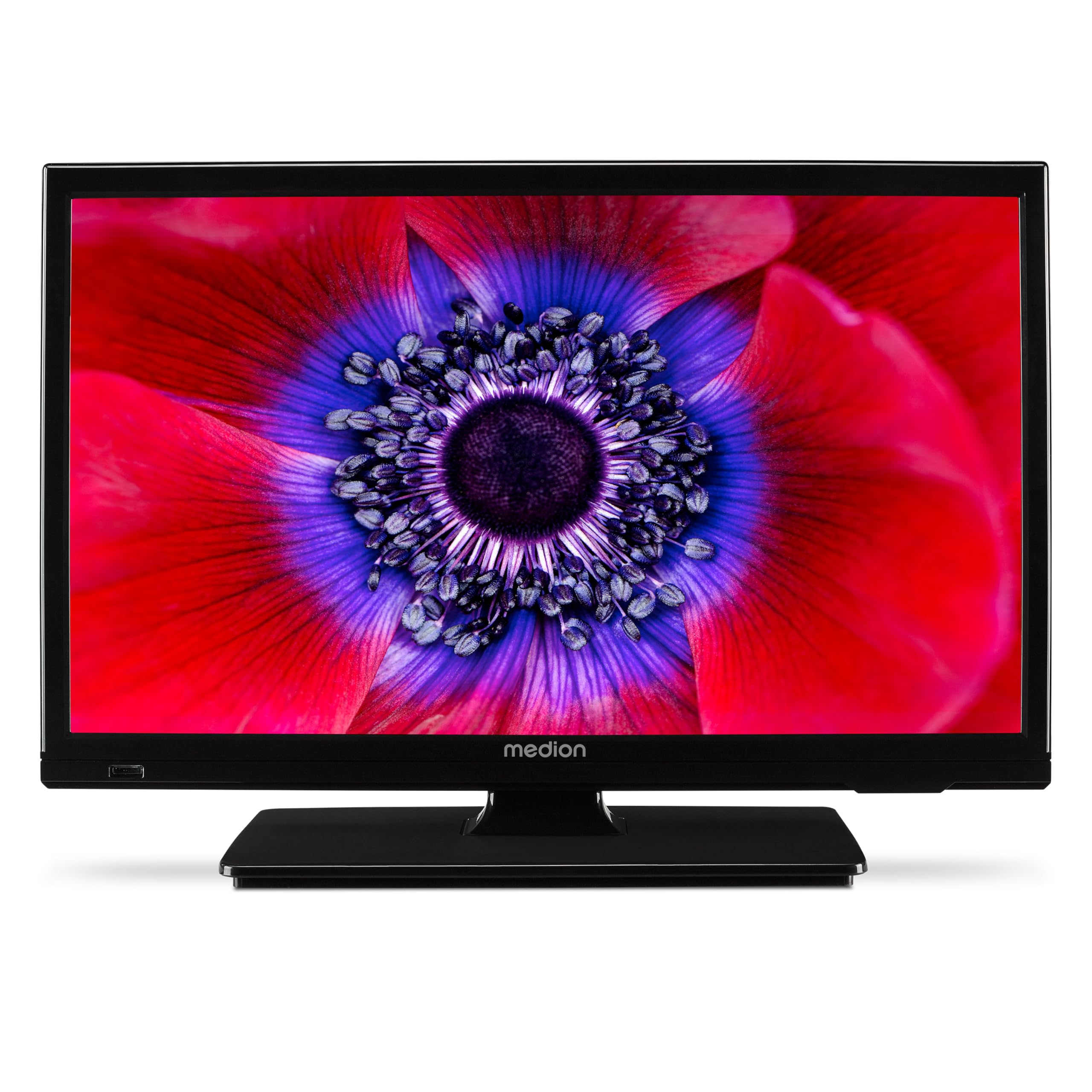
Малюнак 1: MEDION E11909 19-inch HD TV. This image shows the front view of the television, highlighting its compact design suitable for various environments.
Інфармацыя па бяспецы
Please observe the following safety instructions to prevent damage to the device or injury to yourself:
- Не падвяргайце тэлевізар уздзеянню дажджу або вільгаці.
- Забяспечце належную вентыляцыю; не блакуйце вентыляцыйныя адтуліны.
- Выкарыстоўвайце толькі адаптар сілкавання, які пастаўляецца з прыладай.
- Не адчыняйце тэлевізарasinг; звяртайцеся да кваліфікаванага персаналу па ўсё абслугоўванне.
- Трымайце тэлевізар далей ад крыніц цяпла і прамых сонечных прамянёў.
- When using the 12V car adapter, ensure the vehicle's power outlet is clean and provides stable power.
Змест пакета
Калі ласка, праверце наяўнасць усіх прадметаў у камплекце:
- MEDION E11909 MD20059 LCD TV
- Пульт дыстанцыйнага кіравання з батарэйкамі (AAA)
- Знешні адаптар сілкавання
- Car adapter (12V)
- DVB-T антэна
- AV адаптар
- Падстаўка з шрубамі
- Кіраўніцтва карыстальніка
- Гарантыйны буклет
Настройка
1. Мацаванне падстаўкі
- Carefully place the TV screen-down on a soft, clean surface.
- Сумясціце падстаўку з мантажнымі адтулінамі ў ніжняй частцы тэлевізара.
- Замацуеце падстаўку шрубамі, якія ўваходзяць у камплект.
2. Падключэнне сілкавання
- Для хатняга выкарыстання: Connect the external power adapter to the TV's DC IN port and then plug it into a standard wall outlet.
- For Mobile Use (Car/Caravan): Connect the 12V car adapter to the TV's DC IN port and then plug it into your vehicle's 12V DC power socket.
3. Connecting Antennas and External Devices
Refer to the connection diagram below for port locations.

Малюнак 2: Rear panel connections. This image illustrates the various input and output ports on the back of the television, including HDMI, USB, SCART, VGA, AV In, YPbPr, PC Audio In, Headphone Jack, Digital Audio Out, and the 12V DC power input.
- Антэна/кабель: Connect your DVB-T antenna (included), cable, or satellite dish to the appropriate RF IN port.
- Прылады HDMI: Connect devices like Blu-ray players or game consoles to the HDMI ports.
- USB прылады: Устаўце USB-назапашвальнікі для прайгравання медыяфайлаў у USB-порт.
- Older Devices: Use the SCART, VGA, or AV IN ports for older equipment.
4. Пачатковая налада
After connecting power and turning on the TV for the first time, an initial setup wizard will guide you through language selection, country, and channel scanning. Follow the on-screen instructions.
Аперацыйная
1. Уключэнне/выключэнне харчавання
Націсніце УЛАДА button on the remote control or on the TV to turn the unit on or off.
2. Функцыі дыстанцыйнага кіравання
The remote control allows you to navigate menus, change channels, adjust volume, and select input sources. Refer to the remote control diagram in your separate warranty booklet for specific button functions.
3. Channel Selection and Volume
- Выкарыстоўвайце CH +/- кнопкі для пераключэння каналаў.
- Выкарыстоўвайце VOL +/- кнопкі для рэгулявання гучнасці.
4. Выбар крыніцы ўводу
Націсніце КРЫНІЦА button on the remote control to cycle through available input sources (TV, HDMI1, HDMI2, AV, USB, DVD).
5. Using the Integrated DVD Player
- Insert a DVD disc into the disc slot on the side of the TV.
- Тэлевізар павінен аўтаматычна пераключыцца ў рэжым DVD. Калі не, націсніце кнопку КРЫНІЦА button and select DVD.
- Выкарыстоўвайце кнопкі прайгравання на пульце дыстанцыйнага кіравання (ПРАЙГРАВАННЕ, ПАЎЗА, СТОП, ПЕРАМОТА НАПЕРАД, ПЕРАМОТА НАЗАД) для кіравання прайграваннем DVD.

Малюнак 3: TV with integrated DVD player. This image shows the television screen displaying high-definition content, with a DVD disc partially visible, indicating the integrated DVD player functionality.
6. Using the Media Player (USB)
- Устаўце USB-назапашвальнік у USB-порт.
- Націсніце КРЫНІЦА button and select USB.
- Перамяшчайцеся па сваім files (photos, music, videos) using the remote control and press OK гуляць.

Малюнак 4: Easy playback of photos, videos, and more. This image highlights the USB port on the TV's side and icons representing music, photos, and video files, indicating the TV's multimedia playback capabilities.
Тэхнічнае абслугоўванне
1. Ачыстка экрана
Акуратна працярыце экран мяккай тканінай без ворса. Для выдалення ўстойлівых плям злёгкуampПрацярыце тканіну вадой або спецыяльным сродкам для чысткі экранаў. Не распыляйце вадкасць непасрэдна на экран.
2. Ачыстка прылады
Працярыце тэлевізарasinмяккай сухой тканінай. Пазбягайце выкарыстання абразіўных ачышчальнікаў або растваральнікаў.
3. Захоўванне
Калі тэлевізар захоўваецца працяглы час, адключыце яго ад сілкавання, выміце батарэйкі з пульта дыстанцыйнага кіравання і захоўвайце яго ў прахалодным, сухім месцы, пажадана ў арыгінальнай упакоўцы.
Ліквідацыю непаладак
If you encounter problems with your TV, please refer to the following common issues and solutions:
- Няма харчавання:
- Check if the power adapter is securely connected to both the TV and the power outlet.
- Пераканайцеся, што разетка спраўная. - Няма выявы/гуку:
- Verify that the correct input source is selected (e.g., HDMI1, TV, DVD).
- Check all cable connections (antenna, HDMI, AV).
- Perform a channel scan if using TV mode. - DVD не прайграваецца:
- Ensure the disc is inserted correctly with the label facing up.
- Check if the disc is clean and free from scratches.
- Try a different DVD to rule out disc issues. - Пульт дыстанцыйнага кіравання не працуе:
- Replace the batteries (AAA).
- Пераканайцеся, што паміж пультам дыстанцыйнага кіравання і ІЧ-датчыкам тэлевізара няма перашкод.
Калі праблема не знікне пасля выкарыстання гэтых рашэнняў, звярніцеся ў службу падтрымкі кліентаў.
Тэхнічныя характарыстыкі
- Марка: MEDION
- мадэль: E11909 (MD 20059)
- Памер экрана: 18.5 цалі (47 см)
- Тэхналогія адлюстравання: Святлодыёдны ВК
- дазвол: 768p (HD)
- Частата абнаўлення: 60 Гц
- Суадносіны бакоў: 1.77:1
- Тэхналогія падключэння: HDMI, USB
- Асаблівасці: Built-in DVD player, 12V Car Adapter, Triple Tuner for HD reception (Cable, Satellite, DVB-T2)
- Уключаныя кампаненты: LCD TV (MD 20059)
- Памеры прадукту: 16 Г х 44 Ш х 31 В см
- Аўдыявыхад: 2 x 3 W RMS Stereo Speakers
Гарантыя і падтрымка
Your MEDION E11909 (MD 20059) TV comes with a manufacturer's warranty. Please refer to the included warranty booklet for detailed terms and conditions, including the warranty period and coverage.
Каб атрымаць тэхнічную падтрымку, абслугоўванне або дадатковыя пытанні, наведайце афіцыйны сайт MEDION. website or contact their customer service department. Contact information can typically be found in your warranty booklet or on the MEDION support page.