
DigiLand DL1036
Кіраўніцтва карыстальніка планшэта Android DigiLand DL1036
Мадэль: DL1036
1. Уводзіны
This manual provides detailed instructions for the safe and efficient use of your DigiLand DL1036 Android Tablet. Please read this manual thoroughly before operating the device and keep it for future reference. The DigiLand DL1036 is a 10.1-inch Android tablet designed for versatile use, featuring a quad-core processor, HD IPS touchscreen, and dual cameras.
2. Інфармацыя па бяспецы
To ensure proper operation and avoid damage, please observe the following safety precautions:
- Не падвяргайце планшэт уздзеянню экстрэмальных тэмператур, прамых сонечных прамянёў або высокай вільготнасці.
- Пазбягайце падзення планшэта і моцных удараў.
- Use only the charger and charging cable provided with the tablet.
- Do not disassemble, repair, or modify the tablet yourself. Refer to qualified service personnel.
- Трымайце таблетку далей ад вады і іншых вадкасцей.
- Утылізуйце планшэт і яго акумулятар адказна ў адпаведнасці з мясцовымі правіламі.
3. Што ў скрынцы
Carefully unpack your DigiLand DL1036 Tablet and ensure all items are present:
- DL1036 Tablet
- Зарадная прылада
- Зарадны кабель
- Кіраўніцтва карыстальніка (гэты дакумент)

Image: The DigiLand DL1036 Tablet shown with its included charger and charging cable, alongside the user manual.
4. Прадукт скончыўсяview
Азнаёмцеся з фізічнымі кампанентамі вашага планшэта.
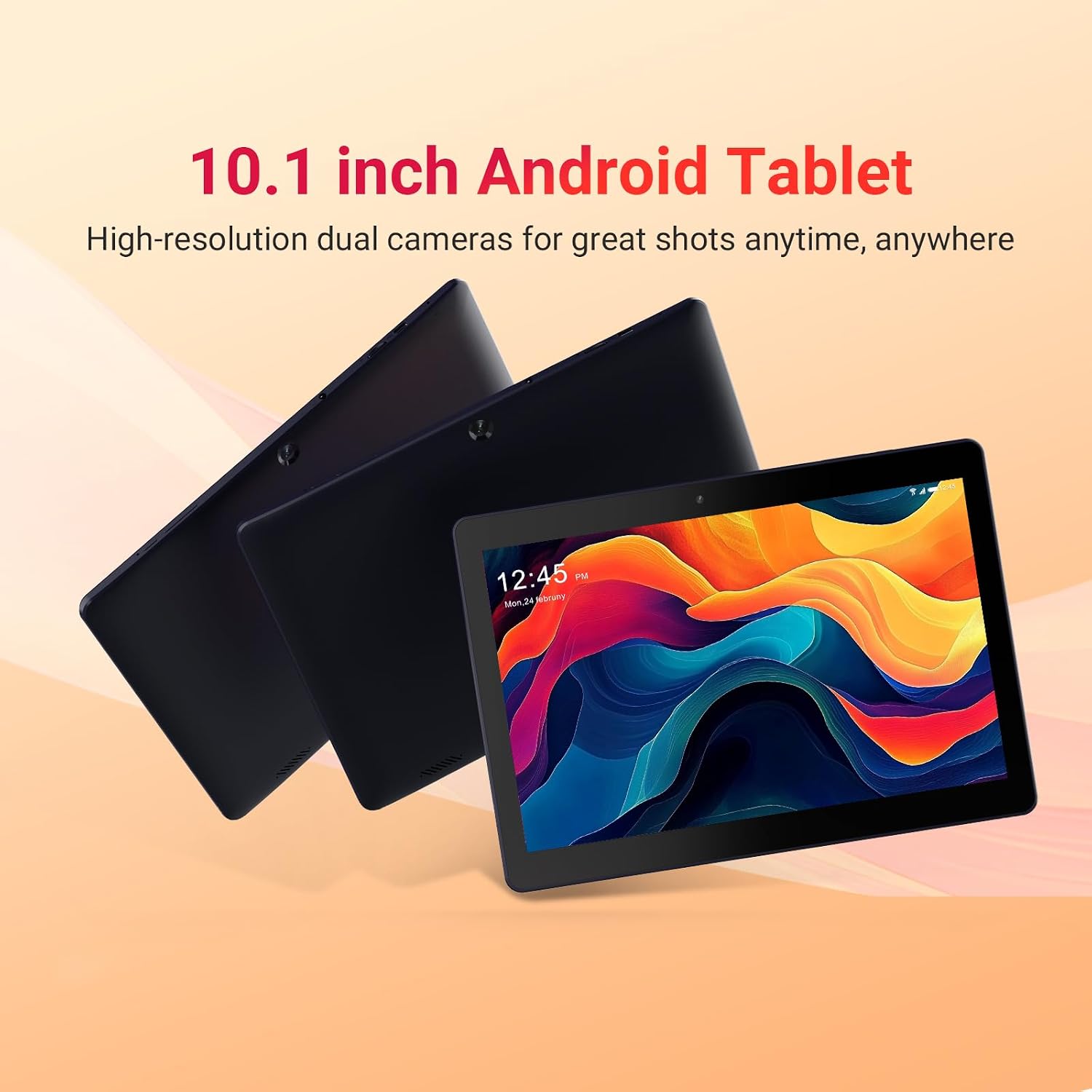
Image: Three DigiLand DL1036 tablets displayed from different angles, showcasing тонкі прафесіяналfile and rear camera placement.
4.1. Порты і кнопкі
- Кнопка харчавання: Located on the side, used to turn the tablet on/off or put it to sleep/wake it up.
- Кнопкі гучнасці: Адрэгулюйце гучнасць гуку.
- Порт USB-C: Для зарадкі і перадачы дадзеных.
- Раз'ём для навушнікаў: 3.5 мм аўдыявыхад.
- Слот для карты MicroSD: Для пашырэння сховішча да 256 ГБ.
- Пярэдняя камера: Для відэазванкоў і сэлфі.
- Задняя камера: Для здымкі фота і відэа.
- Дакладчыкі: Для выхаду гуку.

Выява: буйны план view of the DigiLand DL1036 tablet's side, highlighting the USB-C charging port and the MicroSD card slot.
5. Настройка
5.1. Зарадка планшэта
Before first use, fully charge the tablet. Connect the provided charging cable to the USB-C port on the tablet and the other end to the charger. Plug the charger into a power outlet. The battery indicator on the screen will show charging status.
5.2. Уключэнне / выключэнне харчавання
- Каб уключыць: Press and hold the Power button until the DigiLand logo appears.
- Каб выключыць: Націсніце і ўтрымлівайце кнопку харчавання, пакуль не з'явіцца меню параметраў харчавання. Выберыце «Выключыць харчаванне» і пацвердзіце.
- Сон/няспанне: Коратка націсніце кнопку харчавання, каб перавесці планшэт у рэжым сну або абудзіць яго.
5.3. Пачатковая налада
Пры першым уключэнні планшэт правядзе вас праз працэс пачатковай налады:
- Выбар мовы: Выберыце пераважную мову.
- Падключэнне Wi-Fi: Select your Wi-Fi network and enter the password. A stable internet connection is recommended for setup.
- Уліковы запіс Google: Увайдзіце ў свой існуючы ўліковы запіс Google або стварыце новы. Гэта неабходна для доступу да крамы Google Play і іншых сэрвісаў Google.
- Дата і час: Усталюйце правільную дату і час або дазвольце сетцы ўсталяваць іх аўтаматычна.
- Бяспека: Для бяспекі наладзьце блакіроўку экрана (PIN-код, узор або пароль).
6. Кіраванне планшэтам
6.1. Навігацыя і жэсты
The DigiLand DL1036 uses a touch-sensitive screen for navigation:
- Націсніце: Каб выбраць элемент або адкрыць праграму.
- Дакраніцеся і ўтрымлівайце: Для доступу да кантэкстных меню або перамяшчэння значкоў.
- Правядзіце пальцам: Для пракруткі старонак або спісаў.
- Звядзенне пальцамі для павелічэння: Каб павялічыць або паменшыць маштаб малюнкаў або web старонкі.
6.2. Падключэнне да Wi-Fi
Каб падключыцца да сеткі Wi-Fi:
- Перайсці да Налады > Сетка і інтэрнэт > Wi-Fi.
- Уключыце Wi-Fi.
- Выберыце патрэбную сетку са спісу.
- Увядзіце пароль, калі будзе прапанавана, і націсніце Злучыцца.

Image: A graphic illustrating the 2.4G WiFi capability of the DigiLand DL1036 tablet, along with camera and charging details.
6.3. Загрузка праграм
Access the Google Play Store to download and install applications:
- Націсніце Play Store значок на галоўным экране або ў скрыні праграм.
- Пошук the app you want to install.
- Націсніце Усталяваць і выконвайце падказкі на экране.

Image: The DigiLand DL1036 tablet screen filled with various application icons, demonstrating its compatibility with Google Play Store apps.
6.4. Выкарыстанне камеры
Планшэт абсталяваны франтальнай камерай на 2 Мп і задняй камерай на 2 Мп.
- Адкрыйце Камера дадатак.
- Націсніце на значок пераключальніка камеры, каб пераключацца паміж пярэдняй і задняй камерамі.
- Націсніце кнопку спуску засаўкі, каб зрабіць фотаздымак або пачаць/спыніць відэазапіс.

Image: A detailed graphic showcasing the dual 2MP cameras of the DigiLand DL1036 tablet, emphasizing its photo and video capabilities.
6.5. Кіраванне сховішчам
The tablet comes with 32GB of internal storage and supports expansion up to 256GB via a MicroSD card. To manage storage:
- Перайсці да Налады > Захоўванне каб view выкарыстанне сховішча.
- Insert a MicroSD card into the designated slot to expand storage for photos, videos, and other files.

Image: A visual representation of the DigiLand DL1036 tablet's 2GB RAM and 32GB ROM, indicating ample space for photos, videos, and music.
6.6. Тэрмін службы батарэі
The tablet is equipped with a 5000mAh battery, providing extended usage time. To optimize battery life:
- Паменшыць яркасць экрана.
- Выключайце Wi-Fi або Bluetooth, калі яны не выкарыстоўваюцца.
- Зачыніце невыкарыстоўваныя праграмы, якія працуюць у фонавым рэжыме.

Image: A graphic highlighting the 5000mAh battery capacity of the DigiLand DL1036 tablet, emphasizing its long-lasting power.
7. Тэхнічнае абслугоўванне
7.1. Уборка
Use a soft, lint-free cloth to clean the tablet screen and body. Do not use liquid cleaners or aerosols directly on the tablet.
7.2. Абнаўленне праграмнага забеспячэння
Periodically check for system updates to ensure optimal performance and security:
- Перайсці да Налады > сістэма > Абнаўленне сістэмы.
- Выконвайце інструкцыі на экране, каб загрузіць і ўсталяваць усе даступныя абнаўленні.
7.3. Аптымізацыя захоўвання дадзеных
To maintain smooth performance, regularly clear unnecessary files and apps:
- Выдаліце праграмы, якімі вы больш не карыстаецеся.
- Ачысціць кэш для праграм у Налады > Праграмы і апавяшчэнні > [Назва праграмы] > Сховішча і кэш.
- Вялікі перавод files (photos, videos) to a MicroSD card or cloud storage.
8. Выпраўленне непаладак
Калі ў вас узніклі праблемы з планшэтам, звярніцеся да наступных распаўсюджаных рашэнняў:
| праблема | Рашэнне |
|---|---|
| Планшэт не ўключаецца | Ensure the battery is charged. Connect the charger and wait a few minutes before attempting to power on again. If still unresponsive, perform a forced restart by holding the Power button for 10-15 seconds. |
| Праблемы з падключэннем да Wi-Fi | Праверце, ці ўключаны Wi-Fi у наладах. Перазапусціце маршрутызатар Wi-Fi. Забудзьцеся пра сетку і падключыцеся зноў. |
| Tablet is slow or unresponsive | Close unused apps. Clear app cache. Restart the tablet. Check for system updates. If issues persist, consider a factory reset (backup data first). |
| Праграмы выходзяць з ладу | Clear the app's cache and data (Settings > Apps & notifications > [App Name] > Storage & cache). Reinstall the app. Ensure the tablet's software is up to date. |
| Экран не рэагуе | Перазагрузіце планшэт. Пераканайцеся, што экран чысты і сухі. |
8.1. Скід да заводскіх налад
Скід да заводскіх налад сатрэ ўсе дадзеныя з вашага планшэта і аднавіць яго да зыходных заводскіх налад. Перад тым, як працягнуць, зрабіце рэзервовую копію ўсіх важных дадзеных.
- Перайсці да Налады > сістэма > Скінуць параметры.
- Выберыце Сцерці ўсе даныя (скід да заводскіх налад).
- Пацвердзіце сваё рашэнне і ўвядзіце PIN-код/графічны ключ/пароль, калі будзе прапанавана.
9. Тэхнічныя характарыстыкі
Key technical specifications for the DigiLand DL1036 Tablet:

Image: A comprehensive graphic detailing the DigiLand DL1036 tablet's core specifications including display, battery, processor, OS, RAM, and ROM.
| Асаблівасць | Спецыфікацыя |
|---|---|
| Назва мадэлі | DL1036 |
| Памер экрана | 10.1 цалі |
| Дазвол экрана | 1280 x 800 IPS |
| Працэсар | 2 GHz Quad-core (MediaTek) |
| АЗП | 2 ГБ |
| Унутраная памяць | 32 ГБ |
| Сховішча з магчымасцю пашырэння | Да 256 ГБ (MicroSD) |
| Аперацыйная сістэма | Android 11 Go |
| Тыл WebДазвол камеры | 2 МП |
| Фронт WebДазвол камеры | 2 МП |
| Тэрмін службы батарэі (сярэдні) | 10 гадзін |
| Ёмістасць батарэі | 5000 мАг |
| Бесправадны тып | 802.11g (2.4G Wi-Fi) |
| Вага прадмета | 1.06 фунта |
| Памеры прадукту | 9.6 х 6.8 х 0.3 цалі |
| Колер | Сіні |
10. Гарантыя і падтрымка
DigiLand products are covered by a limited warranty. For specific warranty terms and conditions, please refer to the warranty card included with your product or visit the official DigiLand website. If you encounter any issues or require technical assistance, please contact DigiLand customer support through the contact information provided on our website or in your product packaging. Please have your model number (DL1036) and purchase information ready when contacting support.