
1. Уводзіны
This manual provides detailed instructions for the Symcode MJ-X5-2D Bluetooth Wireless Barcode Scanner. It covers product features, setup procedures, operating modes, maintenance guidelines, and troubleshooting tips to ensure optimal performance and longevity of your device. Please read this manual thoroughly before using the scanner.
2. Змесціва ўпакоўкі
Праверце, ці ёсць у вашай упакоўцы ўсе пералічаныя ніжэй прадметы:
- Symcode MJ-X5-2D Barcode Scanner
- USB-кабель для зарадкі/дадзеных
- Бесправадны USB-адаптар 2.4G
- Кіраўніцтва карыстальніка

Image: Contents of the Symcode MJ-X5-2D Barcode Scanner package, showing the scanner unit, a USB cable, a 2.4G wireless dongle, and the printed user guide.
3. Настройка
3.1 Першапачатковая зарадка
Before first use, fully charge the scanner. Connect the scanner to a USB power source using the provided USB cable. A full charge typically takes approximately 2 hours and provides up to 5 hours of continuous operation.

Image: The scanner next to a battery icon, illustrating the charging process and battery capacity. The scanner features a 650mAh rechargeable lithium-ion battery.
3.2 Падключэнне сканера
The Symcode MJ-X5-2D scanner offers multiple connectivity options:
- Правадное злучэнне USB: Connect the scanner directly to your computer using the USB cable. The scanner will function as a plug-and-play device.
- Бесправадное злучэнне 2.4G: Insert the 2.4G USB dongle into your computer's USB port. The scanner will automatically pair with the dongle. This mode offers a barrier-free transmission distance of up to 150m (492ft) and up to 30m (98ft) in a barrier environment.
- Злучэнне Bluetooth: Enable Bluetooth on your host device (PC, laptop, tablet, smartphone). Put the scanner into Bluetooth pairing mode (refer to the specific pairing instructions in the included user guide). Select the scanner from your device's Bluetooth list to connect. Bluetooth offers a barrier-free transmission distance of up to 50m (164ft) and up to 15m (49ft) in a barrier environment.

Image: Connectivity options for the scanner, including USB wired, Bluetooth, and 2.4G wireless dongle, compatible with PCs, laptops, tablets, and phones.

Image: Transmission range capabilities for the 2.4GHz Wireless and Bluetooth connections. The 2.4GHz wireless mode offers up to 150m (492ft) barrier-free and 30m (98ft) with barriers. Bluetooth offers up to 50m (164ft) barrier-free and 15m (49ft) with barriers.
4. Рэжымы працы
The scanner supports two primary data uploading modes:
- Рэжым імгненнай загрузкі: In this mode, scanned barcode data is immediately transmitted to your connected device. This is suitable for real-time data entry.
- Рэжым захоўвання: The scanner can store up to 50,000 barcodes in its internal 16MB memory. Data is saved internally and can be uploaded to your device later when needed. This mode is ideal for inventory tasks where an immediate connection is not always available.
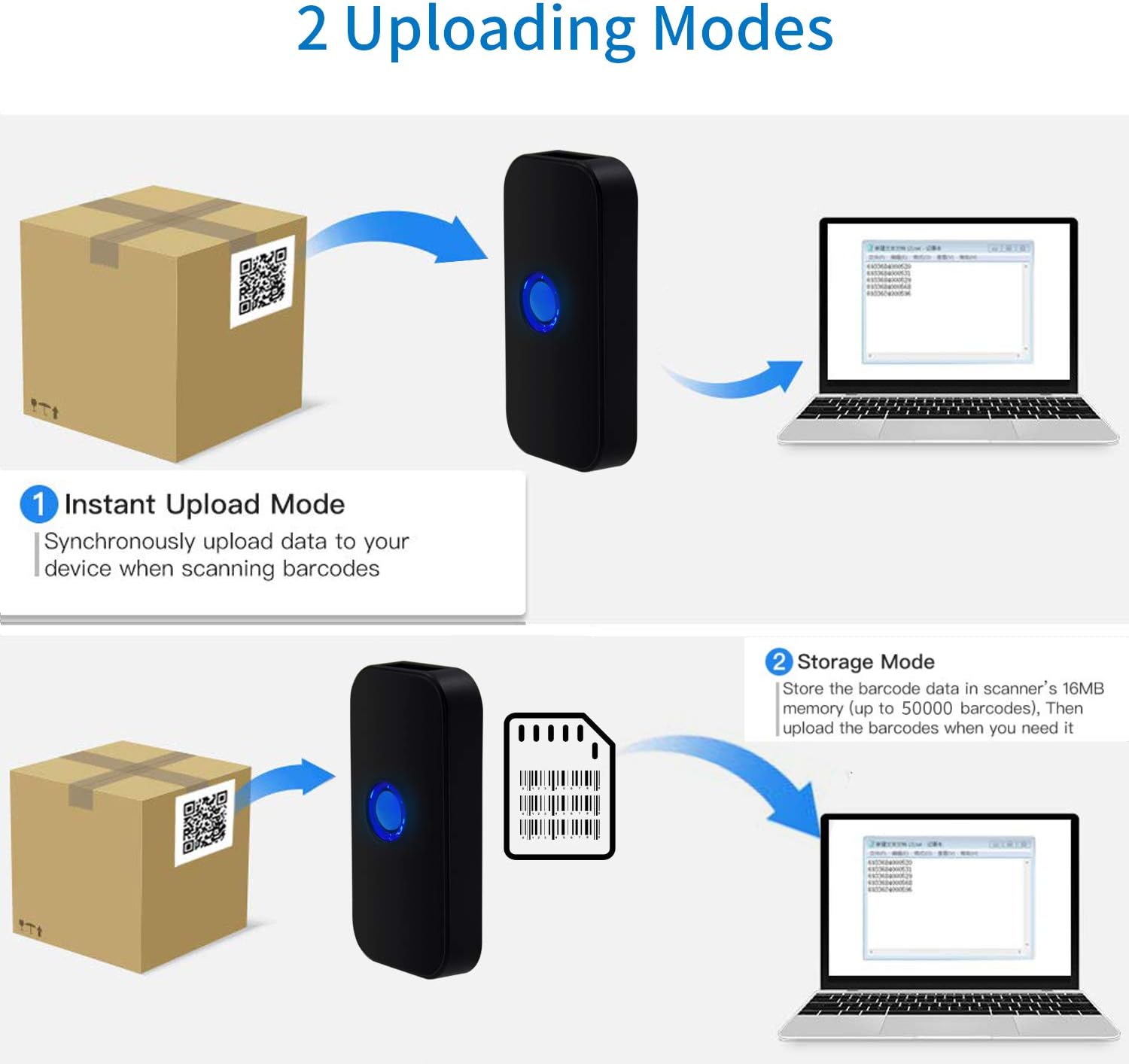
Image: Visual representation of the two data uploading modes. Instant Upload Mode sends data synchronously upon scanning, while Storage Mode saves up to 50,000 barcodes in 16MB memory for later upload.
5. Падтрымліваюцца штрых-коды
The Symcode MJ-X5-2D scanner is capable of reading both 1D and 2D digital and printed barcodes:
- 1D штрых-коды: Code 128, EAN-13, EAN-8, Code 39, Code 93, UPC-A, UPC-E, Codabar, Interleaved 2 of 5, ISBN, GS1 DataBar, Matrix 2 of 5, Code 11, Industrial 2 of 5, MSI.
- 2D штрых-коды: Data Matrix, PDF417, QR code, Aztec, Maxicode, Hanxin.

Image: The scanner demonstrating its ability to read various 1D and 2D barcodes, including QR codes, from digital displays and printed labels.
6. Тэхнічнае абслугоўванне
Каб забяспечыць даўгавечнасць і аптымальную прадукцыйнасць вашага сканера, выконвайце наступныя рэкамендацыі па тэхнічным абслугоўванні:
- Уборка: Для ачысткі вонкавай паверхні сканера выкарыстоўвайце мяккую сухую тканіну. Для акна сканавання выкарыстоўвайце тканіну без ворса, злёгку працярыцеampачышчайце мяккім неабразіўным ачышчальнікам. Пазбягайце выкарыстання агрэсіўных хімічных рэчываў або абразіўных матэрыялаў.
- захоўванне: Захоўвайце сканер у прахалодным, сухім месцы, удалечыні ад прамых сонечных прамянёў і экстрэмальных тэмператур.
- Сыход за батарэяй: Avoid fully discharging the battery frequently. If storing for extended periods, charge the battery to about 50% and recharge every few months.
- Абарона: Абараняйце сканер ад падзенняў і ўдараў.
7. Выпраўленне непаладак
If you encounter issues with your Symcode MJ-X5-2D scanner, refer to the following common problems and solutions:
- Сканер не ўключаецца: Пераканайцеся, што акумулятар зараджаны. Падключыце сканер да крыніцы харчавання з дапамогай кабеля USB.
- Scanner not connecting to device:
- For USB wired: Check the cable connection.
- For 2.4G Wireless: Ensure the USB dongle is properly inserted and recognized by your computer.
- For Bluetooth: Confirm Bluetooth is enabled on your device and the scanner is in pairing mode. Re-pair if necessary.
- Сканер не чытае штрых-коды:
- Пераканайцеся, што штрых-код чысты, непашкоджаны і знаходзіцца ў дыяпазоне счытвання сканера.
- Check if the barcode type is supported by the scanner.
- Verify that the scanner's lens is clean.
- Incorrect characters or unexpected behavior: This can sometimes occur with certain host devices or software configurations. Try resetting the scanner to factory defaults (refer to the full user guide for specific instructions). Ensure your device's input language settings are compatible.
- Scanner beeps/flashes 5 times and shuts off: This indicates a potential internal error or low battery. Try fully charging the device. If the issue persists, a factory reset might be required. Consult the full user guide for reset procedures.
If problems persist after attempting these solutions, please contact Symcode customer support.
8. Тэхнічныя характарыстыкі
| Марка | сімвалічны код |
| Нумар мадэлі | MJ-X5-2D |
| Тэхналогія падлучэння | Bluetooth, бесправадная сувязь 2.4G, USB |
| Сумяшчальныя прылады | Smartphone, PC, Laptop, Tablet |
| Крыніца харчавання | Харчаванне ад батарэі |
| Склад батарэі | Літый-іённы |
| Акумулятарная батарэя | так |
| Колер | Scanner QR 2D (Black) |
| UPC | 791533381758 |
9. Гарантыя і падтрымка
For warranty information, technical support, or service inquiries, please refer to the contact details provided in the original product packaging or visit the official Symcode webсайт. Захоўвайце чэк аб куплі як пацвярджэнне пакупкі для гарантыйных прэтэнзій.