
1. Прадукт скончыўсяview
The Prolink PRO1501SFCU is a 1500VA/900W single-phase output Line-Interactive Uninterruptible Power Supply (UPS) system. It features PROLiNK’s Super-Fast Charging technology, allowing the battery to recharge to 90% capacity within 2-4 hours. An Advanced Early Warning system provides alerts for output overload, high temperature, or low battery conditions. The Intelligent Battery Management system protects against overcharging and deep discharging, enhancing battery performance and reliability. The device includes universal sockets for broad compatibility and supports a wide input voltage range. Automatic shutdown occurs in cases of over temperature and overload to prevent damage.
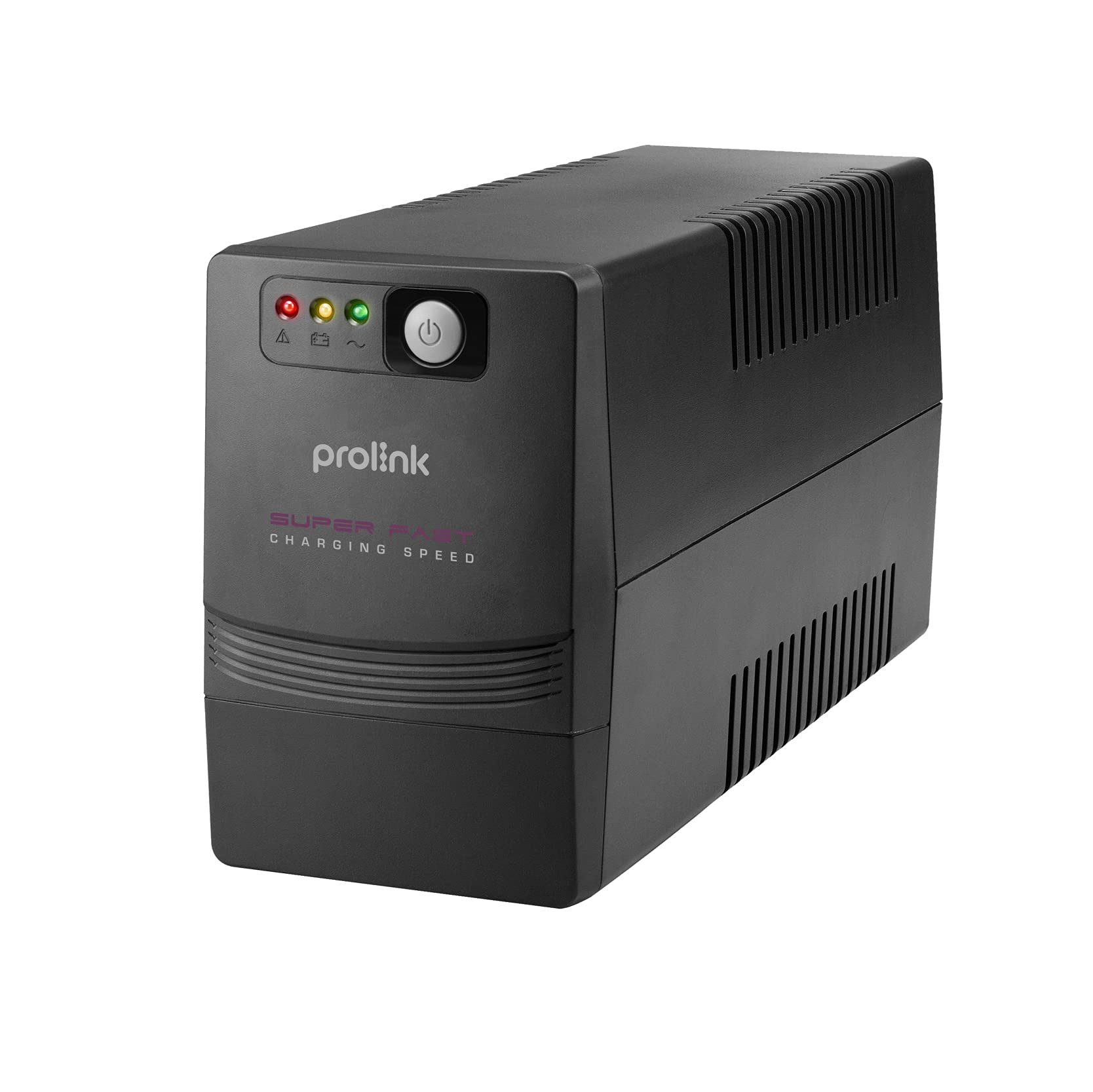
Малюнак 1: Пярэдняя і задняя часткі view of the Prolink PRO1501SFCU UPS.
Асноўныя характарыстыкі:
- Звышхуткая зарадка: Recharges battery to 90% capacity within 2-4 hours.
- Мікрапрацэсарнае кіраванне: Ensures high reliability and stable operation.
- Boost and Buck AVR: Provides automatic voltage regulation for stable output.
- Аўтаматычны перазапуск: Аўтаматычна перазапускаецца пры аднаўленні пераменнага току.
- Імітацыя выхаднога сігналу сінусоіды: Suitable for various electronic devices.
- Wide Input Voltagе дыяпазон: Accommodates fluctuating power conditions.
- Універсальныя разеткі: Offers broad compatibility with different plug types.
- Палепшаная абарона: Includes overload, over-temperature, and short circuit protection.
2. Інструкцыі па ўсталёўцы
Follow these steps to properly set up your Prolink PRO1501SFCU UPS:
- Распакуйце бесперабойнік: Асцярожна выміце бесперабойнік з упакоўкі. Праверце на наяўнасць пашкоджанняў пры дастаўцы.
- Размяшчэнне бесперабойнага сілкавання: Place the UPS in a well-ventilated area, away from direct sunlight, heat sources, and excessive moisture. Ensure there is adequate space around the unit for airflow.
- Падключэнне да сеткі пераменнага току: Plug the UPS power cord into a grounded wall outlet. The UPS will begin charging its internal battery. Allow the battery to charge for at least 4 hours before initial use to ensure optimal backup time.
- Падключыце прылады: Plug your computer, monitor, modem, router, NAS, or other critical equipment into the universal output sockets on the rear panel of the UPS. Ensure the total load does not exceed the UPS's capacity (900W).
- Падключэнне USB (неабавязкова): For monitoring and control, connect the USB cable from the UPS to your computer. Install the monitoring software provided by Prolink (if applicable).
- Уключэнне: Press the power button on the front panel to turn on the UPS. The LCD display will illuminate, showing operational status.

Figure 2: Rear panel connections including AC input, backup outputs, USB port, and RJ45 ports.
3. Эксплуатацыя бесперабойнага сілкавання
3.1. Front Panel and Indicators
The front panel of the UPS features an LCD display and control buttons for monitoring and managing the unit.

Figure 3: Front panel with power button and status indicators.
3.2. Уключэнне/выключэнне харчавання
- Каб уключыць: Press and hold the power button for approximately 2 seconds until the UPS beeps and the LCD display illuminates.
- Каб выключыць: Press and hold the power button for approximately 2 seconds until the UPS beeps and the LCD display turns off.
3.3. Аўтаматычная VoltagРэгуляванне (AVR)
The UPS automatically regulates incoming AC voltage to provide a stable output to connected devices. This protects equipment from voltage fluctuations (sags, surges, under/over voltage) without switching to battery power.

Figure 4: Explanation of 3-step Boost and Buck AVR operation.
3.4. Праца ад рэзервовай батарэі
У выпадку ўлады унtage, the UPS will automatically switch to battery power, providing continuous power to connected devices. The LCD display will indicate battery mode, and an audible alarm will sound. The backup time depends on the connected load.

Figure 5: Estimated backup times for different load levels (refer to PRO1501SFCU row for this model).
3.5. Super-Fast Charging
The UPS features Super-Fast Charging technology, significantly reducing the time required to recharge the battery after a power event.

Figure 6: Super-Fast Charging capability, reaching 90% charge in 2-4 hours.
4. Тэхнічнае абслугоўванне
Правільнае абслугоўванне забяспечвае даўгавечнасць і аптымальную прадукцыйнасць вашага бесперабойнага крыніцы энергіі.
- Сыход за батарэяй: Keep the UPS connected to AC power to ensure the battery remains charged. Avoid frequent deep discharges, which can shorten battery life.
- Уборка: Regularly clean the exterior of the UPS with a dry cloth. Do not use liquid or aerosol cleaners. Ensure ventilation openings are free from dust and debris.
- захоўванне: If storing the UPS for an extended period, ensure it is fully charged, then disconnect it from AC power. Recharge the battery every three months to prevent permanent damage.
- Замена батарэі: Batteries have a limited lifespan. If the UPS's backup time significantly decreases, the battery may need replacement. Contact Prolink support for assistance.
5. Выпраўленне непаладак
У гэтым раздзеле разглядаюцца распаўсюджаныя праблемы, з якімі вы можаце сутыкнуцца пры выкарыстанні вашага бесперабойнага прыбора.
| праблема | Магчымая прычына | Рашэнне |
|---|---|---|
| Бесперапынны прыбор не ўключаецца | No AC input; Low battery; Faulty power button | Check AC power connection; Charge battery for 4 hours; Contact support if issue persists. |
| UPS beeps continuously in battery mode | Low battery; Overload | Save work and shut down equipment; Reduce connected load. |
| Кароткі час рэзервовага капіявання | Акумулятар не цалкам зараджаны; тэрмін службы акумулятара набліжаецца да канца; перагрузка | Allow battery to charge fully; Replace battery; Reduce connected load. |
| UPS does not provide power during outage | UPS not turned on; Battery discharged; Internal fault | Ensure UPS is on; Allow battery to charge; Contact support. |
6. Тэхнічныя характарыстыкі
Detailed specifications for the Prolink PRO1501SFCU UPS.

Малюнак 7: Закончанаview of technical specifications.
| Асаблівасць | Апісанне |
|---|---|
| Ёмістасць | 1500ВА / 900 Вт |
| Уваходны кнtagе далёкасць | 140 - 300V ±5% |
| Уваходная частата | 50 Гц/60 Гц (аўтаматычнае вызначэнне) |
| Фаза | Адзіночны + GND |
| Выхад Voltagе далёкасць | 230VAC +12% -14% (AC Mode); 230VAC ±10% (Battery Mode) |
| Выхадная частата | 50Hz/60Hz (Battery Mode) |
| Форма сігналу | Імітацыя сінусоіды (рэжым батарэі) |
| Час перадачы | 2 мс звычайна |
| Тып батарэі | 12V/10Ah x 2pc |
| Час рэзервовага капіявання | Да 40 хвілін у залежнасці ад нагрузкі |
| Час падзарадкі | 2 - 4 hours recover to 90% capacity |
| Абарона/Маніторынг | Short Circuit Protection, Surge Protection, Overload Protection, Intelligent Battery Management |
| Інтэрфейс | RJ45 (Fax/Modem Protection), USB Port |
| праграмнае забеспячэнне | Support Windows® 2000/ 2003/ XP/ Vista/ 2008/ 7, Linux, Unix, and Mac OS |
| Узровень шуму | <40 дБ |
| тэмпература | 0°C - 40°C |
| Вільготнасць | 0 - 90% |
| Каэфіцыент магутнасці | Да 0.7 |
| Убудаваны AVR | TRUE Поўны AVR (3 этапы) |
| Памеры (Д x Ш x В) | 320 х 130 х 182 мм |
| Вага | 10.4 кг |
7. Гарантыя і падтрымка
The Prolink PRO1501SFCU UPS comes with a 2-year local manufacturer warranty. For technical support, warranty claims, or service inquiries, please refer to the contact information provided by your local Prolink distributor or the official Prolink webсайт.
For additional resources and support, visit the official Prolink webсайт: www.prolink2u.com