
1. Уводзіны
Thank you for choosing the Symcode 2.4 GHz Wireless Laser Barcode Scanner. This device is designed for efficient and reliable barcode scanning, offering both wireless and wired connectivity options. This manual provides detailed instructions for setup, operation, and maintenance to ensure optimal performance.

Малюнак 1: Symcode 2.4 GHz Wireless Laser Barcode Scanner. This image displays the Symcode 2.4 GHz Wireless Laser Barcode Scanner in black, along with its accompanying USB wireless dongle and USB charging cable. The scanner features a comfortable grip and a laser scanning window.
2. Змесціва ўпакоўкі
Калі ласка, пераканайцеся, што ўсе прадметы прысутнічаюць у вашай упакоўцы:
- 1 x Symcode Laser Barcode Scanner
- 1 x 2.4 GHz Wireless USB Dongle
- 1 х USB-кабель для зарадкі/перадачы дадзеных
3. Асаблівасці прадукту
- 2-у-1 падключэнне: Supports both 2.4 GHz wireless and USB wired connections.
- Plug and Play: Для большасці аперацыйных сістэм усталёўка драйвераў не патрабуецца.
- Шырокая сумяшчальнасць: Works with Windows, Mac, Android, and Linux systems, connecting to PCs, laptops, and POS machines via a USB port.
- Вялікая адлегласць перадачы: Up to 15-30 meters indoors (with obstacles) and 30-100 meters outdoors (open environment).
- Два рэжыму загрузкі: Instant Upload and Offline Storage modes.
- Праграмуемыя функцыі: Customizable settings for uppercase/lowercase, volume, terminator, prefix/suffix, and character addition/masking.
- High Decoding Capability: Reads various 1D barcodes.
- Трывалы акумулятар: 1800mAh capacity for extended operation.
4. Настройка
4.1 Wired Connection (USB)
- Падключыце кабель USB да порта сканера.
- Устаўце другі канец USB-кабеля ў свабодны USB-порт вашага кампутара.
- The scanner will be recognized automatically by your operating system. It is ready for use once the connection is established.
4.2 Wireless Connection (2.4 GHz)
- Insert the 2.4 GHz wireless USB dongle into an available USB port on your computer.
- The computer will automatically install the necessary drivers.
- Turn on the barcode scanner by pressing the trigger. The scanner will automatically pair with the dongle.
- Once paired, the scanner is ready for wireless operation.

Малюнак 2: Mini USB Receiver. This image highlights the compact mini USB receiver, emphasizing its plug-and-play functionality for easy connection to laptops and PCs. It also indicates the ability to store up to 100,000 barcodes.
5. Інструкцыя па эксплуатацыі
5.1 Рэжымы сканавання
Сканер падтрымлівае два асноўныя рэжымы сканавання:
- Рэжым запуску: Press the trigger to activate the laser and scan a barcode. Release the trigger to deactivate.
- Бесперапынны рэжым: The laser remains active, continuously scanning barcodes without needing to press the trigger for each scan.
To switch between scanning modes, specific setting barcodes are required. If these are not provided in your physical manual, please contact Symcode customer support for assistance.
5.2 Рэжымы загрузкі дадзеных
The scanner offers two methods for uploading scanned data:
- Instant Upload Mode (Normal Mode): Data is transmitted to your computer immediately after each successful scan. This is the default mode.
- Рэжым захоўвання ў аўтаномным рэжыме: Scanned barcodes are stored in the scanner's internal memory. You can then upload all stored data to your computer at a later time by scanning a specific setting barcode. The scanner can store up to 100,000 barcodes.

Малюнак 3: Two Upload Modes. This image illustrates the two data upload modes: Instant Upload Mode, where data is synchronously transferred to the computer after each scan, and Offline Storage Mode, where barcodes are stored internally in the scanner for later upload.
5.3 Магчымасці дэкадавання
The Symcode MJ-2030-B scanner is capable of reading various 1D barcode types, including but not limited to:
- UPC/EAN (including add-on code)
- Code 128, UCC/EAN128
- Code 39, Code 39 Full ASCII
- Код 93
- Кодабар
- Чаргаванне 2 з 5
- MSI
- Код 11
- ISBN, ISSN, China Postage
5.4 Праграмуемыя функцыі
The scanner offers several programmable options to customize its behavior:
- Uppercase/Lowercase Settings: Adjust how scanned data appears.
- Рэгуляванне гучнасці: Control the sound level of the buzzer.
- Terminator Setting: Configure the character appended to scanned data (e.g., Enter, Tab).
- Налада прэфікса/суфікса: Add custom characters before or after scanned barcode data.
- Add/Hide Characters: Modify specific characters within the scanned data.
These settings are typically configured by scanning specific programming barcodes found in the full user manual or provided by customer support.

Малюнак 4: Prefix and Suffix Customization. This image shows how the scanner supports adding custom prefixes or suffixes to scanned barcode data, allowing for flexible data formatting.
5.5 Multi-language Support
The scanner supports various keyboard layouts and languages, including English (US & UK), German, French, Italian, Spanish, and Japanese, to ensure correct data input in different regions.
6. Тэхнічнае абслугоўванне
6.1 Інфармацыя аб батарэі
The scanner is equipped with a built-in 1800mAh Lithium-ion battery. To ensure optimal battery life and performance:
- Бесперапынная праца: Approximately 8 to 10 hours.
- Час чакання: Да 15 дзён.
- Час зарадкі: Approximately 3.5 to 4 hours for a full charge using the provided USB cable.
- Recharge the battery when the low battery indicator is active or when performance degrades.
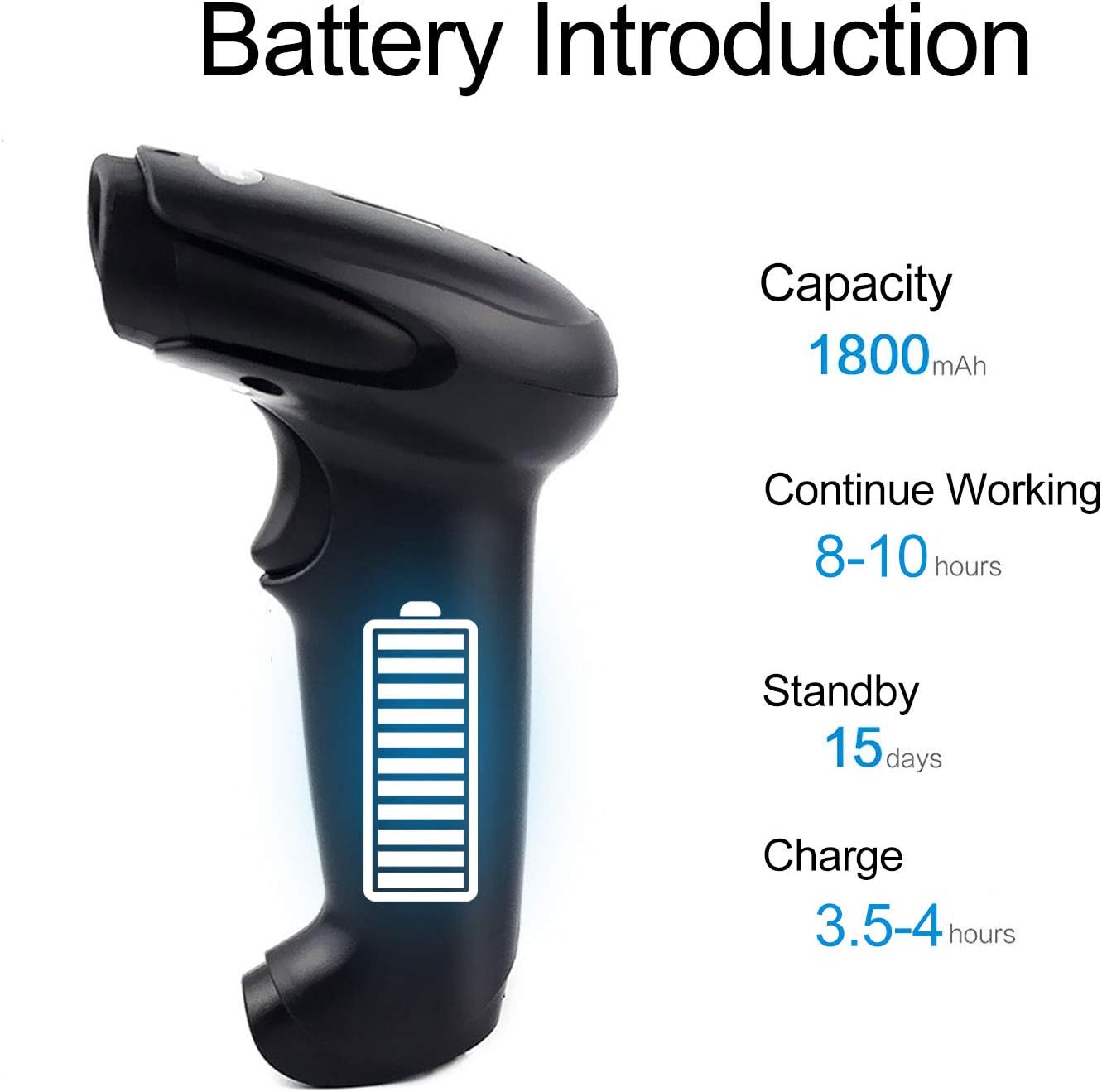
Малюнак 5: Battery Specifications. This image provides details about the scanner's battery, including its 1800mAh capacity, 8-10 hours of continuous working time, 15 days of standby time, and 3.5-4 hours charging time.
6.2 Ачыстка
To clean the scanner, use a soft, dry cloth. Do not use abrasive cleaners or solvents, as these can damage the device. Keep the scanning window clean for accurate performance.
7. Выпраўленне непаладак
- Сканер не падключаецца: Ensure the USB cable is securely connected or the wireless dongle is properly inserted. For wireless, ensure the scanner is charged and within range.
- Сканер не чытае штрых-коды: Ensure the barcode is not damaged or smudged. Check that the laser is active and properly aimed. Verify the scanner is in the correct scanning mode.
- Data not appearing on computer: Confirm the scanner is connected and in Instant Upload Mode. Check if the cursor is active in a text field on your computer.
- Difficulty changing settings: Specific setting barcodes are required for configuration. If these are missing from your manual, contact customer support for the correct codes.
- Кароткі тэрмін службы батарэі: Пераканайцеся, што сканер цалкам зараджаны. Па магчымасці скараціце час бесперапыннага сканавання.
8. Тэхнічныя характарыстыкі
8.1 Тэхнічныя параметры
| Асаблівасць | Спецыфікацыя |
|---|---|
| Крыніца святла | 650 nm (visible laser) |
| Працэсар | 32-разрадная ARM |
| Хуткасць сканавання | 200 lines/sec |
| Глыбіня сканавання | 2.5 мм - 600 мм |
| Шырыня сканавання | 18 см |
| Кантраст друку | 20% мінімум |
| Частата памылак | 1/5 мільёна |
| дазвол | 3 мм |
| Паказчыкі | Buzzer, LED light |
| Trigger Life | 3 мільёнаў разоў |
| Лазернае жыццё | 100,000 гадзіны |
8.2 Wireless Parameters
| Асаблівасць | Спецыфікацыя |
|---|---|
| Transmission Distance (Indoor) | 15-30 meters (with obstacles) |
| Transmission Distance (Outdoor) | 30-100 meters (open environment) |
| Рэжым працы | Normal Mode (Instant Upload), Storage Mode (Offline) |

Малюнак 6: Long Transmission Distance. This image demonstrates the wireless transmission capabilities of the scanner, showing an indoor range of 10-50 meters with obstacles and an outdoor range of up to 100 meters in open areas.
8.3 Тэхнічныя характарыстыкі батарэі
| Асаблівасць | Спецыфікацыя |
|---|---|
| Ёмістасць | 1800 мАг |
| Бесперапынны час працы | 8-10 гадзін |
| Час чакання | 15 дзён |
| Час зарадкі | 3.5-4 гадзін |
8.4 Параметры навакольнага асяроддзя
| Параметр | Каштоўнасць |
|---|---|
| Працоўная тэмпература | Ад 0 °C да 40 °C |
| Тэмпература захоўвання | -40 °C да 60 °C |
| Вільготнасць | Ад 5% да 95% (без кандэнсацыі) |
| Навакольнае асвятленне | Макс. 50,000 XNUMX люкс |
| Электрастатычны разрад | Air discharge 15 kV, Contact discharge 8 kV |

Малюнак 7: Product Dimensions. This image provides the physical dimensions of the Symcode barcode scanner, indicating its length, width, and height in both inches and centimeters for precise measurement.
9. Гарантыя і падтрымка
This Symcode barcode scanner comes with a Гарантыя 180 дзён з даты пакупкі. Гэтая гарантыя распаўсюджваецца на вытворчыя дэфекты і няспраўнасці пры нармальным выкарыстанні. Калі ласка, захавайце пацвярджэнне пакупкі для прэтэнзій па гарантыі.
For technical support, specific setting barcodes, or warranty inquiries, please contact your seller or Symcode customer service. Refer to the contact information provided with your purchase or visit the official Symcode webсайт.