
1. Уводзіны
This manual provides detailed instructions for the installation, operation, and maintenance of your Overmax Camspot 3.7 Full HD Wireless Indoor Camera. Please read this manual thoroughly before using the product to ensure proper function and safety. Keep this manual for future reference.
2. Змесціва ўпакоўкі
Праверце наяўнасць усіх кампанентаў у камплекце:
- Overmax Camspot 3.7 Wireless Indoor Camera
- Кабель харчавання з адаптарам
- Mounting Kit (screws, wall plugs, bracket)
- Кіраўніцтва карыстальніка (гэты дакумент)
3. Прадукт скончыўсяview
Азнаёмцеся з кампанентамі і інтэрфейсамі камеры.
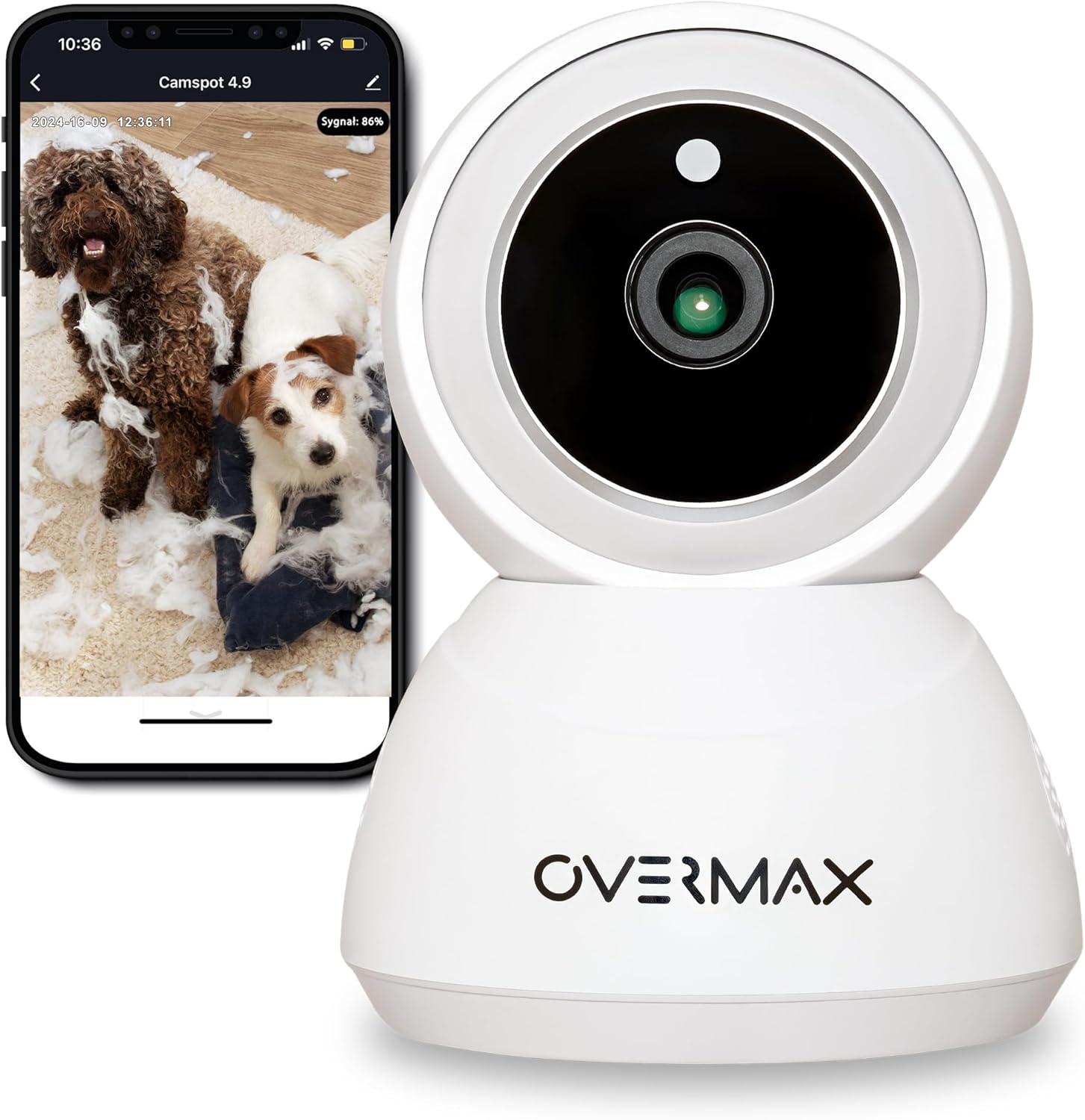
Малюнак 3.1: Спераду view of the Overmax Camspot 3.7 camera with a smartphone showing the live video feed.

Малюнак 3.2: бок view of the Overmax Camspot 3.7 camera, showing its dome shape and speaker grille.

Малюнак 3.3: Задняя частка view of the camera, highlighting the LAN port, Reset button, and DC 5V power input.

Малюнак 3.4: View of the camera with the microSD card slot visible, located beneath the lens assembly.
4. Настройка
4.1 Фізічная ўстаноўка
The Camspot 3.7 can be placed on a flat surface or mounted to a wall or ceiling.
- Выберыце месца: Выберыце месцазнаходжанне, якое забяспечвае жаданае viewing angle and is within range of your Wi-Fi network or an Ethernet connection.
- Мантаж (дадаткова):
- Attach the mounting bracket to the desired surface using the provided screws and wall plugs.
- Secure the camera to the mounting bracket. Ensure it is firmly attached.

Figure 4.1: The Overmax Camspot 3.7 camera shown mounted on a wall bracket, illustrating a typical installation.
4.2 Усталёўка праграмы і стварэнне ўліковага запісу
The Overmax Control app is required to operate the camera.
- Спампаваць прыкладанне: Пошук "Overmax Control" in your smartphone's app store (iOS or Android) and download it.
- Стварыць уліковы запіс: Адкрыйце праграму і выконвайце інструкцыі на экране, каб стварыць новы ўліковы запіс карыстальніка.

Figure 4.2: The Overmax Camspot 3.7 camera alongside a smartphone displaying the 'CONTROL' app logo, indicating the required application for setup and operation.
4.3 Power On and Network Connection
- Уключэнне: Connect the power cable to the camera's DC 5V port and plug the adapter into a power outlet. The camera will power on and initiate its startup sequence.
- Падключэнне да сеткі:
- Wi-Fi: Follow the in-app instructions to connect the camera to your 2.4GHz Wi-Fi network.
- Ethernet (неабавязкова): Connect an Ethernet cable from your router to the camera's LAN port for a wired connection.
4.4 Спалучэнне камеры
Once the camera is powered on and the app is installed, proceed with pairing:
- Дадаць прыладу: In the Overmax Control app, tap the "Add Device" or "+" icon.
- Выберыце тып камеры: Choose the appropriate camera model (Camspot 3.7).
- Сканаванне QR -кода: The app will prompt you to scan a QR code. Position your smartphone's screen with the QR code approximately 15-20 cm in front of the camera lens. The camera will emit a sound upon successful scanning.
- Поўная ўстаноўка: Follow any remaining on-screen prompts in the app to finalize the pairing process.

Figure 4.3: The Overmax Camspot 3.7 camera positioned to scan a QR code displayed on a smartphone, a common method for device pairing.
5. Інструкцыя па эксплуатацыі
5.1 У прамым эфіры View
Access the live video feed from your camera through the Overmax Control app. This allows real-time monitoring of the camera's surroundings.
5.2 Кіраванне панарамаваннем/нахілам
The Camspot 3.7 features motorized pan and tilt capabilities.
- Гарызантальнае паварот: 355 градусаў
- Вертыкальнае паварот: 120 градусаў
Use the directional controls within the Overmax Control app to adjust the camera's viewвугал дыстанцыйна.

Figure 5.1: Diagram illustrating the camera's extensive pan (355°) and tilt (120°) rotation range.
5.3 Двухбаковае аўдыё
The camera is equipped with a microphone and speaker, enabling two-way communication. You can listen to the camera's environment and speak through the camera using the app.
5.4 Выяўленне руху і аўтаматычнае адсочванне
The camera can detect moving objects and automatically track their movement within its field of view. Configure motion detection sensitivity and alerts in the app settings.
5.5 Начное бачанне
The Camspot 3.7 features infrared technology for clear viewing in low-light or complete darkness, with a night vision range of up to 10 meters. The camera automatically switches to night mode when ambient light is insufficient.
5.6 Запіс і захоўванне
The camera supports two primary storage methods for video recordings:
- Карта MicroSD: Insert a microSD card (up to 128GB, not included) into the designated slot for local storage. This allows for continuous recording for up to 3 weeks.
- Воблачнае сховішча: The camera supports real-time cloud storage for recordings. Refer to the app for subscription details and options.
5.7 Інтэграцыя разумнага дома
The Camspot 3.7 is compatible with Google Home and Amazon Alexa. Follow the instructions within the respective smart home apps to integrate your camera for voice control and automation.
5.8 Baby Monitor Function
Utilize the camera's features, including two-way audio and night vision, to monitor an infant. The app provides a comprehensive interface for this purpose.

Figure 5.2: The Overmax Camspot 3.7 camera shown with a smartphone displaying the app's control interface, including options for screenshot, speaking, recording, cloud storage, and direction control.
6. Тэхнічнае абслугоўванне
- Уборка: Выкарыстоўвайце мяккую сухую тканіну для чысткі аб'ектыва і корпуса камеры. Не выкарыстоўвайце агрэсіўныя хімікаты або абразіўныя ачышчальнікі.
- Абнаўленні прашыўкі: Regularly check the Overmax Control app for available firmware updates to ensure optimal performance and security.
- Кіраванне сховішчам: Перыядычна пераview and manage recordings on your microSD card or cloud storage to free up space if needed.
7. Выпраўленне непаладак
- Камера не падключаецца да Wi-Fi:
- Пераканайцеся, што ваша сетка Wi-Fi працуе на частаце 2.4 ГГц. Камера не падтрымлівае сеткі 5 ГГц.
- Check Wi-Fi password for correctness.
- Move the camera closer to the router.
- Перазагрузіце камеру і маршрутызатар.
- Няма Live View:
- Verify internet connection on your smartphone and the camera.
- Check if the camera is powered on and connected to the network.
- Перазапусціце праграму.
- Выяўленне руху не працуе:
- Пераканайцеся, што ў наладах праграмы ўключана выяўленне руху.
- Адрэгулюйце налады адчувальнасці.
- Check for obstructions in the camera's view.
- Карта MicroSD не запісвае:
- Пераканайцеся, што карта microSD устаўлена правільна.
- Format the microSD card through the app.
- Check if the card is full or corrupted.
- Камера не рэагуе:
- Press and hold the Reset button (located at the back) for approximately 5-10 seconds to factory reset the camera. You will need to re-pair it after a reset.
8. Тэхнічныя характарыстыкі
| Асаблівасць | Спецыфікацыя |
|---|---|
| Назва мадэлі | Overmax Camspot 3.7 |
| Дазвол відэа | Поўнае HD (1080p) |
| Аб'ектыў | 3.6 мм |
| Кадры ў секунду (FPS) | 25-30 |
| Кампрэсія відэа | H.264 |
| Гарызантальнае паварот | 355° |
| Вертыкальнае кручэнне | 120° |
| Дыяпазон начнога бачання | Да 10 метраў (інфрачырвоны) |
| Падтрымка карт MicroSD | Да 128 ГБ |
| Сувязь | Wi-Fi (2.4GHz), Ethernet |
| Падтрымоўваныя сістэмы | Windows XP/7/8/10, Android, iOS, Mac |
| Двухбаковае аўдыё | Yes (Microphone, 1W Speaker) |
| Дэтэктар руху | Yes (Automatic Detector) |
| Электразабеспячэнне | 12 Volts, 1 Watt |
| Памеры (Д х Ш х У) | 8.5 х 8.2 х 10.5 см |
| Вага | 180 грамаў |
| Матэрыял | Метал |
| Колер | Белы |
9. Гарантыя і падтрымка
Overmax products are covered by a manufacturer's warranty. For specific warranty terms and conditions, please refer to the warranty card included in your package or visit the official Overmax webсайт.
For technical support, troubleshooting assistance, or any product-related inquiries, please contact Overmax customer service through the contact information provided on the official website or within the Overmax Control application.