
OttLite CSRD300W-SHPR
OttLite ClearSun LED Travel Task Lamp
Model: CSRD300W-SHPR
Кіраўніцтва па эксплуатацыі
1. Прадукт скончыўсяview
The OttLite ClearSun LED Travel Task Lamp is a versatile and portable lighting solution designed for various tasks, from reading to crafting. It features OttLite's exclusive ClearSun LED technology, which provides balanced, smooth lighting that reduces eyestrain. The lamp is cordless, powered by a rechargeable battery, and includes a digital display with time, date, and temperature, along with touch-activated controls for brightness adjustment.

The OttLite ClearSun LED Travel Task Lamp, шоуasing its digital display and compact design.
2. Асноўныя магчымасці
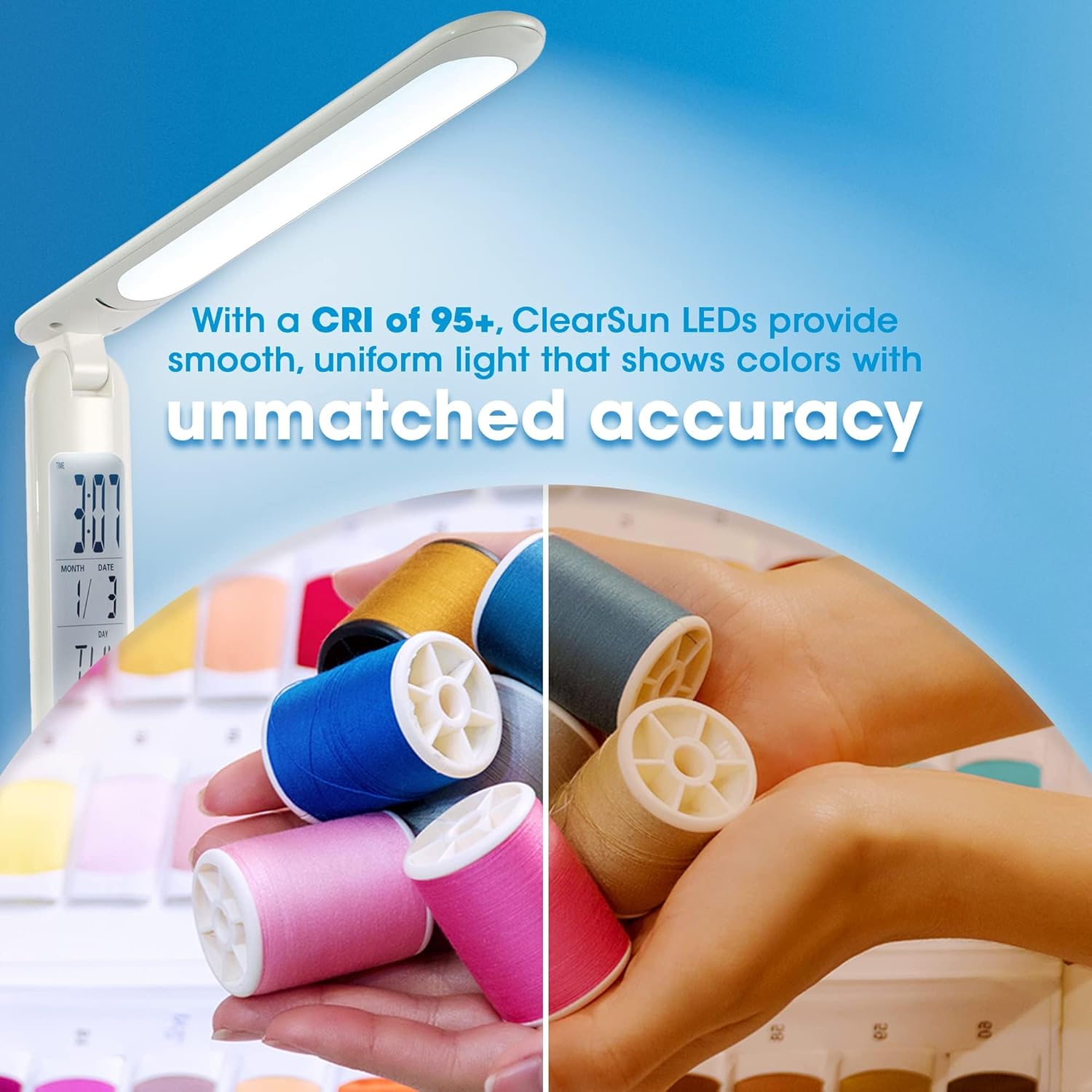
- ClearSun LED Technology: Provides natural daylight illumination, reducing eyestrain by up to 51% and showing colors with unmatched accuracy (CRI of 95+).
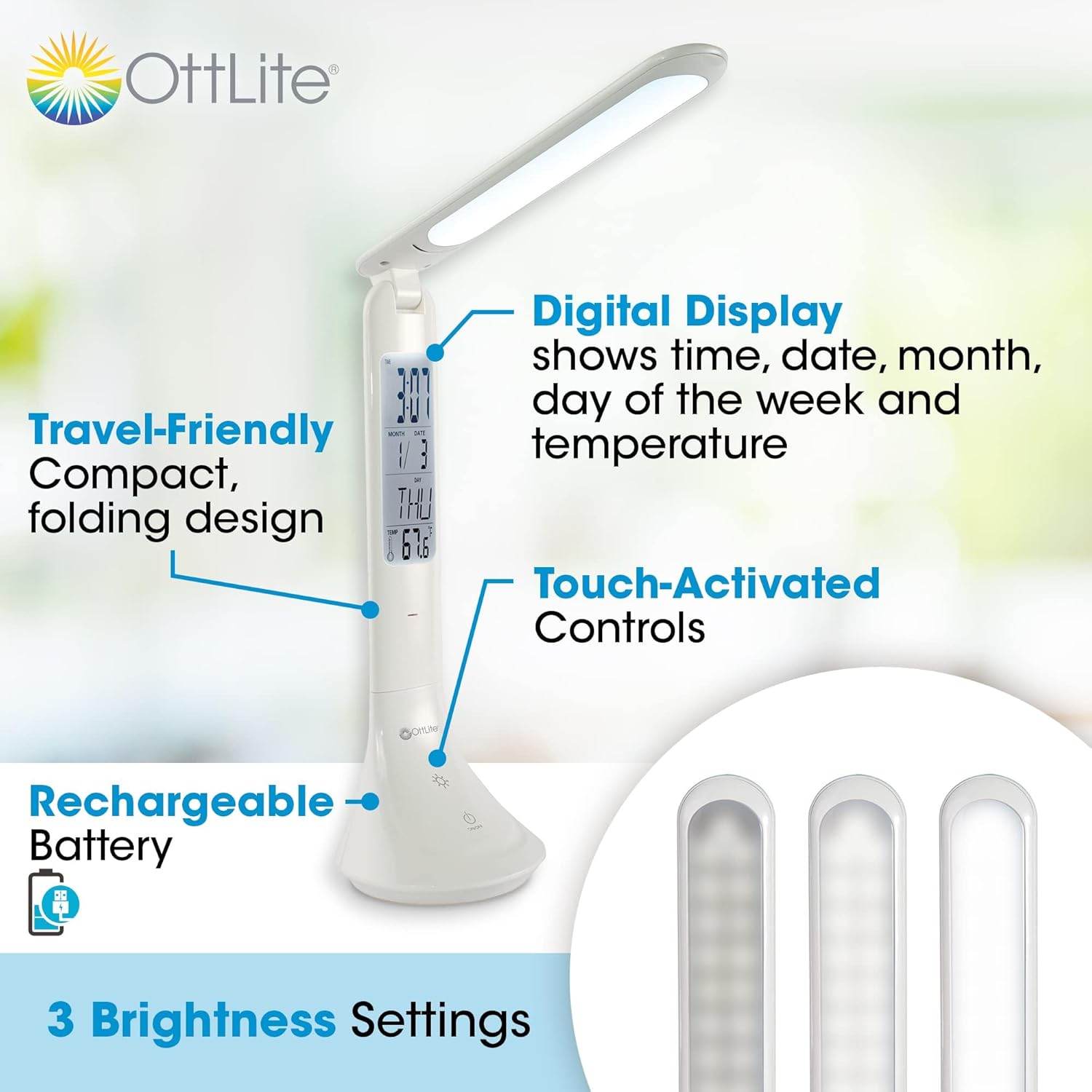
- Лічбавай дысплей: Integrated display shows current time, date, month, day of the week, and ambient temperature.
- Сэнсарныя элементы кіравання: Easily adjust brightness with three distinct settings.
- Акумулятарная батарэя: Cordless operation for ultimate portability.
- Дызайн, зручны для падарожжаў: Compact and foldable, adjusting in height from 10.75 to 15 inches, making it ideal for travel.
- USB-зарадка: Зручна зараджаць lamp via a standard USB connection.
Падрабязны view з лamp's features, including its digital display, touch controls, and brightness settings.

Comparison of light spectrums, illustrating how ClearSun LED technology mimics natural daylight for reduced eyestrain.
3. Настройка
- Распакуйце Lamp: Акуратна зніміце лamp and all components from the packaging. Ensure all parts are present: the lamp unit and a USB charging cable.
- Першапачатковая плата: Перад першым выкарыстаннем цалкам зарадзіце lamp. Connect the small end of the USB charging cable to the charging port on the lamp's base and the larger end to a USB power source (e.g., computer USB port, USB wall adapter). The charging indicator light will illuminate during charging and turn off when fully charged. A full charge typically takes several hours.
- Setting the Digital Display:
- Locate the small buttons near the digital display, usually labeled 'MODE' and 'SET'.
- Press 'MODE' to cycle through time, date, and alarm settings.
- When the desired setting (e.g., time) is blinking, press 'SET' to adjust the value. Continue pressing 'SET' to increment the value, or hold it down for faster adjustment.
- Press 'MODE' again to confirm the setting and move to the next adjustable parameter.
- The temperature display is automatic and does not require setting.
У лamp can be conveniently charged via a USB connection, such as to a laptop.
4. Інструкцыя па эксплуатацыі
- Уключэнне/выключэнне харчавання: Lightly touch the power icon (⏻) on the lamp's base to turn the light on or off.
- Рэгуляванне яркасці: З лamp on, repeatedly touch the brightness icon (☀) to cycle through the three available brightness settings (low, medium, high).
- Наладжванне Лamp Пасада: У лamp features an adjustable arm and head. Gently pivot the lamp head and arm to direct the light as needed. The lamp can be folded down for compact storage and transport.
- Monitoring Battery: У лamp is designed for portable use. For extended periods of use, it is recommended to keep the lamp plugged into a USB power source.

The compact and portable design makes the lamp suitable for use in various settings, including travel.

У лamp's adjustable height and folding mechanism allow for versatile positioning and easy storage.
5. Тэхнічнае абслугоўванне
- Уборка: Каб ачысціць лamp, ensure it is turned off and unplugged. Use a soft, dry cloth to wipe down the surfaces. Do not use abrasive cleaners or solvents, as they may damage the finish.
- Сыход за батарэяй: To prolong the life of the rechargeable battery, avoid completely draining it frequently. Recharge the lamp regularly, especially if it will not be used for an extended period.
- захоўванне: When not in use, fold the lamp into its compact form and store it in a cool, dry place away from direct sunlight and extreme temperatures.
6. Выпраўленне непаладак
| праблема | Магчымая прычына | Рашэнне |
|---|---|---|
| Lamp не ўключаецца. | Акумулятар разраджаны. | Злучыце лamp to a USB power source and allow it to charge. |
| Lamp turns off shortly after being unplugged. | Battery charge is low or battery capacity has diminished over time. | Пераканайцеся, што lamp is fully charged before use. For extended use, keep the lamp падключаны да сеткі. |
| Digital display is incorrect or not working. | Display settings need adjustment or internal battery for display is low. | Refer to 'Setting the Digital Display' in the Setup section. Ensure the main lamp battery is charged, as it powers the display. |
| Святло мігціць або цьмянае. | Нізкі акумулятар. | Перазараджце лamp. |
7. Тэхнічныя характарыстыкі
| Спецыфікацыя | Каштоўнасць |
|---|---|
| Нумар мадэлі | CSRD300W-SHPR |
| Марка | OttLite |
| Тып крыніцы святла | LED (ClearSun) |
| Каляровая тэмпература | 5000 кельвінаў |
| Яркасць | 263 люмен |
| Ватtage | 3.3 ват |
| Крыніца харчавання | Rechargeable Battery / Corded Electric (USB) |
| Памеры вырабу (у складзеным выглядзе) | 3.5" Г x 10.75" Ш x 3.5" У |
| Рэгуляваная вышыня | ад 10.75 да 15 цаляў |
| Вага прадмета | 11.4 унцыі |
| Матэрыял | Пластыкавыя |
| Тэхналогія падлучэння | USB |
| UPC | 761712024653 |
8. Гарантыя і падтрымка
For warranty information or technical support regarding your OttLite ClearSun LED Travel Task Lamp, please contact OttLite Technologies directly. You can typically find contact details on the OttLite official webна сайце або праз прадаўца, дзе быў набыты тавар.
Калі ласка, захавайце пацвярджэнне пакупкі для любых гарантыйных прэтэнзій.
Ask a question about this manual
Ask about setup, troubleshooting, compatibility, parts, safety, or missing instructions. Manuals+ will review the question and use this page’s manual context to help answer it.