
1. Уводзіны
Thank you for choosing the Yimaut IR Remote Control. This remote is designed to provide seamless control for your Roku Built-in TV. It operates using infrared (IR) technology and does not require pairing or complex setup for basic Roku TV functions. This package includes two remote controls, one black silicone cover, and one pink glow-in-the-dark silicone cover, along with wrist straps.
Змест пакета
- 2 x Yimaut IR Remote Controls
- 1 x Black Silicone Remote Cover
- 1 x Pink Glow-in-the-Dark Silicone Remote Cover
- 2 х папружкі
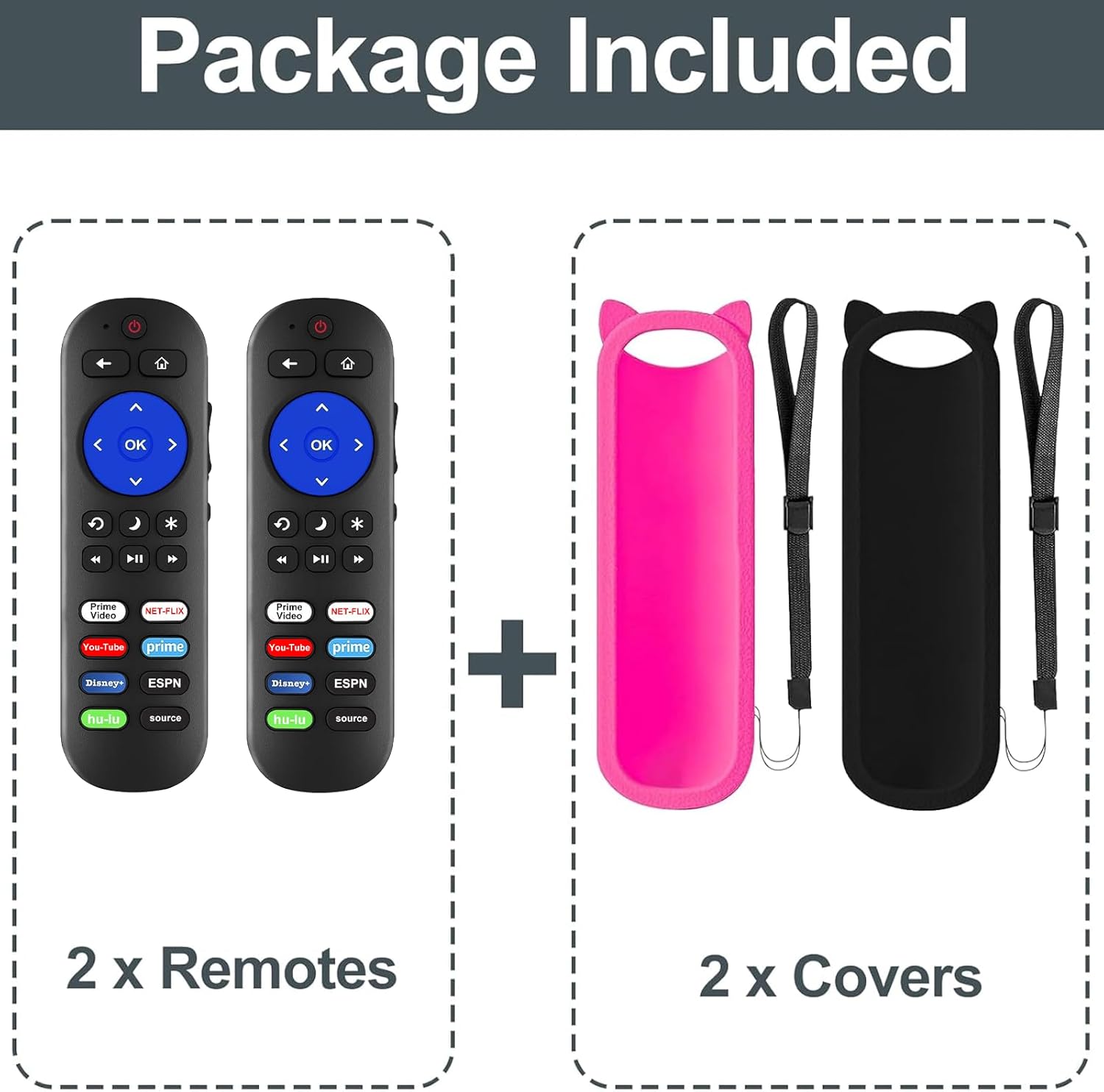
Малюнак 1: Змест пакета
Сумяшчальнасць
This remote control is compatible with all Roku Built-in TVs. It is not compatible with Roku Stick or Roku Streaming Stick devices. It does not support RF, Wi-Fi, Bluetooth, voice control, or headphone jack functions.
Supported TV brands include:
- Тэлевізар TCL Roku
- Тэлевізар Hisense Roku
- Onn Roku TV
- Sharp Roku TV
- Haier Roku TV
- Знакі адрознення Roku TV
- Sanyo Roku TV
- Hitachi Roku TV
- RCA Roku TV
- Тэлевізар Philips Roku
- Element Roku TV
- LG Roku TV
- Тэлевізар JVC Roku
- Magnavox Roku TV
- Тэлевізар Westinghouse Roku

Малюнак 2: Сумяшчальнасць зview
2. Настройка
Ўстаноўка акумулятара
Для працы пульта дыстанцыйнага кіравання патрэбныя дзве (2) батарэйкі тыпу AAA (не ўключаны ў камплект).
- Адкрыйце вечка адсека для батарэй на задняй частцы пульта дыстанцыйнага кіравання.
- Устаўце дзве батарэйкі тыпу AAA, пераканаўшыся, што станоўчая (+) і адмоўная (-) клемы правільна сумяшчаюцца з пазнакамі ўнутры адсека.
- Надзейна зачыніце крышку батарэйнага адсека.

Figure 3: Remote Control (Batteries not shown installed)
Першапачатковае выкарыстанне
For Roku Built-in TVs, no pairing or programming is required. Once batteries are installed, the remote is ready for immediate use. Simply point the remote directly at your Roku TV.
3. Інструкцыя па эксплуатацыі
Асноўныя функцыі
- Кнопка харчавання: Уключае або выключае ваш тэлевізар.
- Павялічыць/паменшыць гучнасць: Рэгулюе гучнасць тэлевізара.
- Кнопка адключэння: Адключэнне або ўключэнне гуку тэлевізара.
- Directional Pad (Up, Down, Left, Right) and OK Button: Навігацыя па меню і выбар опцый.
- Кнопка дадому: Вяртаецца на галоўны экран Roku.
- Кнопка "Назад": Вяртаецца да папярэдняга экрана або меню.
- Элементы кіравання прайграваннем (перамотка назад, прайграванне/паўза, перамотка наперад): Кіруе прайграваннем мультымедыя.
Клавішы хуткага доступу
The remote features dedicated shortcut buttons for quick access to popular streaming services:
- Netflix
- Hulu
- Дысней+
- Amazon Prime Video
- YouTube
- ESPN+
- Source Button (to change input source)
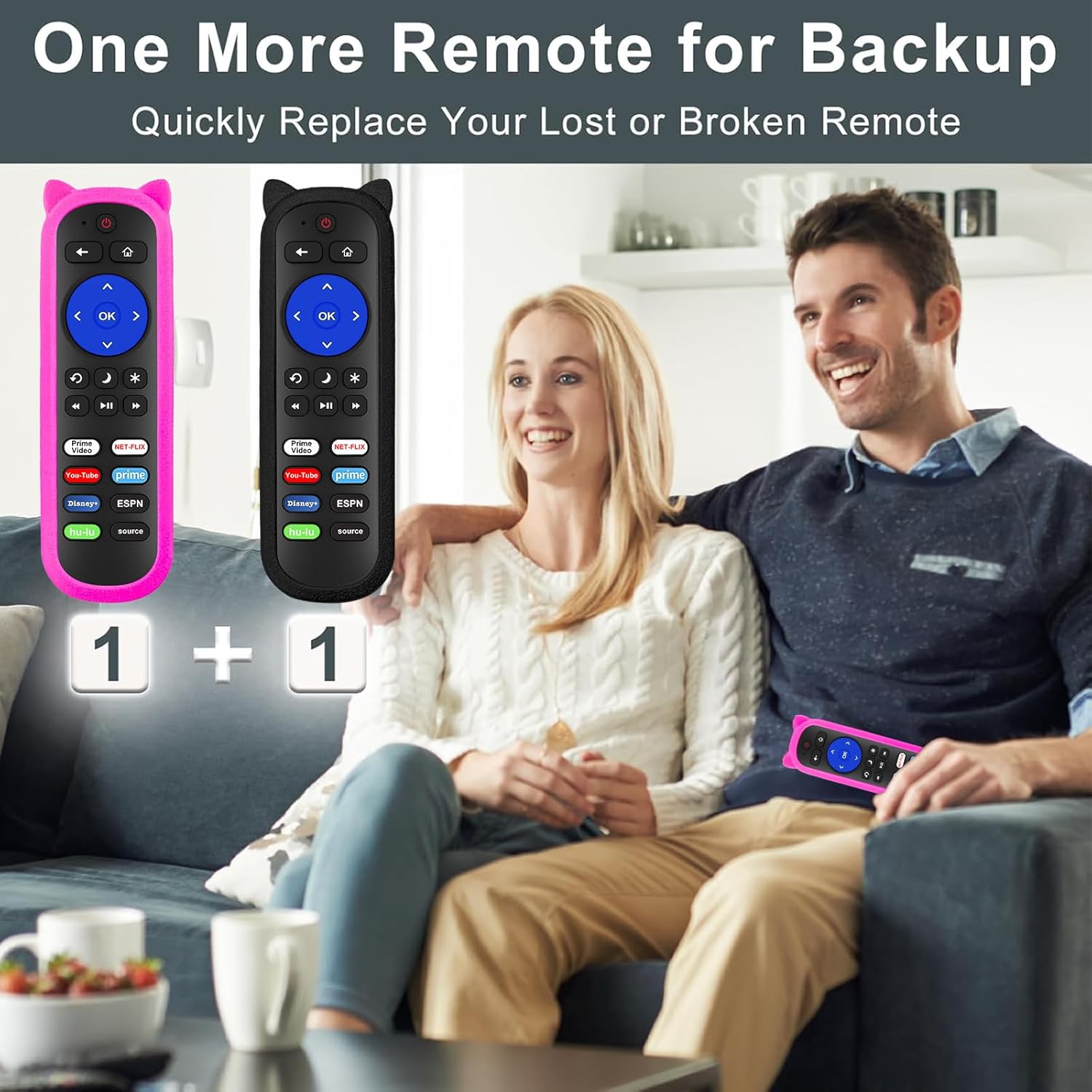
Figure 4: Remote Control Layout with Shortcut Buttons

Figure 5: 8 Channel Shortcut Keys Design
Infrared (IR) Operation
This remote operates via infrared signal. Ensure a clear line of sight between the remote control and your TV's IR receiver. Obstructions can interfere with the signal. The remote has a transmitting distance of up to 12 meters (40 feet).

Figure 6: Farther Transmitting Distance
4. Тэхнічнае абслугоўванне
Silicone Remote Covers
The included silicone covers protect your remote from drops and scratches. The pink cover features a glow-in-the-dark material, making it easier to locate in low-light conditions.
- Уборка: The silicone covers are washable. Remove the remote from the cover, wash the cover with mild soap and water, rinse thoroughly, and allow it to air dry completely before reinserting the remote.
- Anti-Lost Feature: Use the included wrist strap with the silicone cover to prevent accidental drops or misplacement.
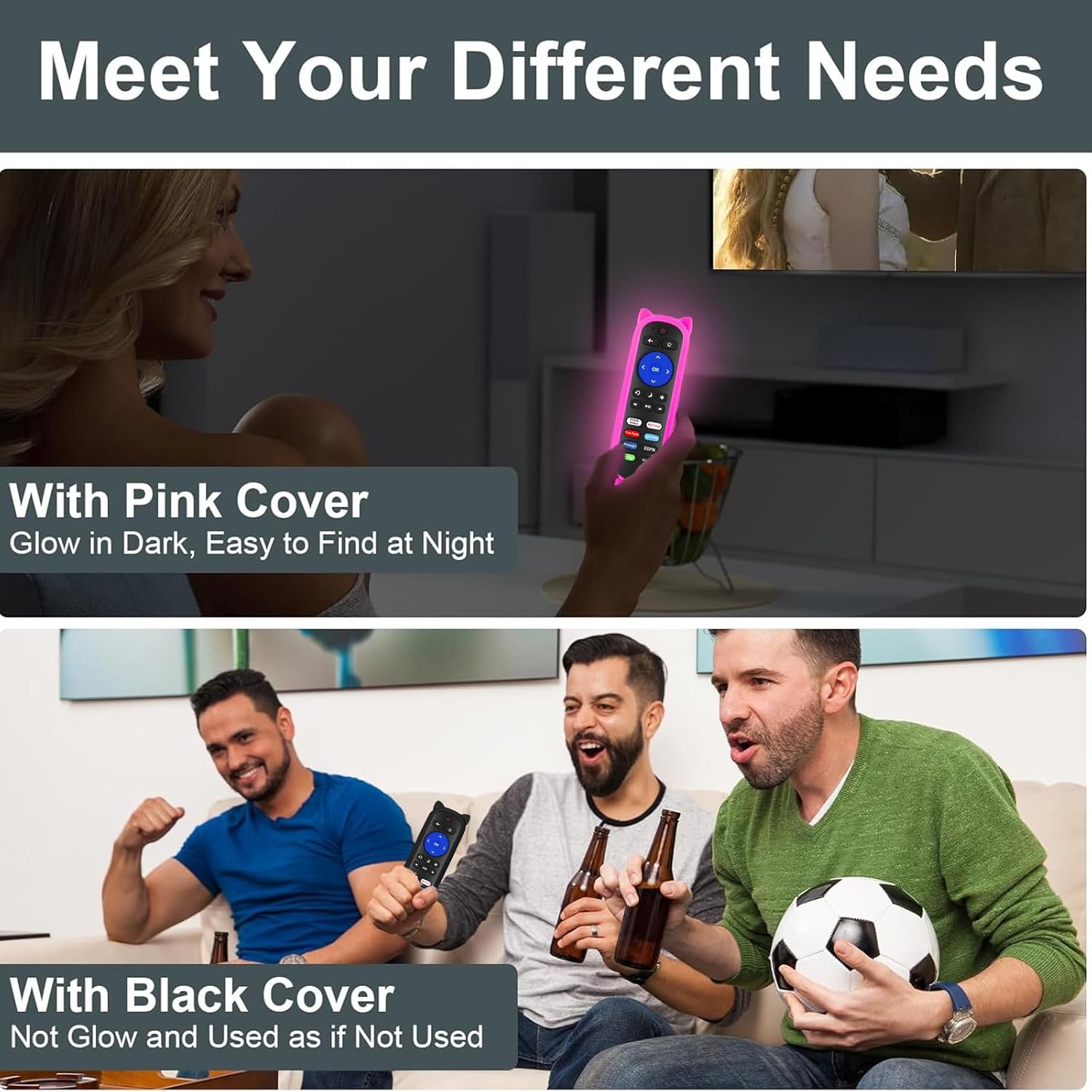
Figure 7: Remote with Pink Glow-in-the-Dark Cover

Figure 8: Detail of Silicone Remote Cover
Замена батарэі
Replace batteries when the remote's response becomes sluggish or stops working. Always use fresh AAA batteries and dispose of old batteries responsibly.
5. Выпраўленне непаладак
Пульт не адказвае
- Праверце батарэі: Ensure batteries are inserted correctly with the correct polarity and are not depleted. Replace if necessary.
- Лінія візавання: Verify there are no obstructions between the remote and your TV's IR receiver. Aim the remote directly at the TV.
- Перашкоды: Avoid pointing the remote at glossy surfaces, as this can cause signal reflection issues. Keep the remote's path clear of bright LED light sources, which can interfere with the IR signal.
- Адлегласць: Ensure you are within the effective operating range (up to 12 meters / 40 feet).

Figure 9: Troubleshooting for Connection Failure
Programming TV Power/Volume (for Roku Express/Soundbar setups)
While this remote is primarily for Roku Built-in TVs, some users with Roku Express or soundbar setups may need to program the TV power and volume buttons. If the power and volume buttons do not control your TV directly, you may need to use a universal remote code for your TV brand. Refer to your TV's manual for compatible universal remote codes or contact Yimaut customer service for assistance.
Note: Some users have reported success using Sony TV codes for Sceptre TVs.
6. Тэхнічныя характарыстыкі
| Асаблівасць | Спецыфікацыя |
|---|---|
| Марка | Імаут |
| Тэхналогія падлучэння | Інфрачырвоны (ВК) |
| Сумяшчальнасць | All Roku Built-in TVs (TCL, Hisense, Onn, Sharp, etc.) |
| Крыніца харчавання | 2 х ААА батарэі (не ўключаны) |
| Асаблівасці | Ergonomic design, No programming required for Roku Built-in TV, Shortcut keys, Anti-lost silicone covers (one glow-in-the-dark) |
| Максімальная колькасць падтрымоўваных прылад | 3 (Roku TV, plus TV power/volume if programmed) |
| Вага прадмета | 5.6 ounces (approx. for the pack) |
| Памеры ўпакоўкі | 6.5 х 4.29 х 1.46 цалі |
7. Гарантыя і падтрымка
For any questions, concerns, or technical support regarding your Yimaut IR Remote Control, please contact Yimaut customer service. While specific warranty details are not provided in this manual, Yimaut is committed to providing quality products and support.
You can often find support information or contact details through the retailer where you purchased the product or by visiting the official Yimaut brand store online.
Yimaut Brand Store: Visit the Yimaut Store